Nachrichten

22. Oktober 2026
Helfen Sie mit, die KI-Funktionen der Fast Reports-Produkte mitzugestalten
Wir untersuchen derzeit, wie KI unsere Produkte verbessern und Ihnen die Arbeit erleichtern könnte. Teilen Sie uns Ihre Meinung dazu mit, welche KI-Funktionen für Sie am nützlichsten wären.
12. Oktober 2026
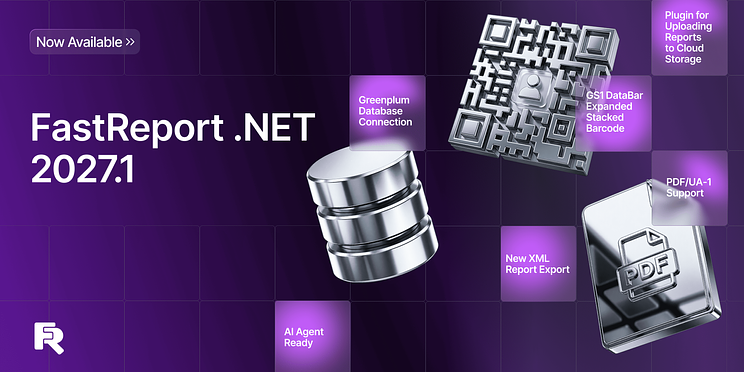
Neuerungen in FastReport .NET 2027.1: Greenplum-Anbindung, PDF/UA-1 und GS1-Barcodes
Die Version 2027.1 von FastReport .NET führt das Transport-Plugin für die Arbeit mit Cloud-Speicherdiensten (Google Drive, S3, NextCloud, OneDrive), den neuen GS1 DataBar Expanded Stacked-Barcode sowie die Unterstützung des PDF/UA-1-Standards ein. Der Export nach Excel und OpenOffice Calc unterstützt nun das Sperren von Zeilen und Spalten sowie den Export benutzerdefinierter Datenformate; außerdem wurden der Export nach XML und die Möglichkeit, die Farben der Arbeitsblatt-Registerkarten auszuwählen, hinzugefügt. Darüber hinaus wurden die Unterstützung für vCard 3.0/4.0, die Anbindung an Greenplum-Datenbanken und die vollständig asynchrone Berichtserstellung in Blazor hinzugefügt.
Neue Funktionen
Neue FastReport.Transport-Bibliothek
FastReport.Transport ist eine Bibliothek für die Interaktion mit Cloud-Speichern wie Google Drive, S3-kompatible Dienste, NextCloud und OneDrive.
Die Bibliothek enthält Klassen, die die gemeinsame ITransport-Schnittstelle implementieren. Sie bietet Methoden für das Hoch-, Herunter-, Kopieren, Bewegen, Löschen und Umbenennen von Ordnern und Dateien. Die Bibliothek enthält außerdem ein Formular mit einem benutzerfreundlichen Schnittstellen für die Nutzung der Bibliotheksfunktionalität, das ähnlich Windows Explorer aussieht.
FastReport.Plugins.Transport-Plugin
FastReport.Plugins.Transport ist ein Plugin, das die Integration der Transport-Bibliothek in FastReport .NET ermöglicht.
Verfügbar für: WinForms, WPF, Avalonia, Mono. Das Plugin wird ähnlich wie Verbindungsplugins verknüpft:
new FastReport.Plugins.TransportAssemblyInitializer();
Nach Hinzufügen des Verweises auf das Plugin und seiner Verknüpfung erscheinen zusätzliche Menüpunkte für das Hoch- und Speichern von Berichten in Cloud-Speichern – sowohl im Vorschauformular als auch im Designer.
Das erste Mal, wenn ein Transport verwendet wird, öffnet sich ein Fenster mit den für die Arbeit erforderlichen Daten (Authentifizierungsdaten und einige Parameter). Sobald das Fenster geschlossen wird, werden diese Daten in die FastReport-Konfiguration gespeichert.
Nach Abschluss der Authentifizierungsphase öffnet sich das Transportfenster, das dem ausgewählten Menüpunkt entspricht; es wird zum Speichern oder Laden eines Berichts oder einer Vorlage verwendet.
GS1 DataBar Expanded Stacked-Schriftzug
GS1 DataBar Expanded Stacked ist die fortgeschrittenste Version in der DataBar-Familie, die eine hohe Datengeschwindigkeit mit exzellenter geometrischer Flexibilität kombiniert. Im Gegensatz zu standardmäßigen linearen Schriftzügen ist dieser Symbology-Typ speziell für die Kodierung erweiterter Produktinformationen in einem beschränkten Raum vorgesehen.
Adaptive Ausdehnung ist eine wichtige Eigenschaft dieses Schriftzugs: er kann sowohl horizontal als auch vertikal ausgehend den verfügbaren Raum ausfüllen.
Beispiel für den GS1 DataBar Expanded Stacked-Schriftzug:
Weitere Informationen zum neuen Barcode finden Sie in unserem Artikel unter diesem Link.
Artikel lesen
Anpassen des Zeilenabstands im RichObject-Editor
Im RichObject-Editor können Benutzer jetzt den Zeilenabstand anpassen.
Unterstützung für die vCard-Versionen 3.0 und 4.0
Der Barcode-Editor unterstützt jetzt die vCard-Versionen 3.0 und 4.0. Zuvor wurde nur Version 2.1 unterstützt.
Die Version kann jetzt in den Objekteigenschaften oder im Editorfenster angegeben werden:
Verbindung zu Greenplum-Datenbanken
Greenplum-Datenbanken können jetzt als Datenquellen für Berichte verwendet werden.
Derzeit ist diese Datenquelle als Plugin implementiert.
Wie Sie sie verwenden, erfahren Sie im verlinkten Artikel.
Artikel lesen
Verbesserungen beim Export
Unterstützung des Standards PDF/UA-1
Die neue Version des Berichtsgenerators unterstützt den Standard PDF/UA-1. Diese Spezifikation des PDF-Formats erfüllt die Anforderungen an die Barrierefreiheit für Menschen mit Behinderungen.
Optisch unterscheidet sich ein PDF/UA-Dokument nicht von einem gewöhnlichen PDF, es enthält jedoch eine Struktur, die das Dokument beschreibt und unterstützender Software dabei hilft, den Bildschirminhalt vorzulesen.
Beispiel für die PDF/UA-Struktur in Adobe Acrobat:
Dieses Exportformat kann per Code oder im Fenster mit den Exporteinstellungen ausgewählt werden:
Weitere Informationen zum Standard PDF/UA-1 und seiner Umsetzung in unserer Exportfunktion finden Sie im verlinkten Artikel.
Artikel lesen
Fixieren von Zellen beim Export nach Microsoft Excel und OpenOffice Calc
Bei der Arbeit mit großen Tabellen ist es häufig erforderlich, Zeilen- oder Spaltenüberschriften ständig sichtbar zu halten. Dies ist besonders hilfreich, wenn Sie beim Betrachten des Dokuments horizontal oder vertikal scrollen.
Die aktualisierten Exportfunktionen für Microsoft Excel und OpenOffice Calc ermöglichen jetzt das Fixieren bestimmter Zellen. Hierfür können Sie die ODS-Exporteinstellungen verwenden:
Dieselbe Option ist für XLSX verfügbar:
Sie können die erste Zeile oder die erste Spalte fixieren. Zusätzlich besteht die Möglichkeit, eine bestimmte Anzahl von Zeilen oder Spalten zu fixieren.
Ausführliche Informationen finden Sie im verlinkten Artikel.
Artikel lesen
Export benutzerdefinierter Datenformate nach ODS
Der aktualisierte Export nach OpenOffice Calc unterstützt jetzt den Export benutzerdefinierter Datenformate.
Diese Option kann in den Exporteinstellungen aktiviert werden:
Option zum vollständigen Einbetten von Schriftarten beim Export nach XPS
Standardmäßig werden beim Export nur die tatsächlich verwendeten Zeichen in die Ausgabedatei eingebettet, nicht die gesamte Schriftart. Dadurch wird die Dateigröße reduziert.
In einigen Fällen kann es jedoch erforderlich sein, die vollständige Schriftart einzubetten. Verwenden Sie hierfür die neue Option:
Export in das XML-Format
Die neue Version von FastReport bietet die Möglichkeit, Berichte in das XML-Format zu exportieren.
Das Fenster mit den Exporteinstellungen ist unten dargestellt:
Bisher boten wir einen tabellarischen XML-Export an, der den Excel-Spezifikationen entspricht. Die neue Exportoption ist vielseitiger.
Informationen zur neuen Exportfunktion finden Sie im Artikel unter diesem Link.
Artikel lesen
Auswahl der Hintergrundfarben von Blattregisterkarten beim Excel-Export
Beim Export nach Excel können Sie jetzt die Farben der Blattregisterkarten festlegen. In den Einstellungen wurde eine neue Option hinzugefügt, mit der Sie für jede Seite eine Registerkartenfarbe festlegen können:
Das exportierte Ergebnis sieht wie folgt aus:
Änderungen in WebReport
Umstellung auf vollständig asynchrone Berichtserstellung in Blazor
Bisher verwendeten einige Teile von Blazor noch eine synchrone Berichtsvorbereitung. Sie wurden alle durch asynchrone Varianten ersetzt, wodurch die Leistung von WebReport Blazor verbessert wurde.
Vollständige Liste der Änderungen
[Engine]+ Barcode GS1 DataBar Expanded Stacked hinzugefügt;+ Unterstützung für das Abschneiden von Text im Skia-Backend hinzugefügt;+ Eigenschaft Config.UseGcCollect zur Steuerung der Garbage Collection hinzugefügt;+ Transporte für Google Drive und S3 hinzugefügt;* Ladegeschwindigkeit einiger fpx-Dateien verbessert;* Aktualisierungen der Skriptsicherheit;- Fehler mit mehrteiligen Klammern im Text-Objekt behoben;- Textverarbeitung in einigen ostasiatischen Gebietsschemata korrigiert;- Probleme mit der Skriptsicherheit behoben;- Fehler mit der Eigenschaft DashPattern behoben;- Fehlerhafte Darstellung von Unterstreichungen und Durchstreichungen bei einigen Schriftarten korrigiert;- Falschen Standardwert der Eigenschaft CommandParameter.Direction korrigiert;- Verhalten von ProcessAt bei einem teilbaren Band korrigiert;- Fehlerhafte Darstellung einiger SVG-Dokumente korrigiert;
[Designer]+ vCard-Versionen 3.0 und 4.0 hinzugefügt;+ Möglichkeit zum Ändern des Zeilenabstands für RichObject hinzugefügt;- Speicherlecks in WpfDesignerControl behoben;- Fehler behoben und Dokumentation für Swiss QR aktualisiert;- Erstellung von Verbindungen durch Hinzufügen des Verbindungsformulars Avalonia.Data.Odbc korrigiert;- Designer-Fehler im Mono-Framework behoben;- Behandlung von IOException beim Öffnen von rtf-Dateien in RichObject hinzugefügt;- Textüberlauf bei linearen Barcodes behoben, wenn der Text breiter als der Barcode ist;- Bildanzeige in RichObject in der Berichtsvorschau bei Verwendung von ConvertRichText korrigiert;- NullReferenceException in RichObject mit PicturesInParagraph behoben;- Designer-Fehler beim Ziehen eines Berichtsparameters behoben;
[Preview]- Fehler beim Bearbeiten einer Vorschauseite behoben, wenn die Eigenschaft MirrorMargins auf true gesetzt ist;- Tooltip im E-Mail-Formular korrigiert;
[Exports]+ Unterstützung des Standards PDF/UA-1 hinzugefügt;+ Fixieren von Zeilen und Spalten beim Export nach ODS hinzugefügt;+ Export benutzerdefinierter Datenformate nach ODS hinzugefügt;+ Option „Vollständige Schriftarten verwenden“ zum XPS-Export hinzugefügt;+ Möglichkeit zum separaten Fixieren von Zeilen und Spalten für jede Seite hinzugefügt;+ Export in das XML-Format hinzugefügt;+ Auswahl der Farben von Blattregisterkarten beim Excel-Export hinzugefügt;+ Neue Eigenschaft zur Verbesserung des Exports von Polygon-Objekten nach Word hinzugefügt;- SVG-Beschneidung beim PDF-Export korrigiert;- Fehlerhafte Darstellung des Polygon-Objekts beim Export nach Word korrigiert;- Höhe der Tabellenzeilen beim XLSX-Export korrigiert, wenn MinHeight gesetzt ist;- Fehler beim Export von bidirektionalem Text nach PDF behoben;- Export von SVG-Objekten nach PDF korrigiert;- Fehler beim HTML-Export behoben;- Wert für die Simulation von Fettdruck beim PDF-Export korrigiert;- Nicht unterstützte Bildformate aus dem Bildexportformular in Avalonia entfernt;- Fehler beim PDF-Export bei Verwendung von Noto-Schriftarten behoben;- Fehler mit der Barcode-Schriftart beim PDF-Export behoben;- ArgumentException in ImageExport beim Speichern eines Berichts als Metadatei mit einem einzigen Bild behoben;- Fehlerhaftes Bereinigen der erzeugten Streams und Dateien beim Export nach DXF, HPGL, SVG und XAML korrigiert;- InvalidCastException beim Füllen der Liste der Seitennamen behoben;- NullReferenceException beim Word-Export mit nicht standardmäßiger Bildqualität behoben;- Überflüssigen Tabulator beim Word-Export bei Verwendung der Eigenschaft ParagraphOffset entfernt;- Überflüssigen Typ für gemeinsam genutzte Zeichenfolgen (t="s") aus leeren Zellen beim Excel-Export entfernt;- Zusätzliche leere Seite beim ODT-Export entfernt;
[WebReport]+ Methode CreateProcedureAsync zu MsSqlDataConnection hinzugefügt;+ Option skipSchemaInit zum WebReport-Endpunkt getConnectionTables hinzugefügt;* Blazor Server verwendet jetzt die asynchrone Berichtsvorbereitung (PrepareAsync);* Struktur des JS-Codes in WebReport verbessert;- Auswertung von Parametern beim Klicken auf den DetailReport-Link in WebReport korrigiert;- Fehler mit doppelten Prozedur- und Tabellennamen in WebReport behoben;- Position des modalen Containers bei fixierter WebReport-Symbolleiste korrigiert;- Auswertung von Anführungszeichen innerhalb von WebReport korrigiert;- Handler für Klicks auf Objekte innerhalb einer Tabellenzelle in WebReport korrigiert;- Suchschaltfläche aus OpenSource WebReport entfernt;- Zwischenspeicherung von DetailPage-Parametern in WebReport korrigiert;- Handler für Klickereignisse in WebReport korrigiert;- Initialisierung des WebReport-Skripts korrigiert;- Fehlerhaften Build von FastReport.OpenSource.Web korrigiert;- IndexOutOfRangeException beim erneuten Laden der Detailseite in WebReport behoben;- Serialisierung der E-Mail-Exporteinstellungen in WebReport korrigiert;- Fehlerhafte Anzeige des Einstellungsmenüs für den RTF-Export korrigiert;- Öffnen der WebReport-Exporteinstellungen korrigiert;
[Common]+ Zuordnung von MySql-Typen hinzugefügt;
[Extras]+ Verbindung zu Greenplum-Datenbanken hinzugefügt;+ Plugin FastReport.ReportBuilder für die Open-Source-Version hinzugefügt;+ Transporte für OneDrive und NextCloud hinzugefügt;* Plugin FastReport.Data.MsSql verwendet jetzt Microsoft.Data.SqlClient anstelle von System.Data.SqlClient;- Probleme durch inkompatible Änderungen in MongoDB 3.5.2 und Assembly-Konflikte behoben;- Fehler mit einer CSS-Klasse im HtmlObject-Plugin behoben;- Fehler im HTML-Renderer-Plugin behoben;- Tabellendarstellung im HTML-Plugin korrigiert;
[.Net Core]+ Funktionen GetParameterType und GetConnectionType hinzugefügt;- Verhalten von CompilerSettings.ExceptionBehaviour in .NET Core korrigiert.

11. September 2026
Trefft Fast Reports auf dem Entwickler Summit 2026 in Berlin!
Wir freuen uns, bekannt zu geben, dass Fast Reports Partner des Entwickler Summit 2026 ist, der am 17. September in Berlin stattfindet.
Besucht unseren Fast Reports Stand und entdeckt unsere neuesten Lösungen für Business Intelligence und Reporting. Lernt unser Team kennen und tauscht euch mit uns über die Zukunft von Entwickler-Tools und Technologien aus.
Außerdem freuen wir uns, Mikhail Philippenko, VP bei Fast Reports, persönlich auf der Konferenz begrüßen zu dürfen.
Und das ist noch nicht alles – Besucher unseres Standes haben die Chance, tolle Preise zu gewinnen!
Wir laden Entwickler, Tech-Enthusiasten und alle, die sich für innovative Lösungen im Bereich Reporting und Analytics interessieren, herzlich ein, am 17. September beim Entwickler Summit in Berlin an unserem Stand vorbeizuschauen, unser Team kennenzulernen und sich mit uns auszutauschen.
Die besten Ideen entstehen nicht beim Planen, sondern beim Austausch.
Die Zukunft hat bereits begonnen.

10. August 2026
Fast Reports feiert Geburtstag – 20 % Rabatt sichern
Jedes Jahr entstehen neue Produkte, Tausende erfolgreicher Projekte werden umgesetzt und Millionen von Berichten mit den Lösungen von Fast Reports erstellt. Unser größter Erfolg ist jedoch die Gemeinschaft unserer Kunden und Partner, die uns bei der Automatisierung ihrer Berichterstattung vertrauen.
Vielen Dank, dass Sie sich für unsere Produkte entschieden haben und gemeinsam mit uns wachsen.
Anlässlich des Fast Reports Jubiläums erhalten Sie 20 % Rabatt auf alle Reporting-Bibliotheken FastReport VCL, FastReport .NET und FastReport Desktop.
Die Aktion läuft vom 10. bis einschließlich 25. August.
Nutzen Sie dieses Sonderangebot, um neue Produkte zu erwerben oder Ihre bestehenden Lizenzen auf die neueste Version zu aktualisieren – jetzt zum Sonderpreis.
Wir freuen uns, Teil Ihrer Projekte zu sein, und werden unsere Produkte auch weiterhin kontinuierlich verbessern, damit die Berichterstellung noch einfacher und effizienter wird.
.png?locale=de)
25. Mai 2026
Update der Service-Lösungen auf Version 2026.2
Im Release 2026.2 der Service-Linie (FastReport Cloud, FastReport Publisher, FastReport Corporate Server), haben wir uns auf die Steigerung der Zuverlässigkeit und Benutzerfreundlichkeit konzentriert: Die Arbeit mit Aufgaben und dem Planer wurde verbessert, die Funktionen des Admin-Panels wurden erweitert, neue Integrationsmöglichkeiten wurden hinzugefügt und Fehler in mehreren Schlüsselkomponenten behoben.
Unterstützung von API-Keys im Online Designer
Der Online Designer unterstützt jetzt die Authentifizierung über API-Keys, was die Integrationsmöglichkeiten in Unternehmenssysteme erweitert.
Um sich mit einem API-Key zu autorisieren, muss der URL der Parameter apikey hinzugefügt werden. Beispiel: {hostname}/designer/?uuid={templateId}&v=df&apikey={apikey}.
Außerdem verwendet der Online Designer nun das Symbol aus der Serverkonfiguration, sodass Branding korrekt ohne zusätzliche Anpassungen übernommen wird.
Beschleunigung von Aufgaben und des Planers
Die Berechnung von Cron-Ausdrücken wird jetzt zwischenspeichert. Dies reduziert die Anzahl der Datenbankzugriffe bei der Arbeit mit dem Planer erheblich. Zudem wurden Fehler behoben, durch die Aufgaben ohne ausreichende Berechtigungen gestartet werden konnten oder zu häufig ausgeführt wurden.
Erweiterte Dokumentation
Die aktuelle Produktversion wurde in alle Dokumentationsartikel aufgenommen. Dadurch können Skripte aus der Dokumentation zur Installation der aktuellen Produktversion verwendet werden. Die Dokumentation zu Aufgaben und dem Planer wurde verbessert, und es wurde ein Artikel über die Einschränkungen der Demo-Version des Publishers und des Corporate Servers hinzugefügt.
Zusätzliche Änderungen für FastReport Corporate Server und FastReport Publisher
Nachfolgend sind Änderungen aufgeführt, die nur die On-Premise-Produkte der Linie betreffen.
Neues Admin-Panel basierend auf Fluent UI
Das Admin-Panel wurde komplett auf Basis von Fluent UI überarbeitet – einer modernen Komponentenbibliothek von Microsoft. Die Oberfläche ist nun konsistenter, benutzerfreundlicher und barrierefreier. Auch die Fehlerbehandlung auf der Seite zur Massenbearbeitung von Plänen wurde verbessert. Das neue Admin-Panel wird derzeit in der Cloud-Infrastruktur getestet und wird in Kürze standardmäßig im Publisher und Corporate Server aktiviert.
Erweiterte Funktionen der Methode UpdateSubscriptionPlan
Der Methode UpdateSubscriptionPlan wurde ein neues Flag hinzugefügt. Es ermöglicht, aktuelle Pläne sofort für alle Abonnements zu aktualisieren, die diesen Plan nutzen. Dies vereinfacht die Massenverwaltung von Konfigurationen.
Unterstützung der lokalen Browserzeit
Die Erstellung und Verlängerung eines Workspaces wird jetzt in der lokalen Zeit des Browsers festgelegt. Das Erstellungsdatum von Audits auf der Audit-Seite wird ebenfalls in der lokalen Zeit angezeigt. Dadurch entfallen Diskrepanzen für Benutzer aus verschiedenen Zeitzonen.
Standardproduktname aus dem Lizenzschlüssel
Der Produktname (Corporate Server oder Publisher) kann jetzt automatisch aus dem Lizenzschlüssel ermittelt werden. Die erste Einrichtung des Produkts bei der Bereitstellung wird dadurch einfacher.
Erweiterte FerretDB-Funktionen
Ein Fehler wurde behoben, durch den Migrationen bei Verwendung von FerretDB nicht ausgeführt wurden. Zusätzlich wurde die Mechanik optimiert.
Swagger-Datei für das Admin-Panel
Im Corporate Server und Publisher wurde eine Swagger-Datei hinzugefügt, die die API des Admin-Panels beschreibt. Dies vereinfacht die Integration und das Kennenlernen der verfügbaren administrativen API-Funktionen. Die Beschreibung der Admin-Panel-API ist unter /api/swagger/index.html verfügbar, wenn der entsprechende Bereich oben rechts auf dem Bildschirm ausgewählt wird.
Fehler im Installer behoben
Ein Fehler wurde behoben, bei dem der Installer falsche Demo-Lizenzschlüssel während der Installation verwendet hat.
FastConverter
Ein neuer Dienst wurde veröffentlicht – FastConverter. Er ermöglicht die Konvertierung von *.FPX-Dateien in verschiedene, von FastReport Cloud unterstützte Formate (z. B. *.PDF, *.DOCX). Der Dienst erfordert keine Installation oder Registrierung. Sie können Ihre Berichte über den folgenden Link konvertieren.
Vollständige Änderungsliste
[Admin Panel]+ Der Methode UpdateSubscriptionPlan wurde ein neues Flag hinzugefügt. Es ermöglicht die Aktualisierung aktueller Pläne für alle Abonnements, die den aktualisierten Plan nutzen.* Erstellung und Verlängerung eines Workspaces werden jetzt in der lokalen Browserzeit festgelegt.* Das Erstellungsdatum von Audits auf der Audit-Seite wird jetzt in der lokalen Browserzeit angezeigt.- Fehlerbehandlung auf der Seite zur Massenbearbeitung von Plänen verbessert.- Korrekturen für das neue Admin-Panel.
[Backend]+ Fehlende Audit-Meldungen wurden hinzugefügt.- Fehler behoben, bei dem CORS für statische Dateien einen Fehler 500 zurückgab.- Standardmäßige Setzung des Produktnamens (Corporate Server, Publisher) aus dem Lizenzschlüssel hinzugefügt.- Berechtigungsprüfung bei der Massenverschiebung von Dateien korrigiert.- Fehler in der 48. Migration behoben, bei dem ein null-Wert nicht als String verarbeitet werden konnte.- MHT-Export korrigiert.
[Common]+ Swagger-Datei für das Admin-Panel im Corporate Server und Publisher hinzugefügt.+ Zusätzliche Tests zur Funktionsfähigkeit von FerretDB hinzugefügt.- Fehler behoben, bei dem MySQL das Erstellen von Parametern für SELECT-Abfragen verhinderte.- Fehler behoben, bei dem Migrationen bei Verwendung von FerretDB nicht ausgeführt wurden.
[Docs]+ Aktuelle Produktversion in alle Dokumentationsartikel aufgenommen.+ Dokumentation zu Aufgaben und dem Planer verbessert.+ Artikel über die Einschränkungen der Demo-Version des Publishers und Corporate Servers hinzugefügt.
[Frontend]+ Neues Admin-Panel basierend auf Fluent UI hinzugefügt.- Dateiauswahldialog in Transportaufgaben korrigiert.
[Installer]- Fehler behoben, bei dem der Installer falsche Demo-Lizenzschlüssel verwendete.
[Online Designer]+ Unterstützung für API-Keys im Online Designer hinzugefügt.* Der Online Designer verwendet jetzt das Symbol aus der Serverkonfiguration.
[SDK]- Fehler bei der Übergabe von Datum und Uhrzeit behoben.
[Tasks]+ Zwischenspeicherung der Berechnung von Cron-Ausdrücken hinzugefügt, was die Datenbankarbeit erheblich beschleunigt.- Fehler behoben, der das Starten von Aufgaben erlaubte, wenn der Benutzer keinen aktiven Cloud-Workspace hatte.- Fehler behoben, durch den Aufgaben ausgeführt wurden, obwohl der Workspace keine Berechtigung zur Nutzung des Planers hatte.- Fehler behoben, durch den eine Aufgabe zu oft ausgeführt wurde, wenn ein Cron-Ausdruck angegeben war.
19. Mai 2026
Release der Version 2026.2 für den FastReport Online Designer
In der neuen Version des FastReport Online Designer (2026.2) wurden die Benutzeroberfläche erheblich verbessert und das Theming-System überarbeitet. Hinzu kommen eine neue Berichtsarbeitsfläche sowie eine beträchtliche Menge an neuen Funktionen. Zu den wichtigsten Änderungen gehören ein vollständig überarbeitetes Theme im Stil von FastReport .NET Avalonia, ein neuer Docking-Manager zur flexiblen Anpassung der Panels, Pop-up-Einstellungen für den Designer, ein verbessertes Undo/Redo-System und vieles mehr.
Neue Funktionen
Theme von FastReport .NET Avalonia
In Version 2026.2 wurde das Erscheinungsbild des Online Designer komplett überarbeitet – ein neues Theme im Stil von FastReport .NET Avalonia wurde hinzugefügt. Die Stile aller Steuerelemente, Panels, Pop-ups und Symbolleisten wurden aktualisiert.
Das Theme ist responsiv und wird auf Bildschirmen verschiedener Größen korrekt dargestellt.
Eigenschaftenpanel überarbeitet
Das Eigenschaftenpanel erhielt ein aktualisiertes Design in Form einer Eigenschaftstabelle.
Das Eigenschaftenpanel wurde nun mit dem Ereignispanel in einer einheitlichen Benutzeroberfläche zusammengeführt – genau wie in der Desktop-Version von FastReport. Das Umschalten zwischen Eigenschaften und Ereignissen einer Komponente erfolgt über eine Symbolleiste innerhalb des Panels, sodass Sie die Ereignisse nicht mehr in einem separaten Fenster suchen müssen.
Docking-Manager
Ein neuer Docking-Manager wurde implementiert, der es dem Benutzer ermöglicht, die Anordnung der Panels in der Designer-Oberfläche flexibel anzupassen. Die Panels können per Drag & Drop verschoben, an verschiedenen Bildschirmseiten angedockt und in ihrer Größe verändert werden.
Neue Arbeitsfläche: Lineale, Hilfslinien, Band-Überschriften
Die Arbeitsfläche des Designers wurde vollständig überarbeitet. Die Lineale und Hilfslinien wurden aktualisiert – sie spiegeln jetzt die Position der Komponenten auf der Seite genauer wider und sind bei jedem Zoomfaktor verfügbar. Die Band-Überschriften wurden in eine separate Ebene ausgelagert.
Darüber hinaus wurde die Unterstützung für ein alternatives Raster bei gedrückter Alt-Taste hinzugefügt – Komponenten können mit reduzierter Schrittweite verschoben und skaliert werden, um eine präzise Positionierung zu ermöglichen.
Symbolleisten der Panels „Daten“ und „Berichtsbaum“
Die Panels „Daten“ und „Berichtsbaum“ erhielten Symbolleisten mit Funktionen aus FastReport .NET. Sie können Knoten ein- und ausklappen, Dropdown-Listen verwenden und neue Verknüpfungen erstellen. Die Panels unterstützen das rekursive Ein- und Ausklappen von Knoten sowie das automatische Umschalten auf das benachbarte Element beim Löschen eines Knotens.
Einstellungsfenster des Designers
Ein einheitliches Einstellungsfenster des Designers wurde hinzugefügt, das die Konfiguration des Erscheinungsbilds, die Objektparameter und die Interaktionsmöglichkeiten mit der Anwendung vereint. Folgende Bereiche stehen zur Verfügung:
Oberfläche. Einstellungen für Tastenkürzel und Auto-Save.
Berichtsseite. Einstellungen für Raster und Maßeinheiten.
Objekt-Erscheinungsbild. Stile und Darstellung der Komponenten.
Registerkarte „Code“. Einstellungen für die Codepage.
Registerkarte „FRX“. Einstellungen für die FRX-Vorlagenbearbeitungsseite.
Die Einstellungen werden beim Schließen des Designers gespeichert und beim nächsten Öffnen wiederhergestellt.
Bearbeitungsfenster für Barcodes
Ein eigenes Fenster zur Konfiguration der Barcode-Komponente wurde implementiert – als Ersatz für den universellen Ausdruckseditor. Das Fenster enthält separate Registerkarten für jeden Barcode-Typ mit den entsprechenden Konfigurationsfeldern, einschließlich Swiss QR.
Bearbeitungsfenster für Schriftarten
Das Fenster zur Schriftartkonfiguration wurde überarbeitet – Erscheinungsbild und Struktur wurden an das Design von FastReport .NET angepasst. Das Fenster ersetzt die bisherige vereinfachte Version und bietet Zugriff auf den vollständigen Satz an Schriftartparametern.
FRX-Vorlageneditor
Ein eingebetteter Editor für das XML-Berichtsvorlage (FRX) wurde hinzugefügt. Der Editor mit Syntaxhervorhebung ermöglicht es, die XML-Struktur des Berichts direkt anzuzeigen und zu bearbeiten. Es werden Undo/Redo sowie die Synchronisierung mit der Hauptansicht des Designers unterstützt.
Formatkopieren von Komponenten
Sie können jetzt Stile zwischen Komponenten kopieren und einfügen. Dies ist das Äquivalent zum Werkzeug „Format übertragen“ aus der Desktop-Version und ist über die Symbolleiste verfügbar. Diese Funktion ermöglicht es, die Einstellungen für Schriftarten, Farben, Rahmen und andere Eigenschaften schnell auf verschiedene Berichtskomponenten anzuwenden.
Neue Logik beim Zeichnen von Formen
Die Logik des Zeichnens der Komponenten PolyLine, Polygon und Linien wurde überarbeitet. In dieser Version erfolgt das Zeichnen interaktiv, ohne dass zwischen verschiedenen Werkzeugen umgeschaltet werden muss. In der Komponentenleiste wurden Presets hinzugefügt, um typische Formen schnell einfügen zu können.
Neue Logik beim Hinzufügen von Komponenten auf die Seite
Der Mechanismus zum Hinzufügen von Komponenten wurde nach dem Vorbild der Desktop-Version von FastReport .NET überarbeitet. Die Komponente wird nun durch einen Klick auf die Komponentenleiste hinzugefügt – danach wechselt der Cursor in den Platzierungsmodus, und unter dem Cursor wird eine Vorschau der zukünftigen Komponente angezeigt. Ein erneuter Klick auf die Seite erstellt die Komponente an der Position der Vorschau.
Funktionen „Bericht öffnen“ und „Bericht speichern“
Es gibt nun die Funktionalität zum Öffnen und Speichern von Berichten. Sie können jetzt einen Bericht direkt aus dem Dateisystem im WebReport öffnen, ohne ihn vorher auf den Server laden zu müssen. Außerdem können Sie einen fertigen Bericht in Ihrem eigenen Dateisystem speichern.
Bitte beachten Sie: Vor der Verwendung dieser Funktionen müssen die Datenquellen im WebReport angebunden werden.
Verbesserungen
Undo/Redo: benannte Aktionen und Gruppenrückgängigmachung
Das Undo/Redo-System wurde auf den Code-Editor und den FRX-Vorlageneditor ausgeweitet. Jeder Aktion in der Anwendung wurde eine Textbeschreibung zugewiesen, sodass es in der Änderungshistorie keine anonymen Einträge mehr gibt. Sie können visuell mehrere Aktionen auswählen und mit einem einzigen Klick rückgängig machen.
Überarbeitung des Code-Editors
Im Skript-Editor des Berichts wurde eine konfigurierbare Tabulierung hinzugefügt. Die Einzugsgröße wird nun in den Einstellungen der Code-Editor-Seite festgelegt.
Anpassungsfähigkeit der Benutzeroberfläche
Die Designer-Oberfläche wurde an Bildschirme verschiedener Größen angepasst – sowohl im Avalonia- als auch im klassischen Theme. Die Elemente skalieren und ordnen sich bei Größenänderung des Browserfensters neu an.
Überarbeitung der Seitenleiste
Die Seitenleiste wurde um die Möglichkeit erweitert, Seiten und Dialogseiten zu erstellen. Bei Klick auf die Schaltfläche „+“ mit der linken Maustaste wird eine Seite erstellt. Bei Klick mit der rechten Maustaste öffnet sich ein Kontextmenü mit der Möglichkeit, entweder eine Dialogseite oder eine normale Berichtsseite zu erstellen.
Neues UI-Element für die Datenquellenauswahl
Ein neues Steuerelement zur Auswahl einer Datenquelle wurde hinzugefügt – analog zur Desktop-Version von FastReport .NET. Anstatt den Tabellen- oder Feldnamen manuell in ein Textfeld einzugeben, wird nun ein Baum mit Verbindungen, Datenquellen und Spalten angezeigt – die Auswahl erfolgt mit einem einzigen Klick.
Das Steuerelement wird in zwei Modi verwendet:
Auswahl einer Datenquelle für ein Band. Im Band-Editor (Registerkarte „Datenquelle“) sind nur Tabellen zur Auswahl verfügbar.
Auswahl eines Datenfelds für eine Komponente. Beispielsweise auf der Registerkarte „Datenfeld“ des Picture-Editors: Im Baum werden Tabellen und deren Spalten angezeigt; Sie können ein bestimmtes Feld auswählen oder den Wert auf None zurücksetzen.
Möglichkeit zur Bearbeitung einer Verbindung
Es wurde die Möglichkeit hinzugefügt, eine zuvor erstellte Datenquellenverbindung zu bearbeiten – die Parameter der Verbindungszeichenfolge zu öffnen, zu ändern und zu speichern, ohne die Verbindung von Grund auf neu erstellen zu müssen.
Aus Sicherheitsgründen wird die Verbindungszeichenfolge nicht im Bericht selbst gespeichert und verbleibt nur im Browserspeicher innerhalb der aktuellen Designer-Sitzung. Daher ist die Bearbeitung nur unter folgenden Bedingungen möglich:
Die Verbindung wurde in der aktuellen Sitzung erstellt, und die Designer-Seite wurde seitdem nicht neu geladen.
Der Bericht wurde nach dem Erstellen der Verbindung nicht erneut geöffnet.
Nach einem Neuladen der Seite oder erneutem Öffnen des Berichts verliert der Designer die Verbindungszeichenfolge, und die Bearbeitung ist nicht mehr möglich – in diesem Fall muss die Verbindung neu erstellt werden.
Fehlerkorrekturen
Probleme beim Speichern von kyrillischen Zeichen im Skriptcode behoben (VCL)
Ein Fehler wurde behoben, bei dem kyrillische Zeichen im Skriptcode in VCL-Berichten nicht korrekt gespeichert wurden.
Eigenschaft VisibleExpression korrigiert (.NET)
Das Problem, bei dem die Eigenschaft VisibleExpression im Eigenschaftenpanel einer Textkomponente fehlte, wurde behoben. Die Eigenschaft wird nun korrekt angezeigt.
Fehler bei Verwendung einer Füllung bei ShapeObj behoben (.NET)
Ein Fehler, der auftrat, wenn versucht wurde, eine Füllung auf eine ShapeObj-Komponente anzuwenden, wurde behoben. Die Füllungseinstellung funktioniert nun korrekt.
Korrigiert: Identische Tabellennamen bei JSON-Verbindungen (.NET)
Das Problem, bei dem bei der Erstellung mehrerer JSON-Verbindungen alle Tabellen denselben Namen erhielten, wurde behoben. Jede Verbindung erhält nun einen eindeutigen Tabellennamen.
Fehler beim Öffnen eines Berichts mit erweiterter Matrix behoben (.NET)
Ein Fehler, der beim Öffnen eines Berichts mit einer stark gefüllten erweiterten Matrix (AdvMatrix) auftrat, wurde behoben. Bei einer großen Anzahl von Feldern öffnet sich der Bericht nun fehlerfrei.
Korrigiert: Textfarbe verschwand beim erneuten Öffnen des Berichts (.NET)
Das Problem, bei dem die geänderte Textfarbe in einem TextObject zwar korrekt gespeichert wurde, aber nach dem Neuladen der Seite im Designmodus nicht angezeigt wurde, wurde behoben. Die Textfarbe wird nun korrekt gespeichert und wiederhergestellt.
Fehler bei Verwendung des Achsenformats in MsChart behoben (.NET)
Zwei Probleme bei der Arbeit mit der MsChart-Komponente wurden behoben: Das Format der Y-Achsenbeschriftungen wurde beim Neuladen des Berichts nicht gespeichert, und beim Versuch, einen Bericht mit neu festgelegtem Format vorzubereiten, erhielt der Benutzer einen Fehler.
Korrigiert: Undo/Redo-Buttons waren bis zum Hinzufügen des ersten Objekts nicht verfügbar (.NET, VCL)
Das Problem, bei dem die Undo- und Redo-Buttons nach dem Laden eines Berichts inaktiv blieben, selbst wenn der Benutzer Bänder änderte oder vorhandene Objekte verschob, wurde behoben. Die Buttons wurden erst nach dem Hinzufügen eines neuen Objekts auf die Seite aktiviert. Die Änderungshistorie wird nun ab der ersten Aktion korrekt nachverfolgt.
Fehler beim Kopieren einer Seite mit AdvMatrix/Matrix/Table behoben (.NET)
Ein Fehler, der beim Versuch auftrat, eine Berichtsseite mit den Komponenten AdvMatrix, Matrix oder Table zu kopieren, wurde behoben.
Korrigiert: Layout des Berichts wurde beim Speichern zerstört (.NET)
Ein kritischer Fehler wurde behoben, der beim Speichern von Berichten auftrat, die Tabellen für das Layout verwendeten. Beim Speichern kam es zu einem inkorrekten Beschneiden der Tabellenbreite, wodurch das Berichtslayout zerstört wurde.
Korrigiert: Währungsformat fehlte in der Lokalisierung (.NET)
Das Problem, bei dem im Dialog zur Formatierung von numerischen Daten das Währungsformat fehlte, wurde behoben.
Korrigiert: Eingebaute Funktion PadLeft funktionierte nicht (.NET)
Das Problem, bei dem die Funktion PadLeft in der Desktop-Version korrekt ausgeführt wurde, aber im Online Designer bei der Berichtsvorbereitung über WebReport nicht funktionierte, wurde behoben.
Fehler bei der Vorbereitung eines Berichts mit DataType="System.Guid" behoben (.NET)
Ein Fehler, der beim Versuch auftrat, einen Bericht mit einem Feld des Datentyps System.Guid vorzubereiten, wurde behoben.
Probleme bei der Erstellung einer Postgres-Datenquelle behoben (.NET)
Eine Reihe von Problemen bei der Arbeit mit PostgreSQL-Verbindungen wurden behoben: Korrekte Konvertierung von Anführungszeichen in XML für TableName und SelectCommand wurde hinzugefügt, Duplizierung von Prozeduren beim Hinzufügen eines Parameters wurde behoben, Verlust des Parametertyps beim Wechsel in die Vorschau wurde behoben.
Korrigiert: Im Stileditor konnte der Stilname nicht geändert werden (.NET)
Ein Fehler wurde behoben, bei dem die Änderung des Stilnamens im Stileditor nicht gespeichert wurde. Nach dem Schließen und erneuten Öffnen des Popup-Fensters wurde der Stil weiterhin mit dem ursprünglichen Namen (z. B. „Style1“) angezeigt.
Ersetzung von Methoden im Skript korrigiert (VCL)
Ein Fehler wurde behoben, bei dem die aufeinanderfolgende Erstellung mehrerer Ereignishandler für dieselbe Komponente dazu führte, dass der neue Handler den vorherigen überschrieb. Beispielsweise löschte die Erstellung von OnAfterPrint nach OnAfterData den Code des ersten Handlers.
Sortierung von Bändern korrigiert (VCL)
Ein Fehler wurde behoben, bei dem die Sortierung von Bändern in VCL-Lösungen nicht korrekt funktionierte.
Funktionalität der Dialoge „Datenformat“ und der bedingten Formatierung korrigiert (VCL)
Eine Reihe von Problemen bei der Arbeit mit der Textkomponente in VCL wurde behoben:
Der Dialog „Datenformat“ war nicht bearbeitbar, wenn der Text kein Ausdruck war.
Die fehlerhafte Logik der Textpositionierung in der mehrzeiligen Komponente wurde korrigiert.
Verhalten von Undo/Redo beim Hinzufügen von Komponenten auf ein Band korrigiert (VCL)
Ein Fehler wurde behoben: Beim Hinzufügen einer Komponente auf ein schmales Band (das automatisch erweitert wurde) entfernte das Drücken von Undo die Komponente, stellte jedoch nicht die ursprüngliche Größe des Bands wieder her. Ein anschließendes Drücken von Redo führte zu keinem Ergebnis.
Korrigiert: Registerkarte „Felder“ bei untergeordneter Tabelle im „Verbindungseditor“ öffnete sich nicht (.NET)
Das Problem, bei dem sich beim Erstellen von Verknüpfungen zwischen MS SQL-Tabellenverbindungen die Registerkarte „Felder“ bei der untergeordneten Tabelle im „Verbindungseditor“ nicht öffnete, wurde behoben.
Leere Dropdown-Liste der Eigenschaft BreakTo korrigiert (.NET)
Das Problem, bei dem die Dropdown-Liste der Eigenschaft BreakTo im Eigenschaftenpanel eines TextObject leer war und keine Auswahl eines Werts ermöglichte, wurde behoben.
Vollständige Liste der Änderungen
Neue Funktionen
+ FastReport .NET Avalonia-Theme+ Neues Eigenschaftenpanel+ Docking-Manager für alle Panels+ Neue Arbeitsfläche: Lineale, Hilfslinien und Band-Überschriften überarbeitet+ Symbolleisten für die Panels „Daten“ und „Berichtsbaum“+ Popup-Einstellungen des Designers (Erscheinungsbild, Objekte, Interaktion)+ Popup zur Barcode-Bearbeitung+ Popup zur Schriftartbearbeitung+ Editor für FRX-Berichtsvorlagen+ Formatkopieren von Komponenten+ Neue Logik zum Zeichnen von Formen (PolyLine, Polygon, Linien) sowie Presets+ Neue Logik zum Hinzufügen von Komponenten mit Vorschau+ Funktionen „Bericht öffnen“ und „Bericht speichern“
Verbesserungen
+ Undo/Redo mit benannten Aktionen für den Code- und FRX-Editor+ Konfigurierbare Tabulierung im Code-Editor+ Anpassungsfähigkeit der Benutzeroberfläche für alle Bildschirmgrößen (beide Themes)+ Überarbeitung der Seitenleiste+ Neue Steuerung zur Auswahl von Datenquellen in den Editoren für Bänder und Komponenten (Datenquellenbaum wie im Desktop)+ Bearbeitung einer zuvor erstellten Datenquellenverbindung (innerhalb der aktuellen Browsersitzung)
Fehlerkorrekturen
- Probleme beim Speichern von kyrillischen Zeichen im Skriptcode behoben (VCL)- Eigenschaft VisibleExpression korrigiert (.NET)- Fehler bei Verwendung einer Füllung bei ShapeObj behoben (.NET)- Identische Tabellennamen bei JSON-Verbindungen korrigiert (.NET)- Fehler beim Öffnen eines Berichts mit erweiterter Matrix behoben (.NET)- Fehler behoben, bei dem die Textfarbe beim erneuten Öffnen des Berichts verschwand (.NET)- Fehler bei Verwendung des Achsenformats in MsChart behoben (.NET)- Fehler behoben, bei dem die Undo/Redo-Buttons bis zum Hinzufügen des ersten Objekts nicht verfügbar waren (.NET, VCL)- Fehler beim Kopieren einer Seite mit AdvMatrix/Matrix/Table behoben (.NET)- Problem behoben, bei dem das Berichtslayout beim Speichern zerstört wurde (.NET)- Fehlendes Währungsformat in der Lokalisierung korrigiert (.NET)- Problem behoben, bei dem die eingebaute Funktion PadLeft nicht funktionierte (.NET)- Fehler bei der Vorbereitung eines Berichts mit DataType="System.Guid" behoben (.NET)- Probleme bei der Erstellung einer Postgres-Datenquelle behoben (.NET)- Verhalten behoben, bei dem der Stilname im Stileditor nicht geändert werden konnte (.NET)- Ersetzung von Methoden im Skript korrigiert (VCL)- Sortierung von Bändern korrigiert (VCL)- Funktionalität der Dialoge „Datenformat“ und der bedingten Formatierung korrigiert (VCL)- Verhalten von Undo/Redo beim Hinzufügen von Komponenten auf ein Band korrigiert (VCL)- Fehler behoben, bei dem sich die Registerkarte „Felder“ bei untergeordneten Tabellen im „Verbindungseditor“ nicht öffnete (.NET)- Leere Dropdown-Liste der Eigenschaft BreakTo korrigiert (.NET)

18. Mai 2026
-15% Rabatt auf Single-Lizenzen für unabhängige Entwickler
Der Freelancers’ Day ist eine großartige Gelegenheit, individuelle Entwickler zu feiern.
Vom 18. bis 22. Mai erhalten Sie 15 % Rabatt auf Single-Lizenzen für:
— FastReport .NET— FastReport VCL— FastReport Desktop
Wenn Sie selbstständig arbeiten, Projekte betreuen, Produkte entwickeln und täglich eigenständig komplexe Aufgaben lösen, ist dieses Angebot genau für Sie.
FastReport begann einst ebenfalls als Tool eines unabhängigen Entwicklers. Und auch heute unterstützen wir weiterhin diejenigen, die die Branche mit ihren Ideen, ihrer Expertise und ihrem Code voranbringen.
Sichern Sie sich Ihre Lizenz mit Rabatt bis zum 22. Mai!

14. Mai 2026
Der 14. Mai ist der Tag der Freelancer
Und das ist ein großartiger Anlass zu sagen, dass unabhängige Entwickler eine echte treibende Kraft der Branche sind.
Freelancer übernehmen oft alles auf einmal: Entwicklung, Architektur, Kommunikation mit Kunden, Deadlines und Projektbetreuung. Ohne große Teams, aber mit enormer Verantwortung und Expertise.
Ein unabhängiger Entwickler zu sein bedeutet nicht, „allein zu arbeiten“. Es bedeutet, mutig und flexibel zu sein und Projekte kontinuierlich mit den eigenen Fähigkeiten und dem eigenen Einsatz voranzubringen.
FastReport selbst begann einst als Projekt eines einzelnen Entwicklers – aus einer einzigen Idee, unermüdlicher Arbeit und dem Wunsch heraus, ein praktisches Werkzeug für andere Programmierer zu schaffen.
Im Laufe der Zeit ist daraus ein Produkt geworden, das von Entwicklern auf der ganzen Welt genutzt wird. Dennoch fühlen wir uns weiterhin der Philosophie der unabhängigen Entwicklung und den Menschen, die große Dinge eigenständig erschaffen, besonders verbunden.
Treten Sie noch heute der FastReport-Community bei, um gemeinsam mit uns leistungsstarke Softwareprodukte zu entwickeln!