.png)
.png)
.png)
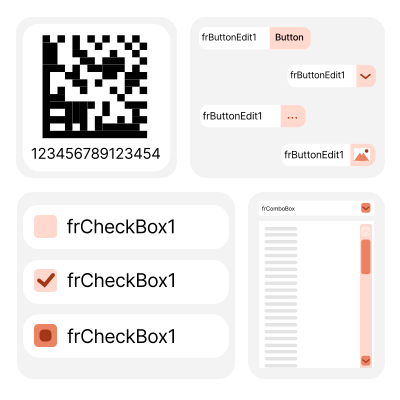
FastEditors
Data editors are an important part of the interface of modern applications. They help create user-friendly and functional tools for inputting information, which can then be processed.
Ready-made editors, adapted for different data types, significantly simplify development. They save time by eliminating unnecessary coding and allowing developers to focus on the key aspects of their project.
Features and Benefits FastEditors
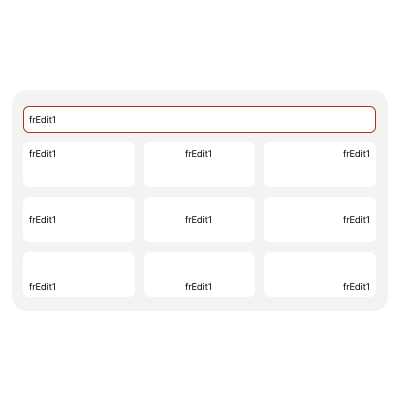
TfrEdit: Single-Line Text Editor
TfrEdit is a built-in editor in FastGrid that is most commonly used in any project. It allows for convenient editing of single-line text in a cell or a separate component.
It enables text alignment within the editor not only horizontally but also vertically. This makes text positioning management particularly convenient in FastGrid cells.
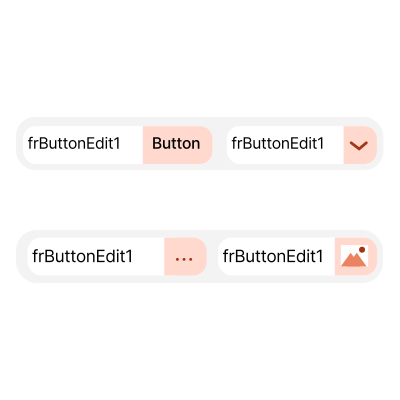
TfrButtonEdit: Text Editor with Buttons
TfrButtonEdit is designed for inputting and displaying single-line text. It features a collection of built-in buttons that can be customized in terms of appearance, placement, and behavior.
Thanks to additional controls such as customizable buttons, TfrButtonEdit expands its capabilities and becomes more functional.
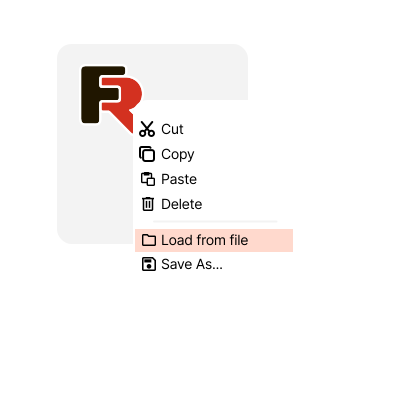
TfrImage: Image Editor
TfrImage is designed for working with images. It supports loading, saving, and viewing files in various formats and modes. There is no text field within the editor. TfrImage is used to display graphics in applications and manage their output on the screen, whether it is within FastGrid cells or as a standalone component.
The editor allows for centering or stretching images within the workspace. TfrImage includes a context menu with functions for working with graphics. The contents of the menu can be customized to meet the needs of your project.
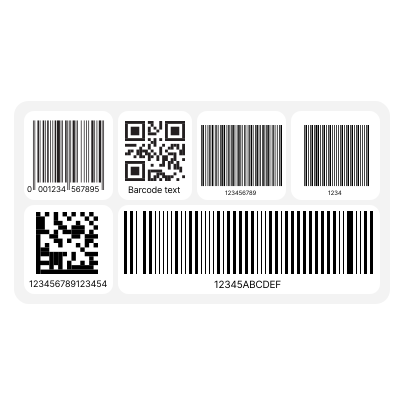
TfrBarcode: Barcode Editor
TfrBarcode is designed for displaying barcodes and QR codes. It supports linear and two-dimensional barcodes from the FastReport VCL library.
The editor offers flexible display settings, including rotation angle, scaling, vertical and horizontal stretching, and text visibility.
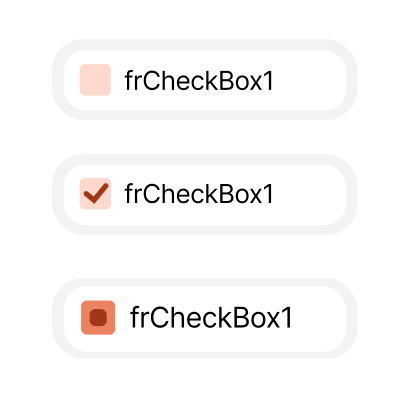
TfrCheckBox: Boolean Flag Editor
TfrCheckBox is a visual component for displaying and modifying boolean flags. It has three states: checked, unchecked, and indeterminate.
The editor is convenient for use in FastGrid with different data types. For example, a null value in a database field can be displayed as an indeterminate state, 0 as an unchecked flag, and 1 as a checked flag.
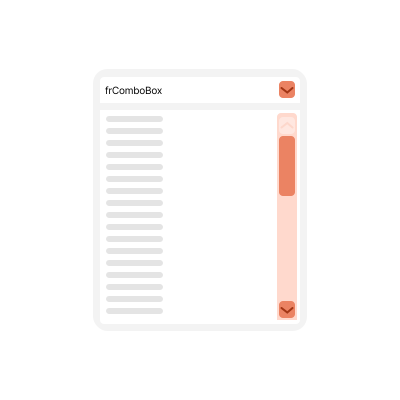
TfrComboBox: Dropdown List Editor
TfrComboBox is used for inputting and displaying single-line text values with the option to select items from a dropdown list.
The TfrComboBox editor simplifies editing and reduces the likelihood of errors through automatic completion. Users can enter arbitrary values and select items from the list, or they can choose to limit themselves to the list only.
Ultimate VCL
The FastEditors library is part of the Ultimate solution, which allows you to create your business projects using VCL, Lazarus, and FMX. Additionally, the package includes FastScript for quick processing of scripts of any complexity, as well as the visual SQL query builder for databases, FastQueryBuilder. Furthermore, you will have access to client-server reporting tools and the FastGrid component for VCL and Lazarus.
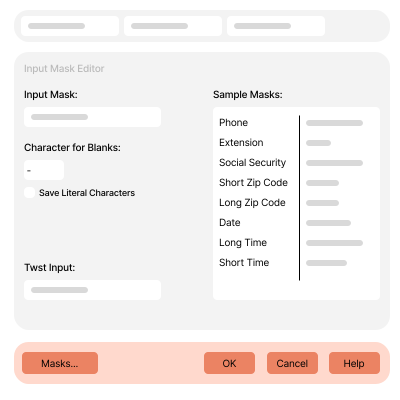
Text Editor with Masking—TfrMaskEdit
This editor is designed for inputting and displaying single-line text values using an input mask. The use of a mask allows for the limitation and validation of values entered by the user.
Utilizing it in FastGrid helps reduce input errors by customizing different constraints for each data type.
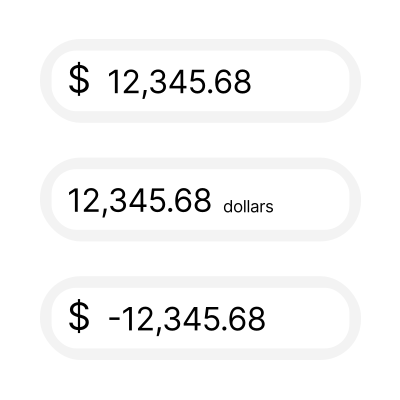
Currency Editor—TfrCurrencyEdit
TfrCurrencyEdit is used for inputting and displaying numerical values in a currency format. When the editor is activated, the formatting is removed, allowing users to work with the "raw" number. Upon losing focus, the value is automatically formatted according to specified rules.
The editor supports global system regional settings and user-defined formatting options.
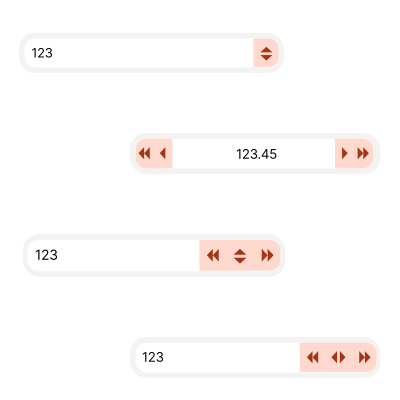
Numeric Value Editor with Change Buttons—TfrSpinEdit
TfrSpinEdit allows for the input and display of numeric values in a single-line text format. It features a collection of built-in buttons for more convenient editing of values, enabling quick increase and decrease of numeric amounts.
It works with both integer and decimal values. The amount by which the value changes when clicking the editor's button can be configured by the user. Additionally, buttons can be added for accelerated value changes.
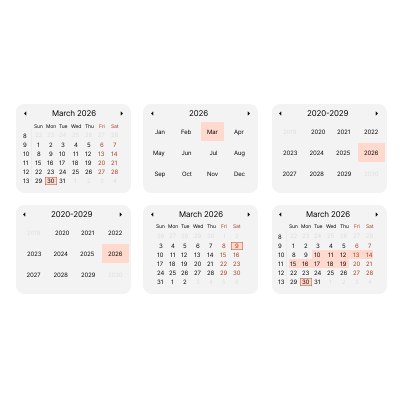
Calendar Component—TfrCalendar
TfrCalendar is an interactive calendar for selecting dates and ranges. It cannot be directly embedded in FastGrid cells. Animated transitions between time periods, both on Windows and Linux, along with customizable animation speed, enhance the user experience when working with the component.
TfrCalendar displays time periods such as month, year, decade, and century, which speeds up the selection of the desired date.
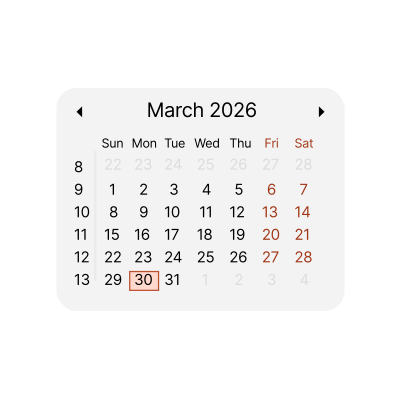
Date Editor with Dropdown Interactive Calendar—TfrDateEdit
TfrDateEdit is used for inputting values in date format. When the editor is activated, the formatting is removed, allowing the user to work with the date formatted according to the system's regional settings. Upon losing focus, the value is automatically formatted.
The editor utilizes the dropdown interactive calendar TfrCalendar, providing a consistent interaction experience on both Windows and Linux.
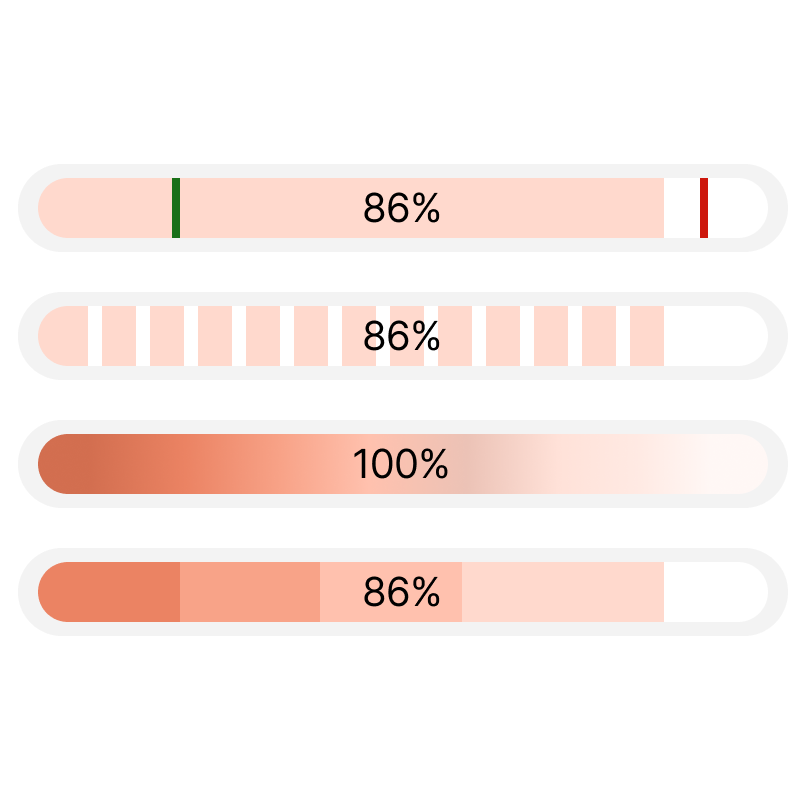
Progress bar component — TfrProgressBar
Designed to display numerical values in a progress bar format. TfrProgressBar supports horizontal and vertical orientation of the scale. Values are calculated automatically and displayed as percentages relative to a specified boundary range.
Contains a collection of line markers and threshold values. This allows you to visualize ranges of the progress bar scale in various styles: solid fill, gradient fill, texture. This component can be used in the report designer as a separate visual element.
Delivery options
| Features |
from $1,299
|
from $899
|
from $499
|
from $499
|
from $499
|
from $399
|
|---|---|---|---|---|---|---|
| FastReport Engine |
|
|
|
|
|
|
| VCL components |
|
|
|
|
|
|
| FMX components |
|
|
|
|
|
|
| Lazarus components |
|
|
|
|
|
|
| Online Designer |
|
|
|
|
|
|
| OLAP features |
|
|
|
|
|
|
| OLAP aggregation functions |
|
|
|
|
|
|
| Data connections |
|
|
|
|
|
|
| Reporting features |
|
|
|
|
|
|
| Report objects |
|
|
|
|
|
|
| Barcodes |
|
|
|
|
|
|
| Charts |
|
|
|
|
|
|
| Printing |
|
|
|
|
|
|
| Export in formats |
|
|
|
|
|
|
| Source Code |
|
|
|
|
|
|
| Convertors from |
|
|
|
|
|
|
| Transports |
|
|
|
|
|
|