New Banding Capabilities in the FastReport .NET Designer
When creating reports, it's not just the data content that's important, but also the ease of use of its structure. Bands are the foundation of report design, and their arrangement directly influences the logic of information display.
Previously, changing the order of bands was done through the Configure Bands window, which wasn't always convenient and required additional steps. The latest version of FastReport .NET now allows you to change the order of bands directly in the designer — with a simple drag-and-drop operation.
This makes working with reports faster, clearer and more intuitive.
1. Moving bands with the mouse
You can now move bands directly on the report page without opening additional windows. Just hover over the desired band, hold down the mouse button, and drag it up or down.
When you try to drag a band, the cursor automatically changes to indicate whether the move can be made. If a band is movable, the cursor changes to a movable shape while you drag it. If the band cannot be moved (for example, ReportTitle), the cursor changes to a prohibiting one, indicating that the action is unavailable.
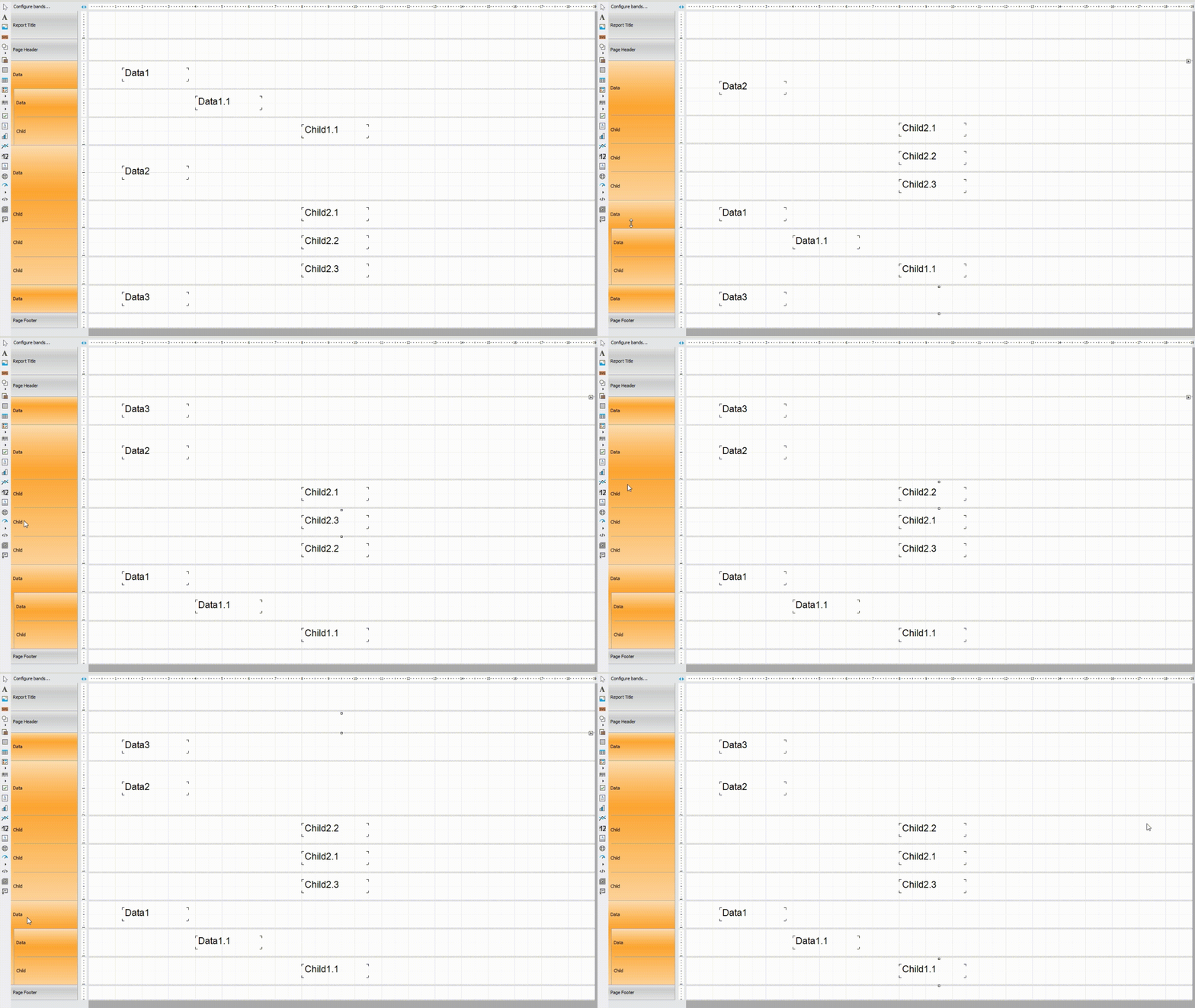
2. Moving DataBand
DataBands can be freely swapped. This is especially convenient when working with complex reports that use multiple data sources.
Drag and drop allows you to quickly change the order of data output without having to recreate the structure.
3. Moving Child Bands
It is also possible to swap child bands within a single parent band.
This completely repeats the logic implemented earlier in the Configure Bands window, but now available directly in the designer.
Let's Sum It Up
The added ability to move bands directly in the designer makes FastReport .NET an even more convenient tool for report development. Now you can quickly change the report structure without any extra steps and work directly with the visual representation. This increases your development speed, and makes reporting more visual and convenient.