.png)
Version 2026.2 for FastReport .NET is Now Available
Version 2026.2 of FastReport .NET adds .NET 10 support for all libraries. Key features include customization of the form (9 options) and the rotation angle of QR code modules, drag-and-drop band movement in the designer, a plugin for connecting to Google Sheets, an option to embed fonts when exporting to MS Word, and improved export to PDF (with ZUGFeRD support) and MS Excel. The WebReport architecture has also been optimized.
New Features
.NET 10 support
We have added .NET 10 support for FastReport .NET, FastReport.Core, FastReport.Core.Skia, FastReport.WPF, FastReport.Avalonia, as well as FastReport.Web, FastReport.Web.Skia, and FastReport.Blazor.Wasm. This platform improves application performance and adds many new features to your projects.
You can read about the changes in our article at this link.
Changing the shape of QR code modules
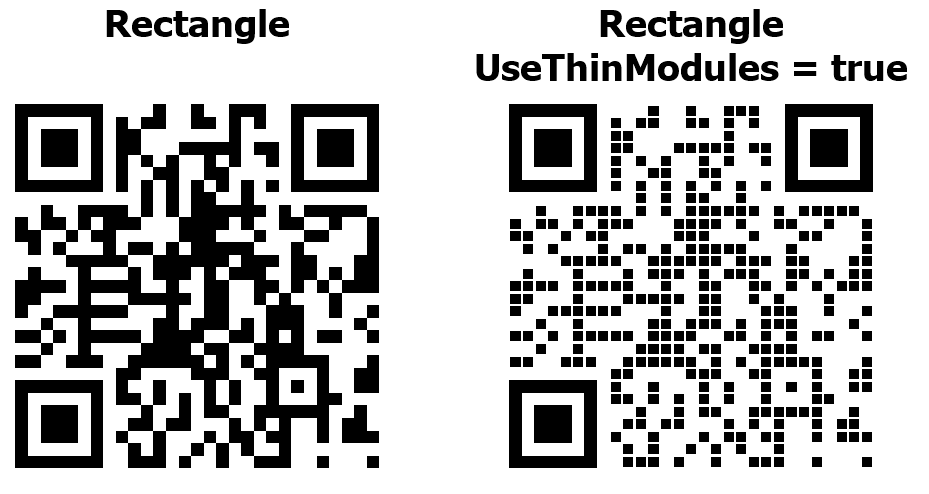
A QR code consists of dots called modules. By default, they are rectangle. Starting with version 2026.2, module shapes can be changed and customized. In addition to the rectangle, nine new module shapes are now available: circle, diamond, rounded square, horizontal pill, vertical pill, plus, hexagon, star, and snowflake.
Beyond module shape, you can now specify their rotation angle (the Angle property). You can also make the QR code less dense by making each module smaller using the UseThinModules property. This latter property does not affect the Finder patterns (the large squares in the corners of the QR code), as they help scanners determine the code's boundaries and dimensions.
A standard QR code looks like this:
And this is the code with modules in the shape of a circle:
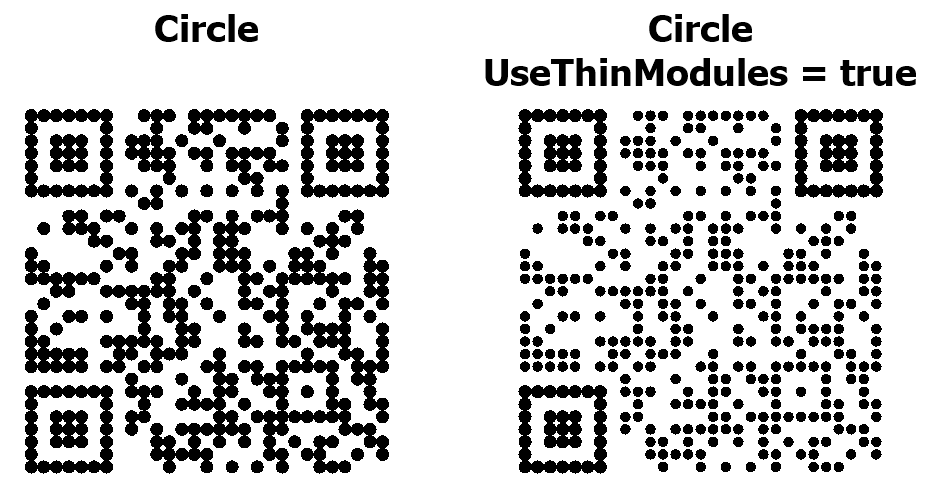
Although new modules allow for more diverse and interesting codes, it's important to remember that not all scanners can read these QR codes equally well.
Read more about the new properties and their use in our article.
Moving bands in the designer
Our reports can have multiple band types, each with a different purpose. For example, the report title is always at the top of the report. Another example is the page footer, which is located at the bottom of every page. The relative positions of these bands cannot be changed.
However, there are types of bands that can have multiple instances, and their relative positioning may change. For example, a report might have three data bands.
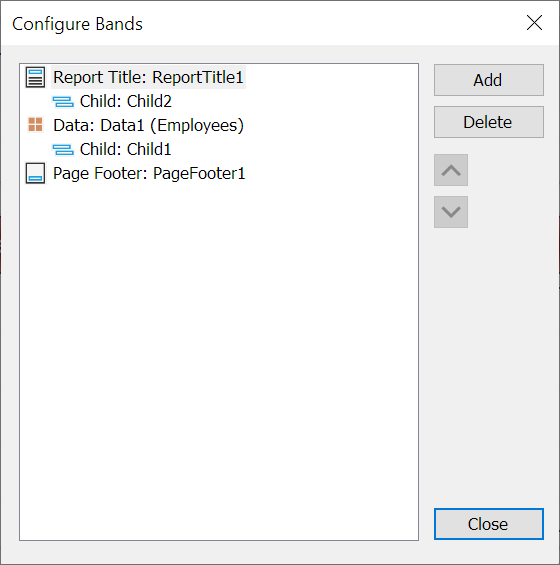
Previously, their position could only be changed in a special band settings window:
Now you can move bands directly in the designer by simply dragging them:
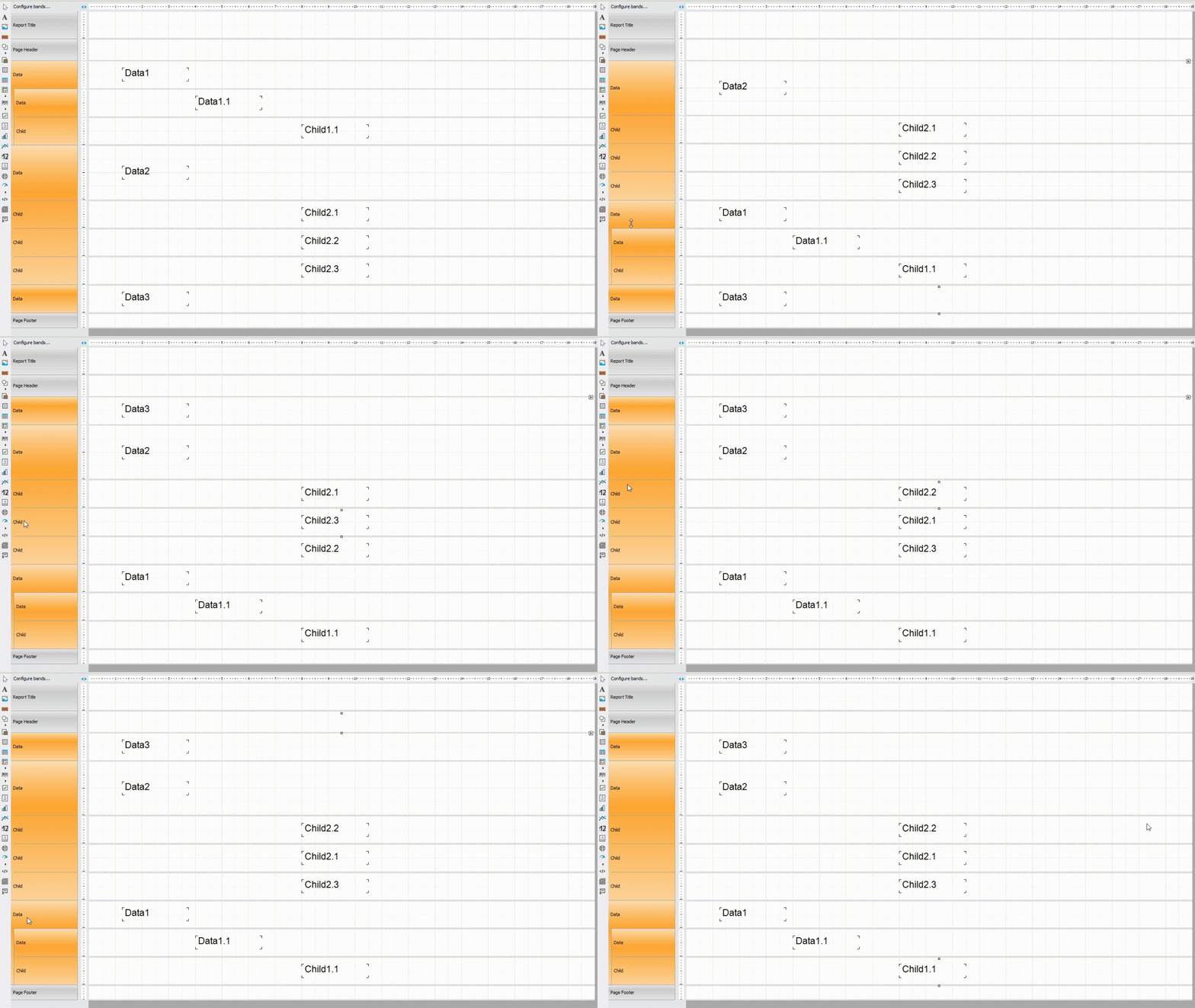
You can find more details about the features and limitations of this new movement mechanism in the article.
Connecting to Google Sheets
This update introduces a new plugin that lets you use Google Sheets data as a report data source. Google Sheets is a cloud-based spreadsheet application. This plugin allows you to directly connect reports to these spreadsheets, providing convenient access to the data you need.
Google Sheets (like any spreadsheet software, in fact) maps perfectly onto our report-building concept. However, it's a web application and has a number of unique features that distinguish it from desktop solutions.
Read our article to learn how to connect this new plugin.
Export Improvements
Embedding fonts when exporting to Microsoft Word
Our Microsoft Word export now includes a new "Embedded Fonts" option:
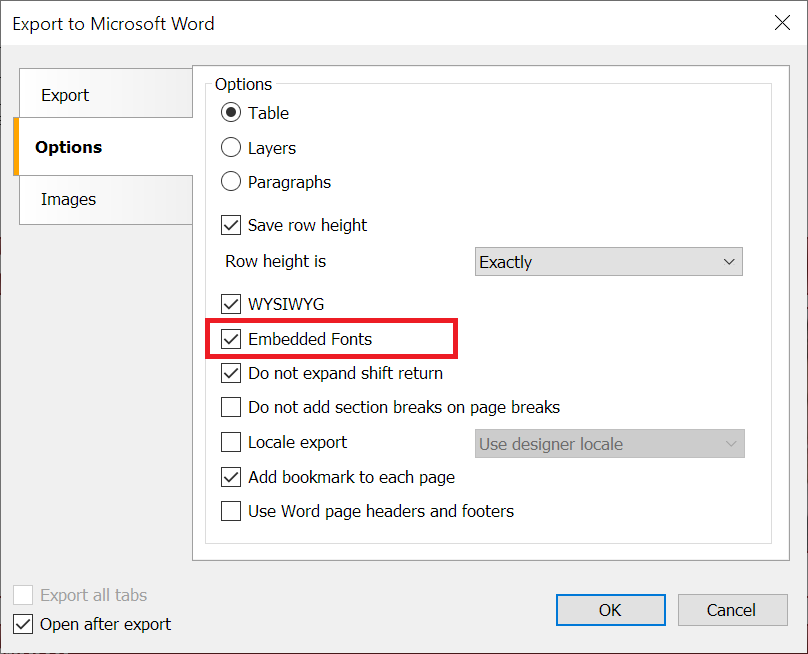
This option allows you to enable or disable font embedding when saving a completed report as a DOCX file. This option will save all fonts used in the report in the final file.
This ensures that the document will look the same on any computer, even if the required fonts are missing. However, keep in mind that the file size when using this option will be larger than with a standard export.
Enhanced ZUGFeRD support when exporting to PDF
ZUGFeRD-enabled PDF export has been significantly redesigned and improved. Files now comply with the latest version of ZUGFeRD and pass validation successfully. Numerous errors related to exporting these files have been fixed.
Global improvements to Microsoft Word and Microsoft Excel exports
The code for exporting to DOCX and XLSX document formats has been optimized and improved. Exports now run faster and can be opened by most applications, not only Microsoft Office but also third-party office suites.
Changes in WebReport
Improved architecture of the WebReport client side
As part of the WebReport improvements, the client side was refactored:
- CSS and JavaScript have been moved to static files, eliminating inline scripting entirely. WebReport now doesn't require inline scripting to be enabled in the Content Security Policy (CSP), improving product security.
- Report IDs have been removed from CSS class names, making WebReport more flexible and easier to customize.
- The scripts are collected into bundles, which significantly speeds up page loading.
Full list of changes
[Engine]
+ added new mode for TextObject.AutoShrink property - FitText;
+ added additional properties required for third party JSON type connections;
+ added linear barcode properties - OneBarWidth, FitDevicePixels;
+ added the ToWords function for Chinese;
- fixed error with dialog controls data filtering;
- fixed a bug that prevented temporary files from being deleted when using UseFileCache;
- fixed duplicate datasource name when creating JSON connection;
- fixed a bug with importing DOCX documents;
[Designer]
+ added the ability to change the shape of QR-code modules;
+ added the ability to move bands in the designer;
* the error message is now more informative when the names in the SQL-query are incorrect;
* the Relation Editor window can now be resized;
- fixed a bug with visibility of StartReport and FinishReport events;
- fixed a bug when adding the Report component on a form;
- fixed a bug when switching to FRX page in the designer;
- fixed a bug in the DataSource property editor;
- fixed a bug in Messages window of Designer for platforms .NET 6.0 and higher;
- fixed text overlapping in the query builder;
- fixed a field naming error in the query builder for Postgres;
- fixed legend colors for auto-series in MSChart;
- fixed incorrect drag-n-drop behavior in the Matrix object;
[Preview]
+ added icons to the export menu for items that were previously missing them;
[Exports]
+ added the ability to improve image quality when exporting to Word;
+ improved PDF export with ZUGFeRD support. Files now comply with the latest version of ZUGFeRD and pass validation successfully;
+ added the ability to export landscape-oriented pages to ZPL;
+ improved compatibility of DOCX and XLSX exports with non-MS office software;
+ improved export of images intersected with other objects to XLSX format;
+ added the ability to embed fonts when exporting to MS Word;
- fixed a problem with opening some files when exporting to Excel;
- fixed a bug with width of margins in export to Word;
- fixed the System.NullReferenceException when exporting to Word using Paragraphs and MatrixBased modes;
- fixed a bug with default font size in XLSX-export;
- fixed export of polygons to table-based formats;
- fixed error in DOCX export with multiple headers/footers;
- fixed issues with the color of some objects when opening DOCX documents in OpenOffice;
- fixed a bug with missing images when WYSIWYG property of export is turned off;
- fixed extra spaces in DOCX export when using HtmlTags rendering;
- fixed a bug in PDF export where the file was created in the wrong folder;
[WebReport]
+ added option CentredAndWrapPages in WebReport;
- fixed height of WebReport for .NET Framework;
[Common]
+ added a start/stop character property field to Codabar;
- fix DragAndDrop in Avalonia and WPF;
- fixed the JSON database binding scheme;
[Demos]
+ updated icons of Demo Center;
- fixed bugs with launching demo applications in Demo Center;
[Extras]
+ added Apache Ignite plugin for Avalonia, Core, OpenSource and WPF platforms;
+ added connection to Google Sheets;
- fixed a bug when connectiong to JSON Database.
