How to Configure New QR Code Rendering Modes in FastReport .NET
By default, a QR code consists of square modules (dots). The new version of FastReport .NET adds the ability to customize them.
Let's look at how to replace standard modules with decorative shapes: circles, stars, hexagons, and others. We'll also explore the properties needed for customization—just a few options for a unique result.
Three properties are used to change the appearance of QR code modules: Shape, Angle, and UseThinModules. Let's look at each of them.
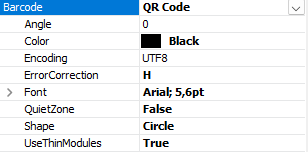
Shape Property of a QR Code
The first and most important property is Shape. It determines the shape of the modules. Currently, 10 shape options are available:
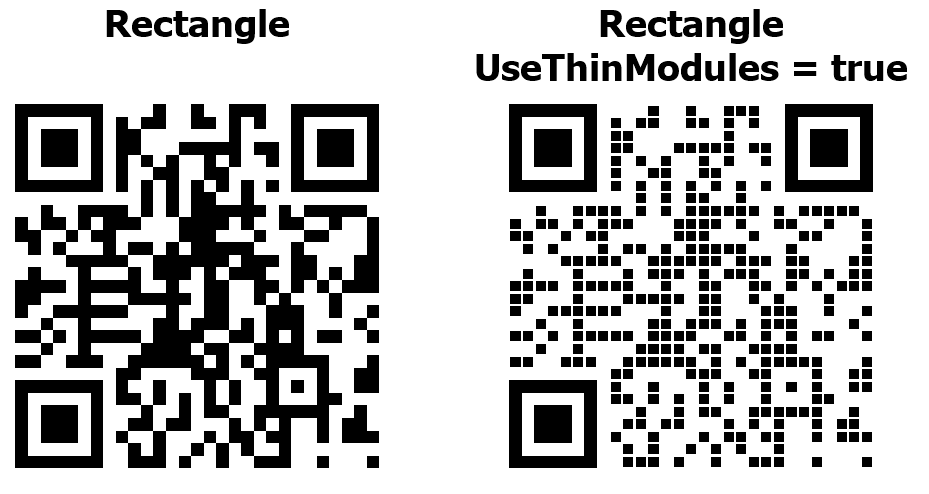
1. Rectangle is a standard type of QR code
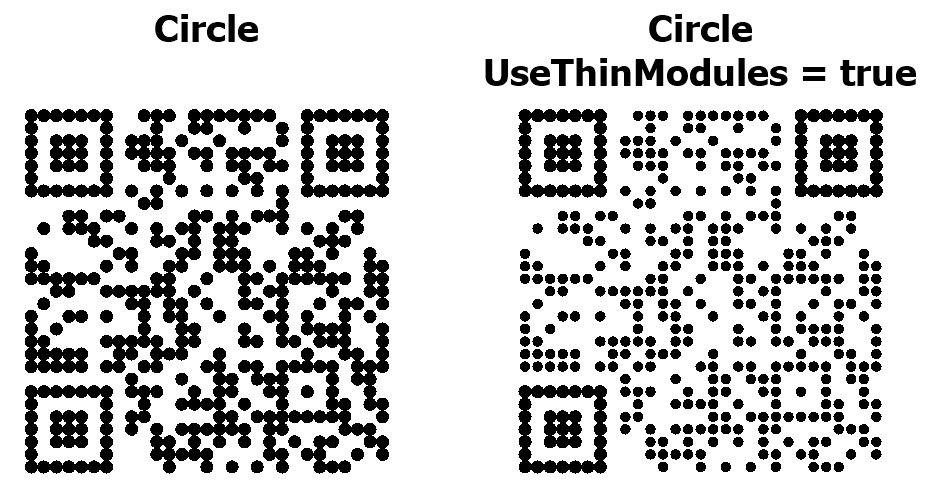
2. Circle
3. Diamond
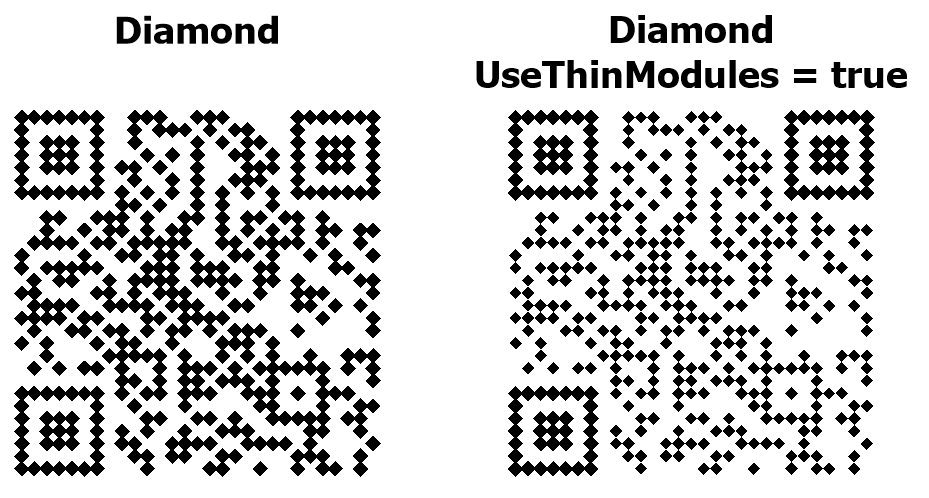
4. Rounded Square
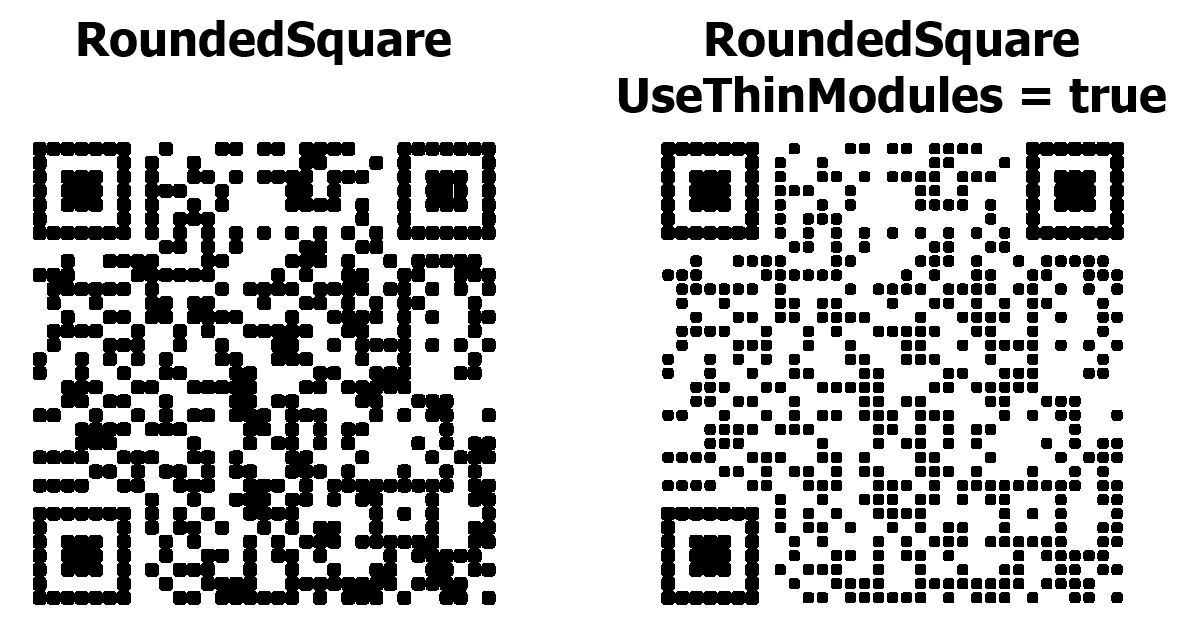
5. PillHorizontal
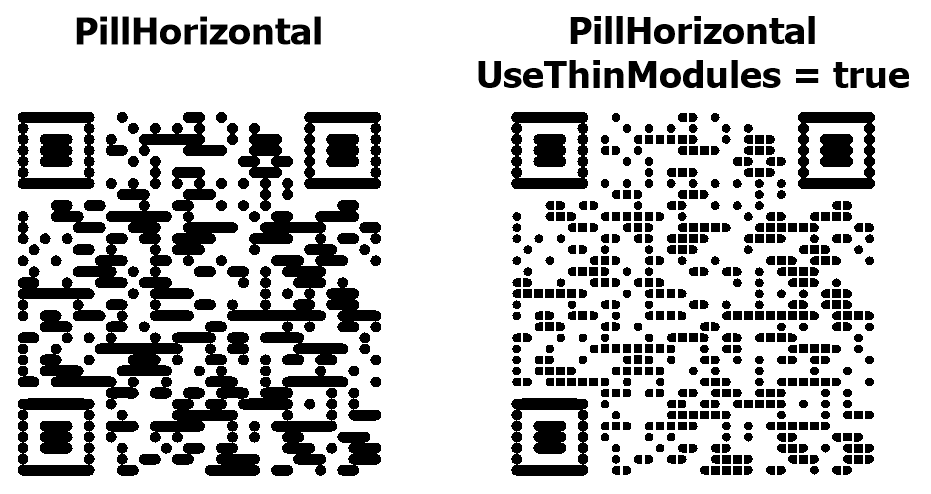
6. PillVertical
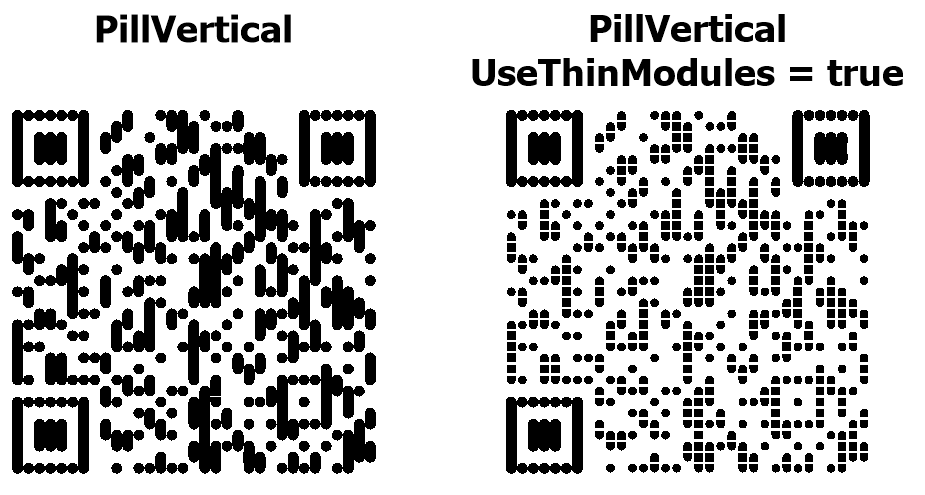
7. Plus
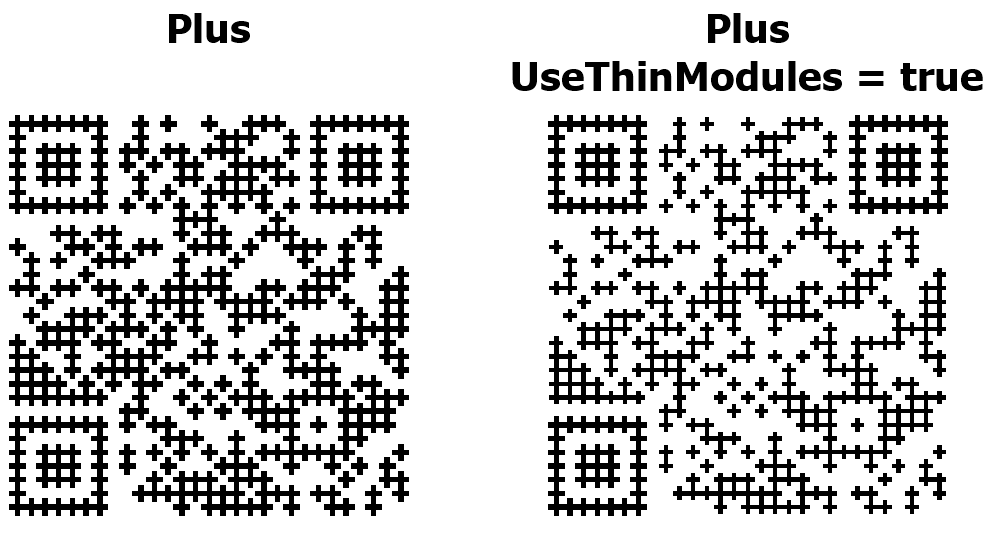
8. Hexagon
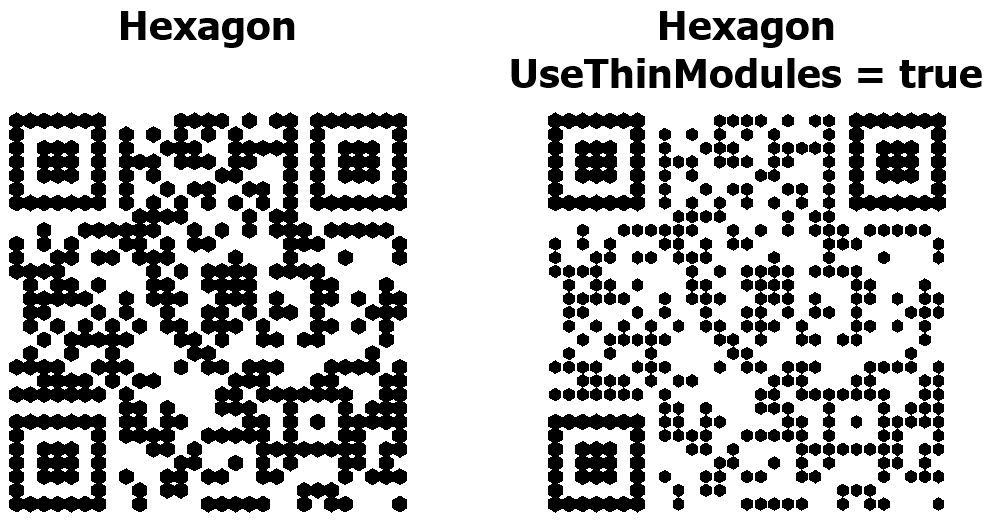
9. Star
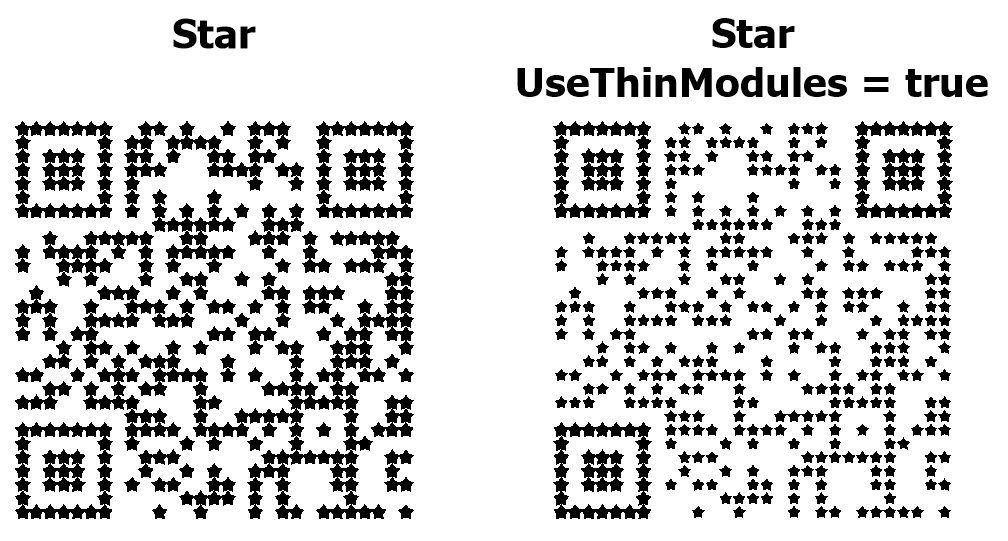
10. Snowflake
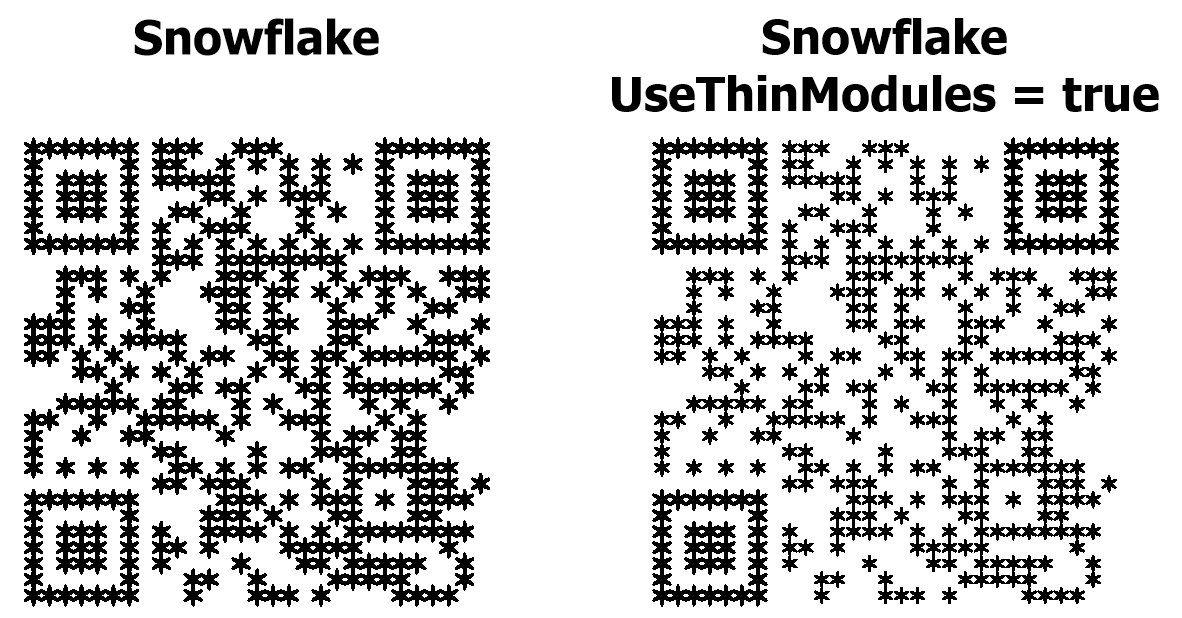
Examples of QR codes with all supported decorative shapes are available on the second page of the Qr-Codes.frx demo report.
Angle Property of a QR Code
This property specifies the rotation angle (in degrees) for each QR code module. It only works for the following shapes: Hexagon, Star, and Snowflake. For other shapes, this property is ignored.
UseThinModules QR Code Property
The UseThinModules property controls the visual density of modules (dots) in a QR code. When UseThinModules = false (the default), modules occupy all available space in their cell, with dots touching each other without gaps—the QR code appears solid and dense. When UseThinModules = true, the size of the modules is reduced, with visible gaps between them—the QR code appears sparser, creating a "grid" or "dot pattern" effect.
What Influences QR Code Reading?
- Finder patterns (the large squares in the corners of the QR code that help the scanner determine the position, size, and orientation of the code) are NOT changed when using the UseThinModules property. They always remain full-size to ensure the scanner can reliably recognize the code.
- Decorative modules enhance the appearance of a QR code, but can impact reading reliability. Not all scanners recognize shaped modules equally well—standard rectangle modules are supported by all scanners without exception, while decorative shapes (especially complex ones like Snowflake and Star) may be difficult to read by older scanner models and some mobile apps. Be sure to test the code on different devices.
- For reliable scanning, a clear contrast between the modules and the background is essential. Black modules on a white background or dark blue on a light gray background work well. Light gray modules on a white background and colored modules on a low-contrast colored background are difficult to read. Remember the rule: modules should be significantly darker than the background.
- Snowflake and Star shapes have complex geometry with fine details. At small sizes, these details merge, and the scanner cannot correctly recognize the modules. Use Snowflake and Star for large codes. For small codes, choose Square, Circle, or RoundedSquare. Use the UseThinModules property with caution—gaps between modules can impair reading at small sizes.
- The error correction level (ErrorCorrection property) also affects reliability. For decorative modules, level Q or H is recommended. Keep in mind that a higher error correction level will increase the code size but improve reading reliability.
To wrap up, decorative modules are all about balancing aesthetics and function. Keep in mind that complex figures require better size, contrast, and print quality. Always test your code before using it at scale.