News

October 22, 2026
Help Shape AI Features in Fast Reports Products
We’re exploring how AI could improve our products and make your work easier. Share your thoughts on which AI capabilities would be most useful to you.
October 12, 2026
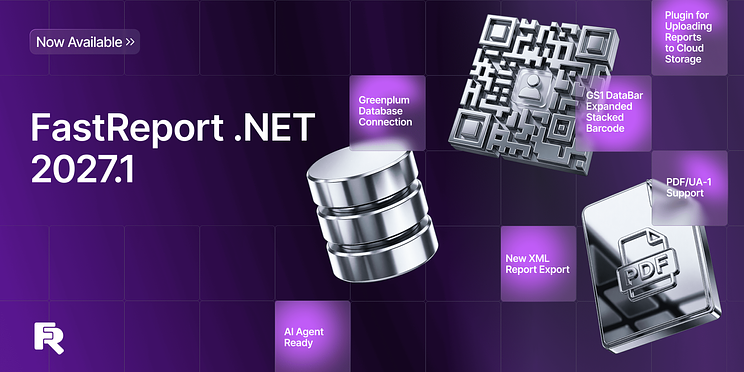
What's New in FastReport .NET 2027.1: Greenplum Connectivity, PDF/UA-1, and GS1 Barcodes
Version 2027.1 of FastReport .NET introduces the Transport plugin for working with cloud storage services (Google Drive, S3, NextCloud, OneDrive), the new GS1 DataBar Expanded Stacked barcode, and support for the PDF/UA-1 standard. Export to Excel and OpenOffice Calc now supports locking rows and columns and exporting custom data formats; export to XML and the ability to select sheet tab colors have also been added. Additionally, vCard 3.0/4.0 support, connectivity to Greenplum databases, and fully asynchronous report generation in Blazor have been added.
New Features
New FastReport.Transport Library
FastReport.Transport is a library for interacting with cloud storages such as Google Drive, S3-compatible services, NextCloud, OneDrive.
The library includes classes that implement a common ITransport interface. It provides methods for uploading, downloading, copying, moving, deleting, and renaming folders and files. The library also includes a form with a user-friendly interface for using the library's functionality, visually resembling Windows Explorer.
FastReport.Plugins.Transport Plugin
FastReport.Plugins.Transport is a plugin that provides integration of the Transport library into FastReport .NET.
Available for: WinForms, WPF, Avalonia, Mono. The plugin is connected similarly to connection plugins:
new FastReport.Plugins.TransportAssemblyInitializer();
After adding a reference to the plugin and connecting it, additional menu items appear for uploading and saving reports to cloud storage — both on the preview form and in the designer.
The first time a transport is used, a window opens with the data required for it to work (authorization data and some parameters). Once the window is closed, this data is saved to the FastReport configuration.
Once the authorization stage is complete, the transport window corresponding to the selected menu item opens; it is used for saving or loading a report or a template.
GS1 DataBar Expanded Stacked barcode
GS1 DataBar Expanded Stacked is the most advanced version in the DataBar family, combining high data capacity with exceptional geometric flexibility. Unlike standard linear barcodes, this symbology type is specifically designed to encode extended product information within a limited space.
Adaptive growth is a key feature of this barcode: it can expand both horizontally and vertically to fit the available space.
Example of the GS1 DataBar Expanded Stacked barcode:
You can learn more about the new barcode in our article at this link.
Read the article
Line spacing adjustment in the RichObject editor
The RichObject editor now allows users to customize line spacing.
Support for vCard versions 3.0 and 4.0
The barcode editor now supports vCard versions 3.0 and 4.0. Previously, only version 2.1 was supported.
The version can now be specified in the object properties or in the editor window:
Connecting to Greenplum databases
It is now possible to use Greenplum databases as data sources for reports.
Currently, this data source is implemented as a plugin.
You can read about how to use it in the linked article.
Read the article
Export Improvements
Support for the PDF/UA-1 standard
The new version of the report generator includes support for the PDF/UA-1 standard. This PDF format specification meets accessibility requirements for people with disabilities.
Visually, a PDF/UA document is indistinguishable from a standard PDF, but it contains a structure that describes the document and helps assistive software read the screen content aloud.
Example of the PDF/UA structure in Adobe Acrobat:
This export format can be selected via code or in the export settings window:
Read more about the PDF/UA-1 standard and its implementation in our export feature in the linked article.
Read the article
Freezing cells when exporting to Microsoft Excel and OpenOffice Calc
When working with large tables, it is often necessary to keep row or column headers constantly visible. This is particularly useful when scrolling horizontally or vertically while viewing the document.
The updated Microsoft Excel and OpenOffice Calc exports now allow you to freeze specific cells. You can use the ODS export settings for this:
The same option is available for XLSX:
You can freeze the first row or the first column. Additionally, there is an option to freeze a specific number of rows or columns.
Full information can be found in the linked article.
Read the article
Exporting custom data formats to ODS
The updated OpenOffice Calc export now supports exporting custom data formats.
This option can be enabled in the export settings:
Option to fully embed fonts when exporting to XPS
By default, only the characters actually used are embedded in the output file during export, rather than the entire font. This is done to reduce file size.
In some cases, however, you may need to embed the full font. To do this, use the new option:
Export to XML format
The new version of FastReport introduces the ability to export reports to XML format.
The export settings window is shown below:
We previously offered a tabular XML export that complies with Excel specifications. The new export option is more versatile.
Information about the new export feature can be found in the article at this link.
Read the article
Selecting sheet tab background colors for Excel export
You can now specify colors for sheet tabs when exporting to Excel. A new option has been added to the settings that allows you to set a tab color for each page:
The exported result will look like this:
Changes in WebReport
Transition to fully asynchronous report generation in Blazor
Previously, some parts of Blazor still used synchronous report preparation. All of them have been replaced with asynchronous ones, which improved the performance of WebReport Blazor.
Full list of changes
[Engine]+ added GS1 DataBar Expanded Stacked barcode;+ added text trimming support in the Skia backend;+ added the Config.UseGcCollect property to handle garbage collection;+ added transports for Google Drive, and S3;* improved the loading speed of some fpx files;* script security updates;- fixed a bug with multi-symbol brackets in the Text object;- fixed text handling in some East Asian locales;- fixed script security issues;- fixed a bug with the DashPattern property;- fixed incorrect rendering of underline and strikeout styles in some fonts;- fixed an incorrect default value of the CommandParameter.Direction property;- fixed the ProcessAt behavior on a breakable band;- fixed incorrect rendering of some SVG documents;
[Designer]+ added vCard versions 3.0 and 4.0;+ added the ability to change the line spacing for RichObject;- fixed memory leaks in WpfDesignerControl;- fixed errors and updated documentation for Swiss QR;- fixed connection creation by adding the Avalonia.Data.Odbc connection form;- fixed a designer bug in the Mono framework;- added IOException handling when opening rtf files in RichObject;- fixed linear barcode text overflow when the text is wider than the barcode;- fixed image display in RichObject in the report preview when using ConvertRichText;- fixed a NullReferenceException in RichObject with PicturesInParagraph;- fixed a designer bug when dragging a report parameter;
[Preview]- fixed a bug with editing a preview page when the MirrorMargins property is set to true;- fixed the tooltip in the email form;
[Exports]+ added support for the PDF/UA-1 standard;+ added freezing of rows and columns when exporting to ODS;+ added export of custom data formats to ODS;+ added the "Use full fonts" option to XPS export;+ added the ability to freeze rows and columns for each page separately;+ added export to XML format;+ added sheet tab color selection in the Excel export;+ added a new property to improve the export of Polygon objects to Word;- fixed SVG clipping in the PDF export;- fixed incorrect display of the Polygon object when exporting to Word;- fixed the table row height in the XLSX export when MinHeight is set;- fixed a bug when exporting bidi text to PDF;- fixed the export of SVG objects to PDF;- fixed a bug in the HTML export;- fixed the bold text emulation value in the PDF export;- removed unsupported image formats from the image export form in Avalonia;- fixed a bug in the PDF export when using Noto fonts;- fixed a bug with the barcode font in the PDF export;- fixed an ArgumentException in ImageExport when saving a report as a single-image metafile;- fixed incorrect clearing of generated streams and files when exporting to DXF, HPGL, SVG, and XAML;- fixed an InvalidCastException when filling the page names list;- fixed a NullReferenceException in the Word export with non-standard image quality;- fixed an extra tab in the Word export when using the ParagraphOffset property;- removed the extra shared string type (t="s") from empty cells in the Excel export;- fixed an extra blank page in the ODT export;
[WebReport]+ added the CreateProcedureAsync method to MsSqlDataConnection;+ added the skipSchemaInit option to the WebReport getConnectionTables endpoint;* the Blazor Server now uses asynchronous report preparation (PrepareAsync);* improved the structure of JS code in WebReport;- fixed parameter parsing when clicking on the DetailReport link in WebReport;- fixed a bug with duplicate procedure and table names in WebReport;- fixed the position of the modal container when the WebReport toolbar is sticky;- fixed the parsing of quotation marks inside WebReport;- fixed the handler for clicking on objects inside a table cell in WebReport;- removed the search button from the OpenSource WebReport;- fixed caching of DetailPage parameters in WebReport;- fixed the click event handler in WebReport;- fixed the initialization of the WebReport script;- fixed an incorrect build of FastReport.OpenSource.Web;- fixed an IndexOutOfRangeException when reloading the detail page in WebReport;- fixed the email export settings serialization in WebReport;- fixed incorrect display of the RTF export settings menu;- fixed opening WebReport export settings;
[Common]+ added mapping of MySql types;
[Extras]+ added Greenplum database connection;+ added the FastReport.ReportBuilder plugin for the open source version;+ added OneDrive and NextCloud transports;* the FastReport.Data.MsSql plugin now uses Microsoft.Data.SqlClient instead of System.Data.SqlClient;- fixed MongoDB 3.5.2 breaking changes and assembly conflicts;- fixed a CSS class bug in the HtmlObject plugin;- fixed bugs in the HTML renderer plugin;- fixed table rendering in the HTML plugin;
[.Net Core]+ added GetParameterType and GetConnectionType functions;- fixed the CompilerSettings.ExceptionBehaviour behavior in .NET Core.

September 11, 2026
Meet Fast Reports at Entwickler Summit 2026 in Berlin!
We’re excited to announce that Fast Reports will be a partner at Entwickler Summit 2026, taking place on September 17 in Berlin.
Visit the Fast Reports booth to discover our latest solutions for business intelligence and reporting, meet our team, and exchange ideas about the future of developer tools and technology.
We’re also happy to welcome Mikhail Philippenko, VP at Fast Reports, who will be attending the conference in person.
And there’s more — booth visitors will have a chance to win prizes!
We invite developers, tech enthusiasts, and everyone interested in innovative reporting and analytics solutions to stop by our booth, meet the Fast Reports team, and have a chat on September 17 at Entwickler Summit in Berlin.
The best ideas don’t come from planning — they come from exchanging ideas.
The future has already begun.

August 10, 2026
Fast Reports Anniversary Celebration — Enjoy 20% Off
Every year brings new products, thousands of successful projects, and millions of reports created with Fast Reports solutions. But our greatest achievement is the community of customers and partners who trust us to power their reporting.
Thank you for choosing our products and growing with us.
To celebrate the Fast Reports anniversary, we're offering 20% off all reporting libraries FastReport VCL, FastReport .NET and FastReport Desktop.
The promotion runs from August 10 through August 25.
Take advantage of this special offer to purchase new products or update your existing licenses to the latest version at a discounted price.
We're proud to be part of your projects and will continue improving our products to make reporting even easier and more efficient.
.png)
May 25, 2026
Service Solutions Update to Version 2026.2
In the 2026.2 release of our service solutions lineup (FastReport Cloud, FastReport Publisher, FastReport Corporate Server), we focused on improving reliability and usability: task scheduling has been enhanced, the admin panel has been extended with new capabilities, new integration options have been added, and bugs have been fixed across several key components.
API Key Support in Online Designer
Online Designer now supports authentication via API keys, expanding integration capabilities for enterprise systems.
To authenticate via an API key, add the apikey parameter to the URL. For example: {hostname}/designer/?uuid={templateId}&v=df&apikey={apikey}.
Online Designer also now uses the icon from the server configuration, allowing branding to be applied correctly without additional setup.
Faster Task and Scheduler Execution
Cron expression execution caching has been added. This significantly reduces the number of database calls when working with the scheduler. Also fixed bugs that caused tasks to run without proper permissions or execute too frequently.
Documentation Updates
The current product version has been added to all documentation articles. This allows you to use scripts from the documentation to install the current product version. Documentation for tasks and the scheduler has been improved, and a new article has been added on the limitations of the demo version of Publisher and Corporate Server.
Additional Changes for FastReport Corporate Server and FastReport Publisher
The following changes apply only to the on-premise products in the lineup.
New Admin Panel built on Fluent UI
The admin panel has been completely rebuilt using Fluent UI — a modern Microsoft component library. The interface is now more consistent, user-friendly, and accessible. Error handling on the bulk plan editing page has also been improved. The new admin panel is currently being tested in the cloud infrastructure and will soon be set as the default in Publisher and Corporate Server.
Bulk Editing Plans in Workspaces
A new flag has been added to the UpdateSubscriptionPlan method — it allows updating the current plans for all subscriptions that use the plan being updated. This simplifies bulk configuration management.
Local Browser Time Support
Workspace creation and renewal are now set using the browser's local time. The audit creation date on the audit page is also displayed in local time — eliminating date discrepancies for users across different time zones.
Default Product Name from the License Key
The product name (Corporate Server or Publisher) can now be automatically determined from the license key. Initial product configuration during deployment will now be easier.
Extended FerretDB Integration
A bug that prevented migrations from being applied when using FerretDB has been fixed. Additionally, the migration mechanics have been improved.
Swagger File for the Admin Panel
A Swagger file describing the Admin Panel API has been added to Corporate Server and Publisher. This simplifies integration and makes it easier to explore the available administrative API capabilities. The Admin Panel API description is available at /api/swagger/index.html by selecting the appropriate section in the top right corner of the screen.
Installer Fix
A bug has been fixed that caused the installer to use incorrect demo keys during installation.
FastConverter
A new service, FastConverter, has been released. It allows converting *.FPX files to various formats supported by FastReport Cloud (for example, *.PDF, *.DOCX). The service does not require installation or registration. You can convert your reports here.
Full Changelog
[Admin Panel]+ a new flag has been added to the UpdateSubscriptionPlan method — it allows updating the current plans for all subscriptions that use the plan being updated;* workspace creation and renewal are now set using the browser local time;* the audit creation date on the audit page is now displayed in browser local time;- improved error handling on the bulk plan editing page;- fixes for the new admin panel;
[Backend]+ added missing audit messages;- fixed a bug where CORS returned a 500 error for static files;- added the ability to set the default product name (Corporate Server, Publisher) from the license key;- fixed permission check during bulk file move;- fixed a bug in migration #48 where a null value could not be processed as a string;- fixed MHT export;
[Common]+ added a Swagger file for the admin panel in Corporate Server and Publisher;+ added additional health checks for FerretDB;- fixed a bug where MySQL did not allow creating SELECT command parameters for the database;- fixed a bug where migrations were not applied when using FerretDB;
[Docs]+ added the current product version to all documentation articles;+ improved documentation for tasks and the scheduler;+ added an article on the limitations of the demo version of Publisher and Corporate Server;
[Frontend]+ added a new admin panel built on Fluent UI;- fixed the file selection dialog in transport tasks;
[Installer]- fixed a bug where the installer used incorrect demo keys;
[Online Designer]+ added API key support in Online Designer;* Online Designer now uses the icon from the server configuration;
[SDK]- fixed a bug when passing date and time values;
[Tasks]+ added cron expression execution caching, which significantly speeds up database operations;- fixed a bug that allowed tasks to run if the user had no active cloud workspace;- fixed a bug where tasks executed even if the workspace had no permission to use the scheduler;- fixed a bug where a task executed too frequently when a cron expression was specified.
May 19, 2026
Release of Version 2026.2 for FastReport Online Designer
The new FastReport Online Designer version (2026.2) brings significantly improved UI and a reworked theming system, a new report workspace, and a substantial amount of new functionality. Among the key changes are a fully redesigned theme matching the FastReport .NET Avalonia look, a new docking manager for flexible panel layout, a designer settings pop-up, an improved undo/redo system, and much more.
New Features
FastReport .NET Avalonia theme
In version 2026.2 the look of Online Designer has been completely reworked — a new theme matching the FastReport .NET Avalonia style has been added. Styles for all controls, panels, popups and toolbars have been updated.
The theme is responsive and renders correctly on screens of various sizes.
Redesigned properties panel
The properties panel got a refreshed design in the form of a property grid.
The properties panel is now merged with the events panel into a single interface, just like in the desktop version of FastReport. Switching between component properties and events is done via a toolbar inside the panel, without having to look for events in a separate window.
Docking manager
A new docking manager has been implemented, allowing users to flexibly arrange panels in the designer interface.
Panels can be dragged, docked to different sides of the screen and resized.
New workspace: rulers, guides, band headers
The designer workspace has been fully reworked. Rulers and guides have been updated — they now reflect the position of components on the page more accurately and remain readable at any zoom level. Band headers have been moved to a separate layer.
In addition, an alternative grid is supported when the Alt key is pressed — components can be moved and resized with a smaller step for the most precise positioning.
Toolbars for the Data and ReportTree panels
The "Data" and "Report tree" panels have received toolbars with features from FastReport .NET. You can collapse and expand nodes, use drop-down lists, and create new relations. The panels support recursive collapse/expand of nodes, as well as automatic switching to the neighboring item when a node is deleted.
Designer settings window
A unified designer settings window has been added, combining configuration of appearance, object parameters and ways of interacting with the application. The following sections are available:
Interface — hotkey and autosave settings
Report page — grid and measurement-unit settings
Object appearance — styles and display of components
"Code" page — code page settings
"FRX" page — settings for the FRX template editor
The settings are saved when the designer is closed and restored on the next launch.
Barcode editor window
A dedicated window has been implemented for configuring the barcode component, replacing the previous generic expression editor. The window contains separate tabs for each barcode type with the corresponding configuration fields, including Swiss QR.
Font editor window
The font configuration window has been reworked — its look and structure are now aligned with the FastReport .NET design.
The window replaces the previous simplified version and provides access to the full set of font parameters.
FRX template editor
A built-in editor for the report's XML template (FRX) has been added. The editor with syntax highlighting allows you to view and edit the report structure directly in XML form. Undo/redo is supported, as well as synchronization with the main designer view.
Format painter
You can now copy and paste styles between components. This is an analog of the "Format painter" tool from the desktop version, available from the toolbar. The feature lets you quickly apply font, color, border and other formatting settings to various components in the report.
New shape drawing logic
Drawing logic for the PolyLine, Polygon and line components has been reworked. In this version, drawing is interactive, without having to switch tools manually. Presets for quickly adding common shapes have been added to the components panel.
New logic for adding components to a page
The mechanism for adding components has been reworked to match the desktop FastReport .NET. A component is now added by clicking the components panel — the cursor then enters placement mode and shows a preview of the future component under it. A second click on the page creates the component at the preview position.
"Open report" and "Save report"
Open and save report functionality is now available. You can open a report from your local file system directly in WebReport without uploading it to the server. You can also save a finished report to your local file system.
Note: before using these functions, the data sources must be configured in WebReport.
Improvements
Undo/Redo: named actions and group undo
The undo/redo system has been extended to the code editor and the FRX template editor. Each action in the application now has a textual description, so the change history no longer contains anonymous entries. You can visually select and undo several actions at once with a single click.
Code editor improvements
Configurable indentation has been added to the report script editor. The indent size is now set in the code editor page settings.
UI adaptability
The designer interface has been adapted to screens of various sizes in both themes — Avalonia and the classic one. UI elements scale and rearrange when the browser window is resized.
Pages panel improvements
The pages panel has been improved with the ability to create both regular and dialog pages. A left click on the "+" button creates a regular page. A right click opens a context menu with options to create either a dialog page or a regular report page.
New UI element for selecting a data source
A new control has been added for selecting a data source, modeled after the desktop FastReport .NET. Instead of typing a table or field name into a text box, the user is now presented with a tree of connections, data sources and columns — the value is picked with a single click.
The control is used in two modes:
Selecting a data source for a band — in the band editor (the "Data source" tab) only tables are available for selection.
Selecting a data field for a component — for example, in the "Data column" tab of the Picture editor: the tree shows tables and their columns, and the user can either pick a specific field or reset the value to None.
Editing an existing connection
It is now possible to edit a previously created data source connection — open its connection-string parameters, adjust them and save, without recreating the connection from scratch.
For security reasons the connection string is not stored in the report itself and lives only in the browser memory of the current designer session. Therefore editing is available under the following conditions:
the connection was created within the current session, and the designer page has not been reloaded since;
the report has not been reopened after the connection was created.
After a page reload or after the report is reopened the designer loses the connection string and editing becomes unavailable — in this case the connection has to be created again.
Bug Fixes
Fixed problems with saving Cyrillic characters in script code (VCL)
Fixed an issue where Cyrillic characters in script code were not saved correctly in VCL reports.
Fixed VisibleExpression property (.NET)
Fixed an issue where the VisibleExpression property was missing from the properties panel of the text component. The property is now displayed correctly.
Fixed an error when using fill on ShapeObj (.NET)
Fixed an error that occurred when trying to apply a fill to the ShapeObj component. The fill setting now works correctly.
Fixed: identical table names when connecting to JSON (.NET)
Fixed an issue where multiple JSON connections produced tables with identical names. Each connection now gets a unique table name.
Fixed an error when opening a report with an advanced matrix (.NET)
Fixed an error that occurred when opening a report containing a heavily populated advanced matrix (AdvMatrix). With a large number of fields, the report now opens without errors.
Fixed: text color was lost when reopening a report (.NET)
Fixed an issue where a modified text color in a TextObject was correctly saved but did not appear after reloading the page in design mode. Text color is now saved and restored correctly.
Fixed an error when using axis formatting in MsChart (.NET)
Fixed two issues with the MsChart component: the format of the Y-axis labels was not preserved when the report was reloaded, and trying to prepare a report with the newly applied format produced an error for the user.
Fixed: Undo/Redo buttons were unavailable until the first object was added (.NET, VCL)
Fixed an issue where the Undo and Redo buttons remained disabled after a report was loaded, even if the user modified bands or moved existing objects. The buttons only became active after a new object was added to the page. The change history is now tracked correctly from the very first action.
Fixed an error when copying a page containing AdvMatrix/Matrix/Table (.NET)
Fixed an error that occurred when trying to copy a report page containing AdvMatrix, Matrix or Table components.
Fixed: report layout was broken on save (.NET)
Fixed a critical error reproduced when saving reports that used tables for layout.On save, the table width was incorrectly truncated, breaking the report layout.
Fixed: currency format was missing from the locale (.NET)
Fixed an issue where the currency format was missing from the numeric data formatting dialog.
Fixed: built-in PadLeft function did not work (.NET)
Fixed an issue where the PadLeft function worked correctly in the desktop version but did not work in Online Designer when preparing the report through WebReport.
Fixed an error when preparing a report with DataType="System.Guid" (.NET)
Fixed an error that occurred when trying to prepare a report containing a field with the System.Guid data type.
Fixed problems when creating a Postgres data source (.NET)
A series of issues with PostgreSQL connections has been fixed: correct conversion of quotes in XML for TableName and SelectCommand has been added, duplicated procedures when adding a parameter have been fixed, as well as the loss of a parameter type when switching to preview.
Fixed: style name was not changed in the styles editor (.NET)
Fixed an issue where changes to a style name in the styles editor were not saved. After closing and reopening the popup, the style was still displayed with the original name (for example, "Style1").
Fixed method replacement in scripts (VCL)
Fixed an issue where creating several event handlers for the same component sequentially caused a new handler to overwrite the previous one. For example, creating OnAfterPrint after OnAfterData removed the code of the first handler.
Fixed band sorting (VCL)
Fixed an issue where band sorting in VCL solutions did not work correctly.
Fixed "Data format" dialog and conditional highlighting (VCL)
A set of issues with the text component in VCL has been fixed:
the "Data format" dialog could not be edited if the text was not an expression;
incorrect text positioning logic in a multi-line component has been fixed.
Fixed Undo/Redo behavior when adding components to a band (VCL)
Fixed an issue: when adding a component to a narrow band (which auto-expanded), pressing Undo removed the component but did not restore the band to its original size. A subsequent Redo had no effect.
Fixed: "Fields" tab of a detail table did not open in the "Relations editor" (.NET)
Fixed an issue where the "Fields" tab of a detail table did not open in the "Relations editor" when creating relations between tables of an MS SQL connection.
Fixed empty drop-down for the BreakTo property (.NET)
Fixed an issue where the drop-down list of the BreakTo property in the TextObject properties panel was empty and offered no value to choose.
Full list of changes
New functionality
+ FastReport .NET Avalonia theme+ New properties panel+ Docking manager for all panels+ New workspace: reworked rulers, guides and band headers+ Toolbars for the Data and ReportTree panels+ Designer settings popup (appearance, objects, interaction)+ Barcode editor popup+ Font editor popup+ FRX report template editor+ Format painter+ New shape drawing logic (PolyLine, Polygon, lines) and presets+ New component placement logic with preview+ "Open report" and "Save report" functions
Improvements
+ Undo/Redo with named actions for the code editor and FRX+ Configurable indentation in the code editor+ UI adaptability for all screen sizes (both themes)+ Pages panel improvements+ New control for selecting a data source in the band and component editors (data tree, like in the desktop)+ Editing of a previously created data source connection (within the current browser session)
Bug fixes
- Fixed problems with saving Cyrillic characters in script code (VCL)- Fixed VisibleExpression property (.NET)- Fixed an error when using fill on ShapeObj (.NET)- Fixed: identical table names when connecting to JSON (.NET)- Fixed an error when opening a report with an advanced matrix (.NET)- Fixed: text color was lost when reopening a report (.NET)- Fixed an error when using axis formatting in MsChart (.NET)- Fixed: Undo/Redo buttons were unavailable until the first object was added (.NET, VCL)- Fixed an error when copying a page containing AdvMatrix/Matrix/Table (.NET)- Fixed: report layout was broken on save (.NET)- Fixed: currency format was missing from the locale (.NET)- Fixed: built-in PadLeft function did not work (.NET)- Fixed an error when preparing a report with DataType="System.Guid" (.NET)- Fixed problems when creating a Postgres data source (.NET)- Fixed: style name was not changed in the styles editor (.NET)- Fixed method replacement in scripts (VCL)- Fixed band sorting (VCL)- Fixed "Data format" dialog and conditional highlighting (VCL)- Fixed Undo/Redo behavior when adding components to a band (VCL)- Fixed: "Fields" tab of a detail table did not open in the "Relations editor" (.NET)- Fixed empty drop-down for the BreakTo property (.NET)

May 18, 2026
-15% Off Single Licenses for Independent Developers
Freelancers’ Day is a great occasion to celebrate individual developers.
From May 18 to May 22, get 15% off Single licenses for:
— FastReport .NET— FastReport VCL— FastReport Desktop
If you work independently, manage projects, build products, and solve complex challenges every day on your own, this offer is for you.
FastReport itself once started as a tool created by an independent developer. And today, we continue to support those who move the industry forward with their ideas, expertise, and code.
Get your license with a discount before May 22!

May 14, 2026
May 14 is Freelancers’ Day
And it’s a great occasion to say that independent developers are a real driving force of the industry.
Freelancers are often the ones who take on everything at once: development, architecture, client communication, deadlines, and project support. Without large teams, but with a huge amount of responsibility and expertise.
Being an independent developer does not mean “working alone.” It means being brave, flexible, and continuously moving projects forward with your own skills and effort.
FastReport itself once started as a project by an individual developer. From a single idea, relentless work, and a desire to build a convenient tool for other programmers.
Over time, it has grown into a product used by developers around the world, but we still feel especially close to the philosophy of independent development and the people who build great things on their own.
Join the FastReport user community today to create powerful software products together!