Generating a PDF417 Barcode in FastReport .NET and FastReport VCL
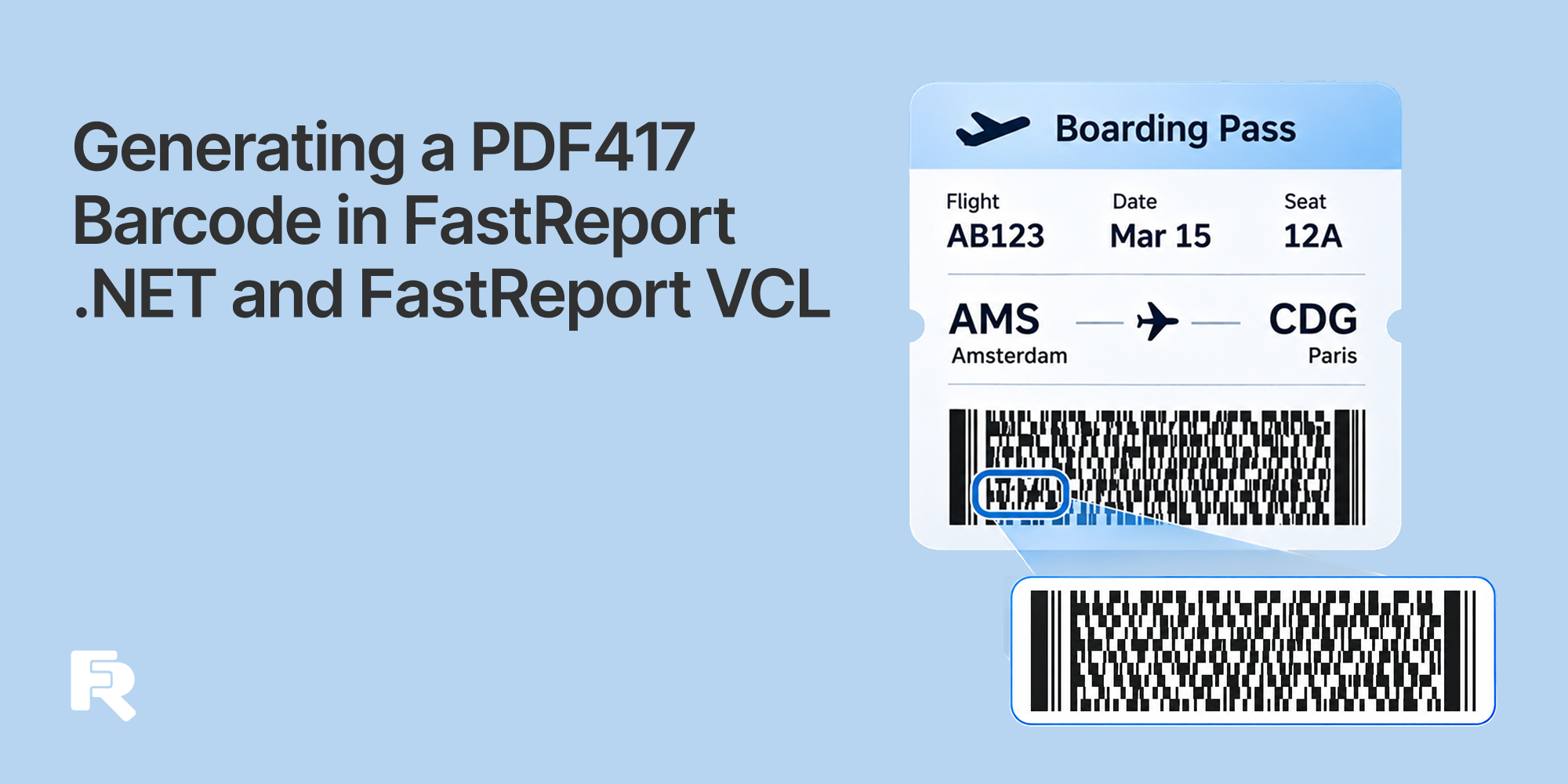
On logistics labels, boarding passes, and waybills you often see a barcode that looks like a stack of linear codes. This is PDF417 — a high-density two-dimensional code that stores the entire set of document details right on the carrier. In this article, we will look at how this format is structured and then show in practice how to generate a PDF417 barcode in three ways: in the FastReport .NET, programmatically in a C# application, and in FastReport VCL.
What is the PDF417 Barcode and Where Is It Used
PDF417 — a composite high-density two-dimensional barcode designed to store data autonomously, right on the carrier. Unlike one-dimensional labels that require an external database for verification, it contains all the information inside itself: a long set of details can be read instantly even without network access. The number 417 describes the internal geometry of each codeword: it consists of exactly 4 bars and 4 spaces, and their total width is always equal to 17 elementary modules.
Visually, the code resembles a stack of linear barcodes compressed in height. Along the edges there are empty margins and start/stop patterns by which the scanner determines the boundaries and the tilt angle. Between them are service indicators and data columns forming the matrix.
For compactness, data is automatically compressed in one of three modes: text, numeric, or byte. And thanks to built-in error correction, the barcode is read confidently even from a damaged carrier — with scuffs, abrasion, or paper tears.
The format is in demand wherever a large array of details needs to fit in a limited area. It is used for printing logistics labels, cargo manifests, and IATA-standard airline boarding passes. PDF417 is also applied to driver’s licenses and tax returns so that the fields can later be imported automatically upon scanning.
Main Advantages of PDF417
- Complete autonomy — it holds hundreds of bytes of structured information, so checking a document does not require contacting a server;
- Elongated horizontal shape — the code fits conveniently in the narrow fields of forms, boarding passes, and waybills;
- Fault tolerance — the error correction algorithm recovers data even with heavy abrasion or paper tears;
- Compatibility — the code can be read not only by modern 2D imagers but also by classic laser scanners with linear scanning.
How the PDF417 Barcode Works: the ISO/IEC 15438 Specification
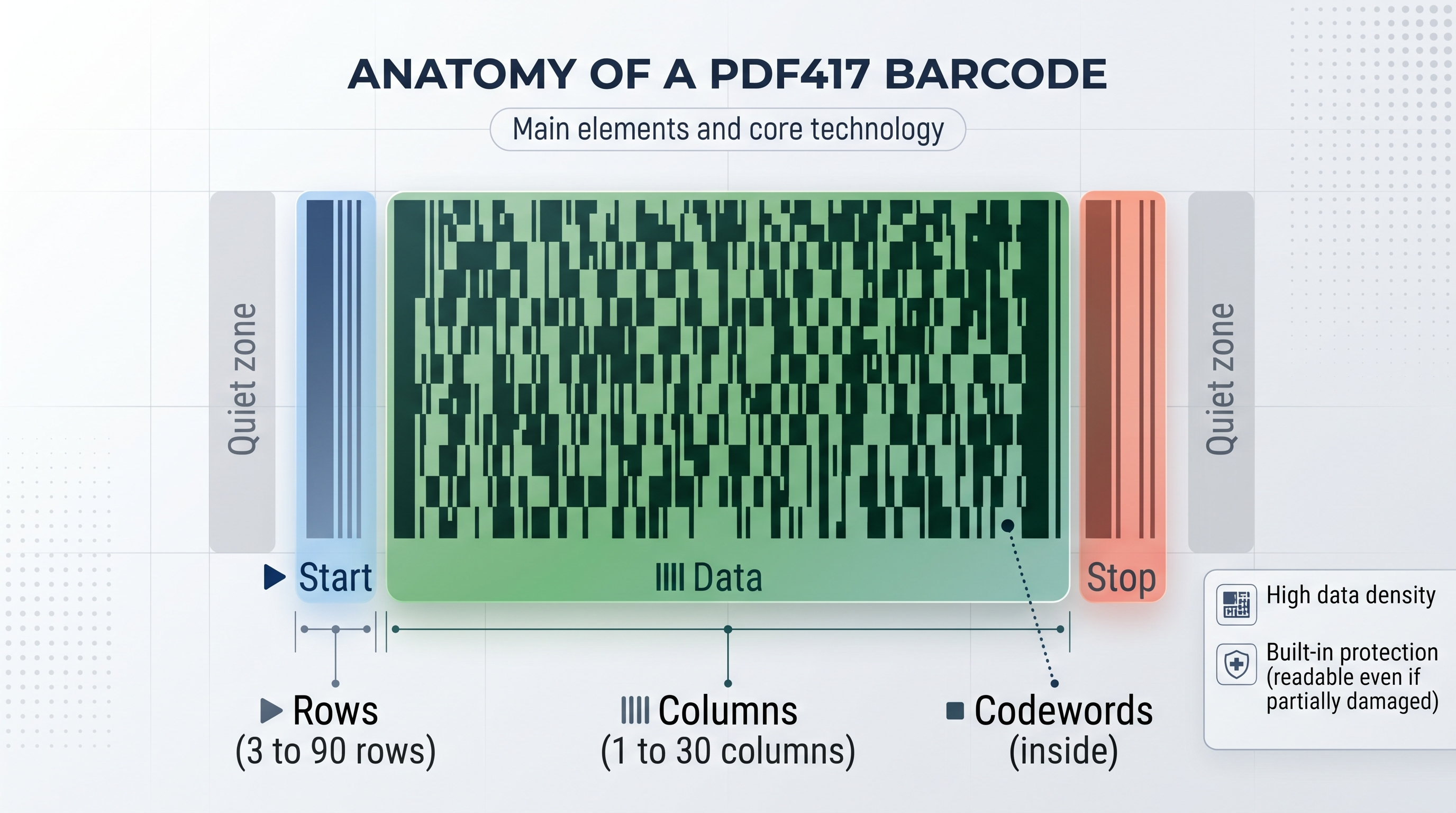
The international standard ISO/IEC 15438 gives PDF417 its high recording density and fault tolerance. Unlike linear codes, it relies on a complex mathematical structure:
- Codewords and geometry. Information is packed into codewords with values from 0 to 928. Each word consists of exactly 4 bars and 4 spaces, and their total width is always equal to 17 elementary modules.
- Row clusters. To keep the scanner from «slipping» onto an adjacent row during reading, the rows use three alternating pattern families. The cluster number is computed by a formula from the standard, so if the laser beam shifts vertically, the scanner instantly corrects its trajectory.
- Data compression modes. Text mode — packs 2 characters into 1 codeword. Byte mode — converts groups of 6 bytes into 5 codewords, which makes it possible to efficiently encode binary data and UTF-8 text. Numeric mode — compresses up to 44 decimal digits into 15 codewords.
- Reed — Solomon error correction. To protect against damage, redundant encoding is used. The number of check words is calculated by a formula from the standard. Standard levels (for example, ECC 4) allow the code to be read confidently even with scuffs and partial soiling of the label.
Creating a PDF417 Barcode in the FastReport .NET Designer
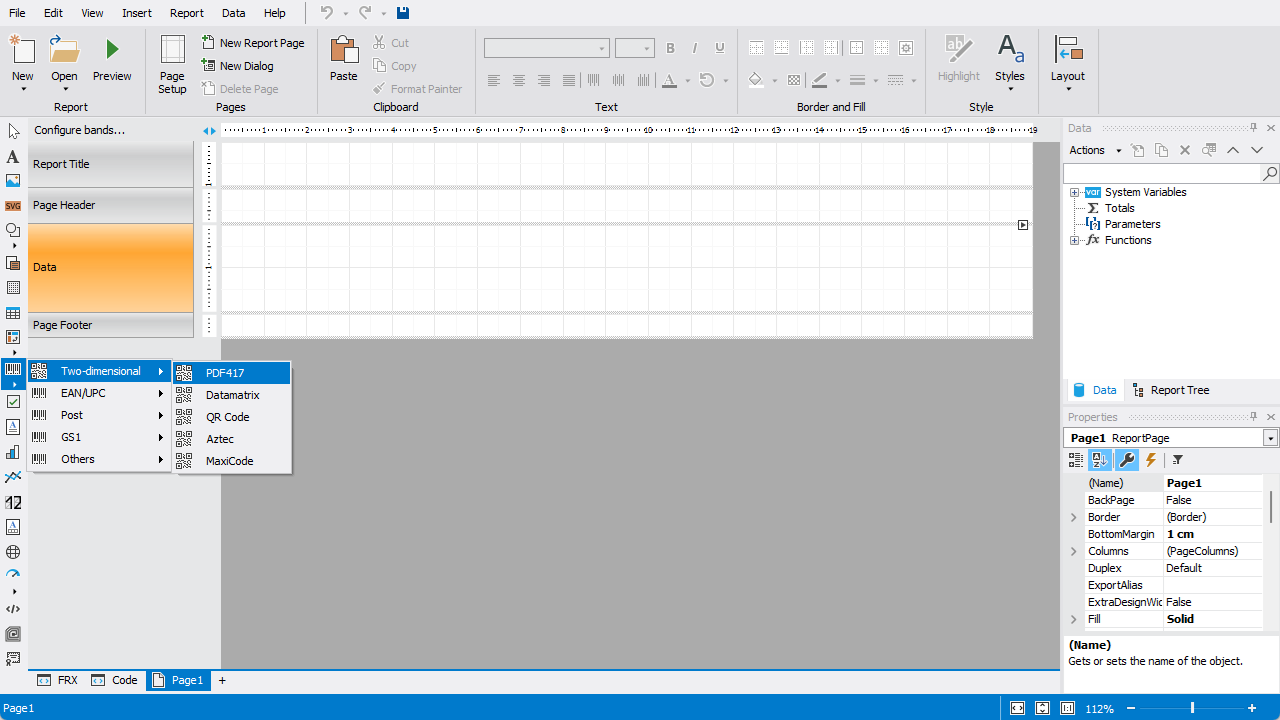
To add a barcode, select it on the toolbar:
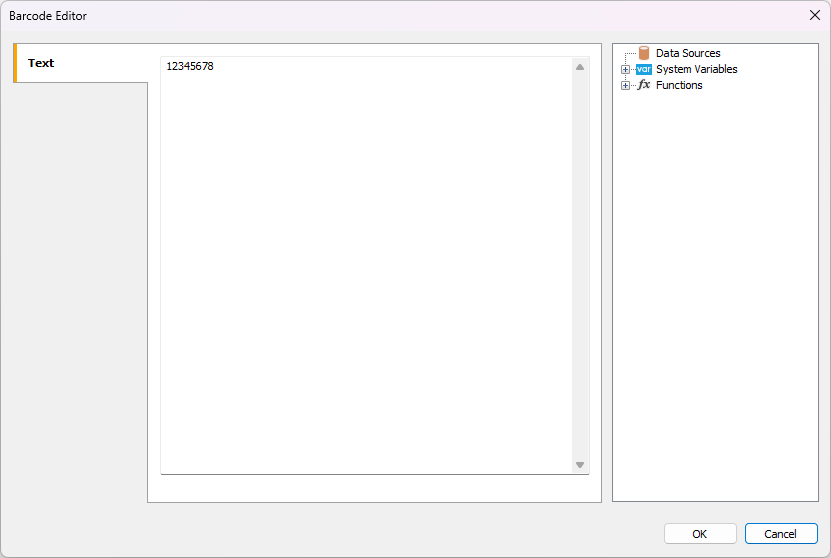
After adding, double-click the object — the barcode editor will open, where you can immediately enter all the data that needs to be encoded:
Now let us improve the report and pass structured application data mimicking a real transport waybill to the barcode:
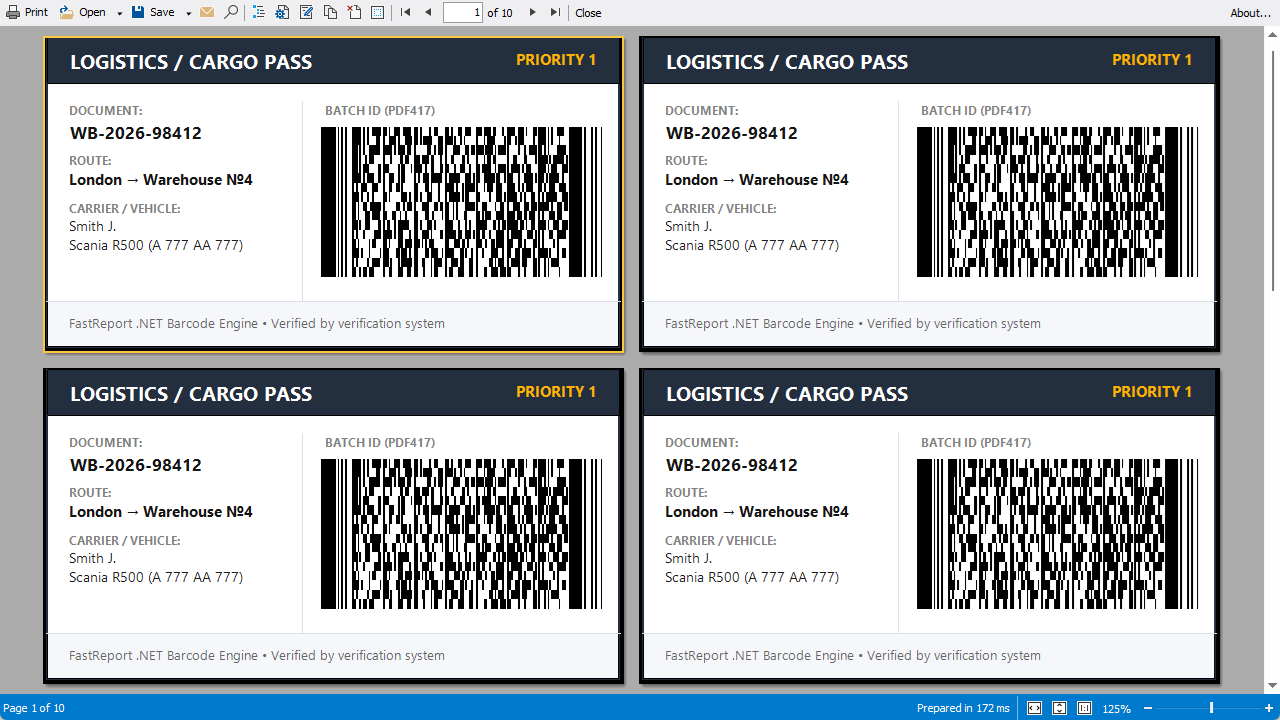
The resulting label clearly shows the practical zoning: the key text details of the document (waybill number, route, and carrier data) are located on the left, and on the right — the generated PDF417 barcode. It embeds a complete copy of this information in «key=value» pairs, including Cyrillic characters.
When such a barcode is scanned, a data collection terminal or a mobile scanner instantly reads the payload as the following line:
DOC=WB-2026-98412;DRIVER=Smith J.;TRUCK=А777АА777;DEST=WH-4;PALLETS=18;WEIGHT=4200KG
With the capabilities of FastReport, a developer can flexibly adjust the geometry and behavior of the barcode to the requirements of a specific form. This control makes it easy to fit a large data array even into the limited space of a label without losing readability for scanners.
Programmatic PDF417 Generation in a .NET Application
If a report is generated programmatically, all elements can also be created manually. FastReport .NET lets you initialize the required component in just a few lines and flexibly configure its display for a specific layout.
The code for creating and basic configuration of PDF417 looks as follows:
// Create a report instance
Report report = new Report();

// Create a barcode object
BarcodeObject barcode = new BarcodeObject();

// Initialize PDF417
barcode.Barcode = new BarcodePDF417();

// Set the data
barcode.Text = "DOC=WB-2026-98412;DRIVER=Smith J.;TRUCK=А777АА777";

// Disable the text caption below the barcode
barcode.ShowText = false;

// Disable auto-size
barcode.AutoSize = false;
Configuring the PDF417 Barcode in FastReport VCL
When working with FastReport VCL, we get an identical result. The required barcode component (TfrxBarcode2DView) is located on the toolbar.
Add it to the page and double-click it with the left mouse button — the editor window will open:
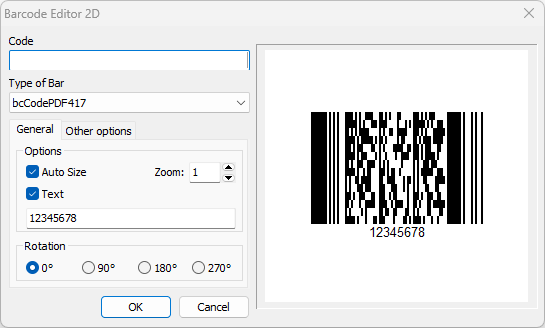
The left part of the window shows the barcode properties, and the right part — an interactive preview area showing its final appearance.
When configuring a two-dimensional PDF417 barcode in the FastReport VCL report designer, the properties tab offers specific generation parameters. They are critical for the correct display and reading of the code:
- PixelWidth — Sets the base thickness of the narrowest element of the barcode. Increasing this value helps adapt the printing to low-resolution printers or prevent lines from «sticking together» on paper of questionable quality, while keeping the 1:1 geometry crisp.
- Rows — Sets a forced number of vertical rows. If the value is left at 0, the generator computes the optimal grid automatically. Specifying a specific number of rows makes it possible to rigidly control the barcode proportions so that it is guaranteed to fit the slot reserved for it on the form.
Since PDF417 is a multi-row barcode, direct control of its grid is exposed as separate properties. This allows the developer to flexibly manage the proportions and density of the code, ensuring its guaranteed recognition by any scanners.
Example of Programmatic PDF417 Creation in VCL:
// Create a barcode object
BarCode := TfrxBarcode2DView.Create(MasterData);

// Initialize the barcode type as PDF417
BarCode.BarType := TfrxBarcode2DType.bcCodePDF417;

// Set the data
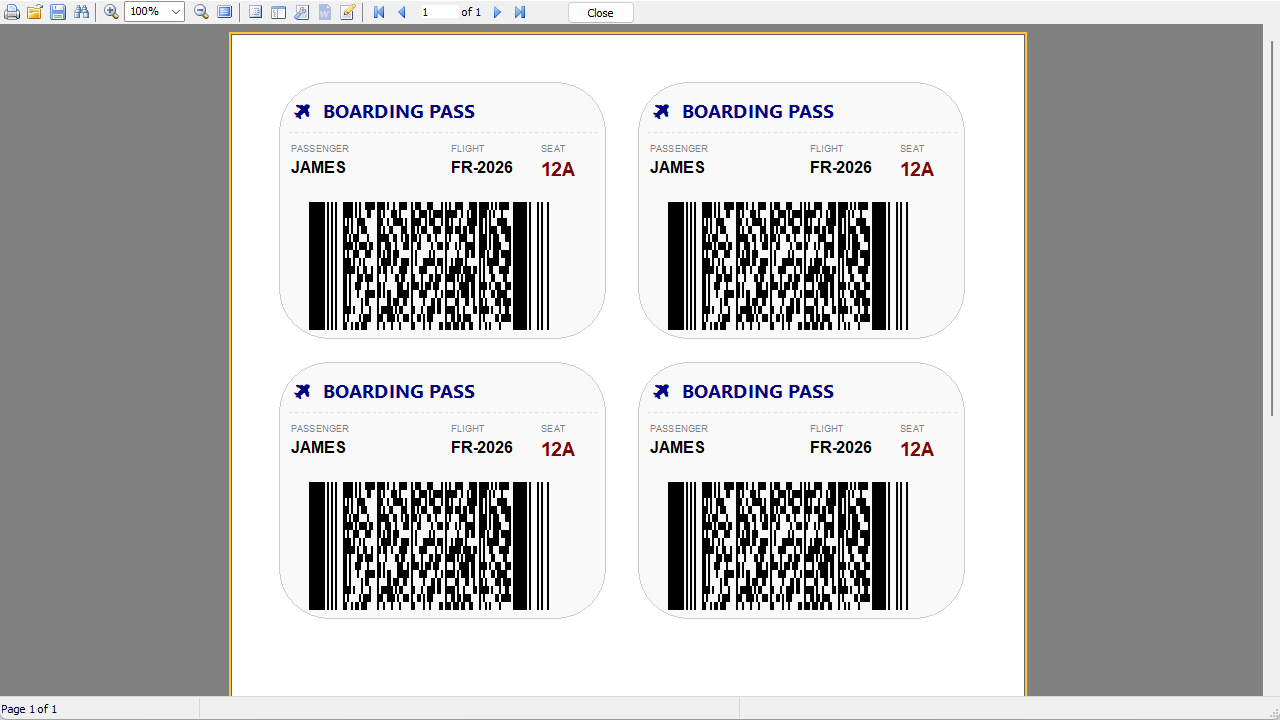
BarCode.Text := 'TICKET:987654321;PASSENGER:James;FLIGHT:FR-2026;SEAT:12A;';

// Set the pixel width
BarCode.BarProperties.PixelWidth := 2;

// Set the number of PDF417 matrix rows
BarCode.BarProperties.Rows := 10;
Let us look at the result:
Conclusion
The PDF417 barcode remains a reliable standard for the autonomous storage of structured data arrays. We have examined the structure of the format and its key advantages for logistics and document management, and then applied this knowledge in practice: configured the barcode in the FastReport designer and implemented its programmatic generation in the .NET and VCL environments with direct control of the matrix parameters. This knowledge is enough for developers to easily integrate PDF417 into waybills, boarding passes, and any other reports.