
What's New in FastReport .NET 2027.1: Greenplum Connectivity, PDF/UA-1, and GS1 Barcodes
Version 2027.1 of FastReport .NET introduces the Transport plugin for working with cloud storage services (Google Drive, S3, NextCloud, OneDrive), the new GS1 DataBar Expanded Stacked barcode, and support for the PDF/UA-1 standard. Export to Excel and OpenOffice Calc now supports locking rows and columns and exporting custom data formats; export to XML and the ability to select sheet tab colors have also been added. Additionally, vCard 3.0/4.0 support, connectivity to Greenplum databases, and fully asynchronous report generation in Blazor have been added.
New Features
New FastReport.Transport Library
FastReport.Transport is a library for interacting with cloud storages such as Google Drive, S3-compatible services, NextCloud, OneDrive.
The library includes classes that implement a common ITransport interface. It provides methods for uploading, downloading, copying, moving, deleting, and renaming folders and files. The library also includes a form with a user-friendly interface for using the library's functionality, visually resembling Windows Explorer.
FastReport.Plugins.Transport Plugin
FastReport.Plugins.Transport is a plugin that provides integration of the Transport library into FastReport .NET.
Available for: WinForms, WPF, Avalonia, Mono. The plugin is connected similarly to connection plugins:
new FastReport.Plugins.TransportAssemblyInitializer();
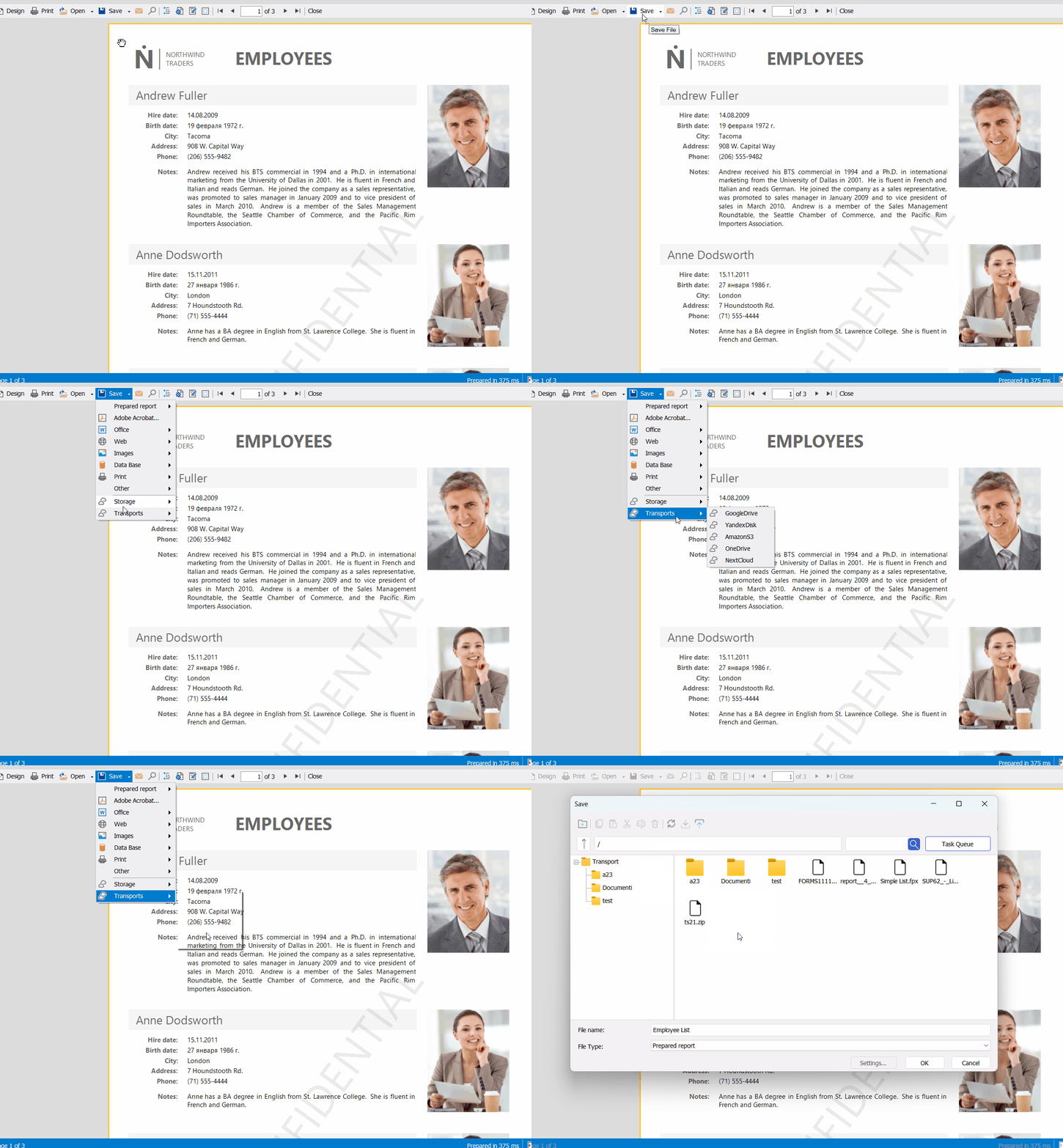
After adding a reference to the plugin and connecting it, additional menu items appear for uploading and saving reports to cloud storage — both on the preview form and in the designer.
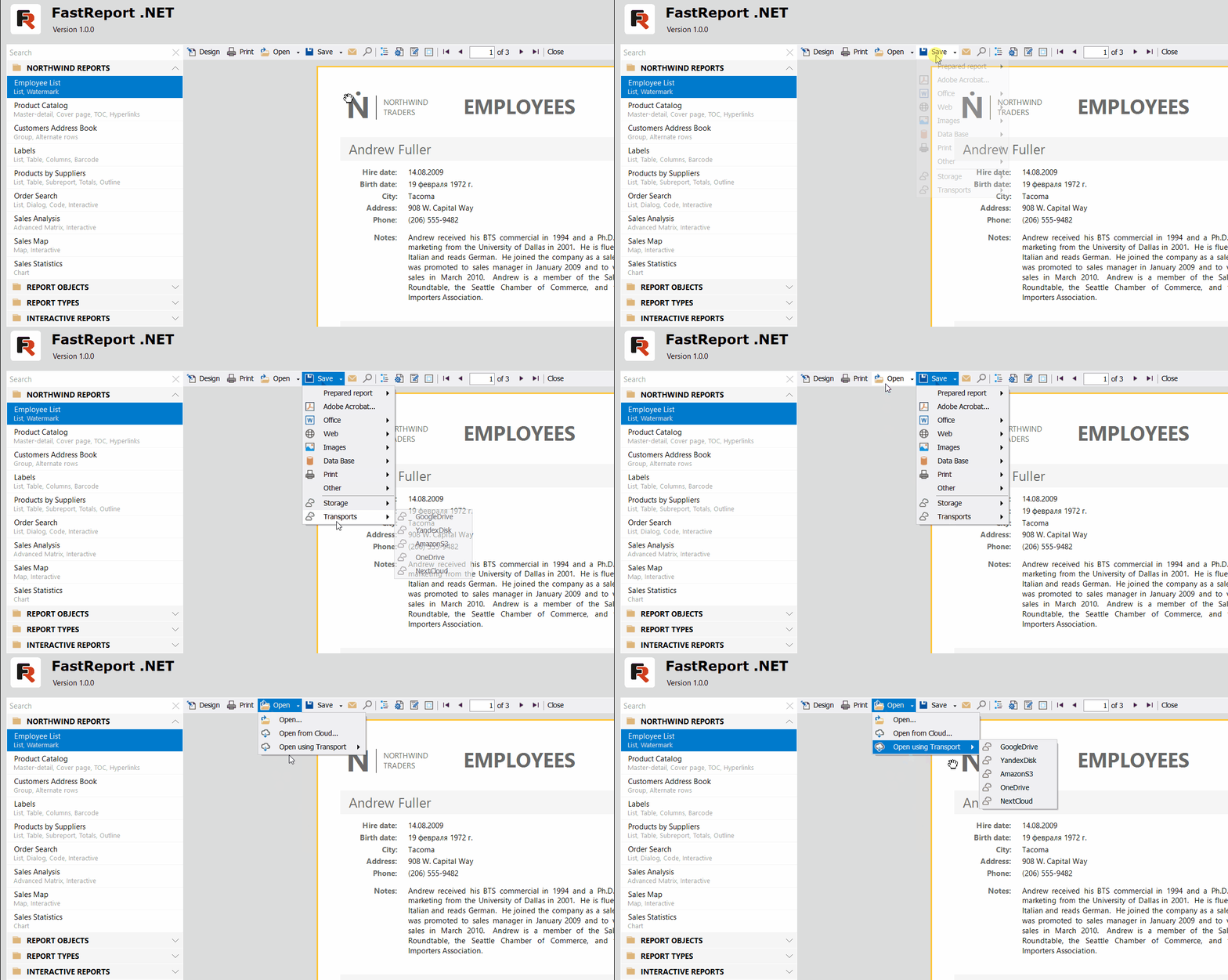
The first time a transport is used, a window opens with the data required for it to work (authorization data and some parameters). Once the window is closed, this data is saved to the FastReport configuration.
Once the authorization stage is complete, the transport window corresponding to the selected menu item opens; it is used for saving or loading a report or a template.
GS1 DataBar Expanded Stacked barcode
GS1 DataBar Expanded Stacked is the most advanced version in the DataBar family, combining high data capacity with exceptional geometric flexibility. Unlike standard linear barcodes, this symbology type is specifically designed to encode extended product information within a limited space.
Adaptive growth is a key feature of this barcode: it can expand both horizontally and vertically to fit the available space.
Example of the GS1 DataBar Expanded Stacked barcode:

You can learn more about the new barcode in our article at this link.
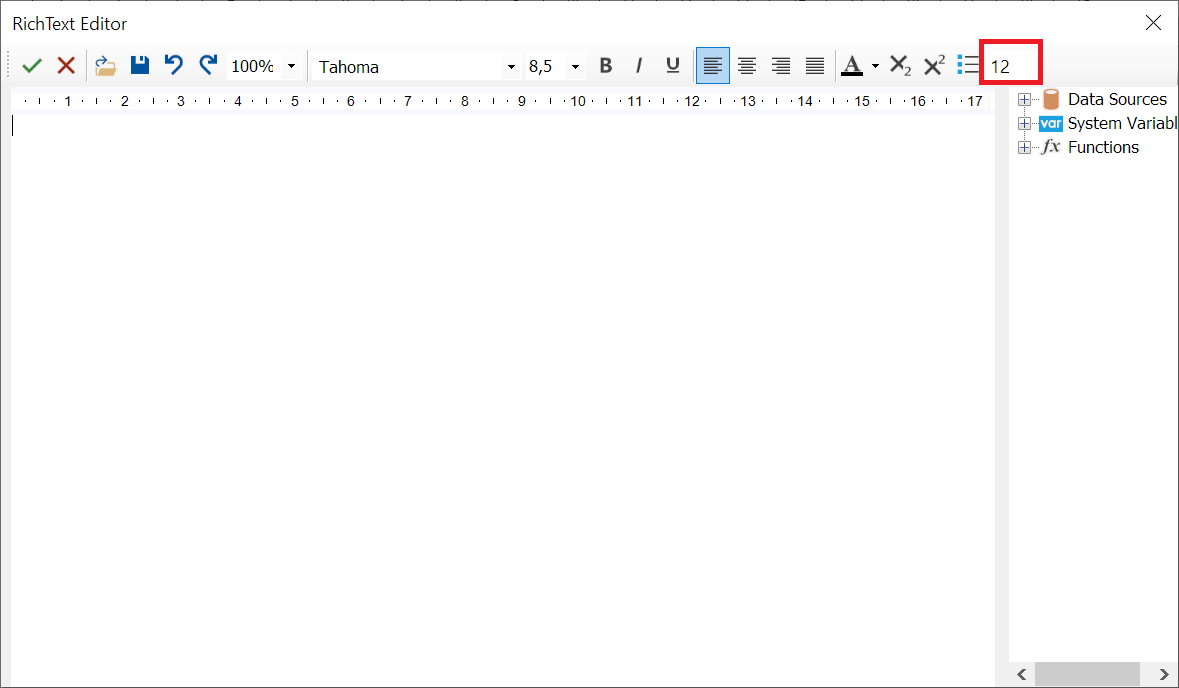
Line spacing adjustment in the RichObject editor
The RichObject editor now allows users to customize line spacing.
Support for vCard versions 3.0 and 4.0
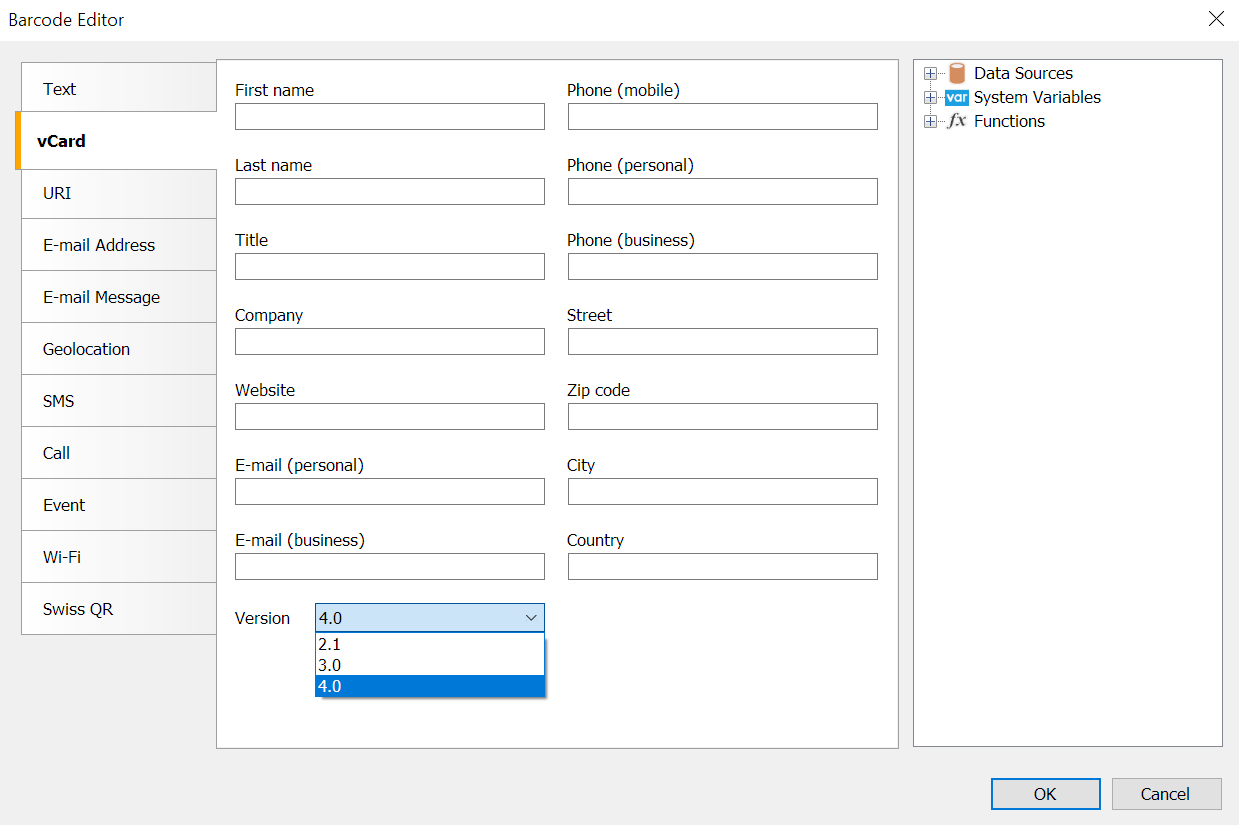
The barcode editor now supports vCard versions 3.0 and 4.0. Previously, only version 2.1 was supported.
The version can now be specified in the object properties or in the editor window:
Connecting to Greenplum databases
It is now possible to use Greenplum databases as data sources for reports.
Currently, this data source is implemented as a plugin.
You can read about how to use it in the linked article.
Export Improvements
Support for the PDF/UA-1 standard
The new version of the report generator includes support for the PDF/UA-1 standard. This PDF format specification meets accessibility requirements for people with disabilities.
Visually, a PDF/UA document is indistinguishable from a standard PDF, but it contains a structure that describes the document and helps assistive software read the screen content aloud.
Example of the PDF/UA structure in Adobe Acrobat:
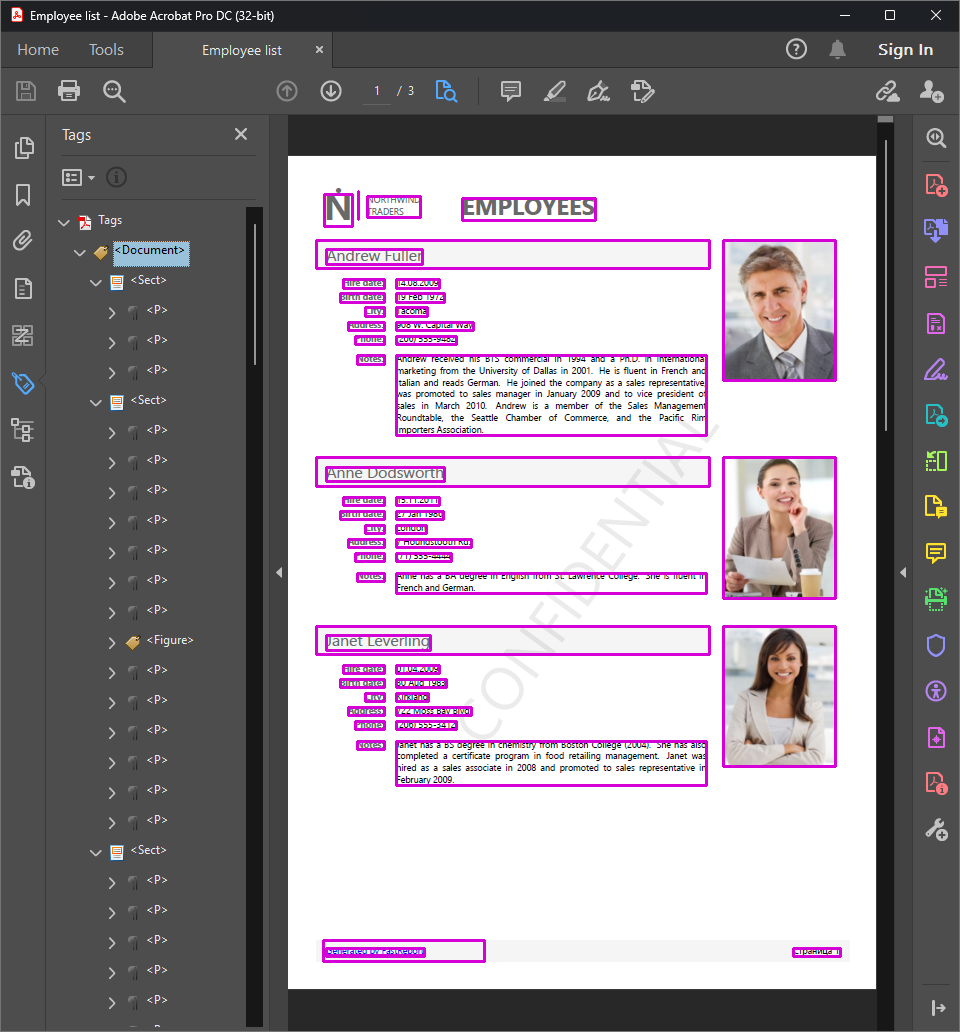
This export format can be selected via code or in the export settings window:
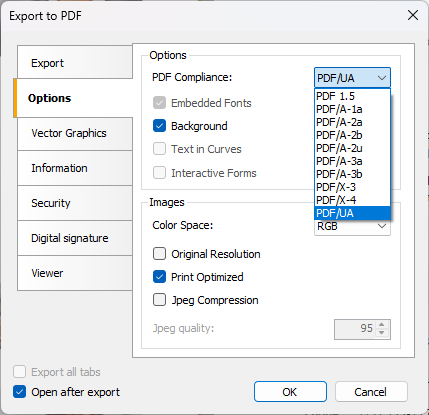
Read more about the PDF/UA-1 standard and its implementation in our export feature in the linked article.
Freezing cells when exporting to Microsoft Excel and OpenOffice Calc
When working with large tables, it is often necessary to keep row or column headers constantly visible. This is particularly useful when scrolling horizontally or vertically while viewing the document.
The updated Microsoft Excel and OpenOffice Calc exports now allow you to freeze specific cells. You can use the ODS export settings for this:
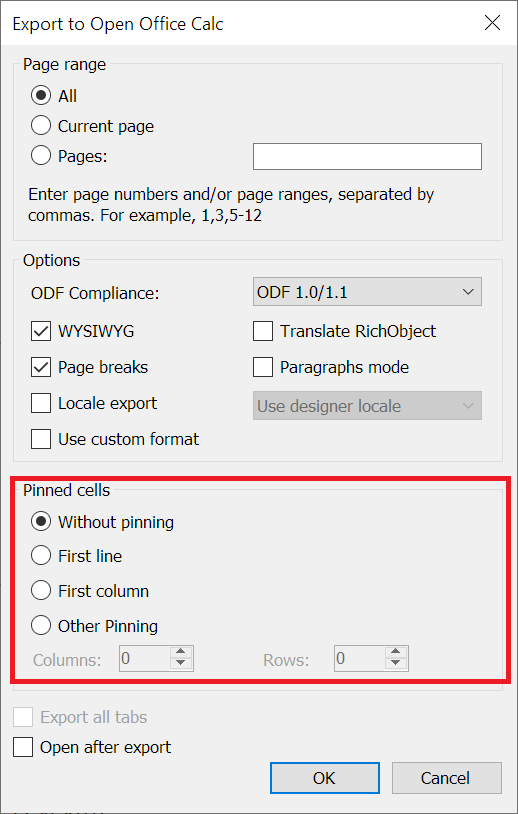
The same option is available for XLSX:
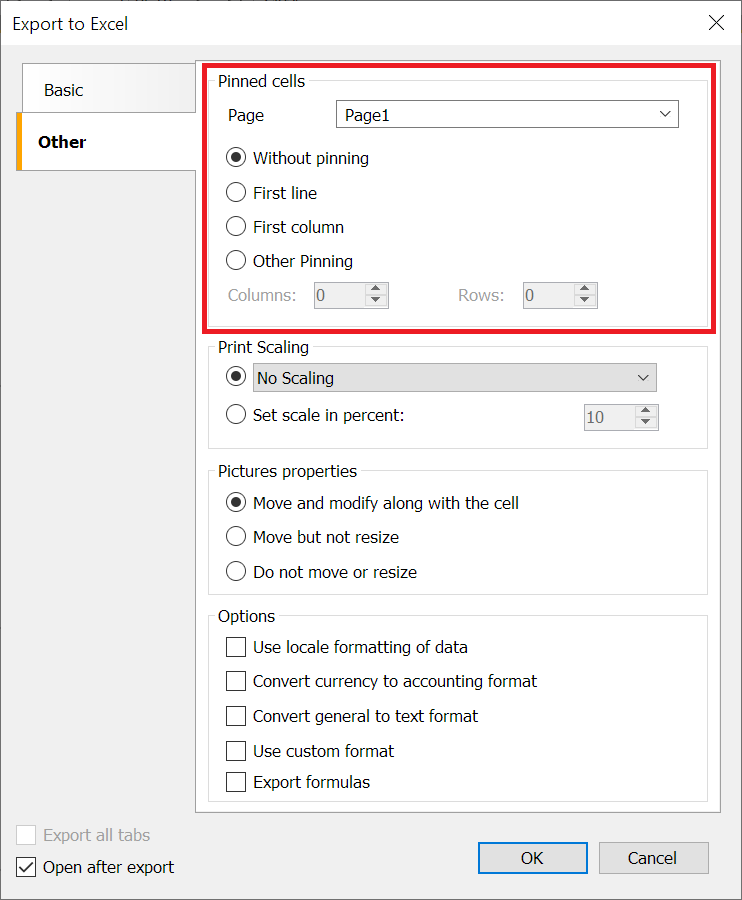
You can freeze the first row or the first column. Additionally, there is an option to freeze a specific number of rows or columns.
Full information can be found in the linked article.
Exporting custom data formats to ODS
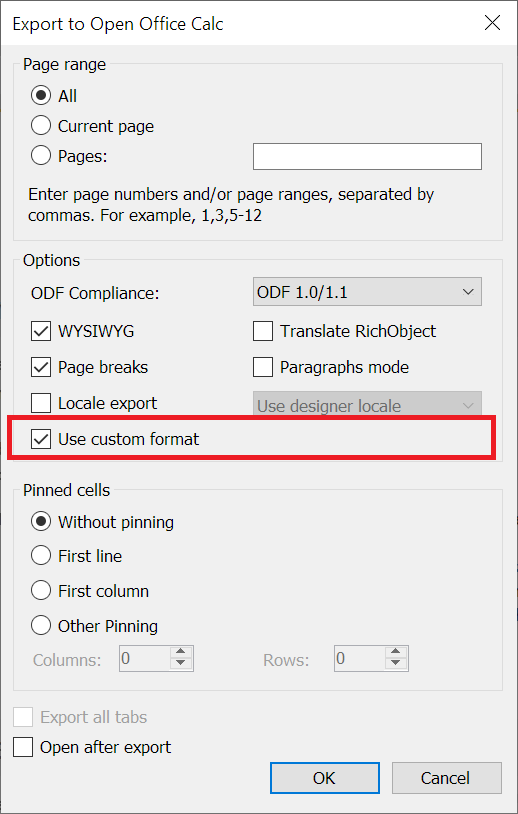
The updated OpenOffice Calc export now supports exporting custom data formats.
This option can be enabled in the export settings:
Option to fully embed fonts when exporting to XPS
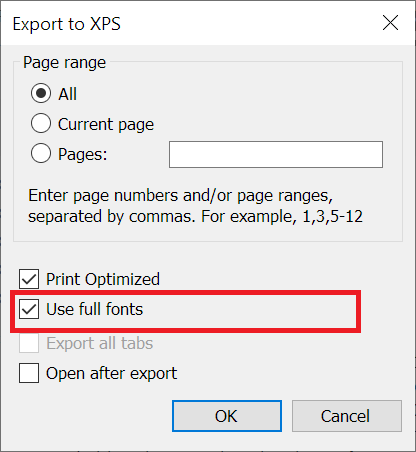
By default, only the characters actually used are embedded in the output file during export, rather than the entire font. This is done to reduce file size.
In some cases, however, you may need to embed the full font. To do this, use the new option:
Export to XML format
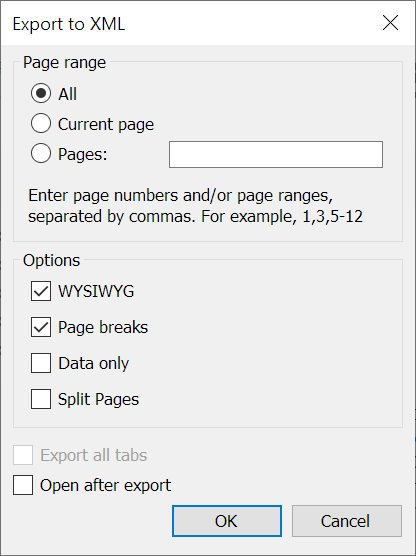
The new version of FastReport introduces the ability to export reports to XML format.
The export settings window is shown below:
We previously offered a tabular XML export that complies with Excel specifications. The new export option is more versatile.
Information about the new export feature can be found in the article at this link.
Selecting sheet tab background colors for Excel export
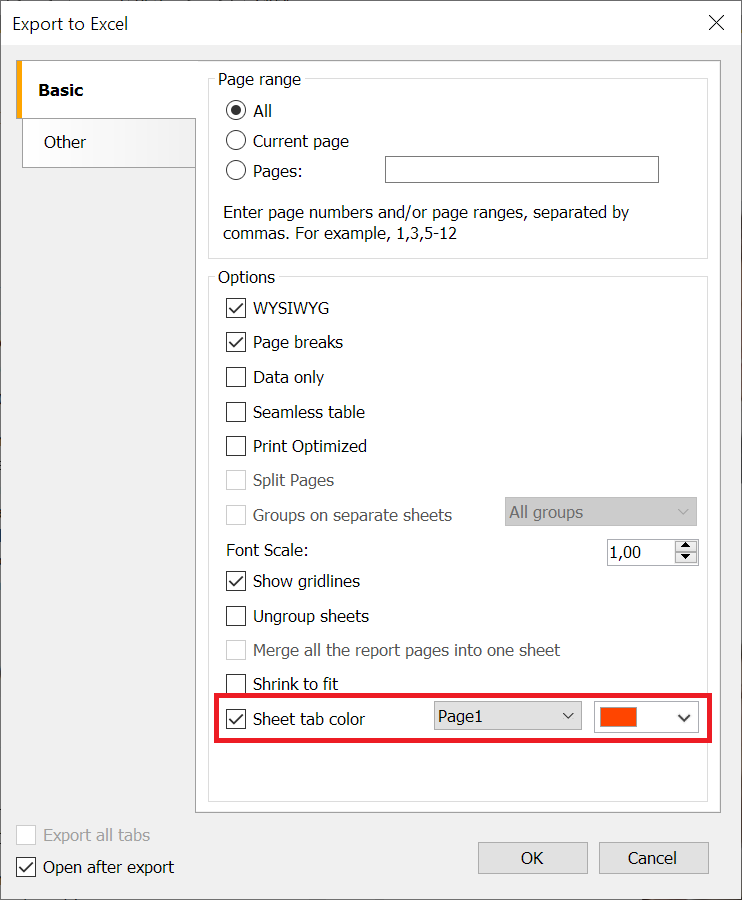
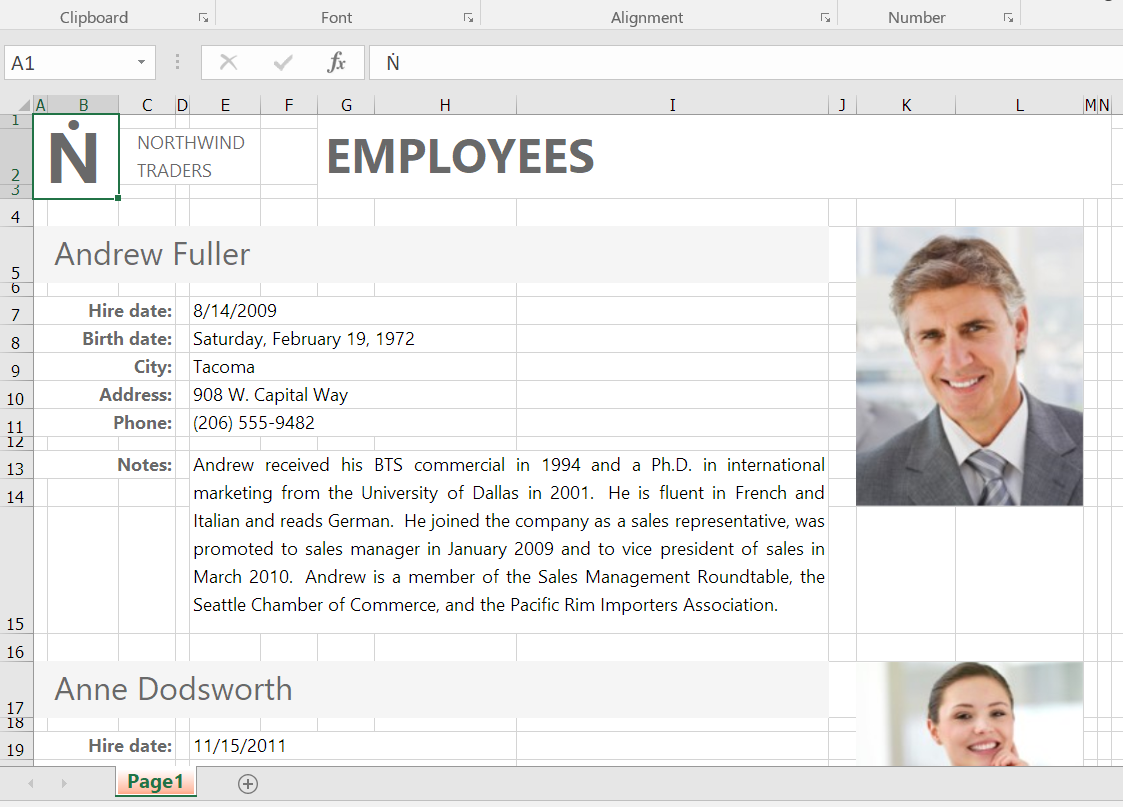
You can now specify colors for sheet tabs when exporting to Excel. A new option has been added to the settings that allows you to set a tab color for each page:
The exported result will look like this:
Changes in WebReport
Transition to fully asynchronous report generation in Blazor
Previously, some parts of Blazor still used synchronous report preparation. All of them have been replaced with asynchronous ones, which improved the performance of WebReport Blazor.
Full list of changes
[Engine]
+ added GS1 DataBar Expanded Stacked barcode;
+ added text trimming support in the Skia backend;
+ added the Config.UseGcCollect property to handle garbage collection;
+ added transports for Google Drive, and S3;
* improved the loading speed of some fpx files;
* script security updates;
- fixed a bug with multi-symbol brackets in the Text object;
- fixed text handling in some East Asian locales;
- fixed script security issues;
- fixed a bug with the DashPattern property;
- fixed incorrect rendering of underline and strikeout styles in some fonts;
- fixed an incorrect default value of the CommandParameter.Direction property;
- fixed the ProcessAt behavior on a breakable band;
- fixed incorrect rendering of some SVG documents;
[Designer]
+ added vCard versions 3.0 and 4.0;
+ added the ability to change the line spacing for RichObject;
- fixed memory leaks in WpfDesignerControl;
- fixed errors and updated documentation for Swiss QR;
- fixed connection creation by adding the Avalonia.Data.Odbc connection form;
- fixed a designer bug in the Mono framework;
- added IOException handling when opening rtf files in RichObject;
- fixed linear barcode text overflow when the text is wider than the barcode;
- fixed image display in RichObject in the report preview when using ConvertRichText;
- fixed a NullReferenceException in RichObject with PicturesInParagraph;
- fixed a designer bug when dragging a report parameter;
[Preview]
- fixed a bug with editing a preview page when the MirrorMargins property is set to true;
- fixed the tooltip in the email form;
[Exports]
+ added support for the PDF/UA-1 standard;
+ added freezing of rows and columns when exporting to ODS;
+ added export of custom data formats to ODS;
+ added the "Use full fonts" option to XPS export;
+ added the ability to freeze rows and columns for each page separately;
+ added export to XML format;
+ added sheet tab color selection in the Excel export;
+ added a new property to improve the export of Polygon objects to Word;
- fixed SVG clipping in the PDF export;
- fixed incorrect display of the Polygon object when exporting to Word;
- fixed the table row height in the XLSX export when MinHeight is set;
- fixed a bug when exporting bidi text to PDF;
- fixed the export of SVG objects to PDF;
- fixed a bug in the HTML export;
- fixed the bold text emulation value in the PDF export;
- removed unsupported image formats from the image export form in Avalonia;
- fixed a bug in the PDF export when using Noto fonts;
- fixed a bug with the barcode font in the PDF export;
- fixed an ArgumentException in ImageExport when saving a report as a single-image metafile;
- fixed incorrect clearing of generated streams and files when exporting to DXF, HPGL, SVG, and XAML;
- fixed an InvalidCastException when filling the page names list;
- fixed a NullReferenceException in the Word export with non-standard image quality;
- fixed an extra tab in the Word export when using the ParagraphOffset property;
- removed the extra shared string type (t="s") from empty cells in the Excel export;
- fixed an extra blank page in the ODT export;
[WebReport]
+ added the CreateProcedureAsync method to MsSqlDataConnection;
+ added the skipSchemaInit option to the WebReport getConnectionTables endpoint;
* the Blazor Server now uses asynchronous report preparation (PrepareAsync);
* improved the structure of JS code in WebReport;
- fixed parameter parsing when clicking on the DetailReport link in WebReport;
- fixed a bug with duplicate procedure and table names in WebReport;
- fixed the position of the modal container when the WebReport toolbar is sticky;
- fixed the parsing of quotation marks inside WebReport;
- fixed the handler for clicking on objects inside a table cell in WebReport;
- removed the search button from the OpenSource WebReport;
- fixed caching of DetailPage parameters in WebReport;
- fixed the click event handler in WebReport;
- fixed the initialization of the WebReport script;
- fixed an incorrect build of FastReport.OpenSource.Web;
- fixed an IndexOutOfRangeException when reloading the detail page in WebReport;
- fixed the email export settings serialization in WebReport;
- fixed incorrect display of the RTF export settings menu;
- fixed opening WebReport export settings;
[Common]
+ added mapping of MySql types;
[Extras]
+ added Greenplum database connection;
+ added the FastReport.ReportBuilder plugin for the open source version;
+ added OneDrive and NextCloud transports;
* the FastReport.Data.MsSql plugin now uses Microsoft.Data.SqlClient instead of System.Data.SqlClient;
- fixed MongoDB 3.5.2 breaking changes and assembly conflicts;
- fixed a CSS class bug in the HtmlObject plugin;
- fixed bugs in the HTML renderer plugin;
- fixed table rendering in the HTML plugin;
[.Net Core]
+ added GetParameterType and GetConnectionType functions;
- fixed the CompilerSettings.ExceptionBehaviour behavior in .NET Core.