Make Drill-Down report in VCL (Delphi / Lazarus)
"Drill Down" or "deepening into data" is a concept with many sides, which can refer to actions in tables or in something else that encapsulates information. And plain and simple, it's a drop-down list!
One of the most important operations is Drill-Down, for example, in OLAP with cubes, and, in principle, many places. After all, it greatly simplifies the analysis of information. A "careful dive" into the layers of data. Let's "take a closer look at the data"! This is normally done by clicking on the data we want to drill down into.
You can do a drop-down list in FastReport VCL and this is the feature we will talk about in this article.
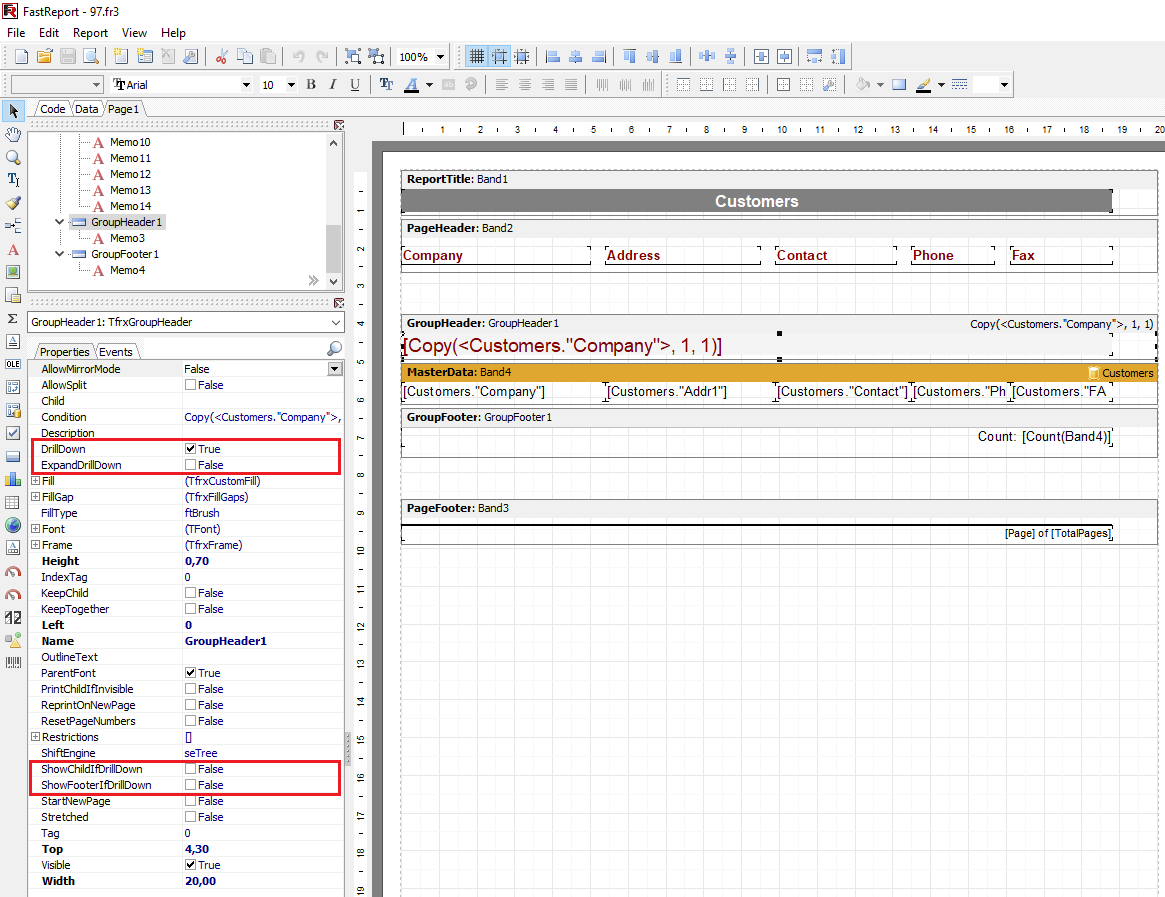
About Drill-down properties in FastReport VCL and its connection:
The group header itself has a DrillDown property ("DrillDown" item on the menu). When DrillDown is enabled, it will be possible to make the group interactive.
In simple terms, the group will begin to respond to a mouse click in the preview window. Clicking on a header will allow you to expand (show all content) or collapse (hide content), leaving only the header and, if desired, the basement or childband. This can be configured with the ShowFooterIfDrillDown and ShowChildIfDrillDown properties.
The screenshot below shows an example of a group with a single expanded header:
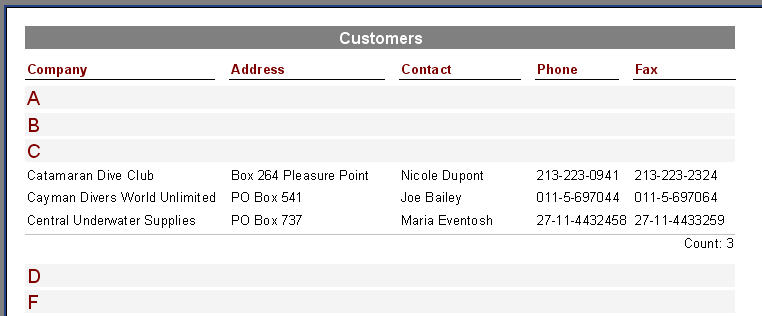
You can specify whether all groups should be output collapsed or expanded when the report is run. By default the groups are collapsed and this is controlled by the ExpandDrillDown property. If groups are to be expanded, set this property to True.
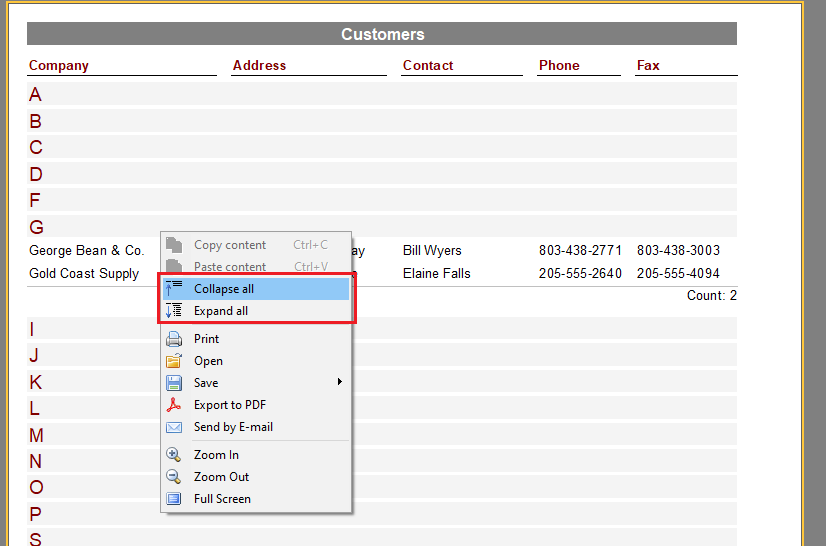
The preview also has the function to open and close group information from the context menu.
It should be noted that when using the DrillDown mechanism, the report is rebuilt each time. If the report is based on the data of a 'heavy' query, such a query will be run each time DrillDown is triggered. In this case, it is desirable to save the results of query execution in a temporary table. Also, generated reports that are saved in fp3 format and subsequently loaded in the preview window or in the FR Viewer will not work.
In the code, the TfrxGroupHeader properties for creating drill-down reports are set as follows:
| DrillDown | |
1 2 3 4 5 6 |
var gh: TfrxGroupHeader; gh := TfrxGroupHeader(frxReport1.FindObject(‘GroupHeader1’)); gh.DrillDown := True; gh.ExpandDrillDown := True; gh.ShowChildIfDrillDown := False; gh.ShowFooterIfDrillDown := True; |
I find reports that use the DrillDown type and its properties useful and easy to use. And I'm not the only one! Any office worker will be grateful to you for this dilution of their hopeless life with such interaction! The only thing is, don't quit and try to "stomp" into a report with multi-levels! This is expected to weigh down both the document and the workload.