How to connect to the Sybase SQL Anywhere database
Sybase SQL Anywhere database has a number of very useful features that make it very competitive in comparison with competitors. First, it allows you to handle very large volumes of data. Secondly - it is highly productive, that is, despite the offer large volumes of data fast. Thirdly it requires minimal administration. Finally, it is perfectly integrated into custom applications, as almost completely automated and does not require support.
In order to connect to SQL Anywhere database, you need a plug-in connector for report designer which is provided by FastReport. Net. Before connecting the plug-in, you need to create its library. In the delivery of FastReport.Net there are projects to create the connectors. All you need - to restore NuGet library and build the project. The project is located in the folder:
C:\Program Files (x86)\FastReports\FastReport.Net\Extras\Connections\FastReport.SqlAnywhere
As a result, after you build the project, you'll get the FastReport.SqlAnywhere library. It can now be connected to the report designer. To connect the plug-in, choose the File-Options menu:
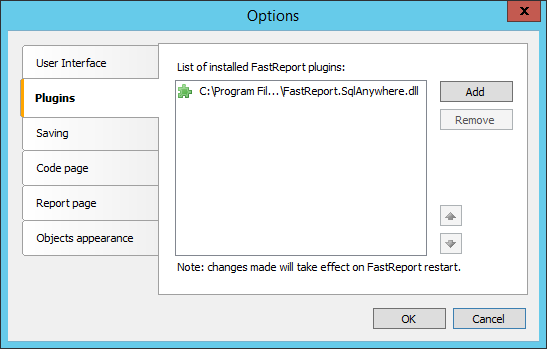
On the Plugins tab, we add the FastReport.SqlAnywhere library you've collected.
After restarting the designer, you can start creating a report data source:
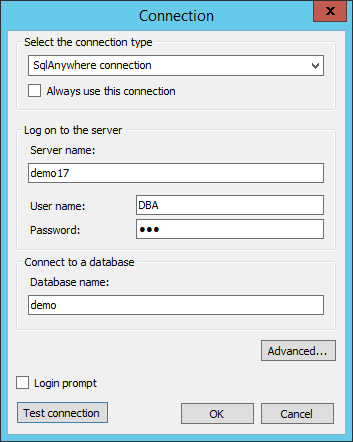
Choose the SqlAnywhere connection that is now available. The settings are simple: server name, username, password, database name. Once we're connected to a data source, we need to select the tables from which we'll get the data.
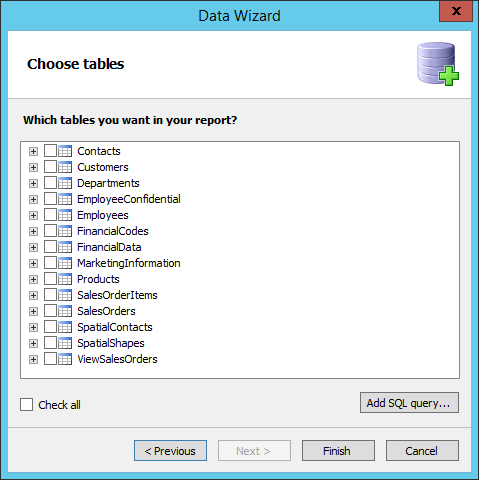
At the stage of the selection of tables, we can create your presentation of data using SQL query. Query will allow us, for example, to combine data from multiple tables, or filter the data before they are received. In the SQL query parameters can be used. This allows us to filter the data based on the values of parameters passed to the report from the outside. Add a new SQL query using the button "Add SQL query ...".
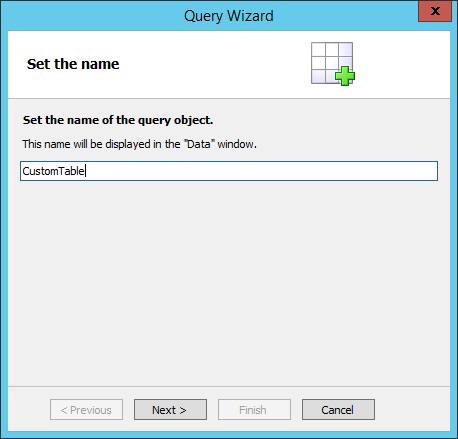
Enter the name of the table, which we are creating.
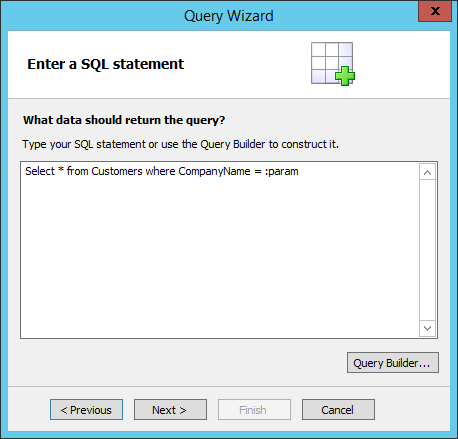
Then we write a request. The SQL Anywhere uses a prefix : before the parameter. At this point, we enter the name of the parameter, which will be defined in the next step:
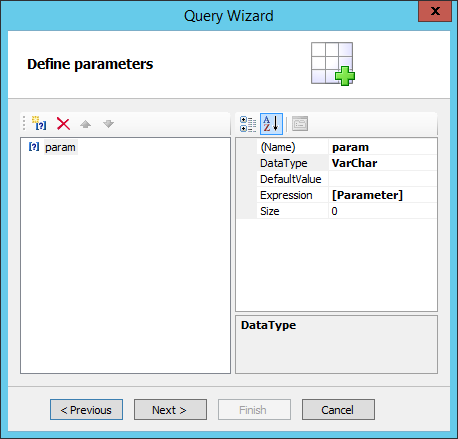
The parameter name must match your SQL request. We choose the data type, the default value, if you need, an expression as well which will be a data source. This could be a variable or function. In our example, this is the report parameter we created in advance:
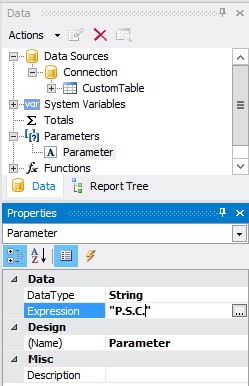
Once we've created the request, we'll get a new CustomTable table in the list of choices available.
As you can see, using a plug-in connector makes it very easy to connect to the Sql Anywhere database. And a parameterized query will help you prepare the data at the stage of receiving it.