Release of Version 2026.2 for FastReport Online Designer
The new FastReport Online Designer version (2026.2) brings significantly improved UI and a reworked theming system, a new report workspace, and a substantial amount of new functionality. Among the key changes are a fully redesigned theme matching the FastReport .NET Avalonia look, a new docking manager for flexible panel layout, a designer settings pop-up, an improved undo/redo system, and much more.
New Features
FastReport .NET Avalonia theme
In version 2026.2 the look of Online Designer has been completely reworked — a new theme matching the FastReport .NET Avalonia style has been added. Styles for all controls, panels, popups and toolbars have been updated.
The theme is responsive and renders correctly on screens of various sizes.
Redesigned properties panel
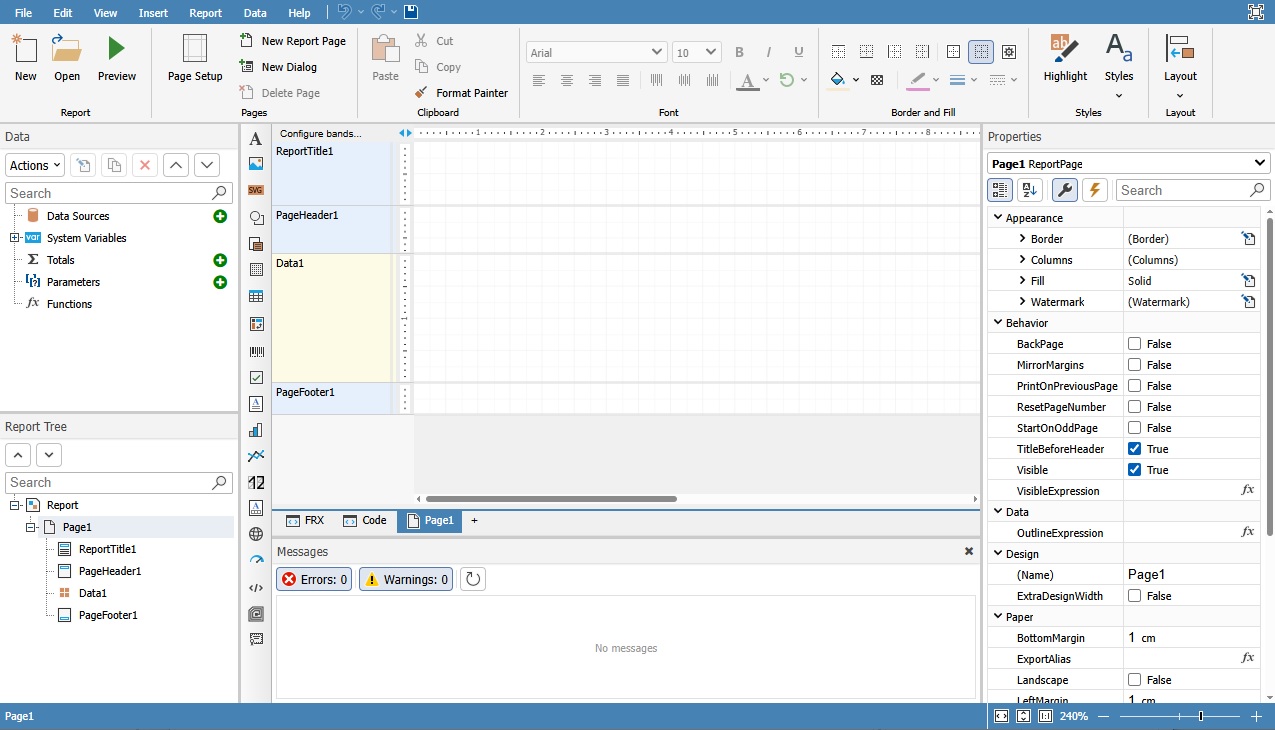
The properties panel got a refreshed design in the form of a property grid.
The properties panel is now merged with the events panel into a single interface, just like in the desktop version of FastReport. Switching between component properties and events is done via a toolbar inside the panel, without having to look for events in a separate window.
Docking manager
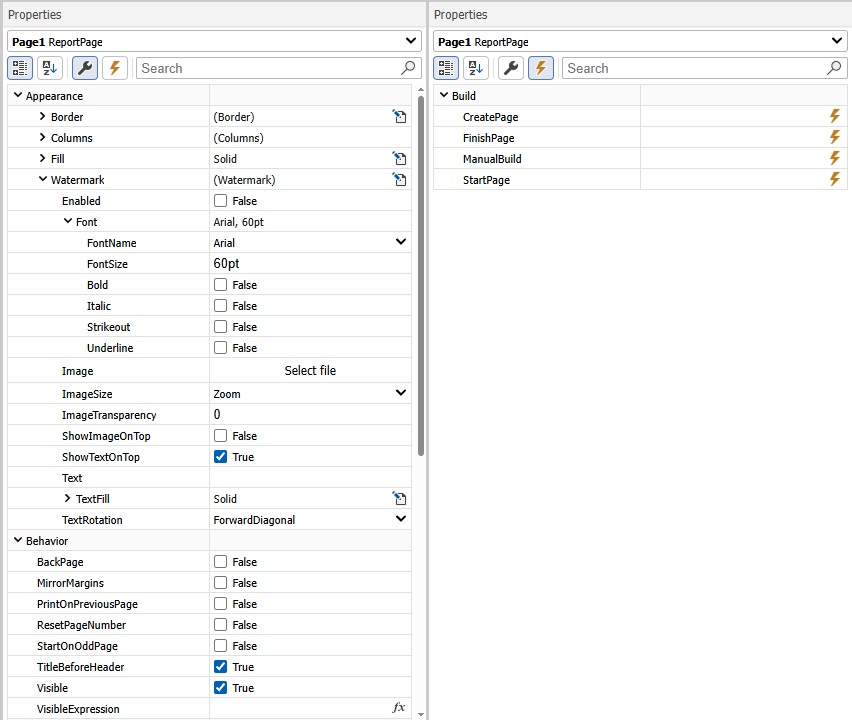
A new docking manager has been implemented, allowing users to flexibly arrange panels in the designer interface.
Panels can be dragged, docked to different sides of the screen and resized.
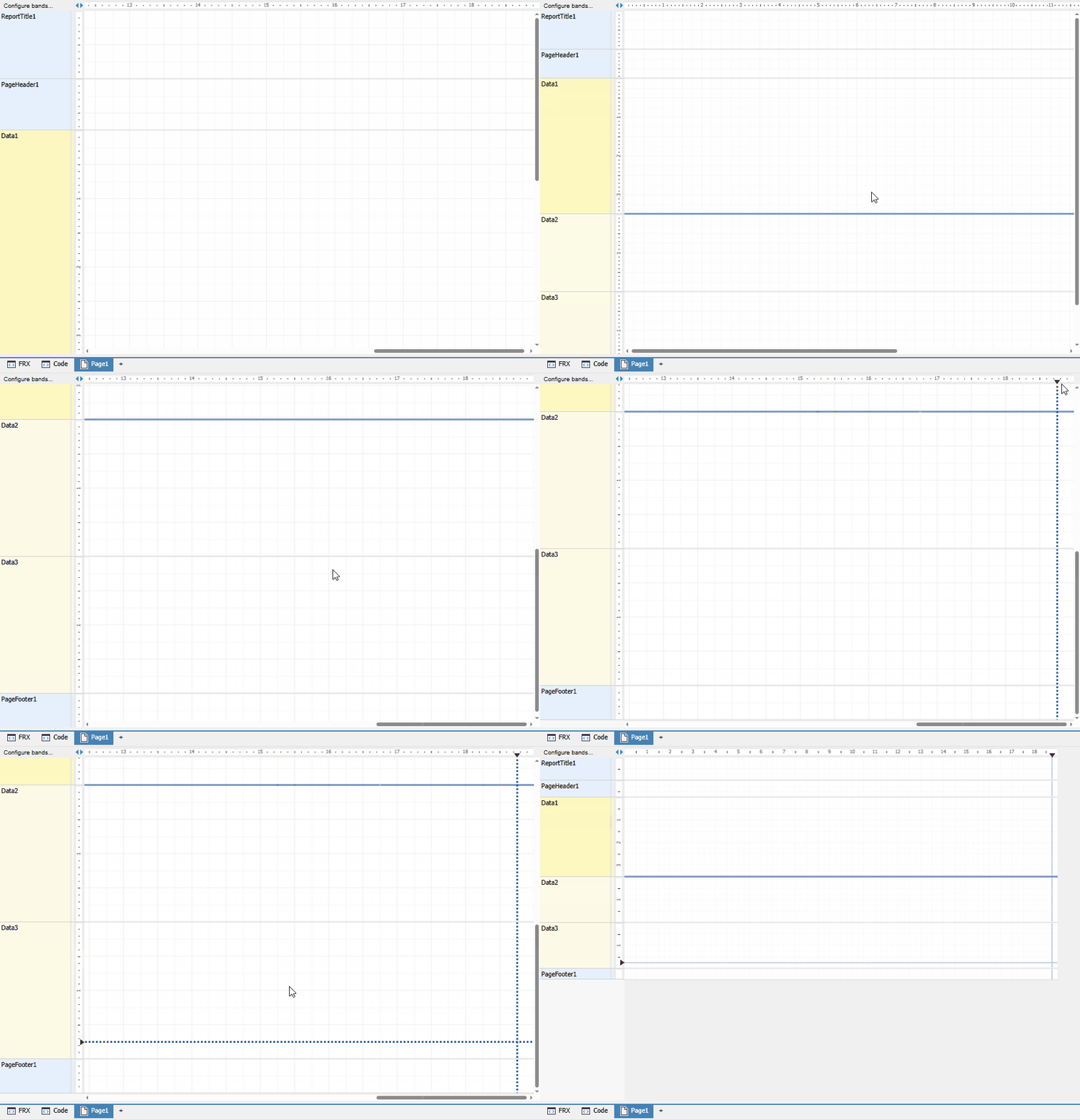
New workspace: rulers, guides, band headers
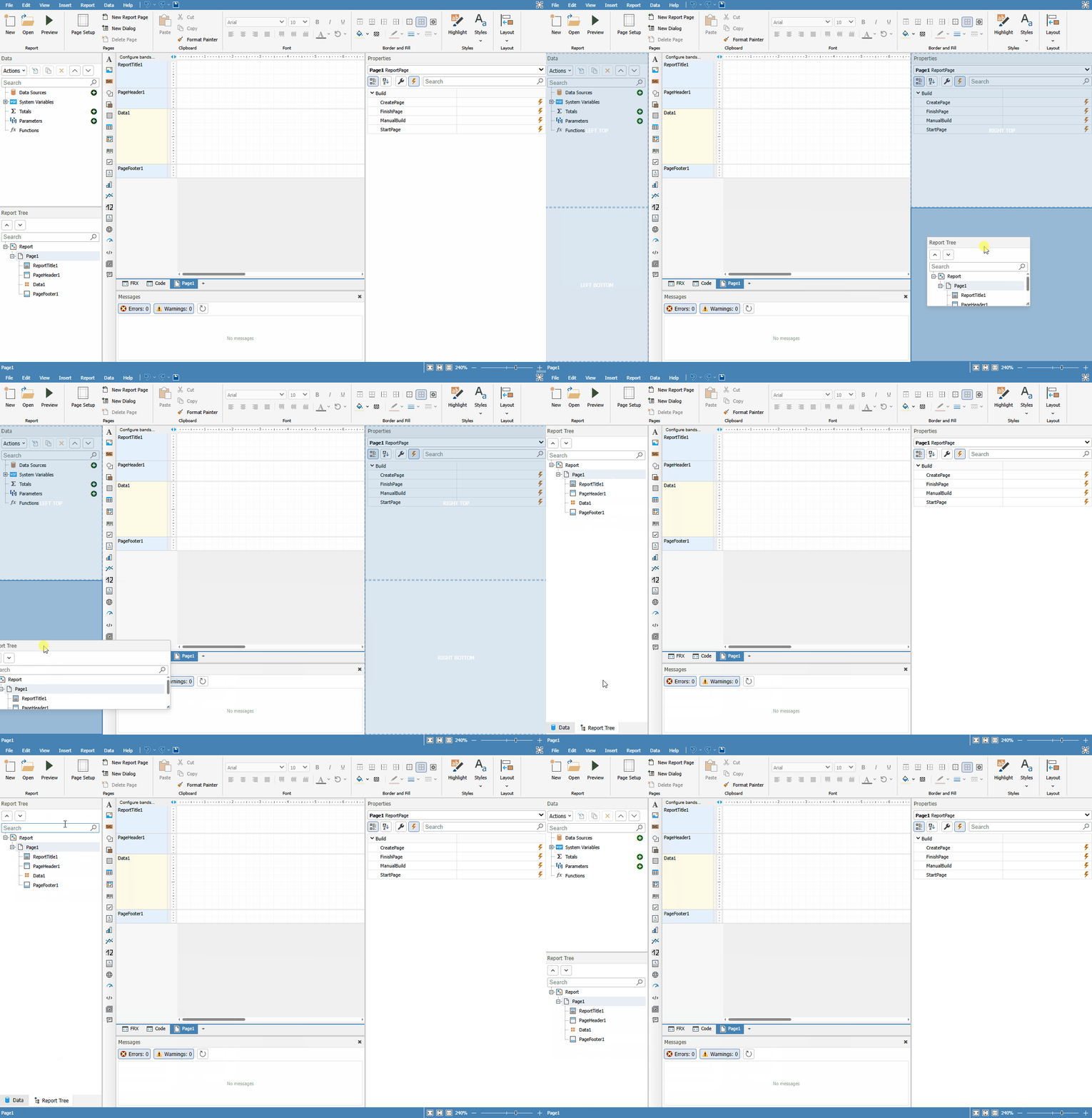
The designer workspace has been fully reworked. Rulers and guides have been updated — they now reflect the position of components on the page more accurately and remain readable at any zoom level. Band headers have been moved to a separate layer.
In addition, an alternative grid is supported when the Alt key is pressed — components can be moved and resized with a smaller step for the most precise positioning.
Toolbars for the Data and ReportTree panels
The "Data" and "Report tree" panels have received toolbars with features from FastReport .NET. You can collapse and expand nodes, use drop-down lists, and create new relations. The panels support recursive collapse/expand of nodes, as well as automatic switching to the neighboring item when a node is deleted.
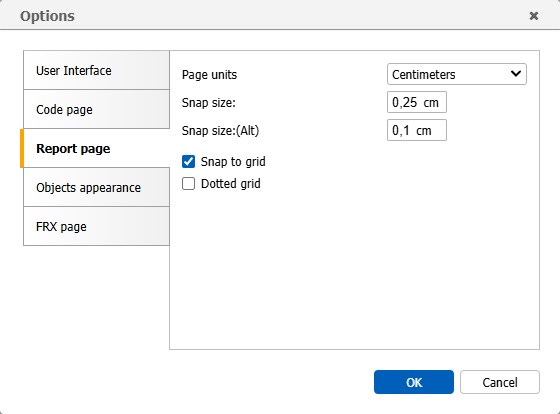
Designer settings window
A unified designer settings window has been added, combining configuration of appearance, object parameters and ways of interacting with the application. The following sections are available:
- Interface — hotkey and autosave settings
- Report page — grid and measurement-unit settings
- Object appearance — styles and display of components
- "Code" page — code page settings
- "FRX" page — settings for the FRX template editor
The settings are saved when the designer is closed and restored on the next launch.
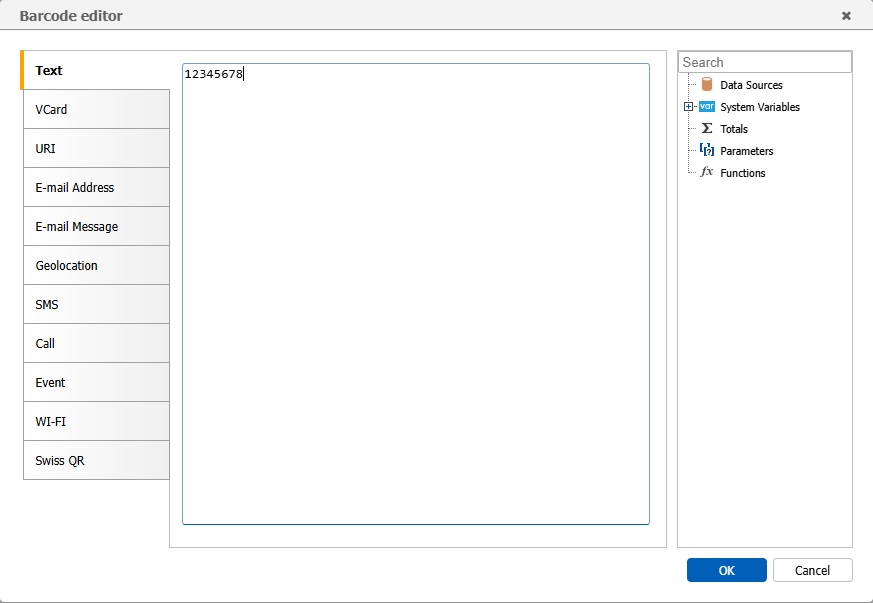
Barcode editor window
A dedicated window has been implemented for configuring the barcode component, replacing the previous generic expression editor. The window contains separate tabs for each barcode type with the corresponding configuration fields, including Swiss QR.
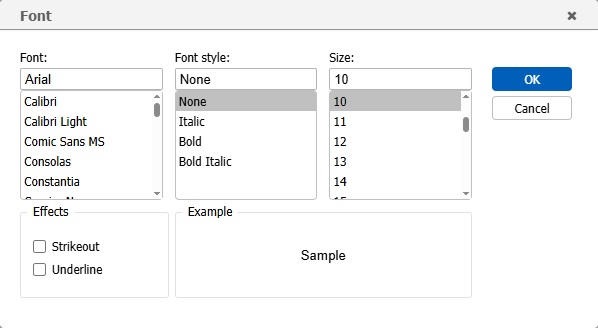
Font editor window
The font configuration window has been reworked — its look and structure are now aligned with the FastReport .NET design.
The window replaces the previous simplified version and provides access to the full set of font parameters.
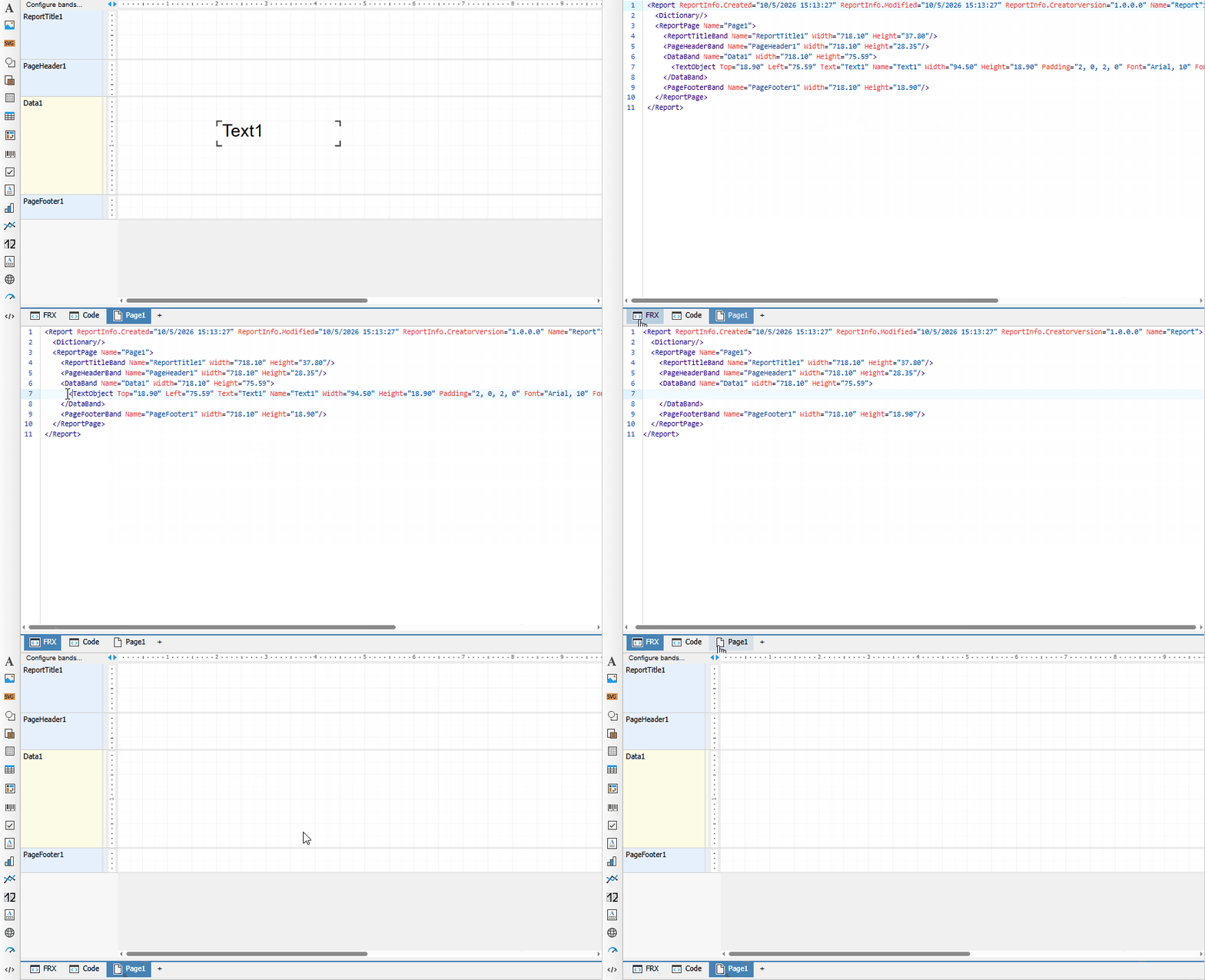
FRX template editor
A built-in editor for the report's XML template (FRX) has been added. The editor with syntax highlighting allows you to view and edit the report structure directly in XML form. Undo/redo is supported, as well as synchronization with the main designer view.
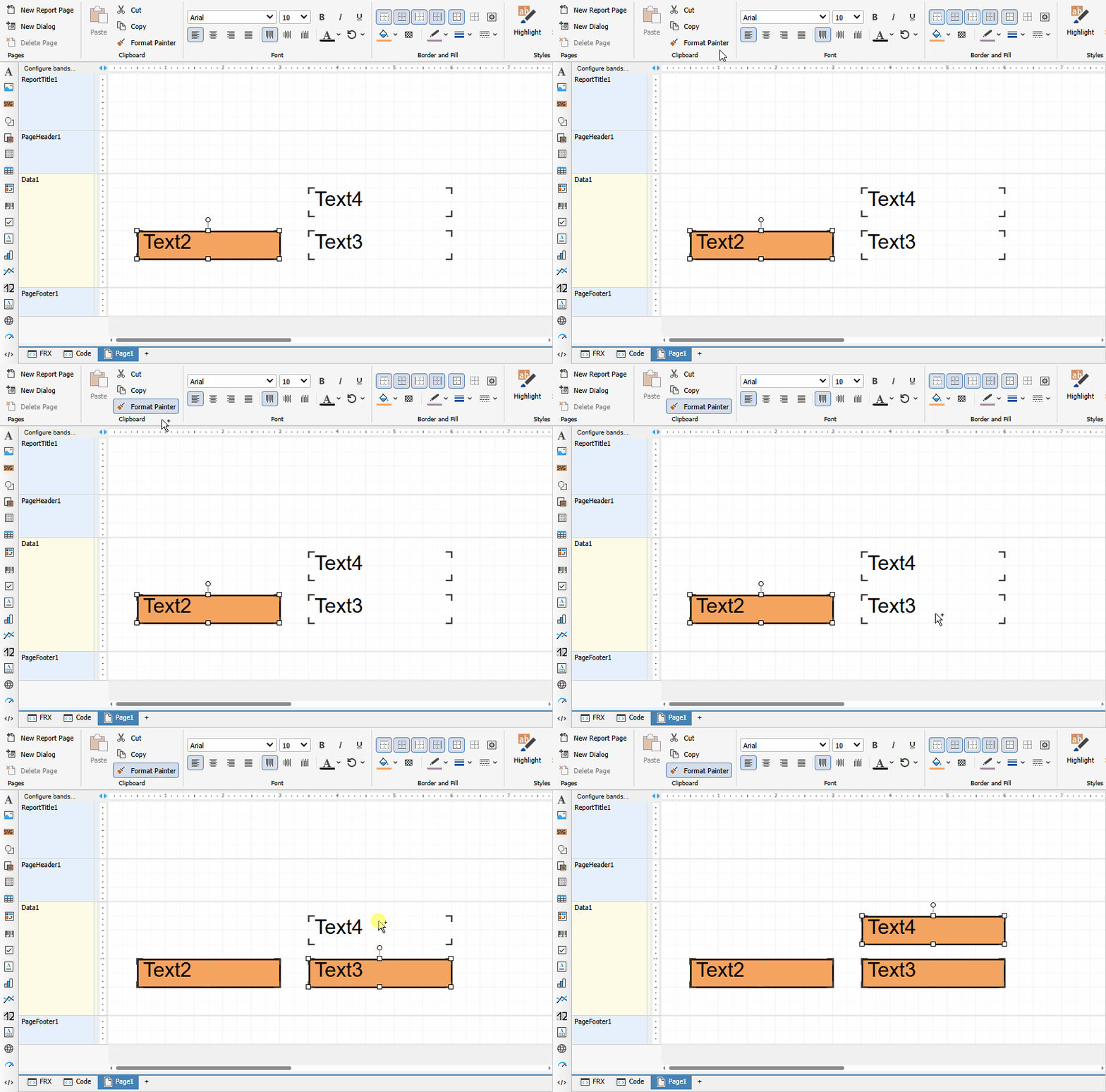
Format painter
You can now copy and paste styles between components. This is an analog of the "Format painter" tool from the desktop version, available from the toolbar. The feature lets you quickly apply font, color, border and other formatting settings to various components in the report.
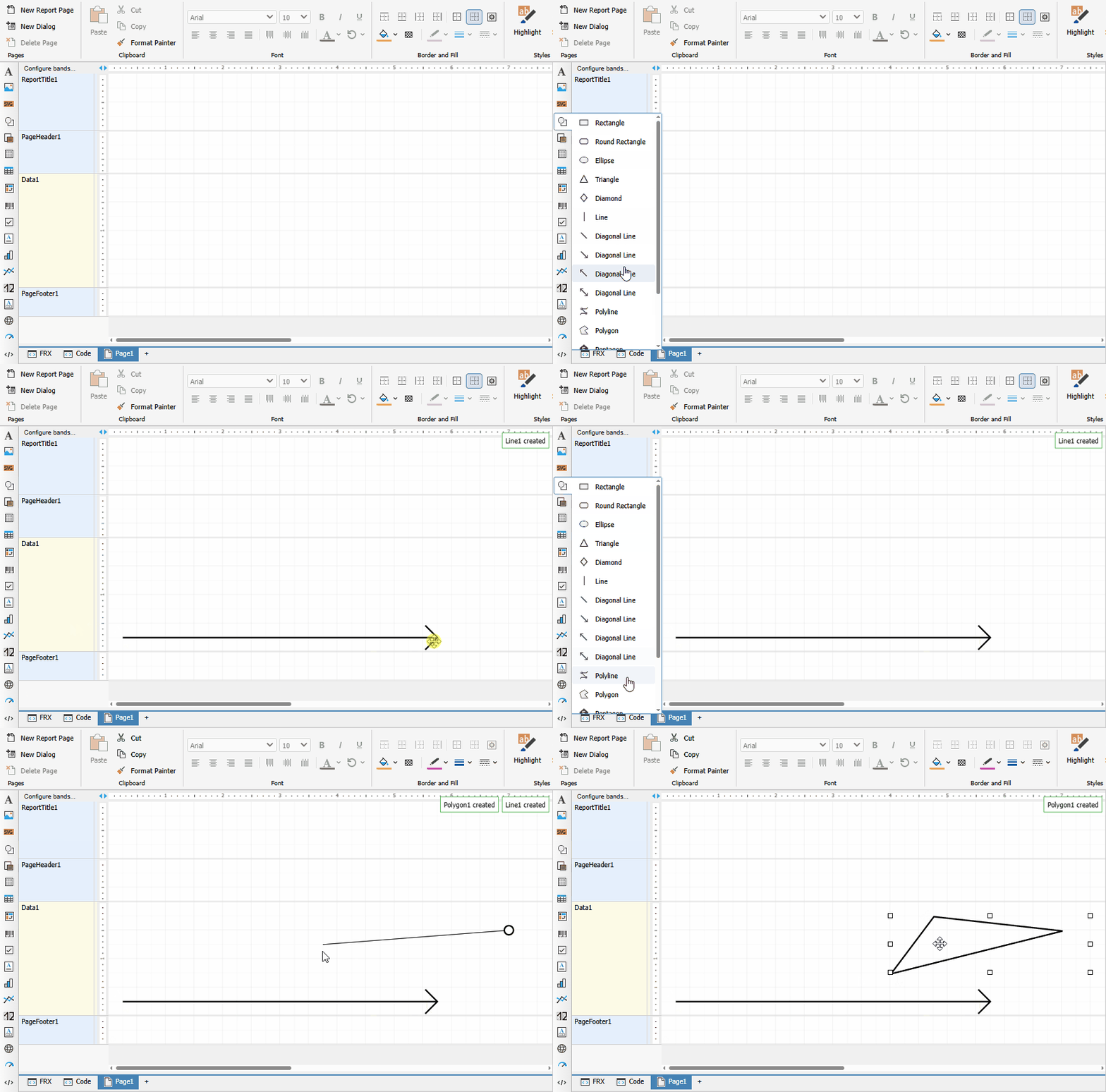
New shape drawing logic
Drawing logic for the PolyLine, Polygon and line components has been reworked. In this version, drawing is interactive, without having to switch tools manually. Presets for quickly adding common shapes have been added to the components panel.
New logic for adding components to a page
The mechanism for adding components has been reworked to match the desktop FastReport .NET. A component is now added by clicking the components panel — the cursor then enters placement mode and shows a preview of the future component under it. A second click on the page creates the component at the preview position.
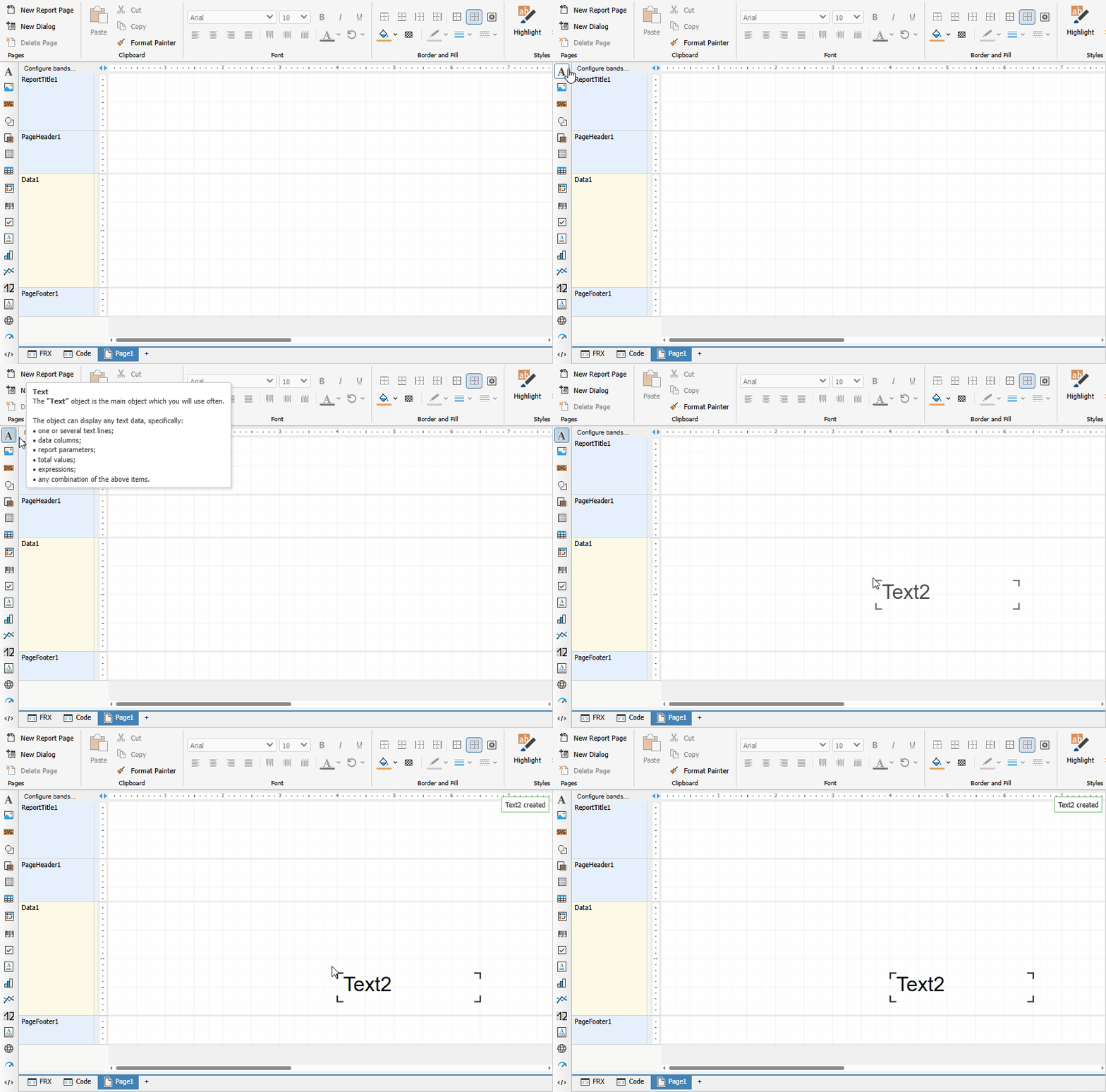
"Open report" and "Save report"
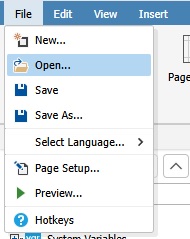
Open and save report functionality is now available. You can open a report from your local file system directly in WebReport without uploading it to the server. You can also save a finished report to your local file system.
Note: before using these functions, the data sources must be configured in WebReport.
Improvements
Undo/Redo: named actions and group undo
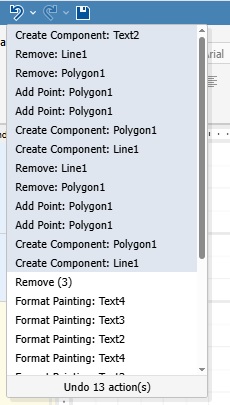
The undo/redo system has been extended to the code editor and the FRX template editor. Each action in the application now has a textual description, so the change history no longer contains anonymous entries. You can visually select and undo several actions at once with a single click.
Code editor improvements
Configurable indentation has been added to the report script editor. The indent size is now set in the code editor page settings.
UI adaptability
The designer interface has been adapted to screens of various sizes in both themes — Avalonia and the classic one. UI elements scale and rearrange when the browser window is resized.

Pages panel improvements
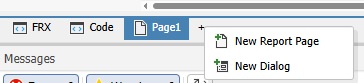
The pages panel has been improved with the ability to create both regular and dialog pages. A left click on the "+" button creates a regular page. A right click opens a context menu with options to create either a dialog page or a regular report page.
New UI element for selecting a data source
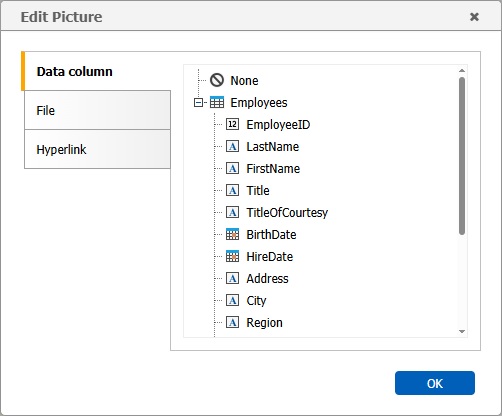
A new control has been added for selecting a data source, modeled after the desktop FastReport .NET. Instead of typing a table or field name into a text box, the user is now presented with a tree of connections, data sources and columns — the value is picked with a single click.
The control is used in two modes:
- Selecting a data source for a band — in the band editor (the "Data source" tab) only tables are available for selection.
- Selecting a data field for a component — for example, in the "Data column" tab of the Picture editor: the tree shows tables and their columns, and the user can either pick a specific field or reset the value to None.
Editing an existing connection
It is now possible to edit a previously created data source connection — open its connection-string parameters, adjust them and save, without recreating the connection from scratch.
For security reasons the connection string is not stored in the report itself and lives only in the browser memory of the current designer session. Therefore editing is available under the following conditions:
- the connection was created within the current session, and the designer page has not been reloaded since;
- the report has not been reopened after the connection was created.
After a page reload or after the report is reopened the designer loses the connection string and editing becomes unavailable — in this case the connection has to be created again.
Bug Fixes
Fixed problems with saving Cyrillic characters in script code (VCL)
Fixed an issue where Cyrillic characters in script code were not saved correctly in VCL reports.
Fixed VisibleExpression property (.NET)
Fixed an issue where the `VisibleExpression` property was missing from the properties panel of the text component. The property is now displayed correctly.
Fixed an error when using fill on ShapeObj (.NET)
Fixed an error that occurred when trying to apply a fill to the ShapeObj component. The fill setting now works correctly.
Fixed: identical table names when connecting to JSON (.NET)
Fixed an issue where multiple JSON connections produced tables with identical names. Each connection now gets a unique table name.
Fixed an error when opening a report with an advanced matrix (.NET)
Fixed an error that occurred when opening a report containing a heavily populated advanced matrix (AdvMatrix). With a large number of fields, the report now opens without errors.
Fixed: text color was lost when reopening a report (.NET)
Fixed an issue where a modified text color in a TextObject was correctly saved but did not appear after reloading the page in design mode. Text color is now saved and restored correctly.
Fixed an error when using axis formatting in MsChart (.NET)
Fixed two issues with the MsChart component: the format of the Y-axis labels was not preserved when the report was reloaded, and trying to prepare a report with the newly applied format produced an error for the user.
Fixed: Undo/Redo buttons were unavailable until the first object was added (.NET, VCL)
Fixed an issue where the Undo and Redo buttons remained disabled after a report was loaded, even if the user modified bands or moved existing objects. The buttons only became active after a new object was added to the page. The change history is now tracked correctly from the very first action.
Fixed an error when copying a page containing AdvMatrix/Matrix/Table (.NET)
Fixed an error that occurred when trying to copy a report page containing AdvMatrix, Matrix or Table components.
Fixed: report layout was broken on save (.NET)
Fixed a critical error reproduced when saving reports that used tables for layout.
On save, the table width was incorrectly truncated, breaking the report layout.
Fixed: currency format was missing from the locale (.NET)
Fixed an issue where the currency format was missing from the numeric data formatting dialog.
Fixed: built-in PadLeft function did not work (.NET)
Fixed an issue where the PadLeft function worked correctly in the desktop version but did not work in Online Designer when preparing the report through WebReport.
Fixed an error when preparing a report with DataType="System.Guid" (.NET)
Fixed an error that occurred when trying to prepare a report containing a field with the System.Guid data type.
Fixed problems when creating a Postgres data source (.NET)
A series of issues with PostgreSQL connections has been fixed: correct conversion of quotes in XML for TableName and SelectCommand has been added, duplicated procedures when adding a parameter have been fixed, as well as the loss of a parameter type when switching to preview.
Fixed: style name was not changed in the styles editor (.NET)
Fixed an issue where changes to a style name in the styles editor were not saved. After closing and reopening the popup, the style was still displayed with the original name (for example, "Style1").
Fixed method replacement in scripts (VCL)
Fixed an issue where creating several event handlers for the same component sequentially caused a new handler to overwrite the previous one. For example, creating OnAfterPrint after OnAfterData removed the code of the first handler.
Fixed band sorting (VCL)
Fixed an issue where band sorting in VCL solutions did not work correctly.
Fixed "Data format" dialog and conditional highlighting (VCL)
A set of issues with the text component in VCL has been fixed:
- the "Data format" dialog could not be edited if the text was not an expression;
- incorrect text positioning logic in a multi-line component has been fixed.
Fixed Undo/Redo behavior when adding components to a band (VCL)
Fixed an issue: when adding a component to a narrow band (which auto-expanded), pressing Undo removed the component but did not restore the band to its original size. A subsequent Redo had no effect.
Fixed: "Fields" tab of a detail table did not open in the "Relations editor" (.NET)
Fixed an issue where the "Fields" tab of a detail table did not open in the "Relations editor" when creating relations between tables of an MS SQL connection.
Fixed empty drop-down for the BreakTo property (.NET)
Fixed an issue where the drop-down list of the BreakTo property in the TextObject properties panel was empty and offered no value to choose.
Full list of changes
New functionality
+ FastReport .NET Avalonia theme
+ New properties panel
+ Docking manager for all panels
+ New workspace: reworked rulers, guides and band headers
+ Toolbars for the Data and ReportTree panels
+ Designer settings popup (appearance, objects, interaction)
+ Barcode editor popup
+ Font editor popup
+ FRX report template editor
+ Format painter
+ New shape drawing logic (PolyLine, Polygon, lines) and presets
+ New component placement logic with preview
+ "Open report" and "Save report" functions
Improvements
+ Undo/Redo with named actions for the code editor and FRX
+ Configurable indentation in the code editor
+ UI adaptability for all screen sizes (both themes)
+ Pages panel improvements
+ New control for selecting a data source in the band and component editors (data tree, like in the desktop)
+ Editing of a previously created data source connection (within the current browser session)
Bug fixes
- Fixed problems with saving Cyrillic characters in script code (VCL)
- Fixed VisibleExpression property (.NET)
- Fixed an error when using fill on ShapeObj (.NET)
- Fixed: identical table names when connecting to JSON (.NET)
- Fixed an error when opening a report with an advanced matrix (.NET)
- Fixed: text color was lost when reopening a report (.NET)
- Fixed an error when using axis formatting in MsChart (.NET)
- Fixed: Undo/Redo buttons were unavailable until the first object was added (.NET, VCL)
- Fixed an error when copying a page containing AdvMatrix/Matrix/Table (.NET)
- Fixed: report layout was broken on save (.NET)
- Fixed: currency format was missing from the locale (.NET)
- Fixed: built-in PadLeft function did not work (.NET)
- Fixed an error when preparing a report with DataType="System.Guid" (.NET)
- Fixed problems when creating a Postgres data source (.NET)
- Fixed: style name was not changed in the styles editor (.NET)
- Fixed method replacement in scripts (VCL)
- Fixed band sorting (VCL)
- Fixed "Data format" dialog and conditional highlighting (VCL)
- Fixed Undo/Redo behavior when adding components to a band (VCL)
- Fixed: "Fields" tab of a detail table did not open in the "Relations editor" (.NET)
- Fixed empty drop-down for the BreakTo property (.NET)
