Criando o serviço WCF hospedado no serviço do windows
Today we will create a Windows service, which will serve as the WCF service. An example will be based on the use of the library FastReport.Service.dll (WCF Service Library), which can be found in the package of FastReport .NET.
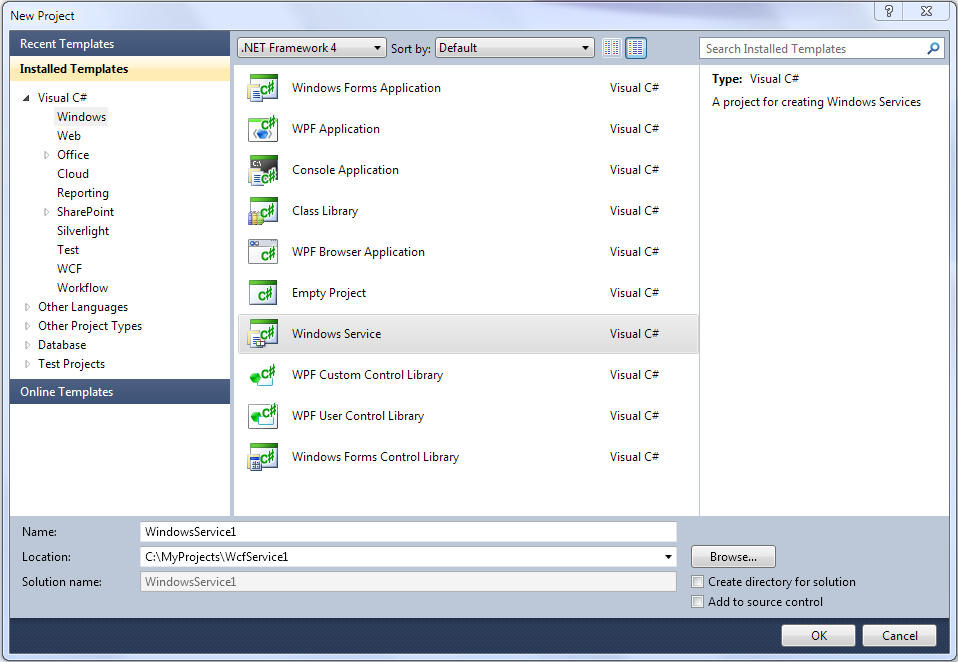
Open Visual Studio and create a project WindowsService.
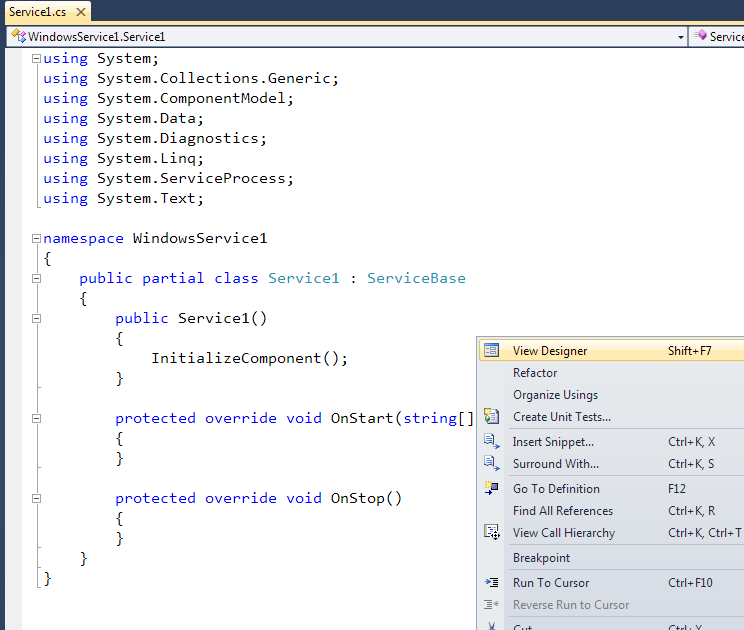
Open the designer of Service1.cs
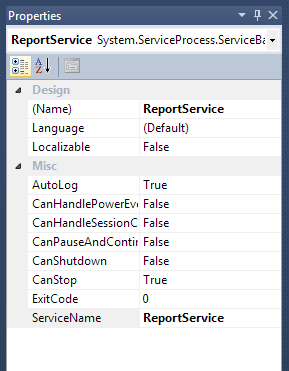
Change the name of the service on your own.
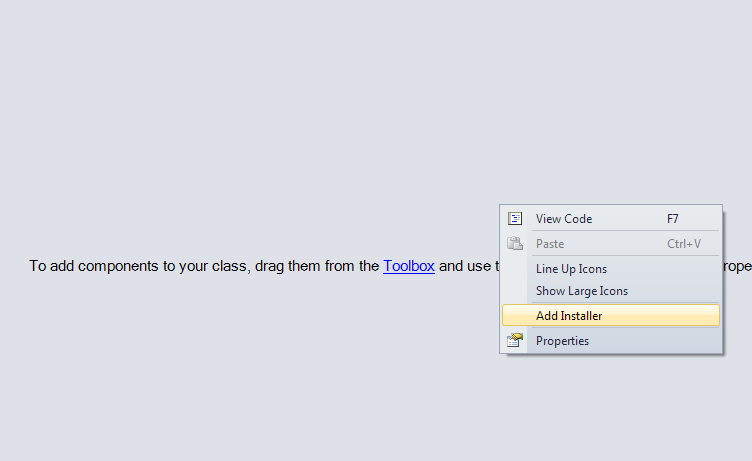
Click by right mouse button on window and select “Add Installer”.
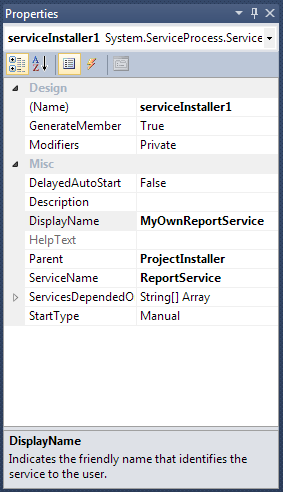
Edit the properties of the component serviceInstaller1 - set up a DisplayName.
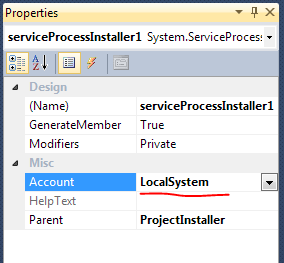
In the component properties serviceProcessInstaller1 set up the type of account for the service LocalSystem.
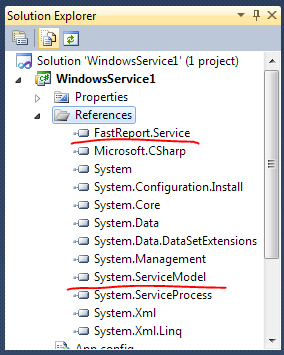
Add references in project on System.ServiceModel and FastReport.Service.dll
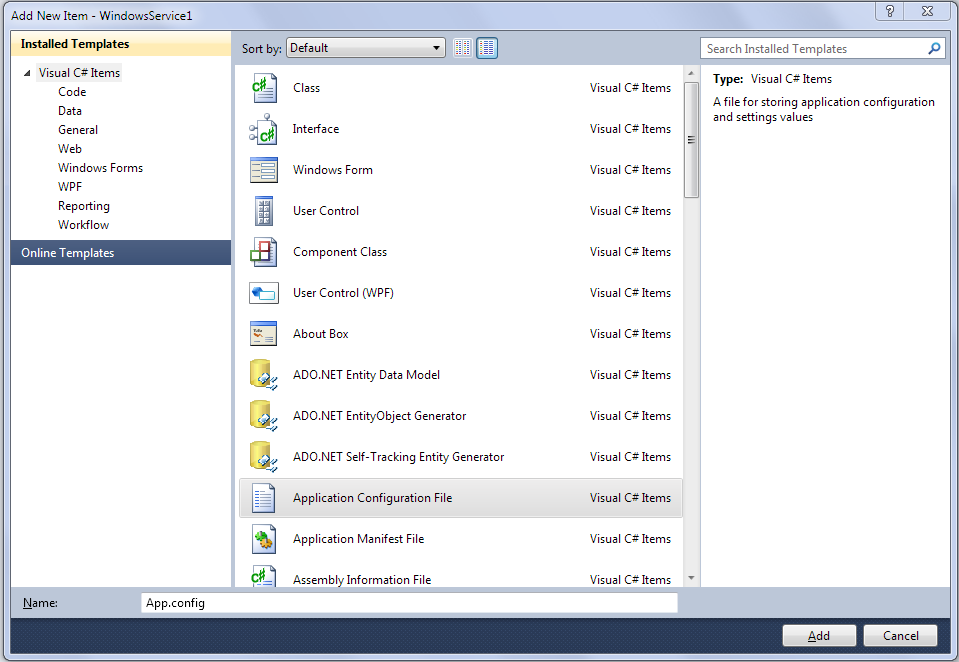
Create application configuration file.
Copy the following text into the new app.config
<?xml version="1.0"?>
<configuration>
 <appSettings>
 <!-- path to folder with reports -->
 <add key="FastReport.ReportsPath" value="C:\Program files\FastReports\FastReport.Net\Demos\WCF" />
 <!-- name of connection string for reports -->
 <add key="FastReport.ConnectionStringName" value="FastReportDemo" />
 <!-- Comma-separated list of available formats PDF,DOCX,XLSX,PPTX,RTF,ODS,ODT,MHT,CSV,DBF,XML,TXT,FPX.
 You can delete any or change order in this list. -->
 <add key="FastReport.Gear" value="PDF,DOCX,XLSX,PPTX,RTF,ODS,ODT,MHT,CSV,DBF,XML,TXT,FPX" />
 </appSettings>
 <connectionStrings>
 <add name="FastReportDemo" connectionString="XsdFile=;XmlFile=C:\Program Files\FastReports\FastReport.Net\Demos\Reports\nwind.xml"/>
 </connectionStrings>
 <system.web>
 <compilation debug="true" />
 <membership defaultProvider="ClientAuthenticationMembershipProvider">
 <providers>
 <add name="ClientAuthenticationMembershipProvider" type="System.Web.ClientServices.Providers.ClientFormsAuthenticationMembershipProvider, System.Web.Extensions, Version=4.0.0.0, Culture=neutral, PublicKeyToken=31bf3856ad364e35" serviceUri="" />
 </providers>
 </membership>
 <roleManager defaultProvider="ClientRoleProvider" enabled="true">
 <providers>
 <add name="ClientRoleProvider" type="System.Web.ClientServices.Providers.ClientRoleProvider, System.Web.Extensions, Version=4.0.0.0, Culture=neutral, PublicKeyToken=31bf3856ad364e35" serviceUri="" cacheTimeout="86400" />
 </providers>
 </roleManager>
 </system.web>
 <!-- When deploying the service library project, the content of the config file must be added to the host's
 app.config file. System.Configuration does not support config files for libraries. -->
 <system.serviceModel>
 <services>
 <service behaviorConfiguration="FastReportServiceBehavior" name="FastReport.Service.ReportService">
 <endpoint address="" binding="wsHttpBinding" contract="FastReport.Service.IFastReportService">
 <identity>
 <dns value="localhost" />
 </identity>
 </endpoint>
 <endpoint address="mex" binding="mexHttpBinding" contract="IMetadataExchange" />
 <host>
 <baseAddresses>
 <add baseAddress="http://localhost:8732/FastReportService/" />
 </baseAddresses>
 </host>
 </service>
 </services>
 <behaviors>
 <serviceBehaviors>
 <behavior name="FastReportServiceBehavior">
 <serviceMetadata httpGetEnabled="True" />
 <serviceDebug includeExceptionDetailInFaults="True" />
 </behavior>
 </serviceBehaviors>
 </behaviors>
 <bindings>
 <basicHttpBinding>
 <binding messageEncoding="Mtom"
 closeTimeout="00:02:00" openTimeout="00:02:00"
 receiveTimeout="00:10:00" sendTimeout="00:02:00"
 maxReceivedMessageSize="67108864" maxBufferSize="65536"
 transferMode="Streamed">
 <security mode="None">
 <transport clientCredentialType="None" />
 </security>
 </binding>
 </basicHttpBinding>
 </bindings>
 </system.serviceModel>
 <startup>
 <supportedRuntime version="v4.0" sku=".NETFramework,Version=v4.0" />
 </startup>
</configuration>
Go to the editor of Service1.cs and add the line:
using System.ServiceModel;
Then you need to modify the class of service, so that it looks like:
public partial class ReportService : ServiceBase
 {
 ServiceHost reportHost;

 public ReportService()
 {
 InitializeComponent();
 }

 protected override void OnStart(string[] args)
 {
 if (reportHost != null)
 reportHost.Close();
 reportHost = new ServiceHost(typeof(FastReport.Service.ReportService));
 reportHost.Open();
 }

 protected override void OnStop()
 {
 reportHost.Close();
 reportHost = null;
 }
 }
Compile the project and make sure that there are no errors.
You can install the service using the command line utility InstallUtil.exe, which comes with .NET Framework, such as:
C:\Windows\Microsoft.NET\Framework\v4.0.30319\InstallUtil.exe "C:\MyProjects\WcfService1\WindowsService1\bin\Debug\WindowsService1.exe"
And you can start service by command:
net start ReportService
Open web browser and check an address http://localhost:8732/FastReportService/, which set in app.config in baseAddress. You can change folder and port on your own.
Commands for stop and uninstall of the service:
net stop ReportService

C:\Windows\Microsoft.NET\Framework\v4.0.30319\InstallUtil.exe /u "C:\MyProjects\WcfService1\WindowsService1\bin\Debug\WindowsService1.exe"
You can see this example in latest builds of FastReport .NET in folder "\Demos\C#\WCFWindowsService".
Thank you for attention!