News
12 de outubro de 2026
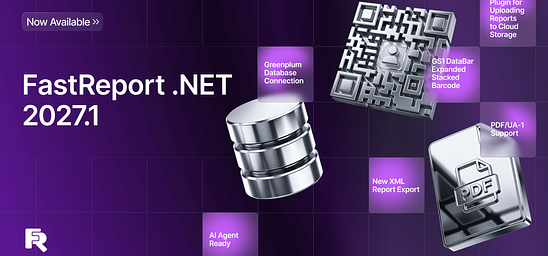
Novidades no FastReport .NET 2027.1: Conectividade Greenplum, PDF/UA-1 e Códigos de Barras GS1
A versão 2027.1 do FastReport .NET apresenta o plug-in Transport para trabalhar com armazenamento em nuvem, o novo código de barras GS1 DataBar Expanded Stacked e suporte ao padrão PDF/UA-1.

27 de maio de 2024
Upgrading cloud services to version 2024.2
In the new version of FastReport Cloud and FastReport Corporate Server, we have worked on quality, fixed bugs, and added some new features.
Bulk copying and moving
API methods that allow for copying and moving multiple files and folders at once are added. Previously, one had to make multiple queries to copy each file. Now one query is enough. This saves network resources and makes copying faster and more convenient.
/api/rp/v1/Templates/{subscriptionId}/CopyFiles
/api/rp/v1/Templates/{subscriptionId}/MoveFiles
/api/rp/v1/Reports/{subscriptionId}/CopyFiles
/api/rp/v1/Reports/{subscriptionId}/MoveFiles
/api/rp/v1/Exports/{subscriptionId}/CopyFiles
/api/rp/v1/Exports/{subscriptionId}/MoveFiles
An example of a template copy query:
{
"$t":"SelectedFilesVM",
"isAllSelected":false,
"folderId":"634fe7eeaa878f1c59e142367",
"searchPattern":"",
"useRegex":false,
"files":["63d786bdfa2304a349d42f9c","62c75affbd78354cc1dabff5"],
"folders":[],
"path":"66d38a32fa1b7824ee1fd036",
"isBin":false
}
Alternative method of uploading files to the cloud
An optimized method for uploading templates (/api/rp/v2/Templates/Folder/{id}/File) and reports (/api/rp/v2/Reports/Folder/{id}/File) has been added. The new method, unlike the first version, accepts a binary file and thus saves resources. The v1 download methods are marked as obsolete and are not recommended for use.
The method of changing the content of already loaded templates is also updated: /api/rp/v2/Templates/File/{id}/Content.
RichText preview in Online Designer
Starting with the current version of FastReport Cloud, Online Designer supports the ability to preview RichText objects.
Style templates for ChartObject in Online Designer
You can now select preset style templates when editing charts.
Ability to share files via a link
We have added functionality that allows for sharing any files via a link.
Previously, it was possible to open access to the file to any anonymous users. Access can now be restricted with a key added to the link.
To use the access key, it is enough to pass the accessKey parameter, equal to the value of the Key field of the key, with the query. In this case, the user (even an anonymous one) will receive all the rights that this key grants for the time of the query.
Editing a user’s avatar
Added a button to change the user avatar and a default image in case the avatar is unavailable.
New Recycle Bin for deleting files
A new page with a Recycle Bin for deleting files has been added. The button to go to the Recycle Bin is placed on the sidebar. The ability to clear sections with templates, reports, and exports at the same time has been added.
The page for working with Tasks has been improved
Creation of a report preparation task has been added:
Creation of a report export task has been added:
The task of saving via FTP has been added:
The task of sending files via webhook has been added:
Workspace tags in the admin panel for FastReport Corporate Server
Workspace tags for easier searching have been added. For example, when administering a Corporate Server, workspaces for the organization’s employees and customers are created. You can use tags to tag your workspaces and exclude them when searching for client spaces.
Full list of changes
[Backend]+ added entity name to worker audit;+ added bulk copy and move files and folders;+ added alternative method to upload reports;+ added RichText and Chart preview in online designer;+ added ability to share access to the file; + added checking and resolving issues when the parent folder has been deleted;+ added more checks when exporting folders; * now corporate server runs in demo mode by default; the license key for demo mode is no longer required; * updated comments for all controllers, fixed returned status codes;* messages about errors 500 became more informative for users;* optimized GetStats method by building a pipeline before the loop;* changed limits of the maximum request body size;- fixed infinite folder creation;- fixed duplicate archive names when exporting;- fixed Online Designer working with compressed templates; - fixed test of critical changes in the QA pipeline;- fixed copying files over the limit;- tasks to export a template from the Recycle Bin now correctly return error 404;- fixed localization error when moving to the Recycle Bin;
[Common]+ added exclusion of users and subscriptions to audits; + added tags to subscriptions;+ added articles to documentation for programmers;+ added documentation for FTP sending task;+ added article for report parameters;* added SDK for Kotlin (Android);* updated documentation for tasks in UI;- renamed view models in SDK to shorter names;& updated SDK generator version; & optimized memory consumption;
[Frontend]+ added file counter when exporting a folder;+ added cache for charts in admin panel;+ added approximate display of files while uploading them;+ added validation when creating and editing an email task;+ added document type selection in selection dialogs; + added a button to change the user avatar and a button to upload a spare image in case the avatar is unavailable;+ added skeleton placeholders for data sources during upload;+ added animation for file upload;+ added a new page with the Recycle Bin for deleting files;+ added creation of report preparation task;+ added creation of report export task;+ added EmptyContent and Placeholder for folder selection dialog;+ added Placeholder and EmptyContent to file selection dialog;+ added FTP sending component to user panel;+ added webhook task for user panel;+ added space checker;+ added OnInitialized method;* added a redirect to owner from page and workspace board;* added sorting to file pages in the admin panel; * normalized MySQL connection string according to standards;* styled ExportTemplateEditor;* updated task page for admin panel;* changed names of new tasks;* moved common code to a separate component;* changed OutputFileCard;* added new name for webhook;- fixed empty task name after BadRequest error;- fixed incorrect file view when changing export output file;- fixed bug that caused the online designer to sometimes open files twice;- fixed bug that caused CSV connection to ignore parameter names;- fixed error messages when testing a data source before creating it;- fixed bug that breaks data sources page when updating;- fixed error 400 when moving folders;- fixed broken transport card on too long or too short text;- fixed content movement on the task page; - fixed transportation problems.
21 de maio de 2024
New version of FastReport Online Designer 2024.2
Massive update of functionality in the report designer. Meet a lot of new functionality: a new "Sparkline" object, custom SQL queries, Intellisense when editing report code. Based on requests from our users, we have significantly improved the "Builder" application for creating builds.
New opportunities
Implemented a context menu for a page in the page panel
A context menu was implemented to make working with pages more convenient. With it, you can open the page editing window, copy a report page, and also delete a page.
Implemented the "Sparkline" object
Now the "Sparkline" object is available not only for display but also for editing. You can go to the spark graphic editing window by double-clicking on the band object.
After this, a window will open in FastReport Online Designer in which you can specify data for the graph, set up its appearance, areas, axes, title, and legend.
A spark graph will be displayed during the report preview:
Added the ability to delete and edit a connection
To delete a connection, you need to click on the delete button:
If you need to edit an existing connection, click on the wrench icon. After this, the connection wizard will open:
Added a mode in which the names of bands will be displayed at the top
Similarly to the FastReport .NET report template designer, the FastReport Online Designer has implemented the ability to change the display mode of band names. If you need to switch the band name display mode from vertical to horizontal, click the button in the top-left corner of the workspace.
Implemented a save button for the Mini theme
A save button has been added for the Mini theme. It is located on the top panel:
Added the ability to execute custom SQL queries
Working with data sources has become even more convenient. The ability to execute custom SQL queries has been added to FastReport Online Designer. To enable this feature, you need to add the parameter:
services.AddFastReport(options => options.AllowCustomSqlQueries = true);
in the server application code. Make sure your database is read-only and does not contain sensitive information.
After enabling the feature (when creating a data source), you will be offered the opportunity to add your own SQL views for this data source. You can use these SQL views as regular tables.
Implemented sorting and an Expand/Collapse button for the advanced matrix and the ability to change the visibility of data using the button
The Advanced Matrix object has been improved. Now matrix reports can be made more interactive. To sort the fields, you need to call the context menu for the header cell and select the appropriate item:
You can set sorting conditions by double-clicking on the cell and opening the corresponding tab in the header cell settings window:
In a similar way, using the context menu, the “Expand/Collapse” button is added:
The operating conditions of this button can also be configured for other header cells by opening the "Visibility" tab in the settings window for the required cell. Next, you need to select the desired button in the “Visibility is switched by button” drop-down list:
Added the ability to create a calculated field
If you need to use a certain expression constantly, you can create a corresponding field in the data source. This is done by calling the context menu of the table, where the “New calculated field...” item is selected. After you create a calculated field, you can give it an expression in the properties panel.
Implemented the Dock property in the designer
To improve the user experience, a visual display of the Dock property in the report template designer was implemented. This property allows you to align a component on a band.
Implemented the SizeMode property for images in the designer
We have implemented a visual display of the SizeMode property when editing a report template. This property allows you to set the image display mode.
Implemented VisibleExpression property for the report page
Now, when editing a report template in FastReport Online Designer, you can set the page display condition. The VisibleExpression property is used for this. You can set its value in the properties panel, either manually or using the expression editor.
Added page editing window
To make customizing the page more convenient, we have added a page editing window. You can open it using the context menu of the page in the page panel by selecting "Page Settings".
Added the ability to create relations between tables in data sources
FastReport Online Designer 2024.2 has now the functionality that allows you to create a relation between tables in a data source. To do this, call the context menu for the table and select “New connection”:
Next, a relation editing window will open where you can set the necessary parameters:
Added Intellisense functionality when editing report code (*beta)
In the latest update of FastReport Online Designer, we have significantly improved the work with C# code. Now, thanks to the introduction of the Intellisense function, editing scripts in the report editor has become even more convenient and intuitive. Intellisense provides automatic code completion and syntax hints, allowing users to write code faster and more accurately right in the web interface. This greatly simplifies the development process, making FastReport Online Designer an even more powerful tool for your business.
A new version of FastReport Online Designer Builder has been implemented
A new version has also been implemented for the FastReport Online Designer Builder. The design and user experience have been improved, and a dark theme has been created based on user requests.
Improvements
Redesigned context menu
The main items have been grouped into one panel in the context menu of FastReport Online Designer objects. Icons have also been added to improve the user experience.
Now the context menu looks like this:
Information displayed on the StatusBar has been expanded
Added information with X and Y coordinates of the upper left corner of the selected component;
Added information with X and Y coordinates of the lower right corner of the selected component;
Added information about the width and height of the selected component;
Added text to text objects.
Improved user experience on Zoom panel
A number of improvements have been made to enhance the user experience of the Zoom panel. Now the panel looks like this:
Full list of changes
---
+ Implemented a context menu for a page in the page panel;
+ Implemented the "Sparkline" object;
+ Added the ability to delete and edit a connection;
+ Added a mode when the names of bands will be displayed at the top;
+ Implemented a save button for the Mini theme;
+ Added the ability to execute custom SQL queries;
+ Implemented sorting and the "Expand/Collapse" button for the advanced matrix, as well as the ability to change visibility using the button;
+ Added the ability to create a calculated field;
+ Implemented the Dock property in the designer;
+ Implemented the SizeMode property for images in the designer;
+ Implemented the VisibleExpression property for the report page;
+ Added page editing window;
+ Added the ability to create relations between tables in data sources;
+ Added Intellisence functionality when editing report code;
+ Implemented a new version of FastReport Online Designer Builder;
* Redesigned context menu;
* Expanded the information displayed on the StatusBar;
* Improved user experience on the Zoom panel;
- Fixed a bug where a field was incorrectly transferred from the database in the EvaluateCondition editor for Total;
- Fixed a bug where the MS Chart data source disappeared when opening a report;
- Fixed a bug where Highlight conditions were displayed incorrectly when loading after saving a report;
- Fixed a bug where sorting in DataBand did not work;
- Fixed a bug when double-clicking on a dialog form component;
- Fixed a bug where nested report parameters did not work correctly;
- Fixed a bug where the dialog form did not accept size values;
- And other fixes.
22 de abril de 2024
Updating Delphi and Lazarus products to 2024.2 version
This update includes improvements and fixes for our entire line of Delphi and Lazarus products.
One of the main features of this update is the new package with visual components TfrTreeView. The new TfrTreeView allows you to quickly create your custom equivalents of TreeView, expanding the functionality of your application. Compared to the standard TreeView, our component has fast and convenient navigation, collapsing and expanding the tree of thousands of elements. This enhances the responsiveness of your application's interface for end users. And, of course, TfrTreeView is supported in both VCL and Lazarus!
FastReport VCL
You can experience the responsiveness of the interface in the FastReport VCL report designer when working with a large amount of data or objects, thanks to the use of the new TfrTreeView component.
Support for GeoJSON and TopoJSON formats has been added to the map object. Use maps in whichever format is most convenient for you.
Improved handling of digital signatures in PDF and other files. Our product allows for maximum flexibility in configuring digital signatures. You have access to the following settings:
Signing method: FastReport, CryptoAPI, CryptoPRO
Signature type: CAdES-BES, СAdES-T, CAdES-X Type 1.
Time Stamping Authority servers.
Certificate stores.
Signature hash: md5, sha1, sha256.
A mode of infinite width has been added for the dynamic table object. The size of the table grows depending on the data being output. In the preview window, you can see a page that fits all the table columns. Meanwhile, in normal mode, columns that do not fit on the sheet will be moved to the next page.
Reports with detailed pages retain the states of the transmitted variables for each tab, allowing for individual reconstruction of each tab when updating parameters.
A new property for linear barcodes, DigitsAutoFillMode, has been added. dafmLeftOnly fills missing barcode digits with zeros from the left side. dafmRightChecksum always adds a zero checksum when there is a shortage of digits required by the barcode standard.
In this update, we have enhanced and addressed numerous issues with the HTML5, SVG, PDF, XLSX, and DOCX export filters. HTML5, SVG, and PDF exports are now closer to full WYSIWYG. The quality of DOCX and XLSX exports has been improved for table exports.
An alternative path on Linux has seen overall improvements in operation under WINE on Linux.
FastQueryBuilder
Lazarus support has been added to FastQueryBuilder—now you can connect and use it in your Lazarus projects.
FastCube
The errors found were fixed and integration with the common code base was improved.
FastReport FMX
Added two new export DOCX and XLSX filters—export reports to the format you need.
Starting with release, we will no longer support development environments released before Embarcadero RAD Studio 10.4 for the FireMonkey platform.
2024.2.0 version
---------------
[Designer]
+ fixed SQL editor;- fixed autocompletion in memo syntax;- fixed a bug when Unicode characters could disappear when saving script code in .pas file from the report designer;- fixed TfrxRichView editor for 64 bits;- fixed scrollbars for TfrxSimpleSyntaxMemo;- fixed display of tooltips on the frxEditFieldDefs form;
[Engine]
+ added support for infinite width for dynamic tables;+ added support for GeoJSON / TopoJSON to the map object;+ added new control TfrTreeView;+ fixed a bug of compatibility with old aliases;+ detailed reports save the states of the passed variables for each tab when using the DetailPage hyperlink;* added the ability to change the signature hash algorithm;* improved signatures for pdf and other files, improved consistency of signatures;- fixed an error in the position of the data set in the TfrxCustomLayer of the map object;- fixed update of field definitions after SQL changes;- fixed bugs when working with WINE;- fixed TfrxCustomQuery.SQLChangeHandler when destroying a complex report;- fixed a bug that could lead to a crash when exporting to BIFF8 (RS12, 64-bit);- fixed AV in FastCube when dragging a field from the filter zone to the Y axis and back;- improved synchronization with the old list of aliases and the new collection of field definitions;- fixed inherited parameters in the request;- removed duplicate Left / Top properties in serialization for components that are not internal DB components;- fixed type conversion for a field collection property in an inherited report;- fixed a bug in FastCube FMX when right-clicking on the drop-down list of measurements;- fixed a bug when using a dynamic table with manual construction on a page with several columns;- fixed behavior of alClient for diagonal TfrxLineView;
[Exports]
- fixed a bug when exporting in RTF format when the left position is reset to the coordinate of the left page margin;- fixed interactive Combobox in preview and pdf export;- fixed incorrect position of images when exporting xlsx;- fixed system colors in the xlsx export filter;- fixed scaling factor for images and text when exporting to docx;- fixed a bug that could lead to a crash in XLSX export;- fixed errors in HTMLDiv and SVG exports;- fixed array unlocking in XLS OLE export;- fixed pdf export errors;- fixed memo export with APAC fonts to SVG and HTML5- fixed PDF/A export and vector export with PS_USERSTYLE;- fixed memo export with HAlign = haRight;
[Lazarus]
+ added support for Lazarus in FastQueryBuilder;+ fixed a list of paper without printers in Linux Lazarus;- fixed errors in exporting some objects in PNG mode in Lazarus;
[Other]
+ the SmartMemo object with basic syntax highlighting has been moved into a separate package;+ added RTL support to SmartMemo;- fixed certificate dialog;- fixed caret for SmartMemo in Lazarus GTK2;
[Report object]
+ added a new linear barcode property DigitsAutoFillMode (dafmLeftOnly—fills missing barcode digits with zeros on the left side, dafmRightChecksum—always adds a zero checksum if there are not enough digits required by the barcode according to the standard);- fixed RTTI for TfrxHTMLView;- fixed incorrect clipping boundaries for the TfrxPDFView object in the preview;- fixed FireDAC DriverID;
[Resources]
* updated Portuguese resources.
11 de abril de 2024
Updating .NET products to 2024.2 version
We are pleased to present you the long-awaited update for the entire FastReport .NET component line. In this release, you can expect a new report generator with Avalonia UI support, improvements in data exports, HTML Plugin support for FastReport.Core.Skia, and, of course, the discontinuation of support for .NET Standard 2.0 - 3.1 and .NET 5.
New FastReport Avalonia component
The FastReport .NET component lineup has introduced a new addition — FastReport Avalonia. This is a versatile library that enables report creation when developing cross-platform applications using Avalonia UI. This component allows for the development of applications with a unified user interface for macOS, Linux, and Windows. FastReport Avalonia is compatible with x64, x86, and arm64 processor architectures. It supports Avalonia UI, .NET 6 and above.
FastReport Avalonia is part of the unified FastReport ecosystem in C#. Reports created in other products will work in FastReport Avalonia and vice versa.
The product includes the report development core, designer, and viewer with a familiar interface.
The report designer looks like this:
And this is how the viewer looks like:
For more information about the new component, please read the articles.
New opportunities
ReportPage object's PageCreate event
The ReportPage has a StartPage event, which is triggered before the page is rendered. This event is called once for each template page in the report. Now, there is a new event called PageCreate, which is triggered when a page is created in the prepared report. Unlike StartPage, it is called more frequently, for each prepared page that corresponds to a template page. Both events can have their handlers assigned, allowing you to perform actions in addition to the standard ones.
Read more about PageCreate in the article.
Export improvements in Word 2007
Word export has undergone significant changes. Its performance has been improved, resulting in faster operation. New options have been added, such as "Keep Line Height" and "Use Headers and Footers of Word Pages". Additionally, we have fixed various bugs that had a significant impact on the functionality of the export.
Export of hyperlinks and bookmarks to SVG
With this update, hyperlinks and bookmarks of report objects are also exported to SVG format images.
PostgreSQL functions and views
When connecting to Postgres databases, you have the ability to use function and view data in your reports. To do this, use the FastReport.Data.Postgres plugin.
HTML Plugin support for FastReport.Core.Skia
FastReport.Core.Skia has now support for HTML Plugin. Now you can easily embed HTML content in your reports, enhancing their creation and presentation.
To use this functionality, install the FastReport.Plugins.HtmlObject package using NuGet.
Changes in Blazor WebAssembly
Webcil support for .NET 8
Starting with .NET 8, by default, all libraries necessary for operation are packaged in the Webcil format (.wasm) instead of the usual.dll . This is a more secure and web-friendly format (see more).
However, to compile the report script we must use these libraries. Previously, we advised our users to disable packaging in .wasm. Starting from the current version, FastReport.Blazor.Wasm can work with Webcil resources and use them to compile a report script without preliminary settings, everything happens automatically.
Automatic addition of required SkiaSharp resources
Previously, one of the requirements for using FastReport.Blazor.Wasm was that users had to manually add the necessary SkiaSharp and HarfBuzzSharp resources to their Blazor WebAssembly projects. The main issue was that these resources varied depending on the .NET version and the use of multithreading in WASM. Users had to manually select which libraries they needed, which caused a lot of complexity.
Starting from the current version, FastReport.Blazor.Wasm can determine the resources needed depending on the environment, and apply them to your application automatically. However, if you still need to select the required resource manually, then you can disable automatic behavior by adding to your .csproj project the following code:
<PropertyGroup>
<ShouldIncludeNativeSkiaSharp>False</ShouldIncludeNativeSkiaSharp>
</PropertyGroup>
Removal of support for .NET Core 2.0, 2.1, 2.2, 3.0, 3.1, .NET 5
To cover an increasing number of technologies continually being added to the .NET world, we have decided to drop support for the outdated .NET Standard 2.0 - 3.1 and .NET 5 compatibility layers in our libraries. The minimum supported version is now .NET 6, and the minimum supported framework is .NET Framework 4.6.2.
Read more about the changes in the news.
Full list of changes
[Engine] + added OnCreatePage event for the ReportPage object; * now, when converting RTF, insignificant spaces after tabs are discarded; - added exception handling if the contents of the RichObject are incorrect; - removed top and bottom padding when splitting TextObject between pages; - fixed vertical indents in RichObject; - fixed the display of a row following a row with a column union; - fixed an exception when preparing a report with a TableObject containing MSChartObject; - fixed loss of spaces in the RTF parser; - fixed display of the bottom border line when using GrowToBottom; - fixed support for the Portuguese language in the RTF parser; - fixed a bug when the Report.IsPrepared parameter returned an incorrect value when preparing a report asynchronously; - fixed translation of RichObject to TableObject; - fixed error when printing with different pages selected; - fixed IndexOutOfRangeException when executing Graphics.Path.AddBeziers; - fixed vulnerability with the ability to call JS code from a hyperlink; - fixed default tab setting when converting RTF;
[Designer]+ added interaction with FastReport Cloud in the Community edition;+ added the Contains (string , string) function, which determines whether a string contains a substring; * changed the text of the warning message about duplicate parameter names in the query wizard; *replaced the error with a warning form about parameters with the same names in the SQL query; *changes in SwissQR: the processing of the "Amount" field has been changed; the "Currency" field is now a text field; added processing of data from the database in the fields of information about the Recipient, Payer and in the "Link" field; - fixed Datamatrix brush color; - fixed errors in the PictureObject editor; - fixed a bug in the format editor;- fixed a bug when resizing the dialog form;- fixed the drawing of a rotated ITF14 barcode;- fixed a bug with the operation of the "select all" keyboard shortcut;-fixed a bug in resetting the format when changing an expression;- fixed errors with the separation of source data into lines, both separator options (\r\n and \n) are now supported; - now during the QR code generation process, extra \r\n characters at the end of the line are removed; - fixed NullRreferenceException when editing the SelectCommand of the data source table; - fixed text scrolling in AdvMatrix; - fixed context menu of the RFIDLabel object; - fixed the band title in the classic band display mode; - fixed a problem when using the hh:mm time format; - fixed a bug leading to System.NullReferenceException when connecting to JSON; - fixed a bug when resizing objects while holding down the Shift key; - fixed an exception that occurred when using DontEditCode; - fixed incorrect behavior of lines when changing the Height property for a horizontal line or the Width property for a vertical line if the Diagonal property is set to False;
[Preview] - fixed a bug with the search dialog in the preview; - fixed rendering of report objects outside the page; - fixed incorrect display of superscript or subscript text for RichObject if such text is at the beginning of the line; - fixed display of vertical paddings in preview when using the LineHeight property;
[Exports] + added the option "Use Headers and Footers of Word Pages" when exporting Word; + increased speed of export to docx; + added the "Keep Line Height" option to export to Word 2007; + added export of hyperlinks and bookmarks to SVG; - fixed error in exporting a rotated svg image to pdf; - fixed a bug when images with a transparent background were incorrectly exported to PDF of the PdfA_1a standard in FastReport.Skia; - fixed font reset in an empty cell after exporting a report to Word; - fixed a bug with incorrect export to a JSON file; - fixed a problem with exporting to Word 2007 when using a watermark and the "Page Title" band with a system variable; - fixed a bug in svg export (hangs if text contains incorrect cr/lf sequences); - fixed incorrect calculation of row height in a table when exporting to Excel; - fixed error in exporting vector graphics to PDF; - fixed error in SVG export (table with merged cells); - fixed opening of exported reports in Word 2007; - fixed incorrect black background when exporting RichObject with image to layered HTML-export; - fixed the value of the paddingNonSeparatePages variable in ImageExport (OpenSource) to eliminate unnecessary padding;
[WebReport] + added support for the Webcil format in FastReport.Blazor.Wasm; + added dialog form title to WebReport; + added a detailed description of the report compilation error in the WebReport preview; * the logic of standard images in WebReport has been reworked. Now images are loaded directly into the report, rather than being loaded by a large number of requests from the server; - fixed a problem with editing tables in a document when exporting a report to Word 2007 via WebReport;
[Extras] + added support of FastReport.Plugins.HtmlObject for FastReport.Core.Skia + added support for views and functions in the PostgreSQL connector (Extras/Core/FastReport.Data/FastReport.Data.Postgres); + added a new filter for selecting file extensions when connecting to SQLite, combining .db and .db3, with the first filter selected by default; - fixed import of plugins for FastReport .NET with TargetFramework net6.0 and higher; - fixed the issue of object alignment in a report that contains an HTMLObject plugin;
[Mono] * changed the tooltip text in RichObject in Mono; - fixed maximum text length on code pages in the designer.

10 de abril de 2024
Transition to a new product forming system
Starting June 1, Fast Reports will switch to a new product forming system.
Previously, the product line was formed on the principle of "Product + platform", and compatibility with platforms was evolutionarily added to the entire tool. Now a software product will represent a more specific set of components, providing a wider range of choices for the specific needs of developers.
We have divided products into a set of components and put them together in such a way that you no longer have to pay for unnecessary or unused functionality. This makes our software solutions more flexible.
Now you can purchase not the entire report generator, for example FastReport .NET, but choose the set of its components that you need.
We kept the possibility to choose the license by the number of developers, and also left the option to purchase a separate version with source code or web components.
Ultimate edition will also be available, which contains maximum components and additional tools for working with reports.
The changes will take effect on June 1, 2024.
You can read about the package components and prices here:
Delphi direction .NET direction
26 de março de 2024
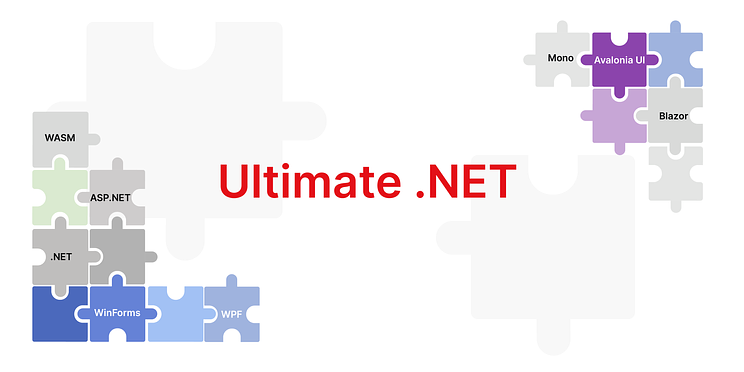
FastReport Avalonia is now included in Ultimate .NET
We have expanded the list of components available for developing your business projects. Now, the subscription to the Ultimate Edition .NET has become even more advantageous! The edition includes a new cross-platform library for generating reports and documents with the ability to print output files on macOS, Linux, and Windows, supporting Avalonia UI, .NET 6, and higher. At the same time, the subscription price has not changed.
FastReport Ultimate .NET is a cost-effective solution for creating projects on all modern .NET platforms, including ASP.NET, Blazor, WASM, WPF, WinForms, Avalonia UI, Mono, and others. With your team, you can work both in the desktop designer and directly from the browser. The Ultimate edition also includes components for data visualization, specifically business graphics with a set of charts and OLAP products for fast processing of large data sets.
Owners of the existing Ultimate .NET subscription can now test FastReport Avalonia for free in their personal account.
25 de março de 2024
Official release of the FastReport Avalonia component
We are pleased to announce the release of the first version of the universal reporting component FastReport Avalonia.
Develop your business applications with a unified user interface on macOS, Linux, and Windows simultaneously. One piece of code—three platforms!
Our component is compatible not only with the familiar x64 and x86 processor architectures but also works stably on arm64. It supports Avalonia UI, .NET 6, and higher.
The reporting generator includes a powerful report engine, a user-friendly designer with a familiar interface, and a fast report viewer for viewing reports. FastReport Avalonia uses the SkiaSharp graphics engine for maximum comfort. You also have access to all report export formats—PDF, Excel, MS Word, and many more.
FastReport Avalonia is part of the unified FastReport ecosystem in C#. Reports created in other products will work in FastReport Avalonia and vice versa. In FastReport Cloud, you can store your templates, reports, and data sources and then use them in the desktop designer.
To integrate into your project, you need to install the required package from the NuGet repository or download the package from our website to your computer and add the necessary libraries to the project. No additional modules or special extensions are required.
