How to use SQL queries when creating an internal report data source in FastReport.Net report designer
When creating a SQL database connection, you can specify a query to select filtered or combined data. The standard tools of the data source creation wizard also allow you to include parameters in the SQL query. In this case, the designation of the parameter will depend on the type of DBMS to which the connection is made. For example, for MS SQL parameter in the query has the prefix @. And for the Access database instead of the parameter the symbol "?" is indicated. If there are several parameters, they will be inserted into the request according to the order in the list of parameters.
Suppose we have created a connection string to the MS SQL database. The next step is the selection of tables:
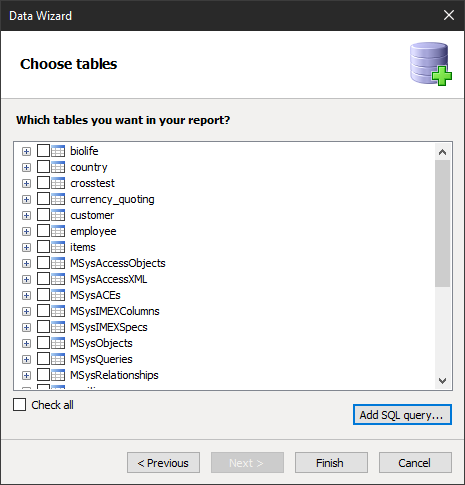
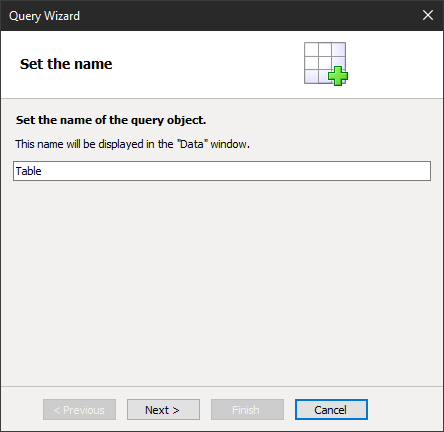
At this stage, we can create a SQL query using the Add SQL query ... button. The result of the future query will be saved in the table. It is required to set the name of the query object:
Then, write the request text:
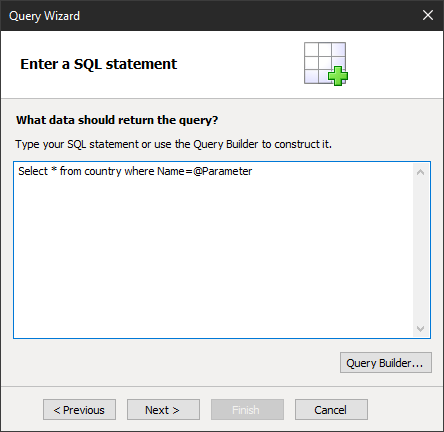
Of course, here you can use the visual query designer, but now we don’t need it, the purpose of the demonstration is a query.
We specified a parameter in the request condition. In the next step, you need to create a parameter with the same name.
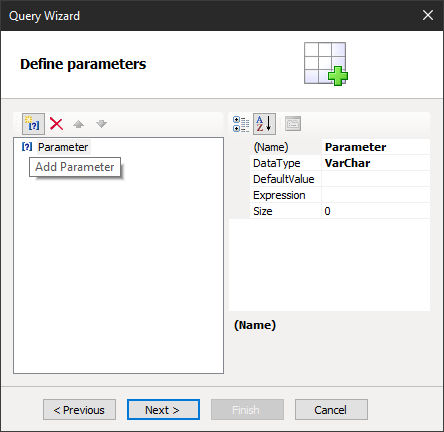
Since we are simply demonstrating how to work with parameters, we simply set the default value:
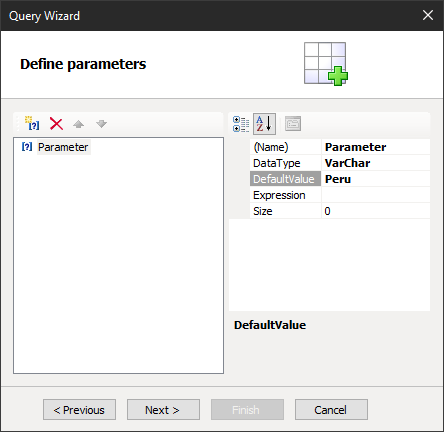
Next, select the desired columns.
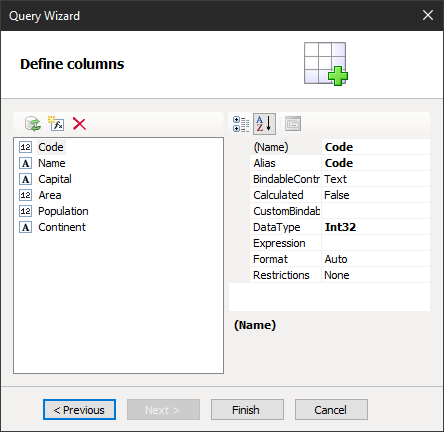
That's all. The table is ready.
Remember, it is advisable to write queries according to all the rules of SQL, with an indication of the scheme, and possibly with the names in quotes. Here is an example of a valid postgresql database query:
1 |
SELECT * FROM public."Users" WHERE "Users"."Name"= @Name
|
But, in addition to the parameterized query, we can also use dynamic queries. These are requests that we form in a text form, and then we execute them. Such queries allow using report variables to substitute, for example, the name of a table or parameter, or part of a ‘where’ clause – whatever is needed. It looks like this:
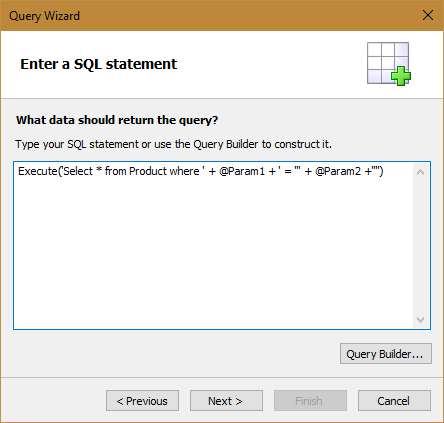
But that's not all. You can also use stored functions and stored procedures in a query. Here is an example of using the function:
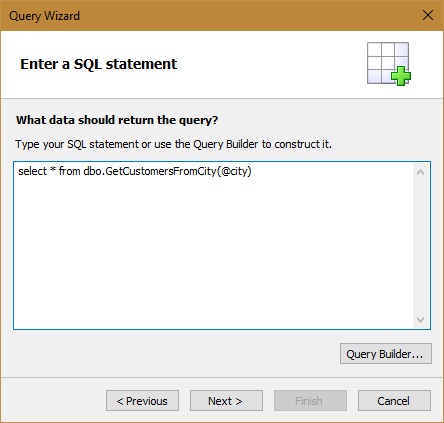
Parameters in functions are passed in brackets, separated by commas.
An example of using a stored procedure:
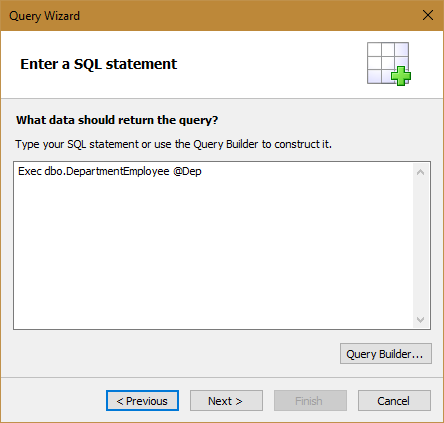
Parameters in the stored procedure are followed by a procedure name separated by commas.
In this way, you can expand the data generation capabilities in order not to do this within the report.
