How to use grayscale with pictures
In this article there will a property Grayscale of the object Picture be reviewed. But why do we need it as there are standard tools of the printer like printing in grayscale? However, you can create a report with pictures in shades of gray and you will not need to switch the printer every time to print grayscale, if you periodically use color printing. Also, the gray patterns can be used as design techniques such as "newspaper style".
Let us consider an object Picture. Add it to the report page. To edit it do double - click on it. The picture Editor will be displayed:
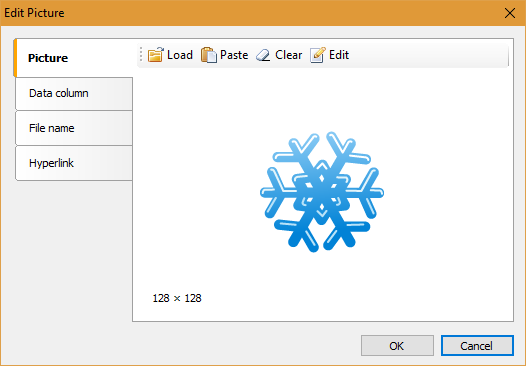
Here you can upload an image from a local disk, insert the clipboard and edit the picture. On the other tabs you can set the image as a field from a data source or you can specify a file path and specify a hyperlink to the image.
In edit mode  you can set the size, crop of pictures from any edge, color mode. Pay attention to the Grayscale option in the Color section:
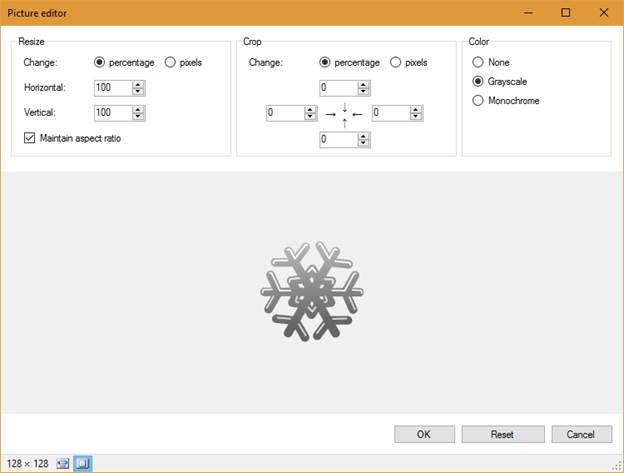
This mode supports 255 shades of gray, which allows you to display all the details of images available on the original, unlike the monochrome mode, where there are only two colors - black and white.
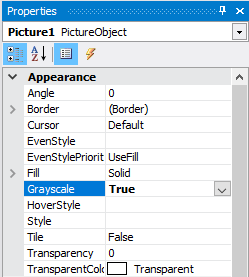
You can enable Grayscale mode in another way. Select the Picture object with the mouse, in the Property inspector find Grayscale and set to true.
Now, let us consider the image of a report with gray pictures:

As a result of applying the Grayscale Picture property of the object, you can give your report a certain style or forcibly print the report in black toner.
