Support for editable fields in WebReport
In the article "Interactive forms in the PDF export of Fast Report .Net 2018" I have already considered editable fields. The bottom line is that the Text and Checkbox objects can be edited in the report preview mode if you include the Editable property. Until recently, this function was supported only for desktop reports. Now, starting with version 2018.2.3, web reports can also have editable fields. That is, when viewing the report in the browser, you can change the text and the checkboxes, and after that, for example, export the report to the desired format.
Let's look at an example of how this works. Let's say we have a Web application with a WebReport object. An arbitrary report is displayed in the object. I took for example the Master-Detail report from the FastReport.Net delivery. Select the desired text object and set its properties to Editable = true.
I made two fields editable: Unit price and Discontinued.
Launch the web application:
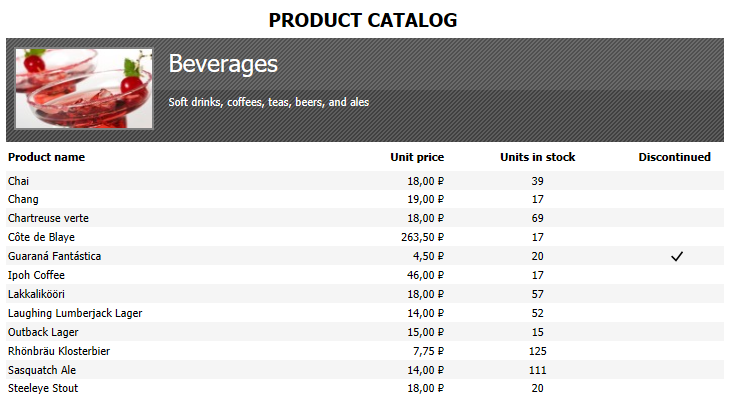
Before us there are categories with lists of goods. Let's say I'm a businessman and look through the goods of my store. I see an error in the price or description and correct it right in the report. Then, I can save the report or print it to transfer it to the price adjustment to the administrator. Everything is simple and convenient.
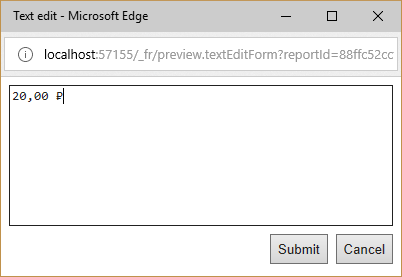
Let's fix the price for a product. Just click on the desired text field, and before you open the editing window:
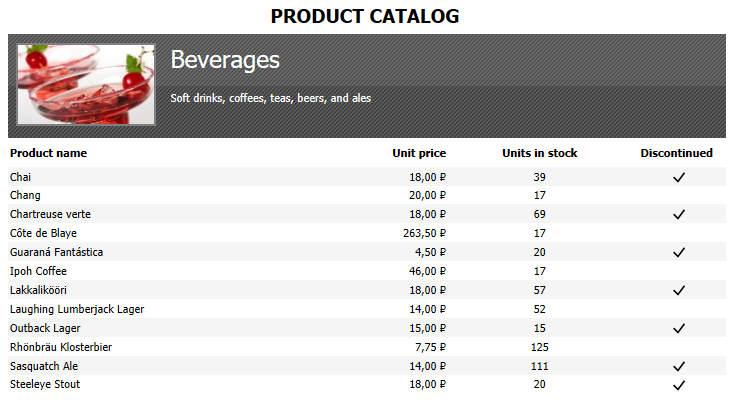
Put the check boxes in the Discontinued field for other products:
By the way, if you use the Editable property, and set the InteractiveForms option when exporting to PDF, you will get editable fields in the PDF document.
