How to export a finished report from FastReport .NET to S3
Simple Storage Service is a service for storing large volumes of data. This service divides stored data into logical units—buckets. User objects are already inside the buckets. The structure of storing objects in a bucket is similar to the file system of an OS.
In FastReport .NET, we have added the upload of prepared and exported reports to S3. The export is located in the "Storage" tab in the menu for saving the prepared report.
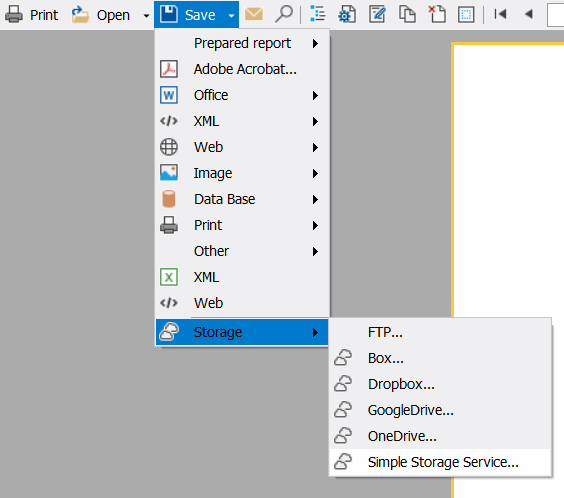
The following data is required to export to S3: accessKeyId, secretAccessKey, region, and the host where the service is located. The documentation of the service you are using describes how to get accessKeyId and secretAccessKey, as well as a list of regions where the servers are located.
These data are entered into the "Authorization" form.

If “Authorization” was successful, then the export window opens:

Here you can select:
– The bucket to which the export will be saved;
– The file type to which the report will be exported and, if necessary, configure it;
– The file name.
Initially, the report name will be entered in the file name field, but the user can change it since S3 allows you to create folders. The extension will be added automatically after the export starts.
At the beginning of the upload, in the standard preview form, there will be a warning on the lower panel telling that the file is being uploaded to the storage, and a notification of its completion will appear after the upload is finished.
Adding S3 export allows users to upload exported reports to cloud data storage with the ability to version and encrypt data on it without other programs.
