How to connect to OracleDB from FastReport .NET
First of all, you can use the ODBC connector. But it is fraught with a lot of settings.
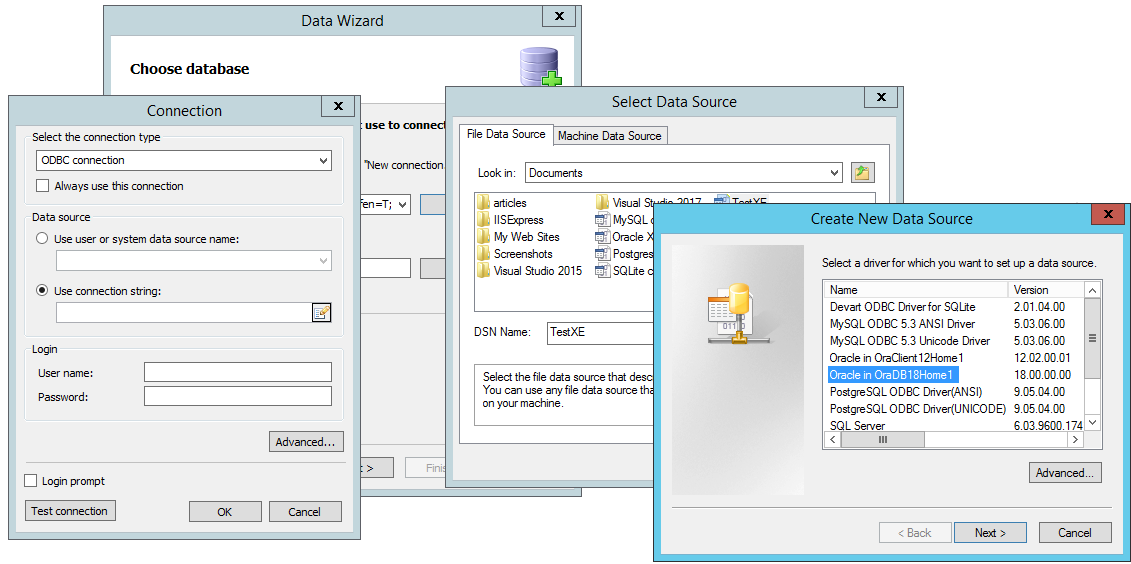
As you can see, you need to create the data source and the connection string to it. Relatively a lot of action.
An alternative to this method is to use connector from FastReport.
In fact there are two connectors to choose from. In FastReport.Net package, the source code is included with various demonstration projects and additions. By additions we understand plug-ins for the report designer, which you can add or remove as needed.
We are interested in the plugins folder located in:
С:\Program Files (x86)\FastReports\FastReport.Net\Extras\Connections
There are two projects FastReport.Oracle and FastReport.OracleODP. The first one uses OracleClient library, and the second - Oracle.DataAccess.
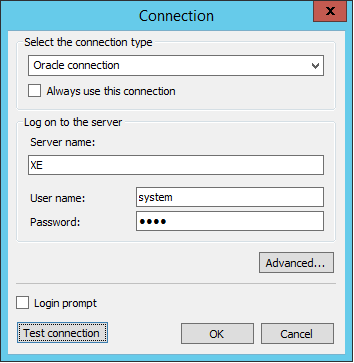
In practice, the only difference is in one detail. Here is the form for the creation of the connection for the first plug-in:
And here is the form for the second plugin:
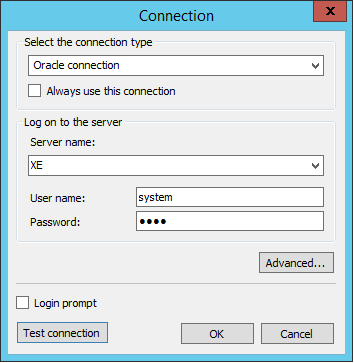
The difference is that in the second case we have a list of available servers, you do not need to enter the name manually.
Once you've connected to the database, you'll need to select the tables from which you want to draw the data.
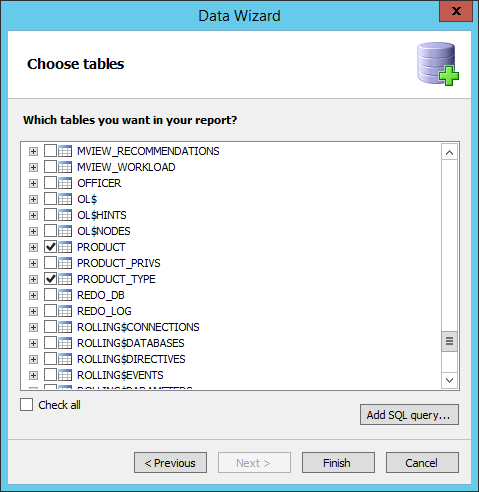
But if you want to filter the data on this stage, you need to use SQL Query builder:
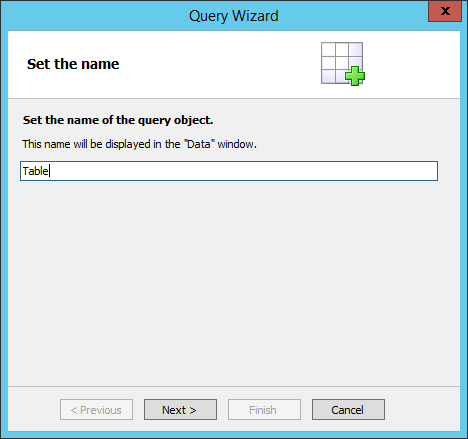
The main advantage of the SQL query is the ability to parameterize it. For example, using such a request we will select all the fields from the Product table for the records with the value of the field PRODUCT_CD beginning with a specific letter or word:
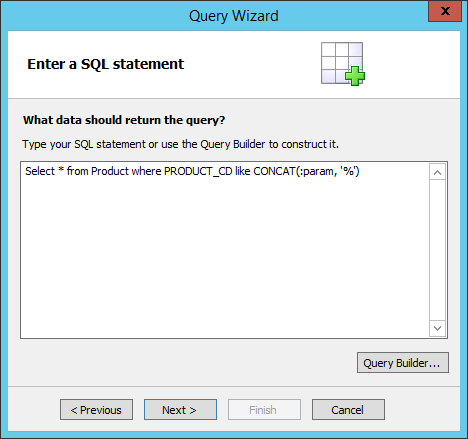
In the PL/SQL notation, the parameters are defined by the ":" symbol. In the next step, we create a set that we've already specified in the query. We set for him the same name:
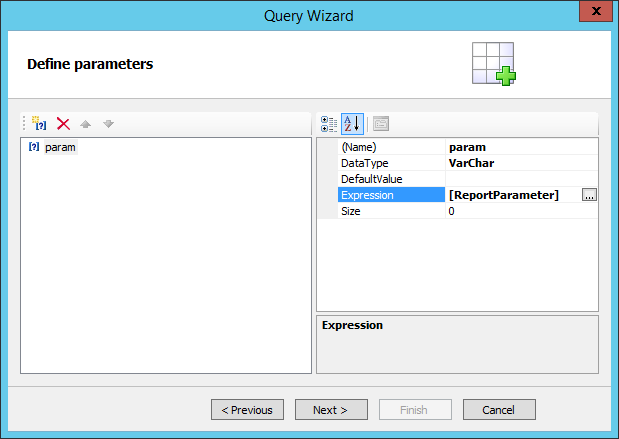
Any expression available in the expression manager can act as a parameter value. But the most logical way is to use the report parameter. After all, it is possible to transfer the value from the outside, before building a report. The image above shows the name of the report parameter. By the time this query is created, it is desirable that the report setting has already been created. Then you can choose it in the expression manager. But it is not fundamental. You can always enter the option name manually and then create it:
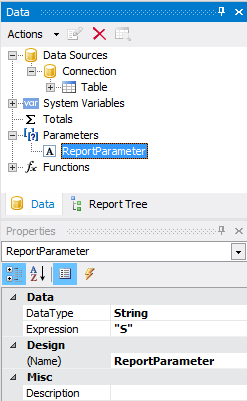
Let's go back to the previous figure. DefaultValue field is used, if the value of Expression is empty.
So we looked at the way you can connect to the Oracle database and how to use parameters in a SQL query.