Manipulando a exceção de "Divisão por 0" no .NET
Among the updates in FastReport 2018.4, there was a solution to the dividing by zero error. Previously, report developers had to handle this exception themselves. After all, we cannot guarantee that because of the data this error will not occur. If you have not done the division by zero processing, you will get an exception that will interrupt the construction of the report. As a result, you still have to refine the report, and this is an additional time cost.
Now, you do not need to think about this problem, in the expression where the division error by zero occurred, the message “Division by zero” will be displayed. In this case, the report is constructed. Let's compare what was and what has become when divided by zero.
Add a text field to the report and enter the following expression: [2018/0]. These are two integers.
That's what how it was in previous versions of FastReport .NET. When trying to run a report in the designer:
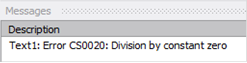
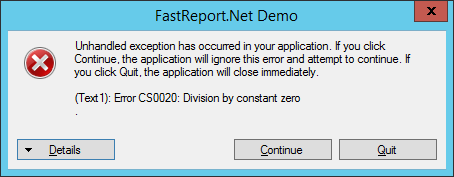
When running a report from a user application:
As it has become:
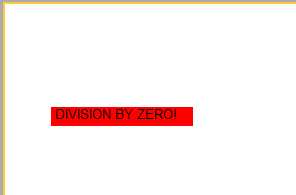
The report was constructed, but the field with an error is highlighted with a red background, replaced by the text DIVISION BY ZERO!
It works on integer values. And what if you divide numbers with a comma by zero? For example, the expression [2018.0 / 0.0] will give the result:
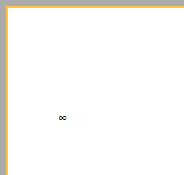
This works in the previous version and in the new one.
Thus, the built-in processing of division by zero freed us from the "headache" - to write our own handlers in the report script. So, the development of reports has become even easier and more convenient.
