Peculiarities of built-in Chrome PDF viewer
The PDF format is so prevalent in the document flow, that is quite rightly called it the most popular in this area. Such a document is self-sufficient, it can include graphical information, special fonts, and more. There are many free software for viewing PDF files. Modern browsers also allow you to do this. For example, Google Chrome has its own built-in viewer for PDF documents.
However, the Chrome PDF Viewer functionality is rather limited, compared with the Acrobat Reader. There is one more feature, which few people know. Chrome does not fully supports the PDF standard.
This manifests itself when you print a document that contains the dotted line. These lines are displayed correctly when viewed in Chrome PDF Viewer, but when you print the document, they will not.
Programmers from FastReport preoccupied by this problem. And in FastReport .NET (starting with version 2016.2.13) exported to PDF report can correctly display dotted lines when printing from Chrome PDF Viewer. To this end it was decided to depart from the PDF standard and draw dotted and dash-dotted lines by using segments of conventional lines.
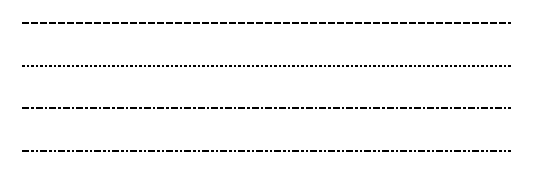
If you are using other means of generating PDF documents, remember the problem with the dashed lines when printing from Chrome PDF Viewer!
Let's consider the situation when the error of printing the dotted line in Chrome PDF Viewer can cause serious consequences.
For example, was formed a document for cutting sheet material in which the dashed lines are used. The file has been sent by mail. The manager received the letter and opened it in Chrome. The browser was use default built-in PDF viewer.
Unsuspecting manager sends the document to print after previewing (where everything is displayed correctly).
The document is printed incorrectly, but sure it is correct, the manager transmits it to the cutting. As a result, the master performs the job incorrectly.
So, relying on the browser's built-in PDF viewer, you can get the major problems in the workplace. It is therefore important to use the professional tools.