How to make a Swiss QR code bill in Delphi or Lazarus
Lately many countries have been digitizing payment processes. In other words, they convert existing payments to digital format. The most common way to automate payments is to use QR codes that are easily read by smartphones. The ability to encode a sufficiently large amount of information, high damage resistance, no need in special equipment to read – these are the main advantages of the QR code that made it popular all over the world.
Swiss authorities also decided to use QR codes to secure electronic payments. This means that all payment receipts and bills will have these codes.
In this regard, Swiss QR code support appeared in the FastReport and although Swiss QR is just a kind of QR code, it is used in a specific form of Swiss bill. It is quite simple and contains information about: payee, payer, invoice, payment link and amount.
Let’s add a Swiss QR code to the report template.
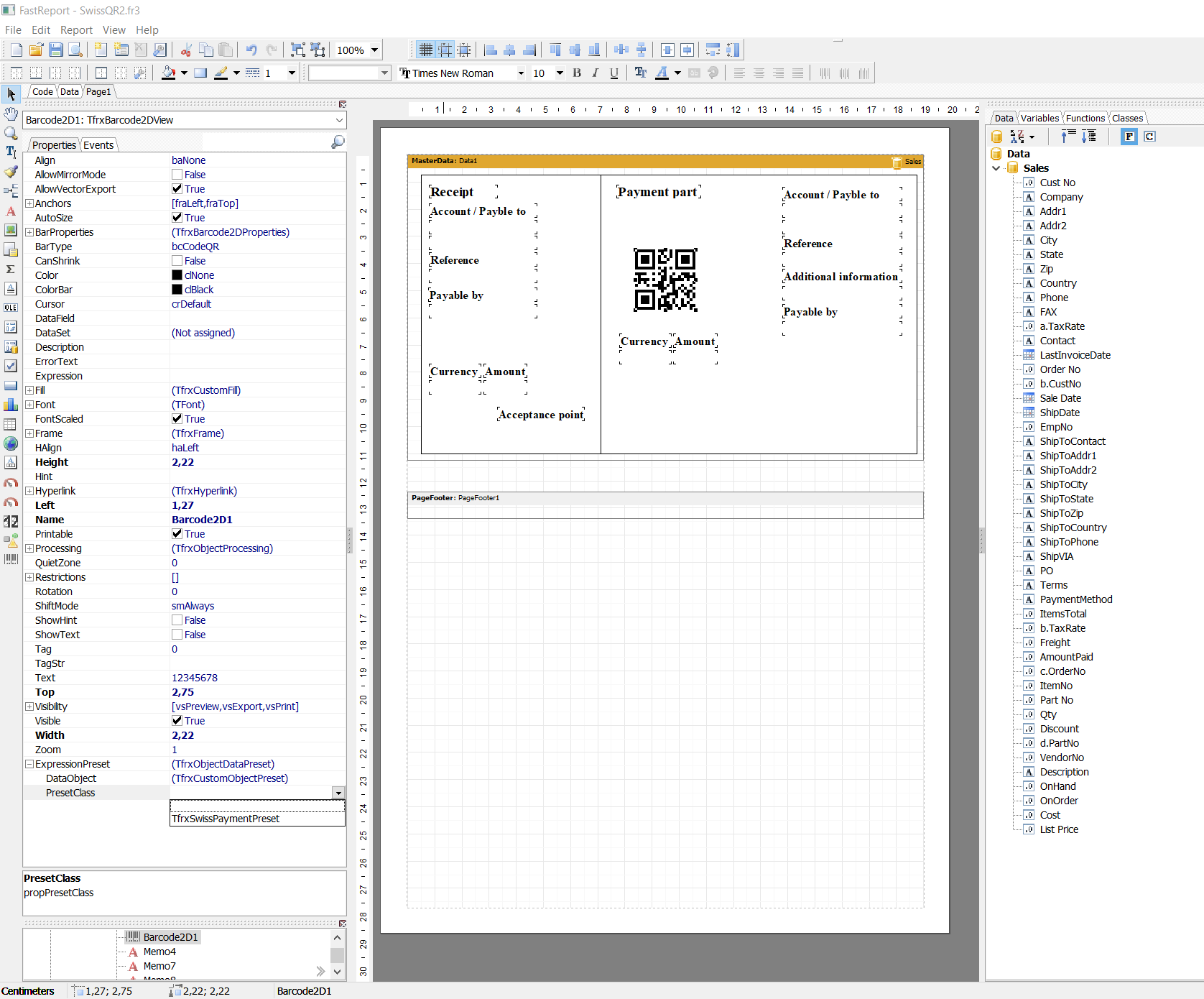
Here we added a regular QR code. To turn it into a Swiss QR, click on it and select TfrxSwissPaymentPreset for the ExpressionPreset.PresetClass property in the object inspector.
The QR code has changed and a Swiss cross appeared in its center.
After that, the Swiss QR code building parameters will become available in ExpressionPreset.DataObject.
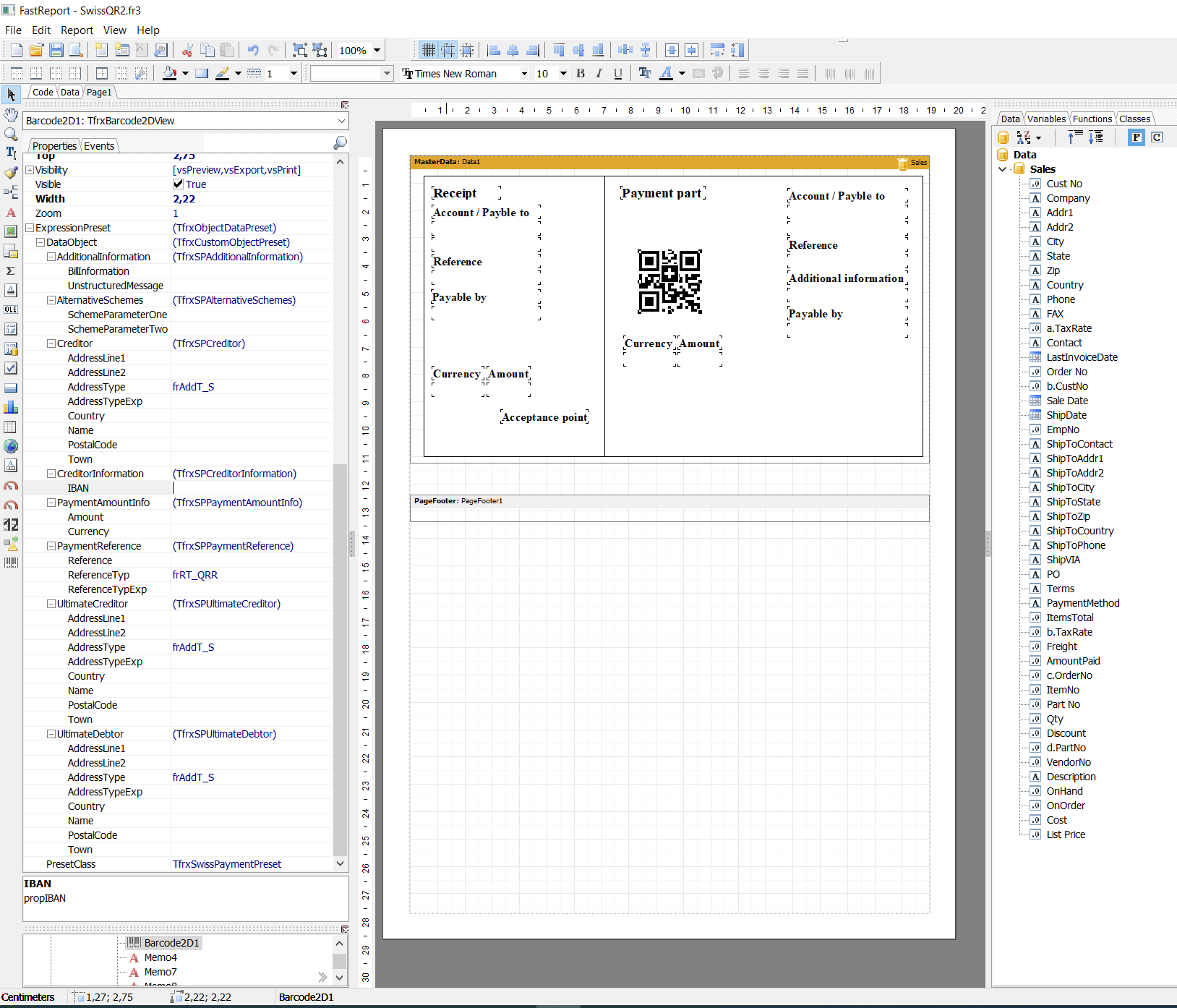
Let’s consider the parameters in more detail:
Additional Information
The invoice issuer may enter any additional structured/unstructured information for the payer.
Alternative Schemes
It is expected that in the future invoices may offer other alternative procedures in addition to bank transfers. There are two fields for this in Swiss QR.
Creditor
Fill in the data of the invoice issuer. Name of organization and address.
Creditor Information
Iban
In Switzerland, the IBAN (International Bank Account Number) standard is used to represent a bank account number. From the name it is clear that this standard is international and it is registered in ISO with number 13616.
Payment Amount Info
Amount
Here you need to specify the payment amount.
Currency
Since this is the Swiss payments system, you can choose between two types of currencies: EUR and Swiss francs (CHF).
Payment Reference
Link to the payment needed by payee.
Type:
- frRT_QRR - QR link: Swiss standard link 26 characters long (numbers only);
- frRT_SCOR - Lender Link: international standard from 5 to 25 characters long;
- frRT_NON - the link may be empty.
Ultimate Creditor
Information about the invoice issuer (for additional information only, if used in the future)
Ultimate Debitor
Here you need to fill in the payer information: full name or name of organization and address.
Next, fill in the parameter values. They are expressions, so you can either drag and drop fields from the data tree (this feature was added in FR VCL 6.7), or enter fixed data. Note that fixed string parameters must be enclosed in quotation marks (single quotes in Pascal Script).
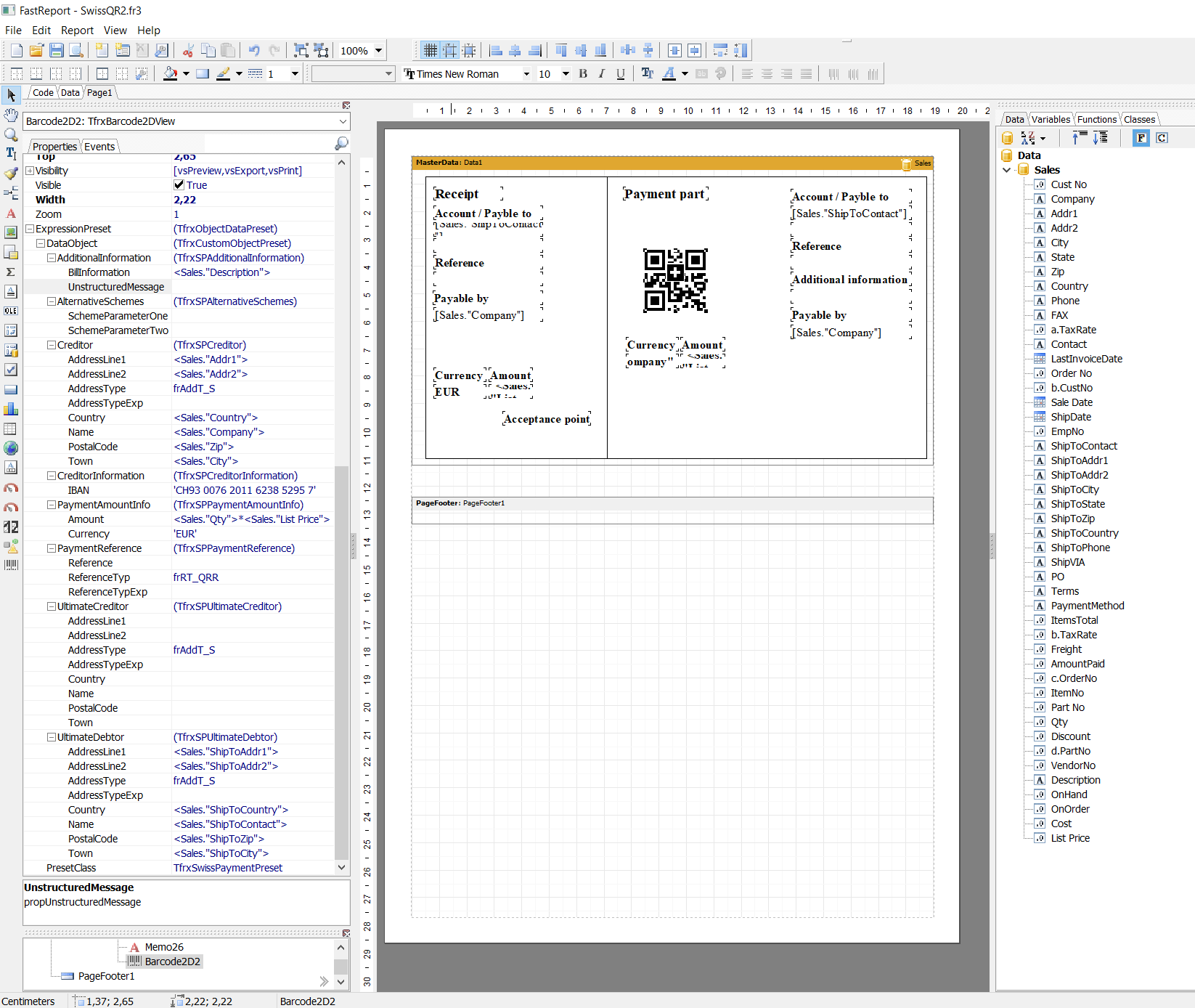
Turn off text display below the code in the properties of the Barcode object – ShowText = false.
If all the data is filled in correctly, then no warning messages will follow and the QR code in the preview window will change.
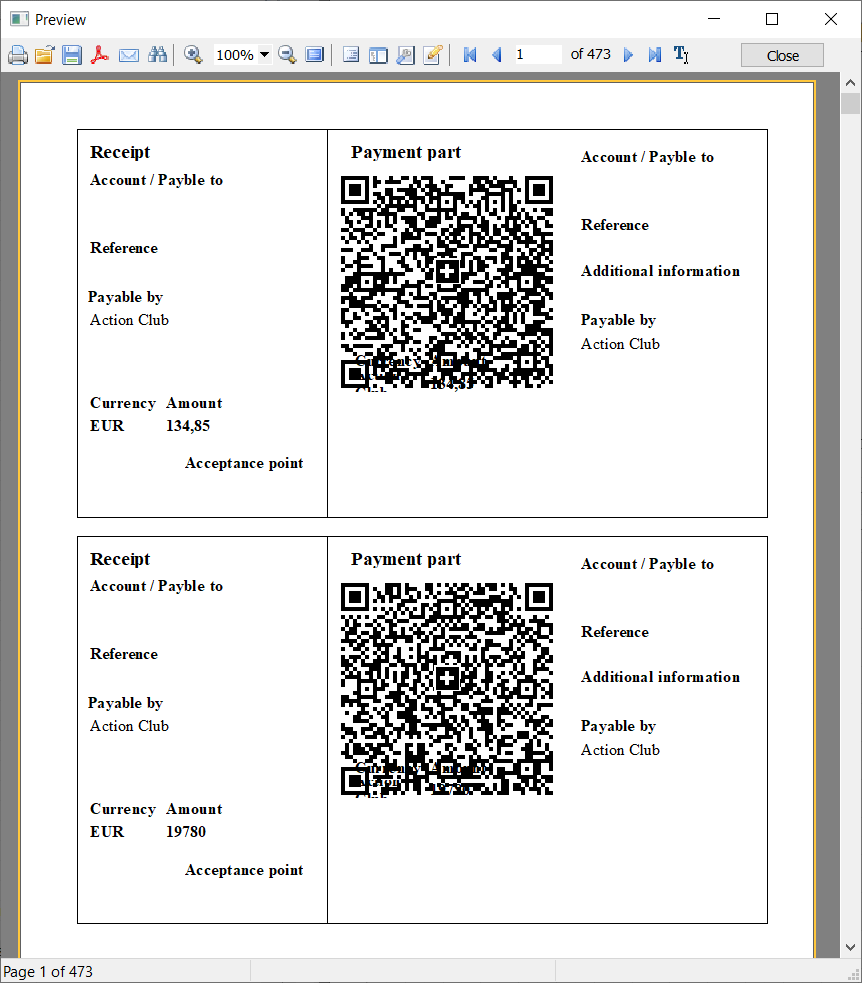
Now you can easily create a Swiss QR bill in FastReport and this is another reason for upgrading or updating to FR VCL 6.7.