Subscribe on save events in FastReport Online Designer
2017-03-14
In case you need to do some actions on client side after saving the report like show some beautiful dialog from your code or do redirect to the other page you can use following techniques.
1) you can use the following code:
1 2 3 4 5 6 7 8 |
const eventName = 'save_success'; window.addEventListener('message', e => { if (e.data === eventName) { // here is your code. It could be something like showSuccessDialog(); } }, false); |
where eventName can also be:
save_begin - will be executed when user starts saving the report but before sending request to the server
save_failure - will be executed in case the request failed and report was not saved.
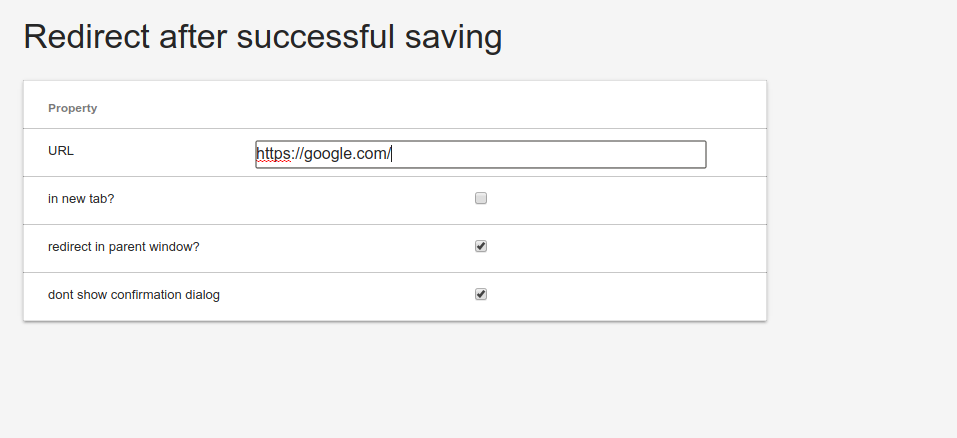
2) Another possibility to do some actions on save events is to set URL option in config section during building your online designer:
12 Ekim 2026, Pazartesi
FastReport .NET'te Greenplum Database'e bağlanma
Greenplum Database’i FastReport .NET’e nasıl bağlayacağınızı öğrenin: Npgsql ile eklentiyi derleme, rapor tasarımcısına entegre etme ve bağlayıcıyı uygulamanın C# kodunda kaydetme.
12 Ekim 2026, Pazartesi
FastReport .NET'ten Erişilebilir PDF'ye Bir Rapor Nasıl Dışa Aktarılır (PDF/UA-1)
FastReport .NET'ten bir raporu PDF/UA-1 uyumlu bir dosya olarak dışa aktarma: kullanıcı arayüzü ve C# kodu aracılığıyla yapılandırma, SemanticRole ve AltText rolleri ile doğrulama.
12 Ekim 2026, Pazartesi
GS1 DataBar Genişletilmiş Yığılmış: FastReport .NET'te Özellikler ve Yapılandırma
GS1 DataBar Expanded Stacked barkod kılavuzu: GTIN, son kullanma tarihleri, ağırlıklar ve parti numaralarının çok satırlı kodlaması. Veri yapısı, tarama ve FastReport .NET Segmentleri yapılandırması hakkında bilgi edinin.
