How to connect to Firebird from FastReport .NET
In order to connect to Firebird database in FastReport .NET Designer a plug-in connector is provided.
It is necessary to pre-assemble the project:
С:\Program Files (x86)\FastReports\FastReport.Net\Extras\Connections\FastReport.Firebird
Then you have to connect the plug-in report designer in the menu File-> Options:
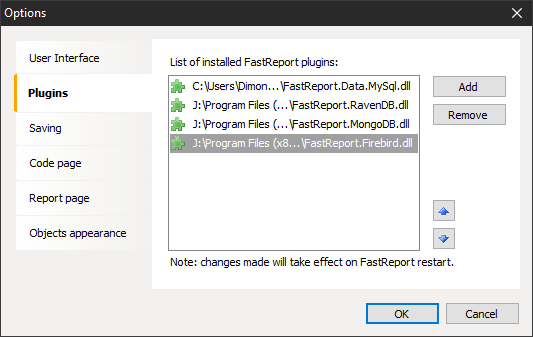
After that, you need to restart the report designer.
Before you create the source data in a report make sure that your server FireBird is properly configured. The fact that the Firebird 3 when connecting to a database using FireBirdSql.Data.FirebirdClient library, which is used in the plugin, you will likely see the error "connection rejected by remote interface". You need to enable wire encryption and Legacy authentication type.
To do this, open the configuration file firebird.conf. Uncomment and change the line:
AuthServer = Srp, Legacy_Auth
UserManager = Srp, Legacy_Auth
WireCrypt = Enabled
Now we can start making the data source. Select the connection type “Firebird connection”:
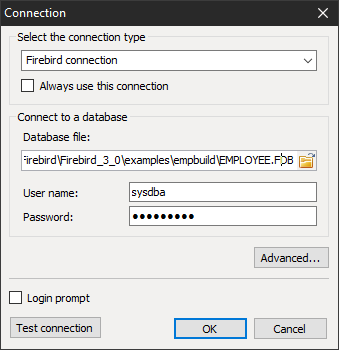
As a result, the connection line will look like this:
initial catalog="J:\Program Files\Firebird\Firebird_3_0\examples\empbuild\EMPLOYEE.FDB";user id=sysdba;password=masterkey
Next, we can choose the tables needed for the report:
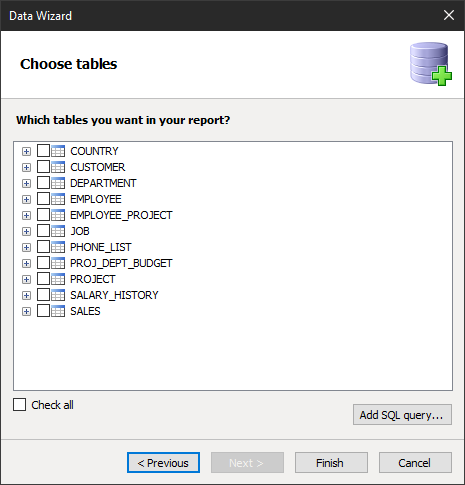
But also, we have the opportunity to write the SQL query. Let's look at this opportunity. Push the button "Add SQL query ...". We set the table name, which is obtained as a result of the query:
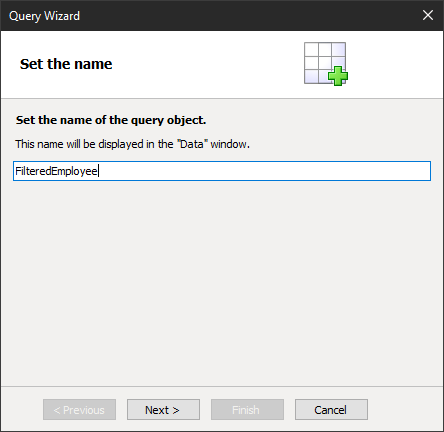
Then let’s write SQL request itself:
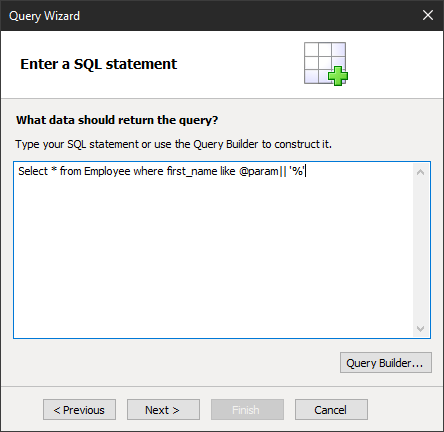
This request is in the condition parameter. With the help of a double vertical line, we perform a concatation. As a result of this inquiry, we will be presented employees whose names begin with a certain letter or phrase. In the next step we create a parameter with the same name, which we have defined in a SQL query:
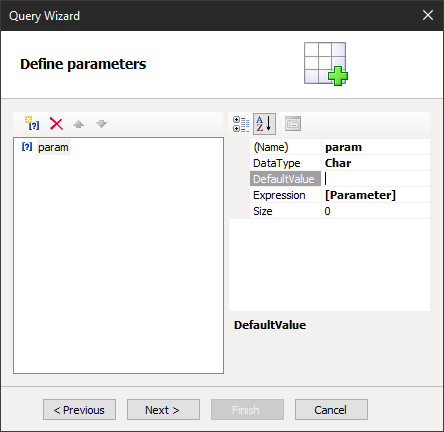
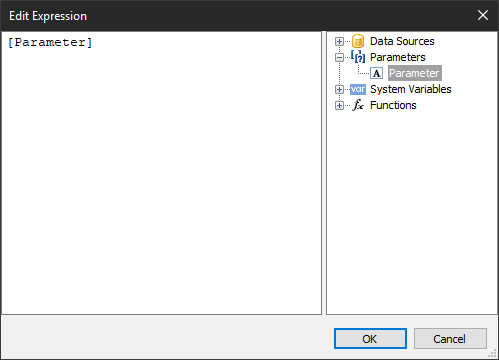
As a setting value, we can use any expression: report setting, function, variable. Let's use the report variable. By this point it should have been created:
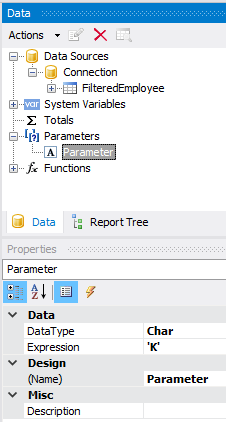
Choose it in the expression editor which will open when you click Expression in the window of making the parameter request:
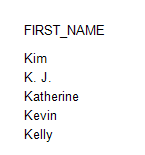
As a result, we will get the selection of these employees whose name starts with K: