How to make auto refreshable web reports
When there is a need to reflect the current situation in your enterprise with the help of web reports, you might need to update information automatically on a site without any user's involvement. If you use more than one of these reports with auto refresh function on a single page of a web site, you get the “Dashboard”. Fortunately, FastReport provides auto refresh of a report by timeout.
Let us take a close look at the following example of my report “Date” that displays the current date and time. By this means we can see the time of the report refreshing.
- Create a simple web report.
- Add a data source to the web form - the component “SQLDataSource”. From the drop - down menu select “ConfigureDataSource”.
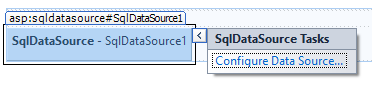
- Set the connection to the database.
- Now place the “WebReport” component on the web form. Select the item “Select Data Source” from the drop - down menu.
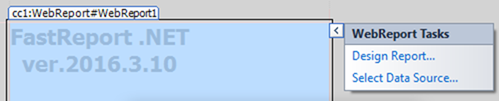
Choose the only available option.
- From the drop - down menu select "Design Report "
- Create a simple report. The system variable Date was added to the title of the report:
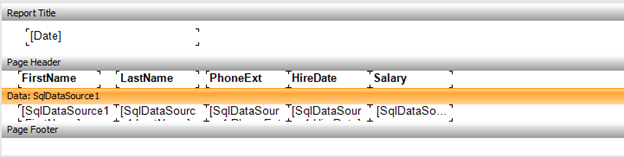
- Close the report editor. Disable the toolbar of the report window.
- In “WebReport” object you should set “ShowToolbar” property to “false”.
- Set “RefreshTimeout” property. In this property the refresh period is set. For example, set the interval 5. Time is set in seconds.
- Run the application:
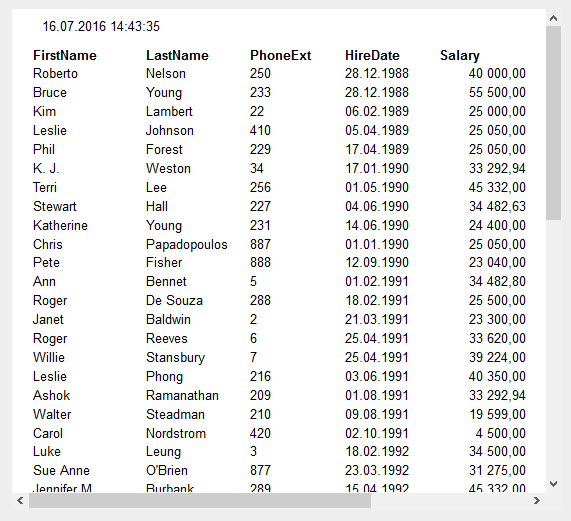
Wait for 5 seconds:
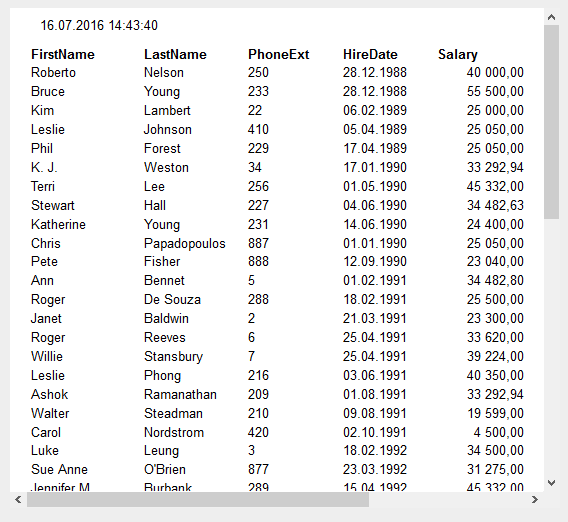
By this means it is possible to update information in a report continually. This can be useful when displaying statistical data or displaying information in the form of graphs. FastReport provides the opportunity to solve the problem of displaying dynamic information.
