Instant report from RTF

Few people know that FastReport .NET report generator allows you to quickly convert an RTF document into any other format supported by the FastReport .NET report generator.
For example, you have a number of documents in RTF format and you would like to convert them into another format or just create electronic report based on them. Now the process of a report creation becomes much simpler – you actually have a ready document. Let us see how it works by an example.
Take an original RTF document:

This invoice is a good example of a document which can be transformed into a report.
Start the report designer and open the RTF document in the menu File->Open. By default, the dialogue window has an installed filter for frx files – this is a standard template for reports. Change the filter for “Rich Text file (*.rtf)”.
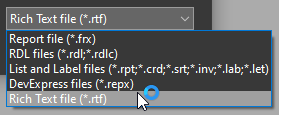
In a short time, the file will be transformed into a report template:
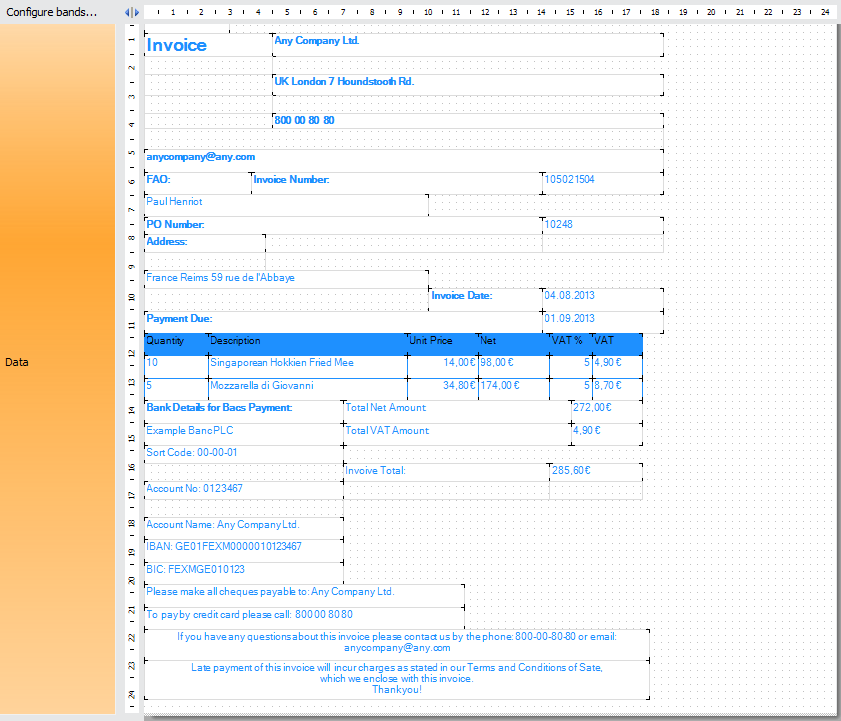
As you can see, the template largely looks like the original document, but with a little effort it can be improved. Let us change the text color and formatting and relocate some items to make the template look very much like the original:

Undoubtedly, perfection knows no limits, and you may spend more time to make the template ideal. But we will stop at the current variant.
Now let us look at the report in the preview regime:

That is rather fine. Now let us export it to HTML format, for example:

Thus, the report template built from the converted RTF can be exported to almost any format available in FastReport .NET. Exporting to PDF is not available yet. We hope to correct it in the near future.
It should be noted that the RTF documents created in MS Word may have a significant amount of metainformation which will be interpreted incorrectly when transformed into a report template. Thus, it is better to create RTF files in other text editors, such as MS WordPad.
