Improved interface of the report tree in the FastReport designer

2021-09-05

We have improved report and data trees in the FastReport .NET and Mono designer at the request of users. Buttons have been added, which allow to minimize and to expand these trees. The fields for searching tree elements have also been added.

This example shows how to minimize and expand report trees with their contents. Both cases show what happens after pressing the -/+ buttons and demonstrate that the entire list is fully expanded.

New buttons in the report and data tree

The picture below shows how the search works. As an example, we will write the ToLetter function. The entire tree is expanded after clearing the search for the X button.
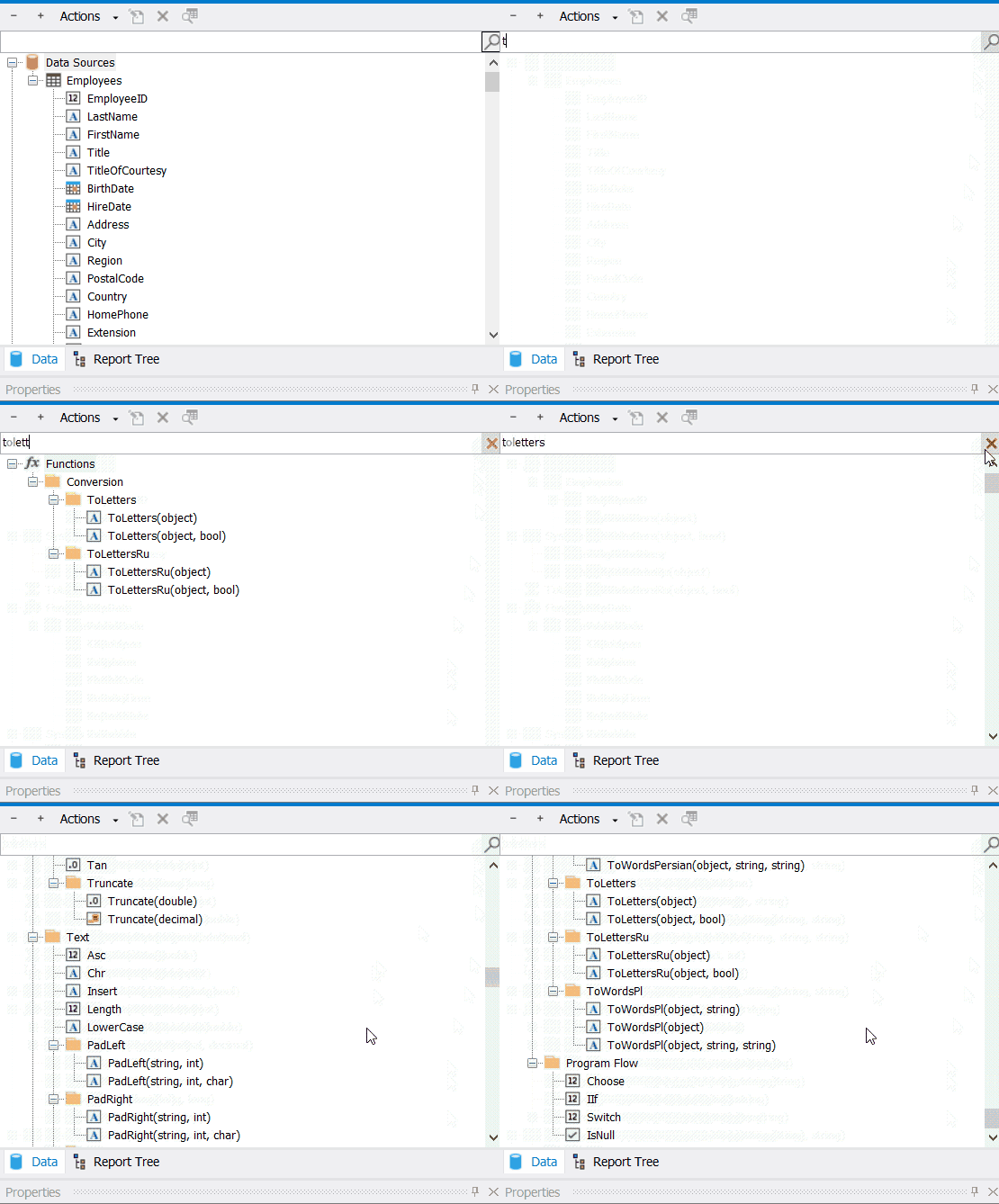
Search of items in Data Tree

These changes will simplify the work with reports with many items or data sources. The possibility to expand the tree will allow to quickly view the structure of the report and data. The search for tree elements in the designer makes it easier to find an already known element.

.NET .NET Mono Mono FastReport FastReport Designer Designer
8 Eylül 2026, Salı

FP3 Formatı ile ilgili Sıkça Sorulan Soruların Cevapları

FP3 formatıyla ilgili 11 yaygın soruyu inceleyeceğiz: bu dosyaların ne olduğu, FR3 dosyalarından nasıl farklı oldukları, hangi programların bunları açabileceği ve PDF'ye nasıl dönüştürüleceği.
4 Eylül 2026, Cuma

FastReport .NET'ten bir raporu DXF formatına nasıl aktarabilirim?

Bu makalede, bir raporu DXF formatına aktarma yöntemlerini inceleyeceğiz ve ayrıca dosya bir CAD uygulamasında açıldıktan sonra elde edilen çıktının nasıl göründüğünü göreceğiz.
3 Ağustos 2026, Pazartesi

FastReport .NET'ten bir raporu PostScript formatına nasıl aktarabilirim?

Bu makalede, pratik bir örnek kullanarak parametre yapılandırmasını ve programatik uygulamayı inceleyerek, bir FastReport .NET raporunun PostScript formatına nasıl aktarılacağını ele alacağız.

© 1998-2026 Fast Reports Inc.