Console utility FRConverter 1.0 (QuickReport 6, ReportBuilder 19 , Rave Reports to FastReport VCL 6)
Previously, there were several articles about converting QuickReport 6 and ReportBuilder 19 templates to *.fr3 format.
But this is all inconvenient and requires additional effort to create a project and connect additional modules and creates difficulties when converting templates in bulk.
We decided to create a console utility that would combine the three converters QuickReport 6, ReportBuilder 19, Rave Reports in FastReport VCL and allow bulk conversion of templates using the command line.
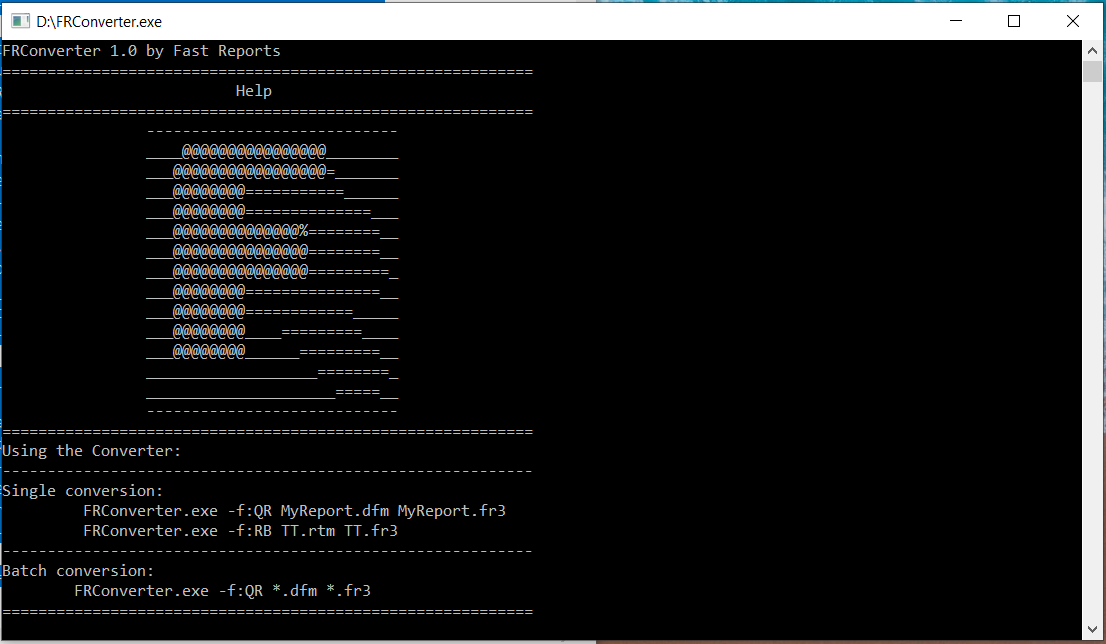
Let's look at how to use the console converter.
Important!!!
- Make sure your report dfm files are all in text form. Right-click the form and make sure "Text dfm" is checked.
- Change the first line so that the name of the form is something like "NameofForm : TForm" rather than "NameofForm : TNameofFOrm". Save thedfm files to another folder BEFORE you do this as doing so will breakyour project.
To convert a single file, use the command line to move to the folder where the file is located and use the following commands:
0 1 |
FRConverter.exe -f:QR MyReport.dfm MyReport.fr3 FRConverter.exe -f:RB TT.rtm TT.fr3 |
Where are parameters:
0 1 2 3 4 5 6 7 8 |
-f:< type_Converter > - select type Converter < type_Converter >: QR- QuickReport (*.dfm and *.qr2) RB- ReportBuilder (*.rtm) RR- Rave Reports (*.rav) MyReport.dfm – the file name in the current folder MyReport.fr3 – the name of the converted template that will be saved |
The "-split " option is also available
-split - split pages (only QuickReport), if you have multiple TQuickRep objects the FRConverter will splitted dfm into several templates and save them with the names of these objects to the current directory and will also save the template containing these pages.
Example of use:
0 1 |
FRConverter.exe -f:QR -split MyReport.dfm MyReport.fr3 Result 3 or more files: MyReport.fr3, <Name_TQuickRep1>.fr3, <Name_TQuickRep2>.fr3 and etc. |
To see which files of the desired format are in the current folder, you can use the following parameter:
0 1 2 3 |
-show < format_file > - displays all <format_file> in the current directory < format_file > : *.dfm, *.qr2,*.rtm, *.rav and etc. |
Example of use:
0 |
FRConverter.exe -show *.dfm
|
Use the -h parameter to call Help.
0 |
FRConverter.exe -h
|
To convert a bulk conversion, use the command line to move to the folder where the templates are located and use these commands:
0 |
FRConverter.exe -f:QR *.dfm *.fr3
|
Download link : FRConverter.zip
