Creating Web Service using FastReport.Service.dll
We have an easy way to implement a web service using the library FastReport.Service.dll (WCF Service Library), which is supplied with FastReport .Net.
Our example is based on creating a simple web application with a web service functions, but you can modify your existing project based on .NET Framework 4.0 or newer.
Run Visual Studio and create a new ASP.NET Web Application project under .NET Framework 4.0.
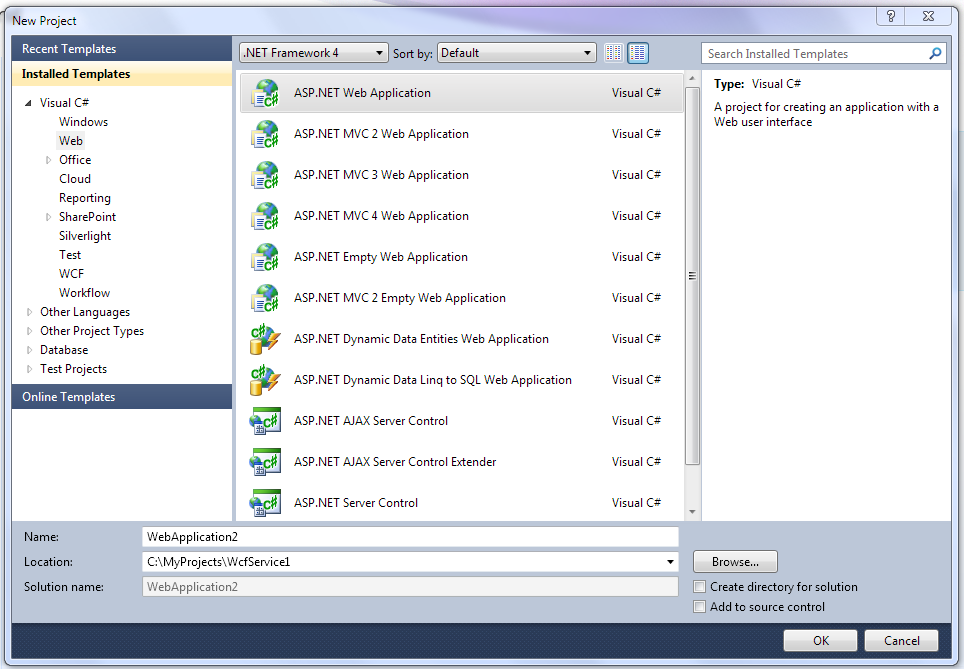
Add references on libraries FastReport.dll, FastReport.Bars.dll, FastReport.Service.dll
Create a new text file with name ReportService.svc in site root.
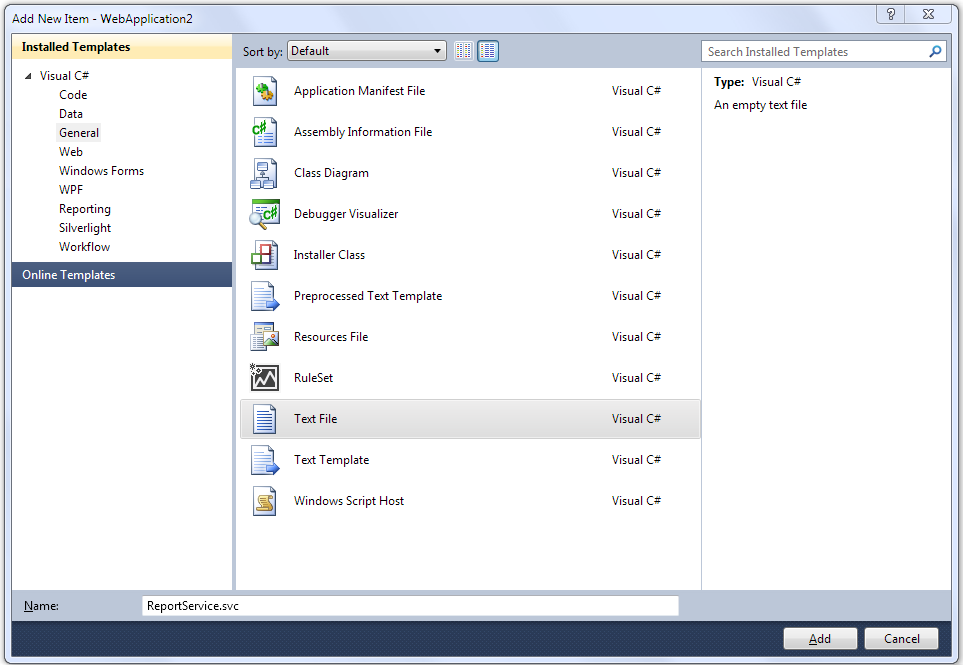
Add next lines in file:
<%@ ServiceHost Service="FastReport.Service.ReportService" %>

<%@ Assembly Name="FastReport.Service" %>
Open web.config and add next sections in <configuration>:
<appSettings>
 <!-- path to folder with reports -->
 <add key="FastReport.ReportsPath" value="C:\Program files\FastReports\FastReport.Net\Demos\WCF" />
 <!-- name of connection string for reports -->
 <add key="FastReport.ConnectionStringName" value="FastReportDemo" />
 <!-- Comma-separated list of available formats PDF,DOCX,XLSX,PPTX,RTF,ODS,ODT,MHT,CSV,DBF,XML,TXT,FPX.
 You can delete any or change order in this list. -->
 <add key="FastReport.Gear" value="PDF,DOCX,XLSX,PPTX,RTF,ODS,ODT,MHT,CSV,DBF,XML,TXT,FPX" />
 </appSettings>
 <connectionStrings>
 <add name="FastReportDemo" connectionString="XsdFile=;XmlFile=C:\Program Files\FastReports\FastReport.Net\Demos\Reports\nwind.xml"/>
 </connectionStrings>
 <system.serviceModel>
 <services>
 <service behaviorConfiguration="FastReportServiceBehavior" name="FastReport.Service.ReportService">
 <endpoint address="" binding="wsHttpBinding" contract="FastReport.Service.IFastReportService">
 <identity>
 <dns value="localhost" />
 </identity>
 </endpoint>
 <endpoint address="mex" binding="mexHttpBinding" contract="IMetadataExchange" />
 </service>
 </services>
 <behaviors>
 <serviceBehaviors>
 <behavior name="FastReportServiceBehavior">
 <serviceMetadata httpGetEnabled="True" />
 <serviceDebug includeExceptionDetailInFaults="True" />
 </behavior>
 </serviceBehaviors>
 </behaviors>
 <bindings>
 <basicHttpBinding>
 <binding messageEncoding="Mtom"
 closeTimeout="00:02:00" openTimeout="00:02:00"
 receiveTimeout="00:10:00" sendTimeout="00:02:00"
 maxReceivedMessageSize="67108864" maxBufferSize="65536"
 transferMode="Streamed">
 <security mode="None">
 <transport clientCredentialType="None" />
 </security>
 </binding>
 </basicHttpBinding>
 </bindings>
 </system.serviceModel>
The key "FastReport.ReportsPath" should contain a path to folder with reports. You can set demo folder «\FastReport.Net\Demos\WCF» for example.
The key "FastReport.ConnectionStringName" should contain connection string name. This line should be registered in section <connectionStrings>.
Let's run our site and check the availability of a Web service by access to a file ReportService.svc.
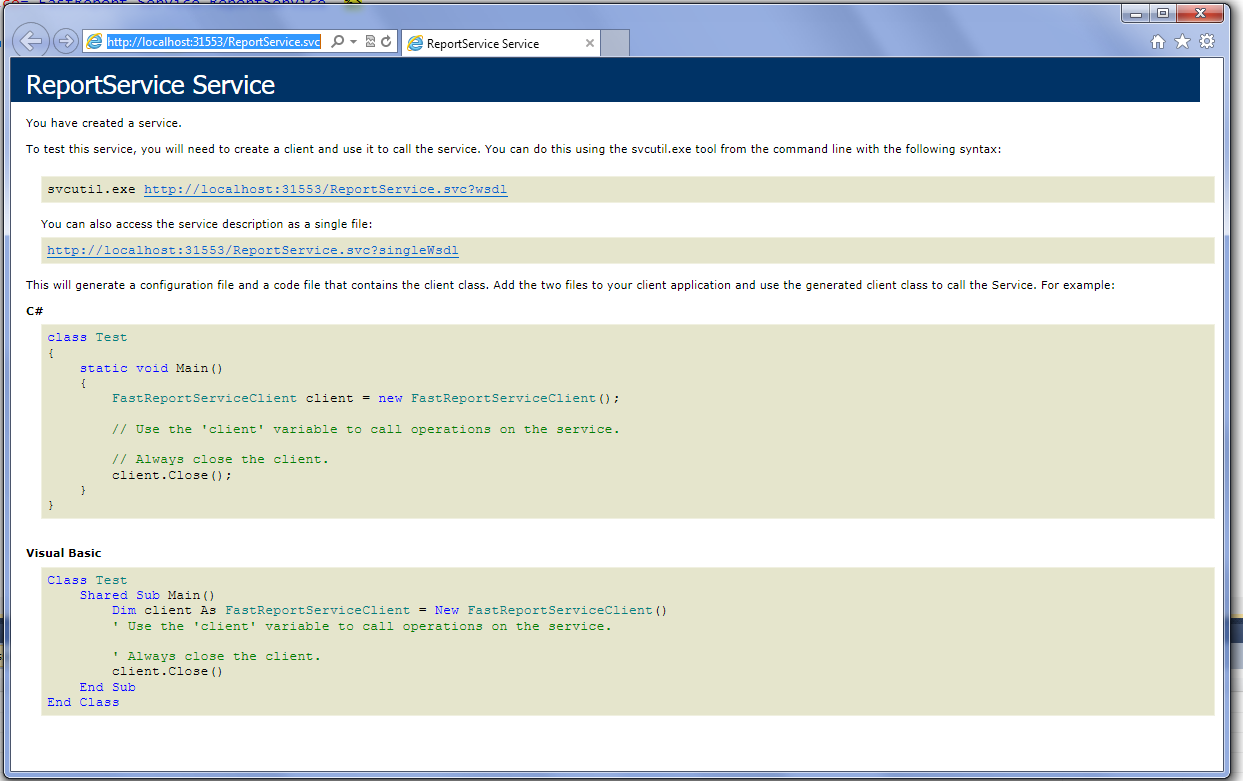
When you deploy the project on the server, be sure to check for files FastReport.dll, FastReport.Bars.dll, FastReport.Service.dll in the folder /bin.
Examples of client programs can be found in the folder \FastReport.Net\Demos\C#\WCFClient and \FastReport.Net\Demos\C#\WCFWebClient. Open each project in Visual Studio and right click on ReportService and select Configure Service Reference.
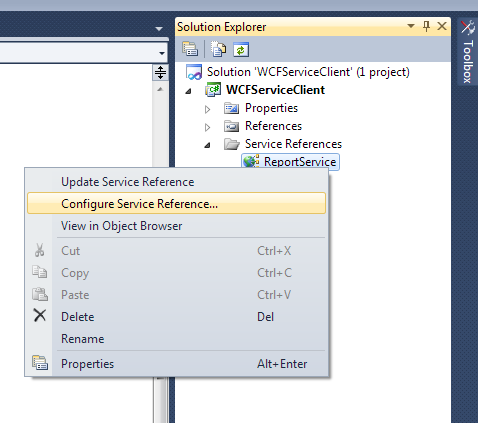
Specify the address of an existing web service in configuration window.
To be continued.
