Import of reports from JasperReports to FastReport .NET

We have added a new import function from JasperReports. To use it, go to the "File" menu in the FastReport .NET designer and select "Open ...". In the window that appears, select the filter "JasperReports files (*.jrxml)". The selected file will be automatically converted to a FastReport .NET report and opened in the designer.
The resulting imported report may have differences, and most likely, you will have to finalize it — change the properties of objects and add connections.
JasperReports "Table" objects will be converted into subreports with similar functions. JasperReports reports may also include custom not importable elements. The user will need to replace such objects with analogs himself.
For the rest, the locations, sizes, and types of objects with some properties will be the same as those in the JasperReports report.
Comparison table of JasperReports and FastReport .NET reports:
|
Function |
FastReport .NET |
JasperReports |
|
Report objects |
||
|
Text |
+ |
+ |
|
Figure |
+ |
+ |
|
Image |
+ |
+ |
|
SVG |
+ |
+ |
|
Subreport |
+ |
+ |
|
Service text |
+ |
- |
|
Diagram |
+ |
+ |
|
Barcode |
+ |
+ |
|
2D barcode |
+ |
+ |
|
Map |
+ |
+ |
|
ZIP code |
+ |
- |
|
Text in cells |
+ |
- |
|
Rich Text |
+ |
+ |
|
Gradient |
+ |
- |
|
Cross-tab (Matrix) |
+ |
+ |
|
Advanced Matrix (AdvMatrix) |
+ |
- |
|
Table |
+ |
+ |
|
Container |
+ |
+ |
|
Indicator |
+ |
+ |
|
Checkbox |
+ |
- |
|
Spark graph |
+ |
- |
|
HTML |
+ |
+ |
|
Digital signature |
+ |
- |
|
Reporting functions |
||
|
Dialogue Forms |
+ |
- |
|
Report Inheritance |
+ |
- |
|
Master-detail-subdetail |
+ |
+ |
|
Drill-downs |
+ |
- |
|
Grouping |
+ |
+ |
|
Sorting |
+ |
+ |
|
Headers and footers |
+ |
+ |
|
URLs and hrefs |
+ |
+ |
|
HTML tags in text objects |
+ |
+ |
|
Dimensionless pages |
+ |
- |
|
Preview component |
+ |
+ |
|
Report designer in the development environment |
+ |
+ |
|
Report designer in the executable program |
+ |
+ |
|
High DPI support |
- |
+ |
|
Visual SQL Query Builder |
+ |
- |
|
Interface languages |
29 |
1 |
Example of a report when importing from JasperReports to FastReport .NET
This is the original, which was built in the JasperReports trial version:
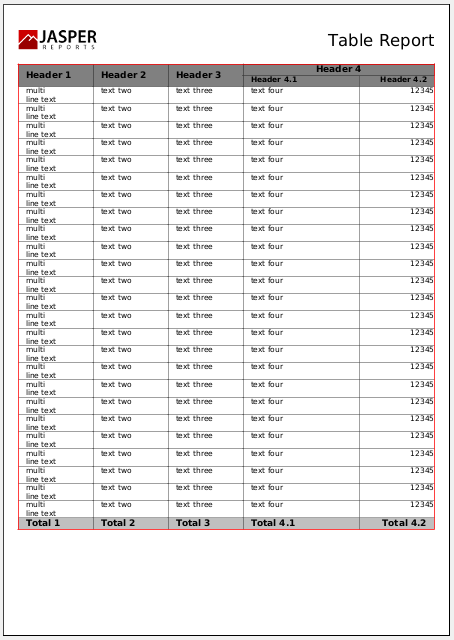
Import result with a small improvement:

There is a noticeable difference in these examples: the part of the page occupied by the table is different with the same number of lines — this is due to the different space between the text lines.
Let’s look at another report that contains Code 128, Codabar, 2/5 Interleaved, 2/5 Industrial barcodes.
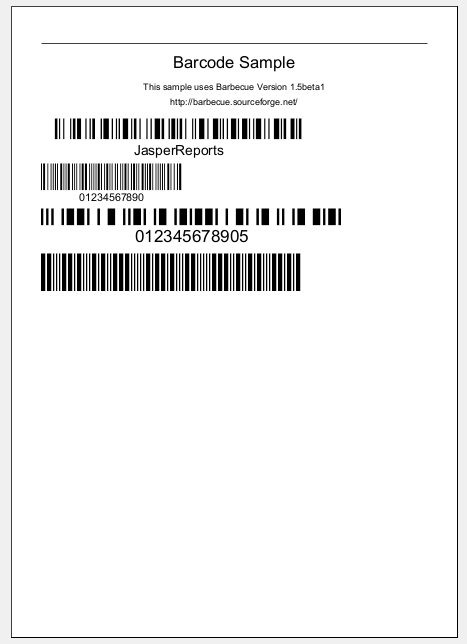
You can see the result of the conversion to the FastReport designer in the following screenshot:
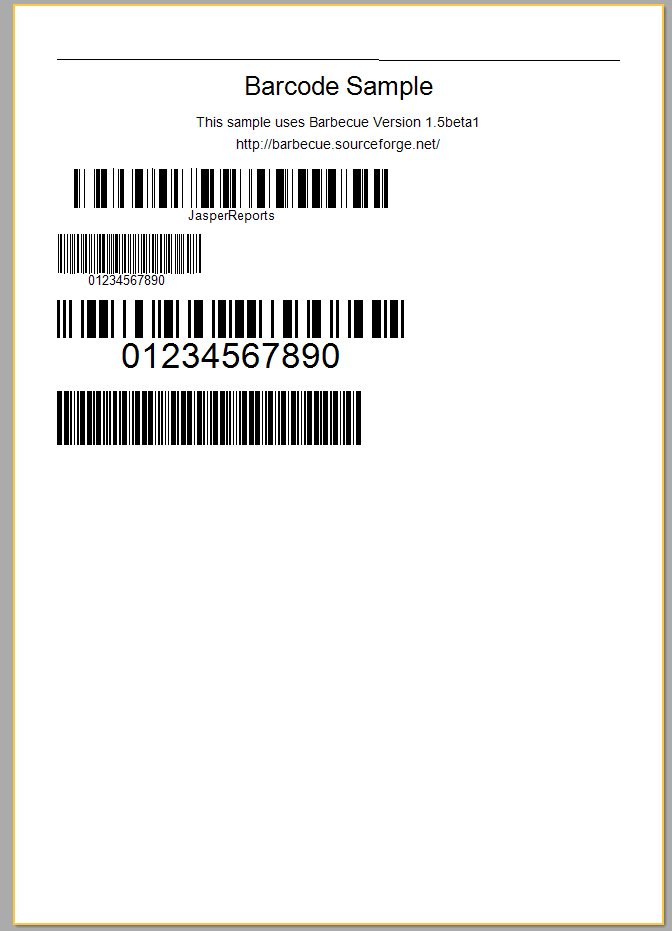
This import should allow FastReport users to quickly convert their reports from JasperReports with maximum accuracy. This will reduce the labor efforts required for migration and building familiar reports in our designer.