Connection to NosDB (NoSQL)
NosDB is a prominent representative of the NoSQL databases. It is designed for use on the .Net platform and has open source. NosDb, like many other non-relational databases, has a high speed and good linear scalability. In this article, we'll look at the way to connect to the NosDb database inside the report with a plug-in for the designer. As you know, you can connect plug-ins to a report designer that expands the functionality of the program. One of the areas of expansion of functionality is connectors to different databases. Indeed, it takes a lot of time to find, install and set connectors for different databases. FastReport allows you to create plugins that make the process of connecting to data as much easier as possible. However, you need to pre-assemble a plug-in library from the project, which is included in the supply package of FastReport.Net and is located in a folder:
C:\Program Files (x86)\FastReports\FastReport.Net\Extras\Connections\FastReport.NosDB
Once you assemble the project – you will get FastReport.NosDB.dll library. The link to the library you need to add to the report designer settings on the Plugins tab:
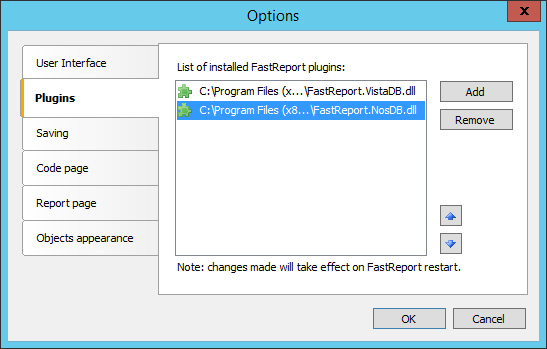
After restarting the designer, you can create a data source of the report. In connection settings select NosDb connection:
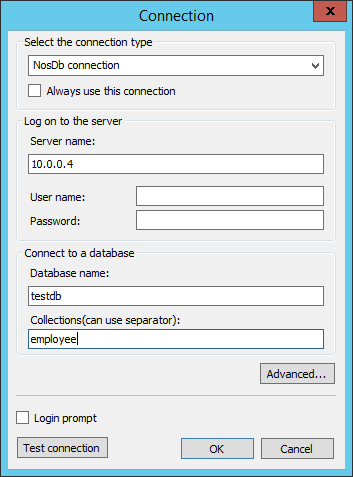
Here you need to enter the server address, user login and password (if configured), database name and collection. Collections are analogues of tables. You can specify one or more collections through a comma. At this point, you've only got to select the collections you need in the report in the next step:
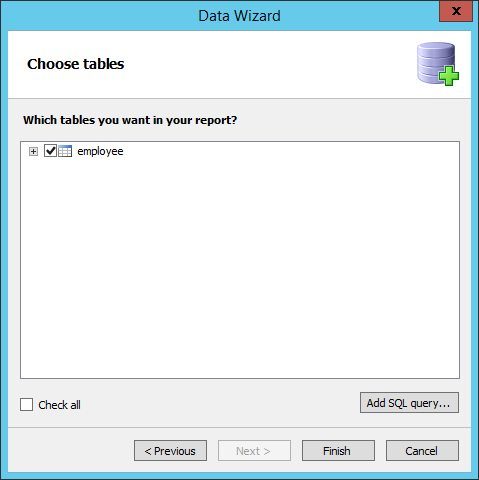
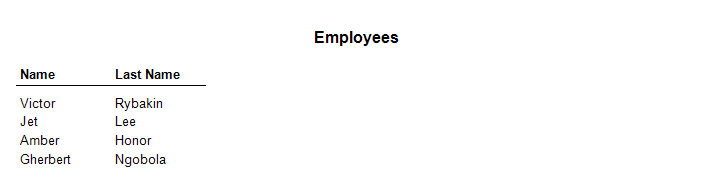
Unfortunately, with NoSQL database we cannot use a SQL query to filter data at the stage of their preparation. So just look at the result: