Connecting to MsSQL Stored Procedures using code

We continue to develop new FastReport .NET functions. Our team is increasingly expanding the features of our library for generating reports. With a recent update, we have added the function of connecting to MsSQL stored procedures. These stored procedures are a set of instructions that are executed simultaneously. Thus, the stored procedures allow you to streamline complex operations and bring them into a single object.
Previously, you could only connect to them via a database query. Now it is enough to use the standard scheme for connecting to database tables.

Procedure icons will be different. Also, if the procedure has input parameters, a window with its parameters will appear when it is selected. In this window, you need to set parameter values if necessary. If you use the default values, then leave the Expression and Value fields empty.
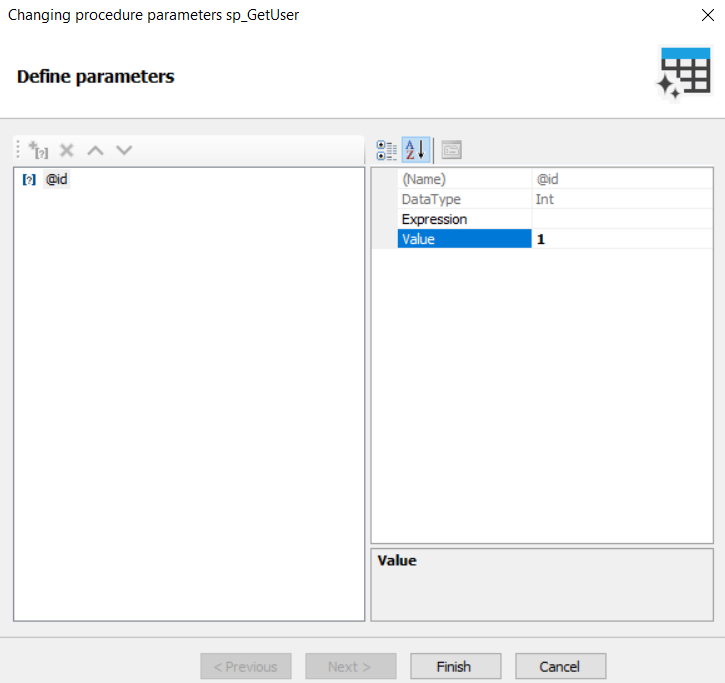
If the procedure returns output parameters, then they will appear in the “Report Parameters” after creating the connection. Such parameters will be updated only when the information is uploaded into the data source.
Calling the procedure from code:
// Create the MsSqlDataConnection object
var connection = new MsSqlDataConnection();
// Set the connection string
connection.ConnectionString = @"Data Source=DESKTOP-43LGTAI;AttachDbFilename=; Initial Catalog=EmployeeCaseStudy;Integrated Security=True;Persist Security Info=False;User ID=;Password=";
// Initialize all tables
connection.CreateAllTables();
// Set the connection name
connection.Name = "NewConnection";
// Create a Report Object
var report = new Report();
// Add the connection to a report
report.Dictionary.Connections.Add(connection);
// Enable connection display
connection.Enabled = true;
// Select a table and connect it to the report
foreach (TableDataSource table in connection.Tables)
{
 if (table.Name == "sp_GetUser")
 {
 foreach (CommandParameter parameter in table.Parameters)
 if (parameter.Name == "@id")
 parameter.Value = 1;
 table.Enabled = true;
 }
}
You can find procedures in the list of tables by comparing them with ProcedureDataSource.
Now it will be faster and easier for FastReport .NET users to use pre-prepared data select scripts in several reports.
