Introduction
FastReport Desktop automates the delivery of reports from multiple databases - even simultaneously - enabling you to uncover valuable insights from your data and export them to over 30 formats on a scheduled basis.
FastReport supports a wide range of data sources, including:
- Relational databases: MS SQL, Oracle, PostgreSQL, MySQL, Firebird SQL, SQLite
- NoSQL databases: MongoDB, RavenDB, Couchbase
- Search & analytics engines: ClickHouse, Elasticsearch
- File-based formats: Excel, XML, JSON, CSV
- Generic interfaces: OLE DB, ODBC
You can export and deliver reports in the following formats:
- Document formats: PDF, PDF/A, PDF/X, RTF, Word, Excel, PowerPoint, OpenOffice Writer/Calc, plain Text
- Web & markup: HTML, MHT, XML, XAML
- Image formats: BMP, PNG, GIF, JPEG, TIFF, EMF, SVG
- Specialized: ZPL, PPML, JSON, CSV, DBF, XPS, LaTeX, PostScript
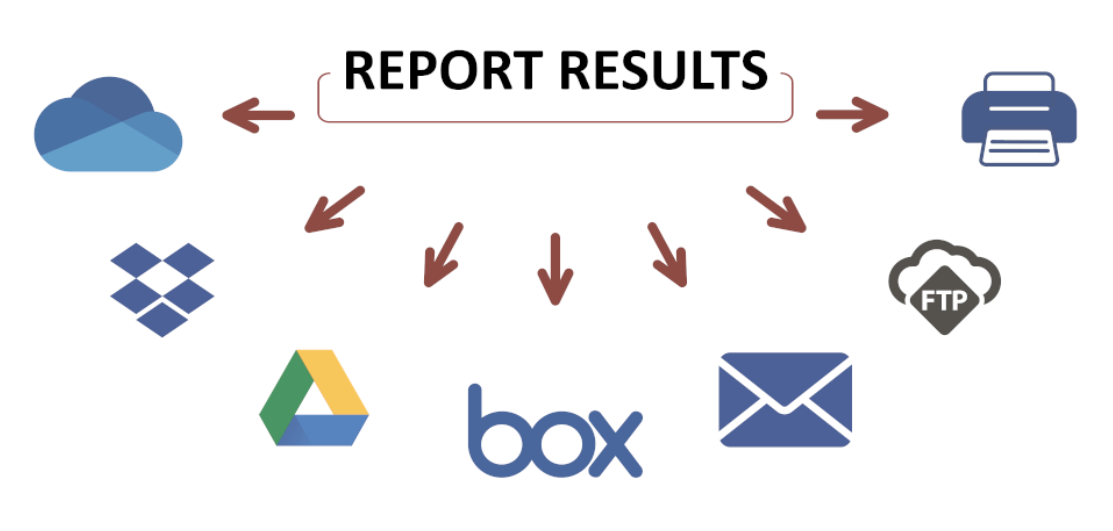
Reports can be automatically sent to cloud storage (OneDrive, Dropbox, Google Drive, Box, FastReport Cloud), emailed, uploaded via FTP, or sent directly to a printer.
Why Choose FastReport Desktop?
Business Intelligence Unlock actionable insights from your data to drive smarter business and infrastructure decisions.
Data Privacy All data processing and storage happen locally - ensuring full control and confidentiality.
Portability Design and test reports on one machine, then deploy and run them seamlessly on others.
Low-Code Approach No programming required. The platform is intuitive enough for advanced non-developers while remaining powerful for experts.
Full Automation Schedule and run reports unattended - once configured, they execute reliably without manual intervention.
Package Contents
The FastReport Desktop suite includes the following components:
FastReport Desktop Manager (
FastReportDesktop) Central hub for managing reports, tasks, and scheduling (available only in the Professional edition).Report Designer (
Designer) Visual tool for creating and editing report templates.Task Configurator (
Configurator) Generates configuration files for the reportBuilder.Scheduler (
Scheduler) Automates report generation, export, and delivery (e.g., via email).Report Viewer (
Viewer) Displays generated reports interactively.Console Builder (
BuilderC) Runs report generation in headless, batch mode - ideal for automation.Windows Builder (
BuilderW) Non-console alternative of report builder.
How It Works
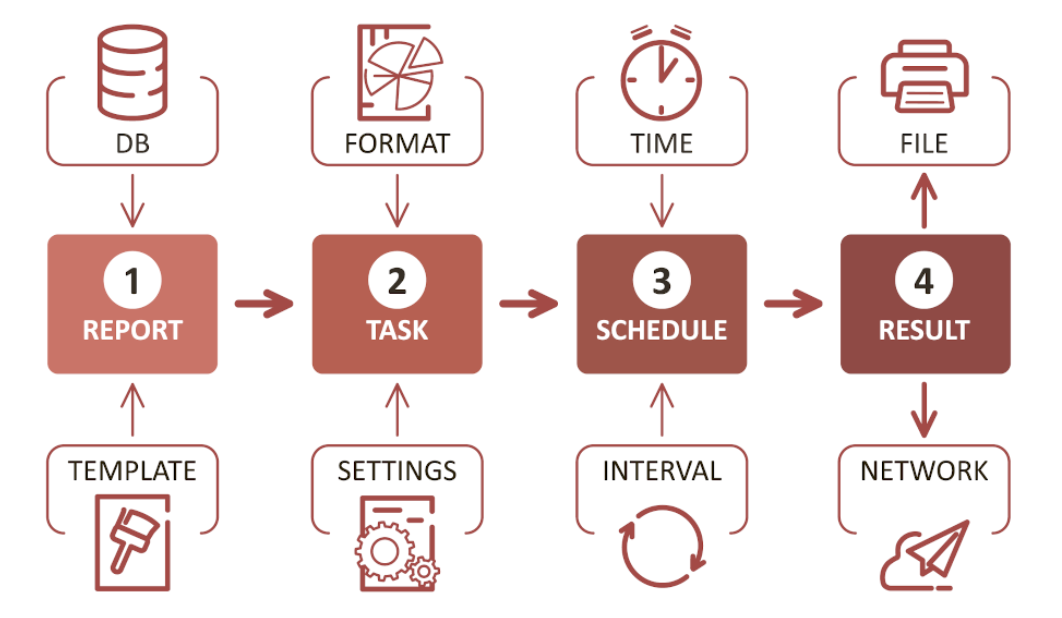
Imagine you want to automatically generate a PDF report on a daily basis. Here's how it works:
Design the Report Use the Report Designer to create a template (if one doesn't already exist).
Configure the Task With the Task Configurator, define actions such as exporting to PDF and specifying the output folder.
Schedule Execution Use the Scheduler to set up automatic, recurring execution.
Receive the Output The final report is delivered to email, saved to a local/network folder, uploaded to cloud storage, or printed.