Rich text
The object "Rich text" allows you to display multiline text in RTF format preserving the layout and styles. On the toolbar it looks like this: 
And on the report page, it looks like a simple component "Text":
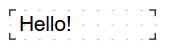
When possible, it is recommended to use regular "Text" object to display a text. When you export the report to some document formats, the "Rich Text" object will be exported as a picture.
"Formatted text" can display the data from the source as well as object "Text". To do this, either type the expression manually or connect components to the data field using the DataColumn property.
The object has the following properties:
| Property | Description |
|---|---|
| AllowExpressions | This property allows to turn on or off the expression handling. It is on by default. |
| Brackets | This property contains a pair of symbols that designate an expression. |
| DataColumn | The data column that this object is bound to. |
| Text | This property contains the RTF text. |
| Padding | The padding, in pixels. |