Saving the report
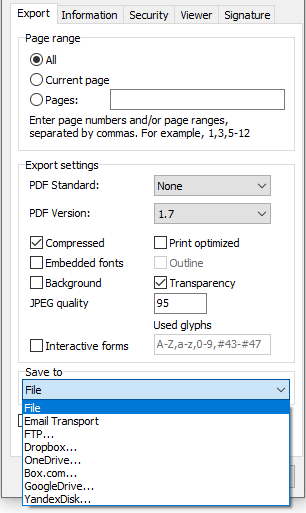
FastReport uses so-called transports to save prepared reports or exported files to one of the following places:
file;
email;
FTP;
Dropbox;
OneDrive;
Google Drive;
Box.com.
To save the prepared report (.fp3 file), press the "Save" button in the preview window, then select the "Prepared report" menu item.
To export the report and save the result, press the "Save" button in the preview window, then select the export you need. In the export dialogue window, choose the "Save to" option: