Using .NET functions
You can use any .NET objects in expressions. The following example demonstrates Max function use:
Math.Max(5, 10)
By default a report uses the following .NET assemblies:
System.dll
System.Drawing.dll
System.Windows.Forms.dll
System.Data.dll
System.Xml.dll
You have access to all .NET objects declared in these assemblies. If you need to have access to another assembly, add its name in report assemblies list. You can do it in the "Report|Options..." menu, by choosing the "Script" element in a window:
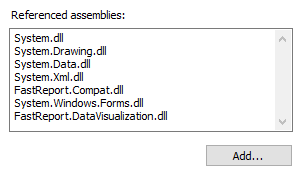
For example, if you want to use a function in your report which was declared in your application, add application assembly (.exe or .dll) in a report assemblies list. After that you can call the function by using namespace of your application. For example, if the following function is defined in application:
namespace Demo
{
  public static class MyFunctions
  {
    public static string Func1()
    {
      return "Hello!";
    }
  }
}
You can use it in your report in the following way:
Demo.MyFunctions.Func1()
If you add the using Demo line at the top of the report's script, it will allows you to shorten the syntax:
MyFunctions.Func1()
To refer to the function or variable that was defined in a script, just use its name:
myPrivateVariableThatIHaveDeclaredInScript
MyScriptFunction()
You can use in an expression only those functions which return a value.