Creating a parameter
To create a parameter, select the "Parameters" element in the "Data" window, right-click it and choose the "New parameter" item in a context menu:
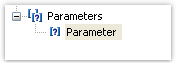
Press F2 and give a parameter name, then go to the "Properties" window and set the parameter's DataType property.
Parameters can be nested. To create a nested parameter, select a parent parameter, right-click it and choose the "New parameter" item in a context menu:
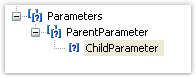
You can refer to both, parent parameter and nested one. Nesting level is not limited.