The "Data" window
All data is accessible from the "Data" window. This window can be shown by choosing the "Data|Show Data Window" menu.
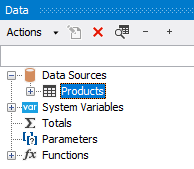
The "Data" window allows to operate with all data elements and also to drag them into the report page. All operations can be done with the help of the toolbar and "Action" menu:
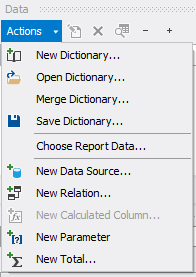
A part of these operations is duplicated in a context menu of the "Data" window. For example, if you select a data source, you can use its context menu to create a calculated column, delete a data source, or view its data.