FastReport Cloud, FastReport Corporate Server, FastReport Publisher 2024.2
In the 2024.2 version, we have worked on quality, fixed bugs, and added several new features.
Bulk copying and moving
API methods have been added that enable copying and moving multiple files and folders at once. Previously, it was necessary to make multiple requests to copy each file individually. Now, a single request is sufficient. This conserves network resources, making the copying process faster and more convenient.
/api/rp/v1/Templates/{subscriptionId}/CopyFiles
/api/rp/v1/Templates/{subscriptionId}/MoveFiles

/api/rp/v1/Reports/{subscriptionId}/CopyFiles
/api/rp/v1/Reports/{subscriptionId}/MoveFiles

/api/rp/v1/Exports/{subscriptionId}/CopyFiles
/api/rp/v1/Exports/{subscriptionId}/MoveFiles
Example request for copying templates:
    {
        "$t":"SelectedFilesVM",
        "isAllSelected":false,
        "folderId":"634fe7eeaa878f1c59e142367",
        "searchPattern":"",
        "useRegex":false,
        "files":["63d786bdfa2304a349d42f9c","62c75affbd78354cc1dabff5"],
        "folders":[],
        "path":"66d38a32fa1b7824ee1fd036",
        "isBin":false
    }
Alternative method for uploading files to the cloud
An optimized method for uploading templates (/api/rp/v2/Templates/Folder/{id}/File) and reports (/api/rp/v2/Reports/Folder/{id}/File) have been added. The new method, unlike the first version, accepts a binary file, thereby saving resources. The v1 upload methods are marked as deprecated and are not recommended for use.
The method for changing the content of already uploaded templates has also been updated - /api/rp/v2/Templates/File/{id}/Content.
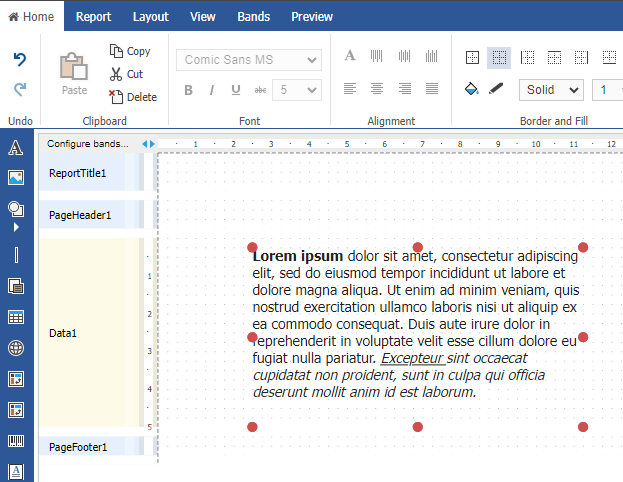
RichText preview in the Online Designer
Starting with the current version of FastReport Corporate Server, the Online Designer supports the ability to preview RichText objects.
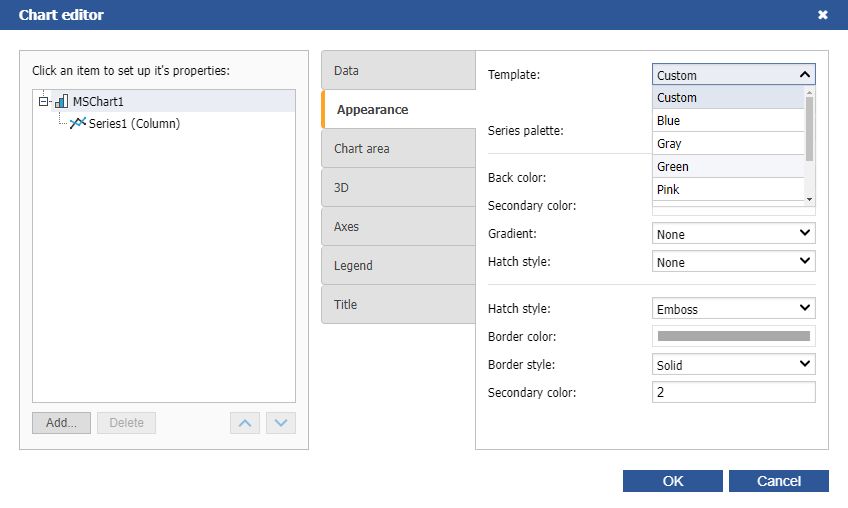
Style templates for ChartObject in the Online Designer
Now you can select pre-set style templates when editing charts.
Ability to share by link
We have added functionality that allows sharing any files via a link.
Previously, you could grant access to a file to any anonymous user. Now access can be restricted using a key that is added to the link.
To use an access key, you simply need to pass the accessKey parameter in query, with the value of the key field of the access key. In this case, the user (even anonymous) will be granted all the rights that this key provides for the duration of the request.
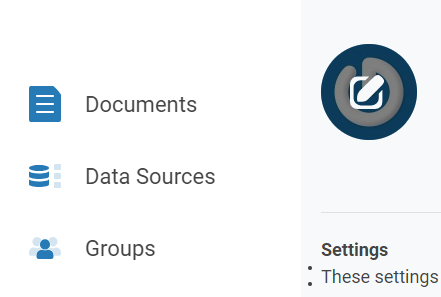
User avatar editing
A button for changing the user avatar has been added, as well as a default image in case the avatar is not available.
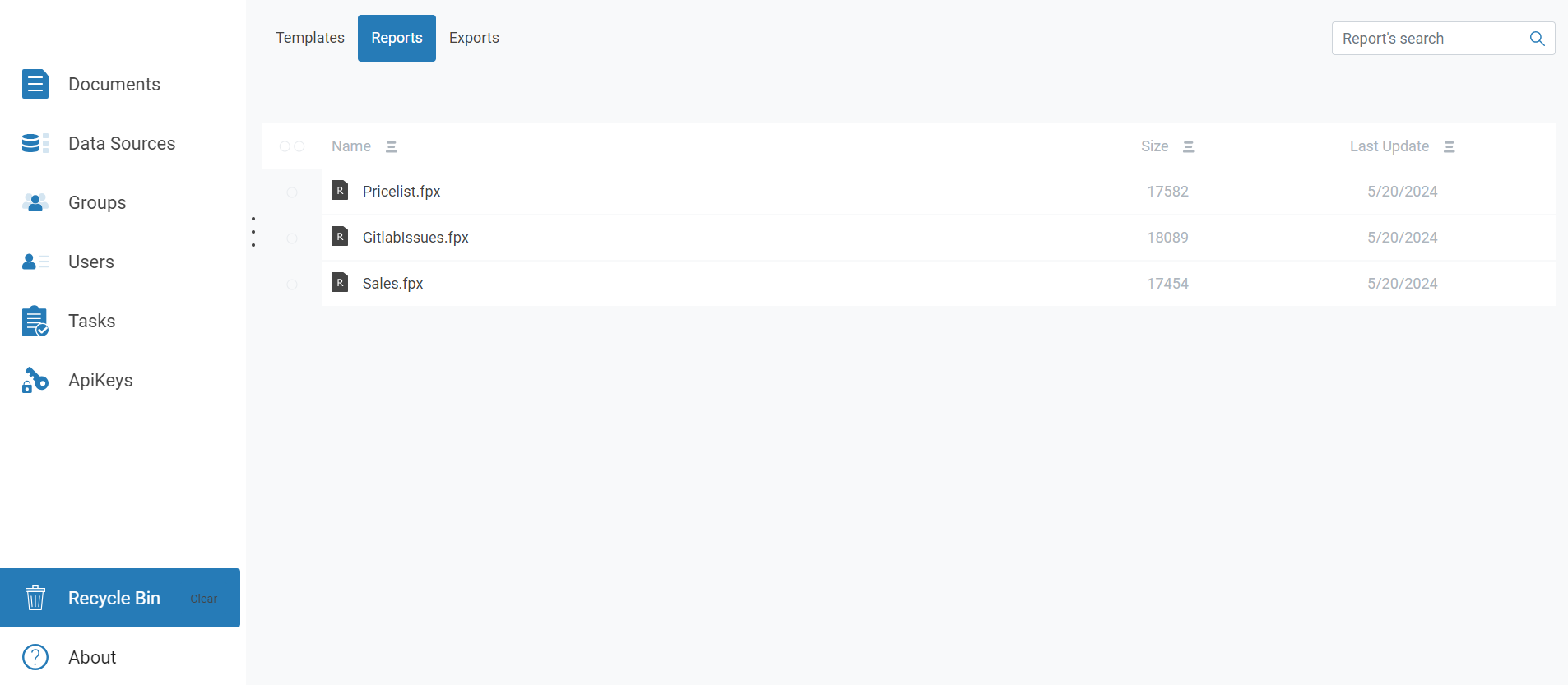
New recycle bin for deleting files
A new page with a recycle bin for deleting files has been added. The button to go to the recycle bin has been moved to the sidebar. Added the ability to clear sections with templates, reports and exports at the same time.
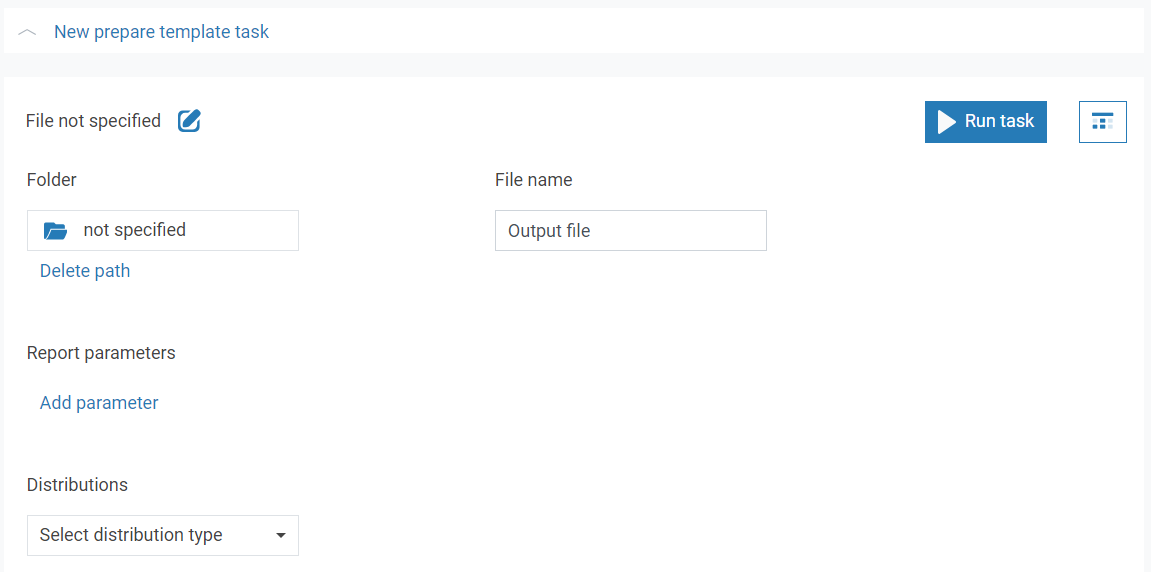
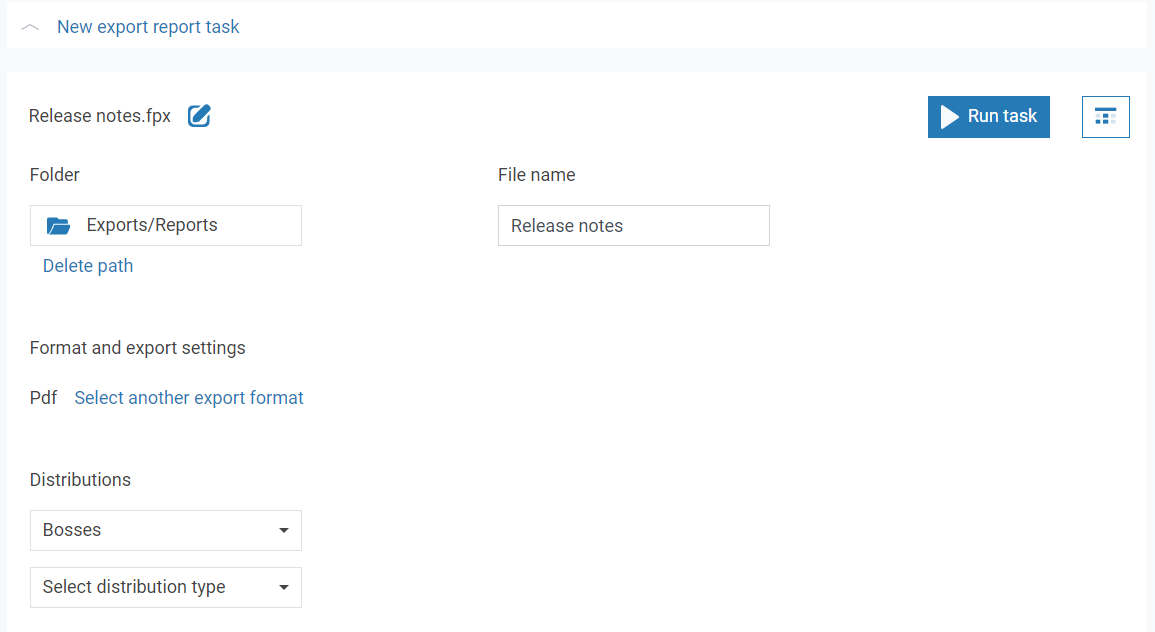
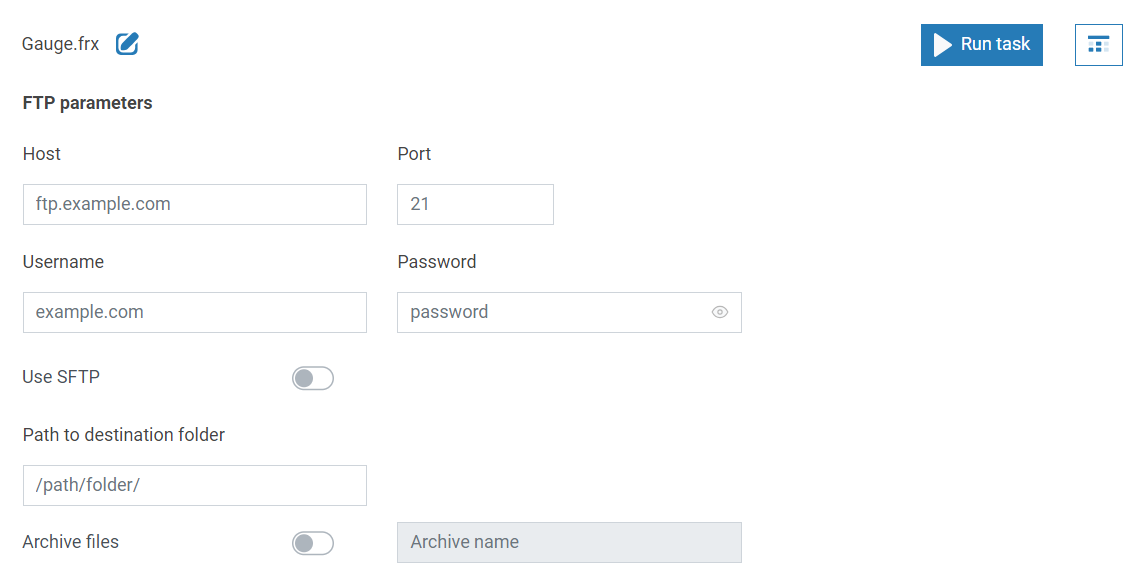
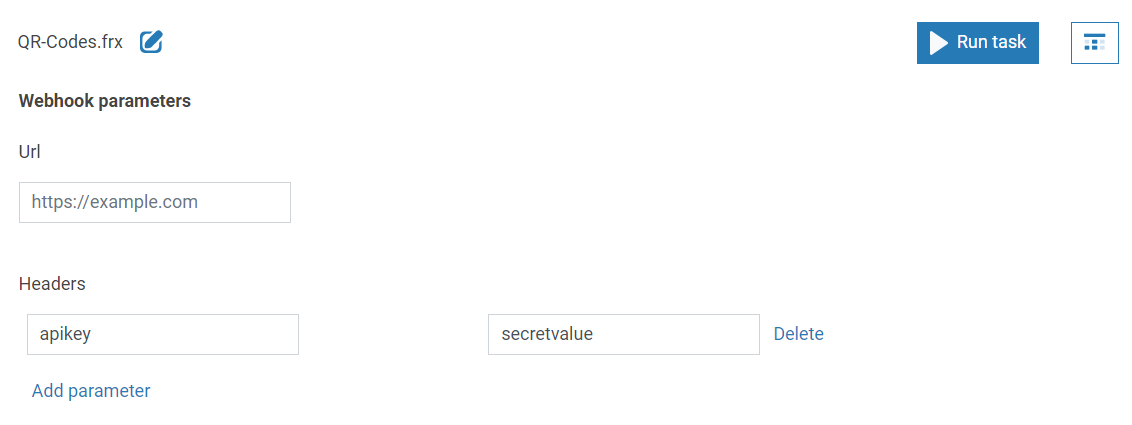
Improved Tasks management page
Added creation of the template prepare task:
Added creation of the export report task:
Added task for FTP file save:
Added webhook task:
Workspace tags in the admin panel
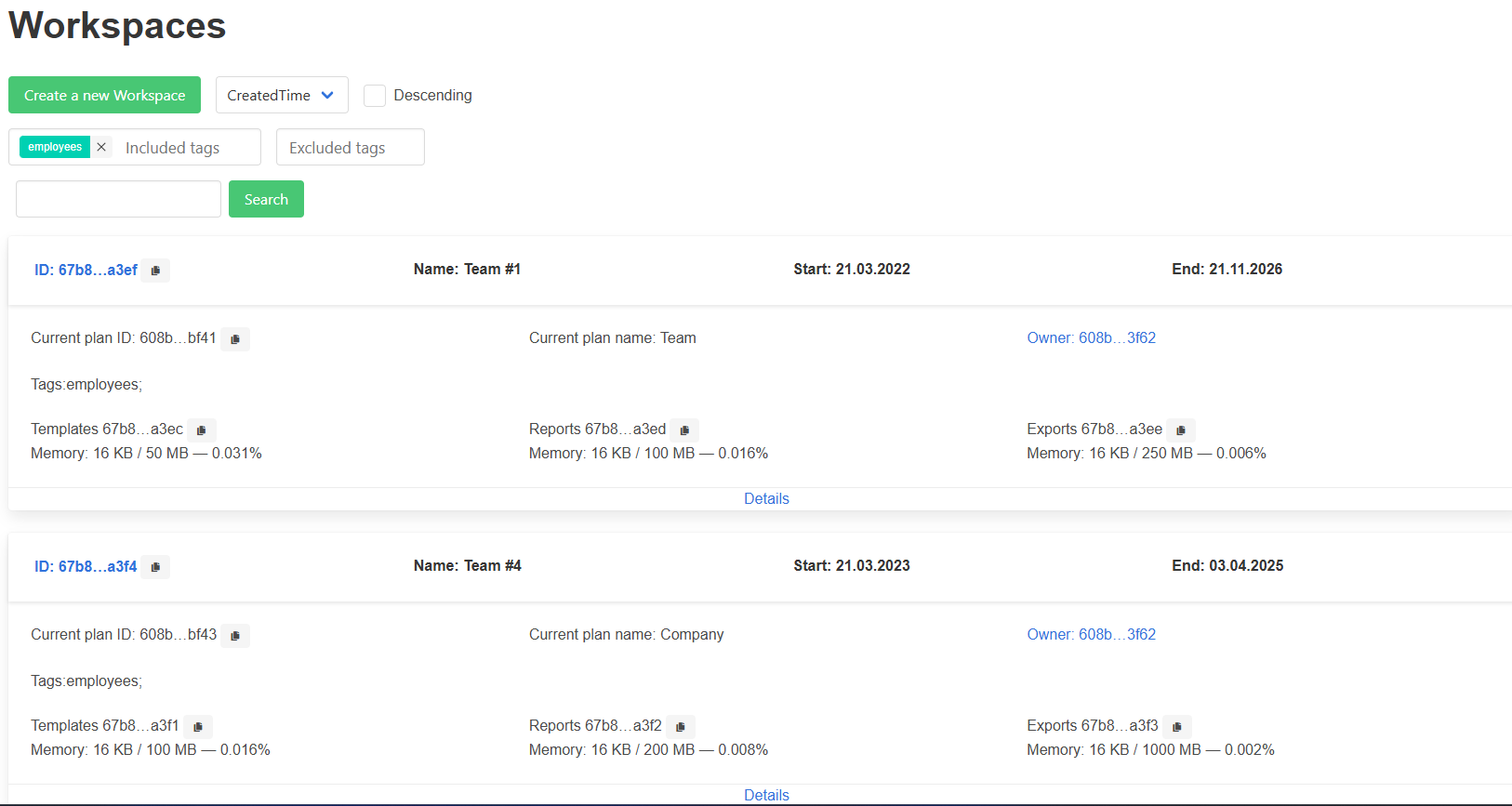
Workspace tags have been added for easier searching. For example, when administering a Corporate Server, workspaces are created for company employees and clients. Using tags, you can label your workspaces and exclude them when searching for client spaces.
Full list of changes:
### [Backend]
+ added entity name to worker audit;
+ added bulk copy and move files and folders;
+ added alternative method to upload reports;
+ added RichText and Chart preview in online designer;
+ added ability to share access to the file;
+ added checking and resolving issues when the parent folder has been deleted;
+ added more checks when exporting folders;
* now corporate server runs in demo mode by default; the license key for demo mode is no longer required;
* updated comments for all controllers, fixed returned status codes;
* messages about errors 500 became more informative for users;
* optimized GetStats method by building a pipeline before the loop;
* changed limits of the maximum request body size;
- fixed infinite folder creation;
- fixed duplicate archive names when exporting;
- fixed Online Designer working with compressed templates;
- fixed test of critical changes in the QA pipeline;
- fixed copying files over the limit;
- tasks to export a template from the Recycle Bin now correctly return error 404;
- fixed localization error when moving to the Recycle Bin;

[Common]
+ added exclusion of users and subscriptions to audits;
+ added tags to subscriptions;
+ added articles to documentation for programmers;
+ added documentation for FTP sending task;
+ added article for report parameters;
* added SDK for Kotlin (Android);
* updated documentation for tasks in UI;
- renamed view models in SDK to shorter names;
& updated SDK generator version;
& optimized memory consumption;

[Frontend]
+ added file counter when exporting a folder;
+ added cache for charts in admin panel;
+ added approximate display of files while uploading them;
+ added validation when creating and editing an email task;
+ added document type selection in selection dialogs;
+ added a button to change the user avatar and a button to upload a spare image in case the avatar is unavailable;
+ added skeleton placeholders for data sources during upload;
+ added animation for file upload;
+ added a new page with the Recycle Bin for deleting files;
+ added creation of report preparation task;
+ added creation of report export task;
+ added EmptyContent and Placeholder for folder selection dialog;
+ added Placeholder and EmptyContent to file selection dialog;
+ added FTP sending component to user panel;
+ added webhook task for user panel;
+ added space checker;
+ added OnInitialized method;
* added a redirect to owner from page and workspace board;
* added sorting to file pages in the admin panel;
* normalized MySQL connection string according to standards;
* styled ExportTemplateEditor;
* updated task page for admin panel;
* changed names of new tasks;
* moved common code to a separate component;
* changed OutputFileCard;
* added new name for webhook;
- fixed empty task name after BadRequest error;
- fixed incorrect file view when changing export output file;
- fixed bug that caused the online designer to sometimes open files twice;
- fixed bug that caused CSV connection to ignore parameter names;
- fixed error messages when testing a data source before creating it;
- fixed bug that breaks data sources page when updating;
- fixed error 400 when moving folders;
- fixed broken transport card on too long or too short text;
- fixed content movement on the task page;
- fixed transportation problems.