Files and Folders
Products: FastReport Corporate Server, FastReport Publisher
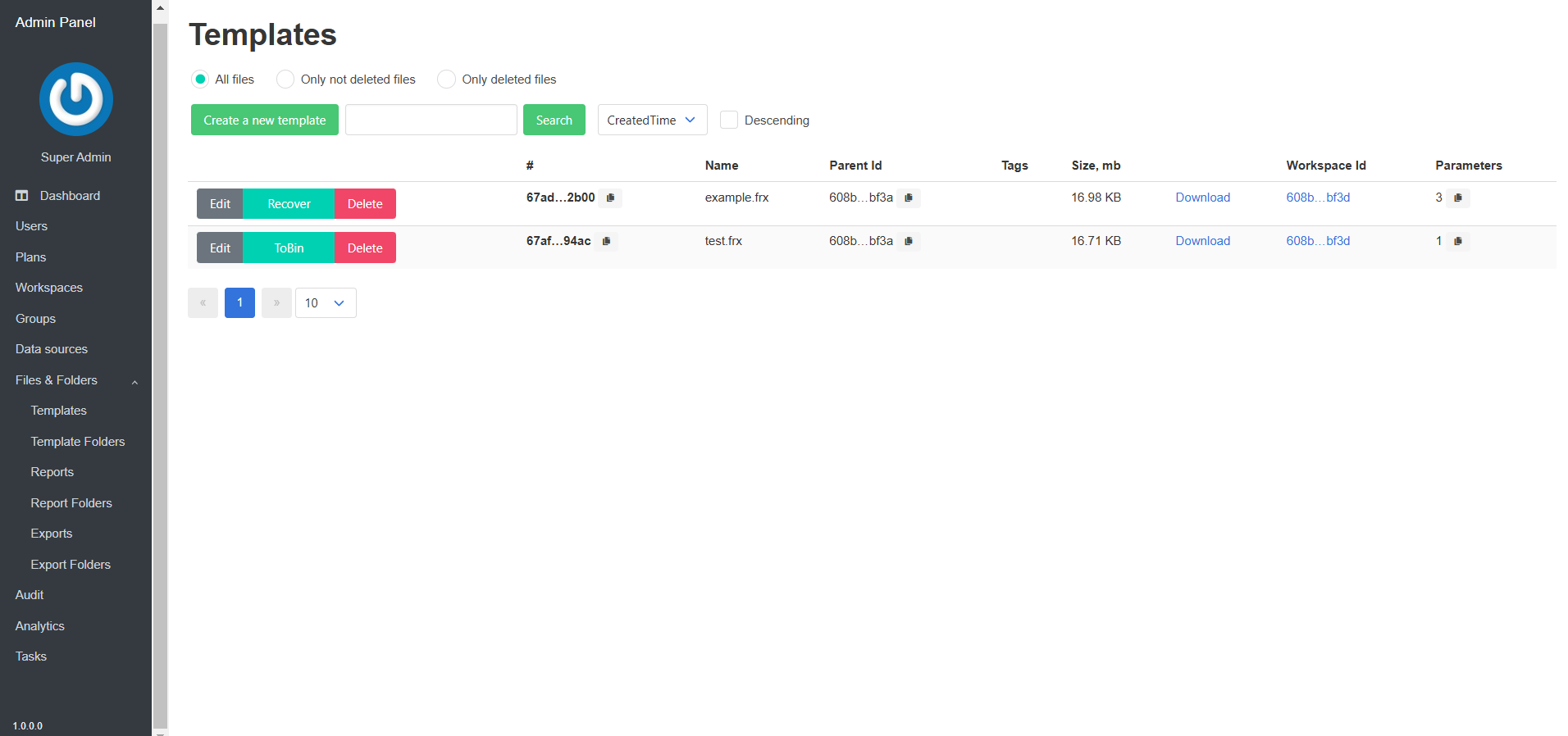
In FastReport Corporate Server and FastReport Publisher has 3 types of documents: templates (.frx), reports (.fpx), and exports (various formats from pdf to html). Switching between file types is done on the panel located on the left of the screen.
At the top, there is a filter for the file or folder status (Only deleted files, Only not deleted files, All Files), a button to create a new file/folder, and a sorting type option.
Below, you can see the following information about the file or folder:
| Title | Description |
|---|---|
| “Edit” button | Redirects to the file/folder editing page, allowing management of their permissions. |
| “Recover” button | Restores the file/folder if it is in the recycle bin. |
| “ToBin” button | Moves the file/folder to the recycle bin if it is not already there. |
| “Delete” button | Permanently deletes the file/folder (the root folder cannot be deleted or moved to the recycle bin). |
| Id | Identifier for the file/folder. |
| Name | Name of the file/folder. |
| Parent Id | Identifier of the parent folder that contains the file/folder. |
| Tags | Tags assigned to the file/folder. |
| Size | Size of the file/folder in MB. |
| “Download” Button | Downloads the file or folder. |
| Subscription Id | Identifier of the workspace in which the file or folder is located. |
For templates, report parameters are also displayed.