Service Solutions Update to Version 2026.1
In the 2026.1 release of our service solutions lineup, we focused on improving usability, security, and expanding capabilities. The update includes dozens of improvements to the interface, integration mechanisms, user tools, and increased stability.
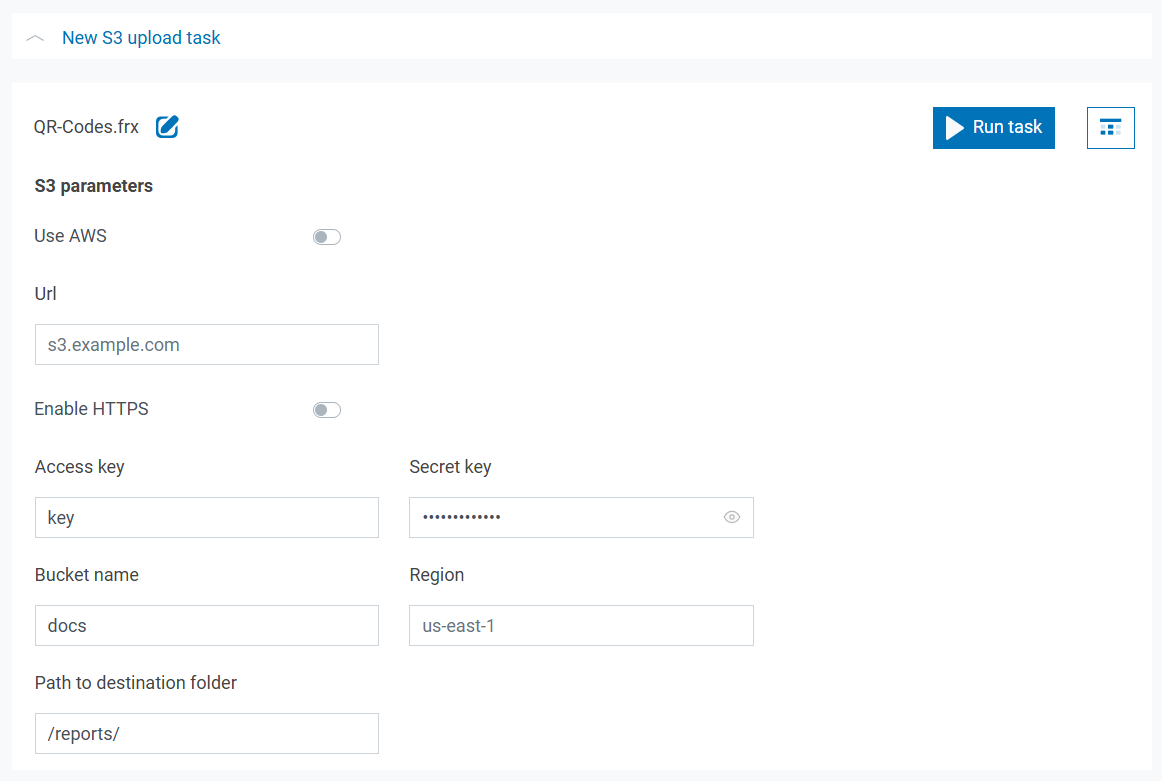
Saving Documents to S3-Compatible Storage
A component for working with Amazon S3-compatible storage has been added. This allows saving templates, reports, and finished documents in various formats (pdf, docx, xlsx, etc.) to S3. One use case is creating an annual report (by passing start and end dates as report parameters), exporting it to PDF, and saving it to S3-compatible storage, where it will be available for viewing and downloading. For more details on saving to S3 and its programmatic use, please refer to the documentation.
Sending Documents to Telegram
Telegram Bot API support has been added. Similar to saving to S3, documents and report templates can now be sent to Telegram. Sending to channels, direct messages with the chatbot, and group chats is supported. To send, use the unique identifier or name of the public channel or group where the bot has been added. More information on Telegram bots and their creation can be found on the official Telegram website.
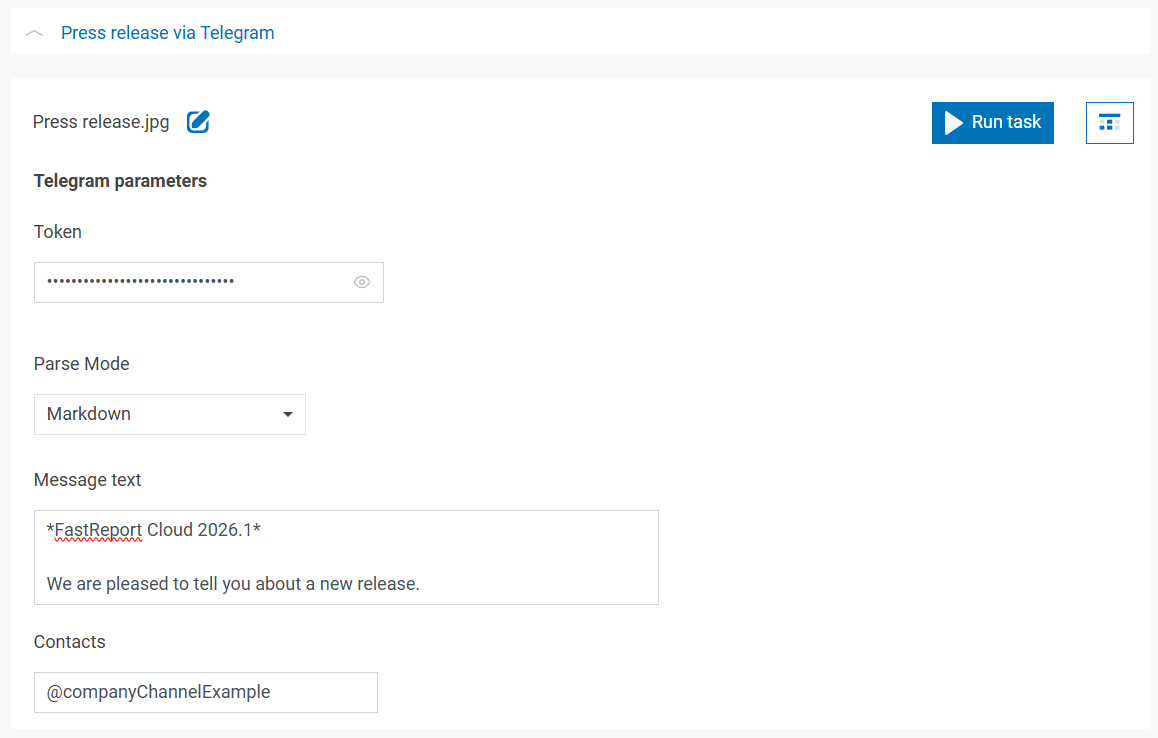
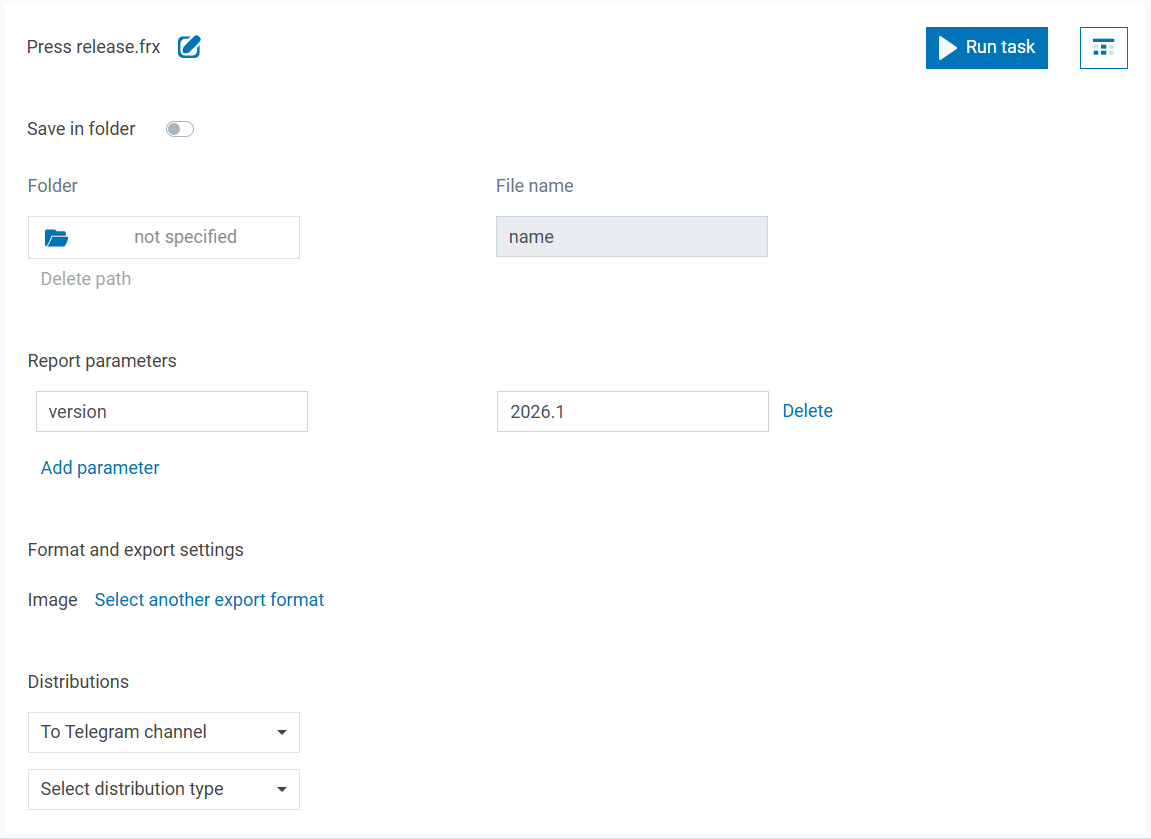
Additionally, the most convenient way to send documents to Telegram is by using an export task followed by sending. To do this, select the previously created Telegram sending task from the dropdown list in the export task settings.
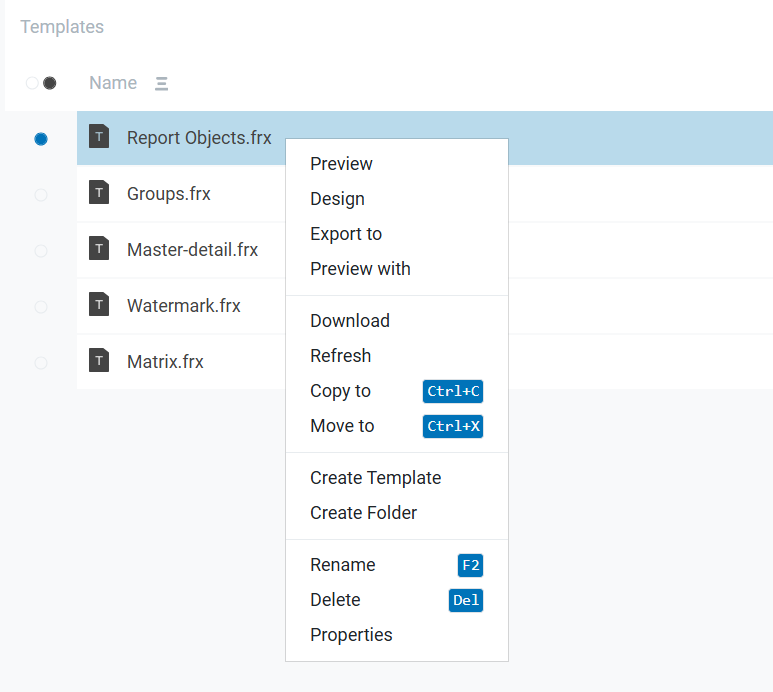
Hotkey Hints Added to Context Menus
Interface usability has been improved: hotkey hints now appear in context menus. These allow for faster interaction with the user panel interface.
Enhanced API Security: CORS Support and Trusted Domain Management
We have updated the API request protection mechanism in accordance with modern web security standards. Now, authorized API requests require explicitly specifying trusted domains—this enables correct handling of CORS (Cross-Origin Resource Sharing) and preflight requests in modern browsers.
Browsers block cross-domain requests without explicit permission—this protects users from CSRF (Cross-Site Request Forgery) and other attacks. The previously used approach stopped working after security policy updates in Chrome, Firefox, and other browsers.
Workspace administrators can configure the list of allowed domains in the “Settings → Workspace” section. Only requests from these domains will have authorized access to the API.
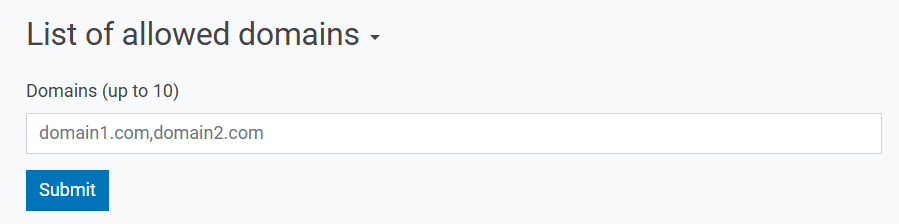
This enhances security without compromising convenience—integrations continue to function, but now reliably and according to standards.
Added Script Autocompletion Support for FastReport Online Designer
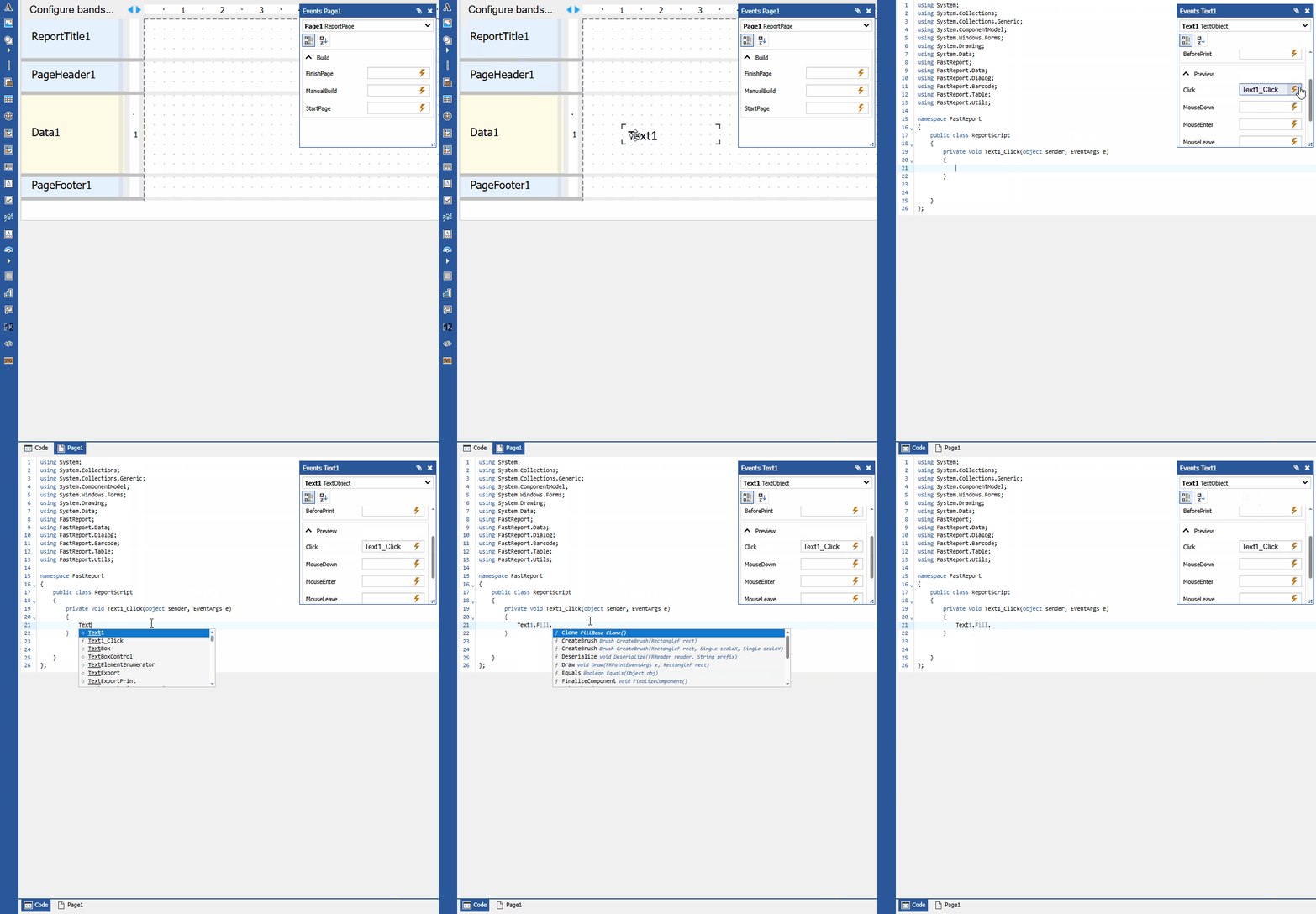
Online Designer now includes support for autocompletion hints (similar to IntelliSense), which increases the speed and accuracy of template development. For other new features of the Online Designer, please refer to the 2026.1 release news.
New Template and Report Preview Modes Added
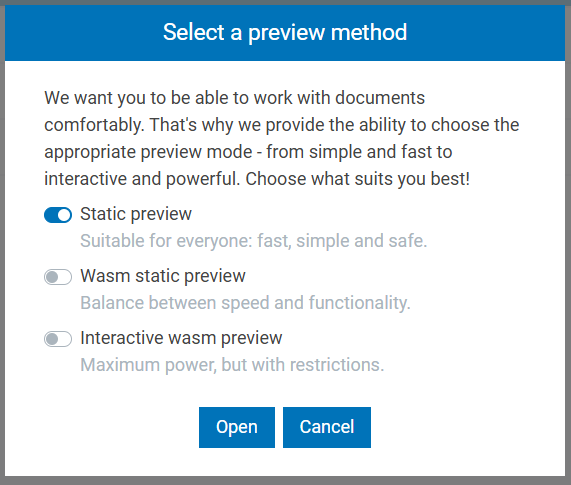
The preview component has received additional modes. The following are now available:
- Static preview (a lightweight mode that displays/renders templates and reports in SVG format);
- WASM Static Preview—a more accurate, but also resource-intensive component, written in Blazor;
- Interactive WASM Preview—the most accurate and powerful mode, allowing interactive reports to be run.
The appropriate mode can be selected before opening a template or report.
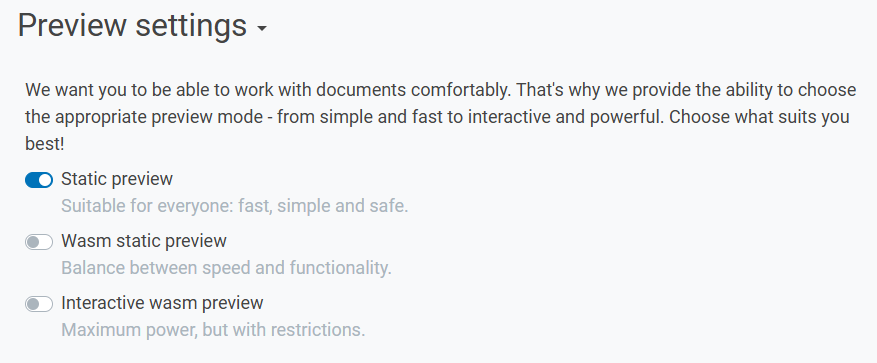
It is also possible to set a default mode in the user settings.
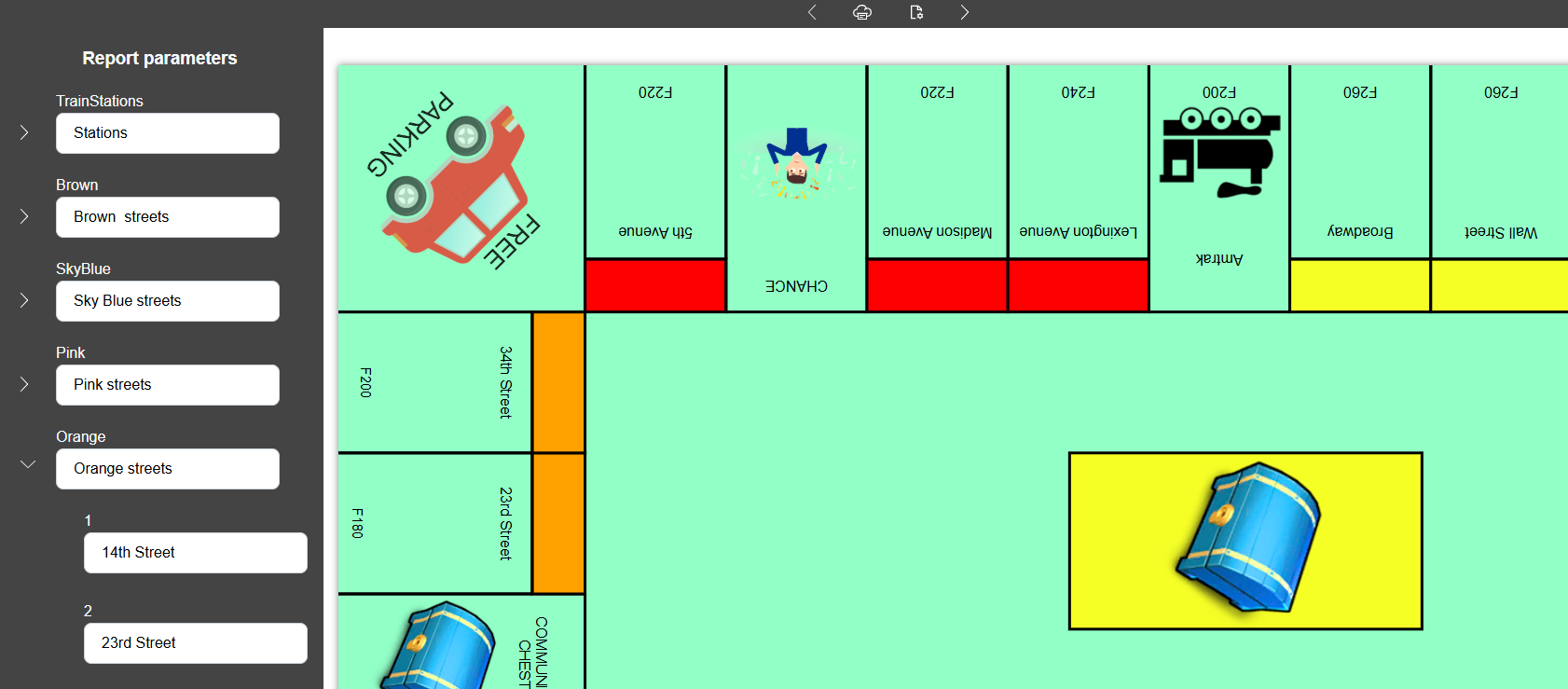
Nested Parameters Added to Static Preview
Static Preview now supports parameters of any nesting level. This improves work with complex templates and allows parameters to be grouped by topic.
Global File Search Added to API
The ability to perform a global search for files and folders via API has been added.
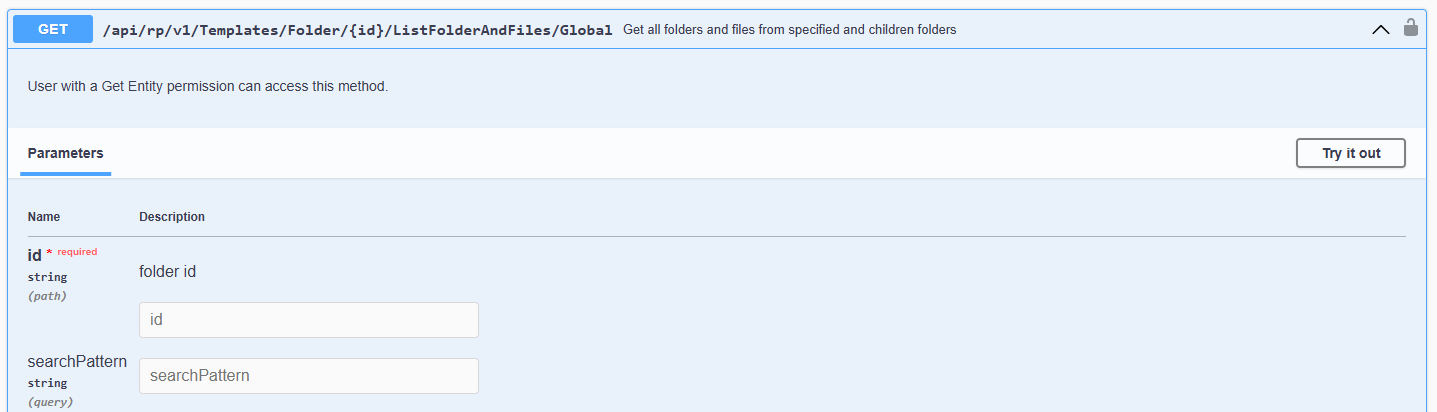
This allows you to find a template, report, or any document by its name, even without knowing which folder it is located in.
Additional Changes for FastReport Corporate Server and FastReport Publisher
Below are additions that apply only to the on-premise products in the lineup.
Docker Image Repository
Builds are now distributed via Docker Registry. Documentation has been added and updated, and related docker-compose scripts have been fixed. This simplifies product updates and deployments.
Separate Sign-In Form
A separate sign-in form has been introduced, fully supported by Gateway mechanisms. Old settings (SignInPagePath, DisabledPath) have been removed—they are now replaced by the built-in system. The authorization process has become simpler and requires less traffic.
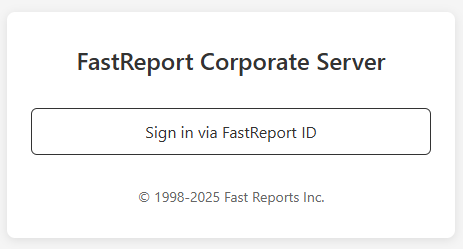
As of the 2026.1 release, this functionality is used for logging into the administrator panel. Support for other services will be added in future releases.
Information on Active Users and Subscriptions on the Audit Page
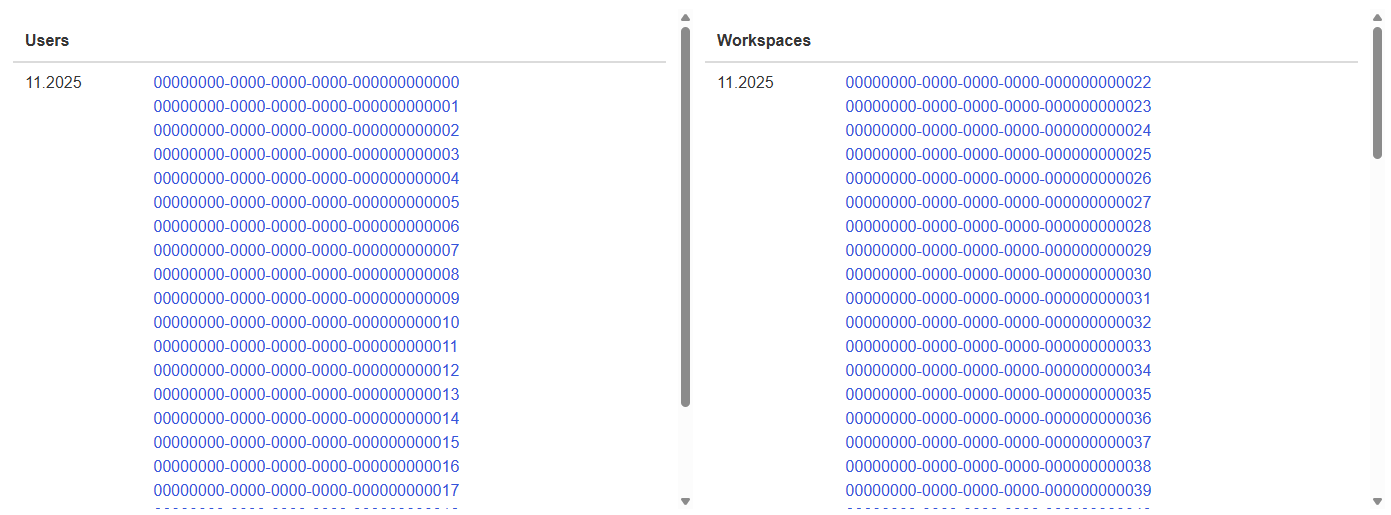
The administrator panel has gained additional functionality: the “Audit” page now displays the IDs of active users and subscriptions for a specified time interval. This allows for more effective system usage control and better user understanding.
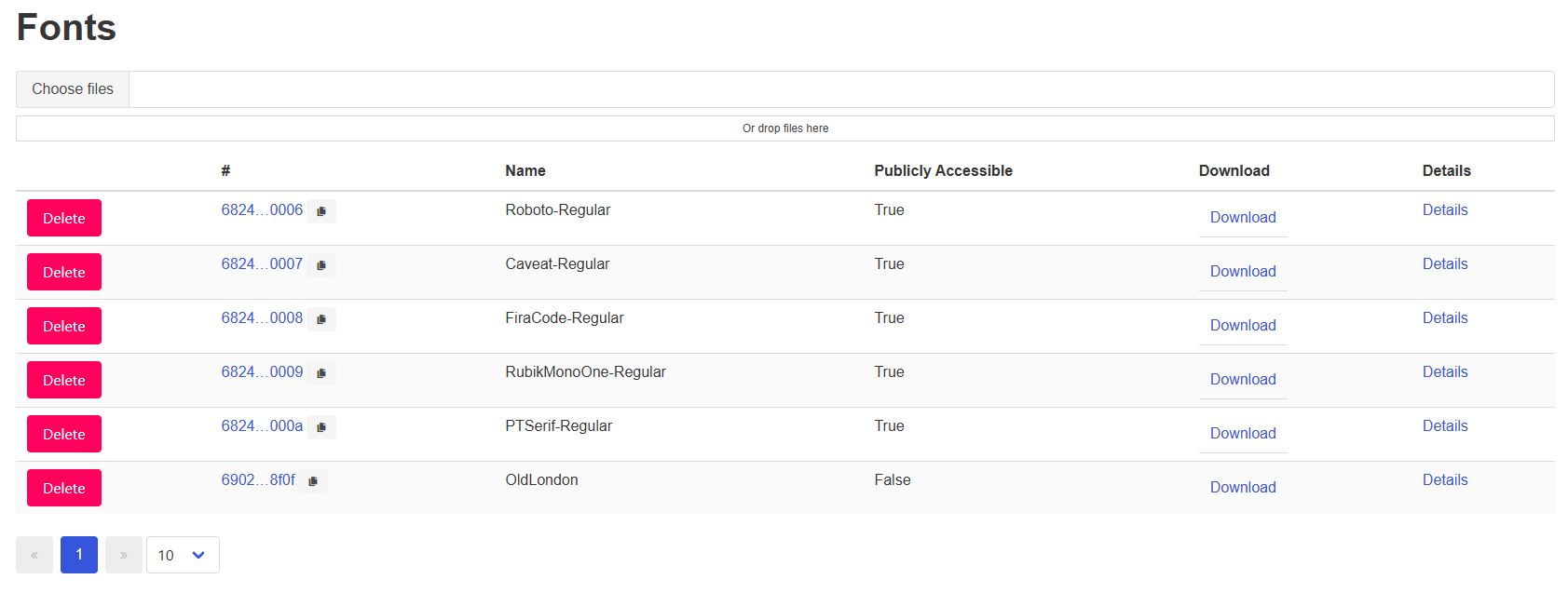
Font Management in the Administrator Panel
A dedicated font management page has been added to the administrative panel.
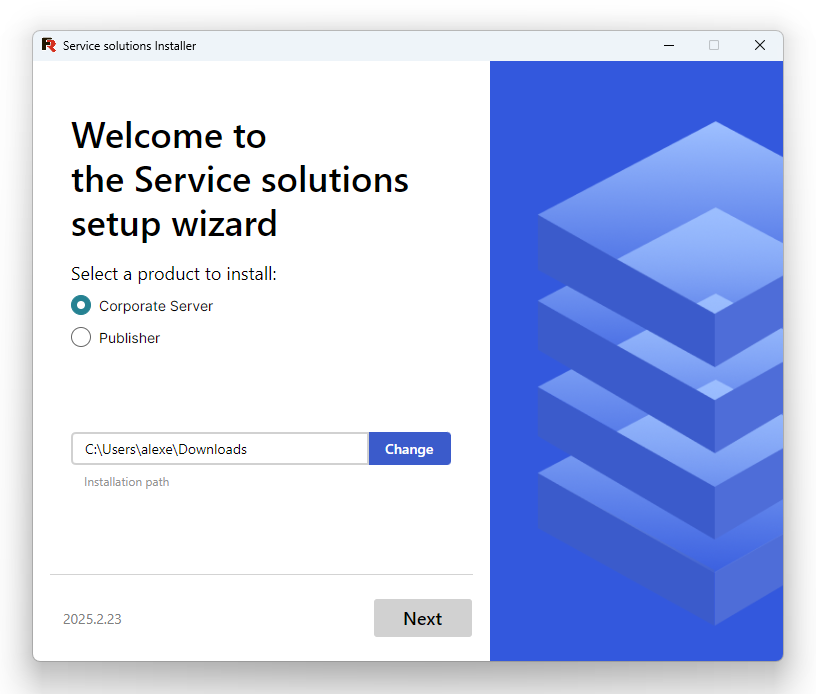
Corporate Server and Publisher Installation Wizard
The installation wizard has received a major update:
- Added the option to install FerretDB and PostgreSQL as databases.
- Users can now choose to install either Publisher or Corporate Server.
- Added the option to select a demo version for installation.
- Improved configuration file creation.
- Reworked interface and bug fixes.
Documentation
The documentation has been significantly revised and expanded:
- Documentation for Cloud, Corporate Server, and Publisher is now unified into a single build.
- Added guides for working with S3, FerretDB, and Docker Registry.
- Added an article on integrating static preview via iframe.
- Corrected errors and typos.
- Added canonical tags and current version to the online documentation.
Full list of changes
[Frontend]
+ added font interface to workspace information page
+ added export parameters to localstorage
+ added virtualization to users page
+ added s3 component to user panel
+ added hotkey hints to various context menus
+ added telegram task component
* added support for alternative uid / pwd keys in MySQL connection dialog (now it will also parse “user id” and “password”)
* added new components for font limit designation
* added S3 and FTP tasks to workspace information page
- fixed product purchase link
- fixed automatic connection string parsing in data source setup dialog for MS SQL
- fixed file renaming with F2
- fixed export to docx in paragraph breaking mode
[Admin Panel]
+ added more links to entities in the admin panel
+ added information about active users and subscriptions to the audit page in the admin panel
+ added a new page in the admin panel for fonts
+ added checks for duplicate file names and incorrect user IDs in analytics
* fixed an error with parameters in the admin panel
- fixed visual errors when loading fonts in the admin panel
- fixed a bug where the problem solver returned an error when analytics found font problems
- fixed a bug where the check for unlinked documents marked all font description models as unlinked (belonging to a non-existent workspace)
[Docs]
+ added documentation on how to use FerretDB instead of MongoDB
+ added documentation for S3
+ added an article to the documentation on integrating staticpreview via iframe
+ added canonical tag for documentation pages
* added current version to online documentation
* updated documentation for working with docker registry
* fixed some typos in the documentation
* unified documentation into one
[Online Designer]
* disabled html5 notifications in Online Designer
* changed the preview generation mechanism for Online Designer; now the temporary template file is deleted after creation
[Backend]
+ added S3 upload task
+ added Telegram sending task
+ added domain permissions; now, to execute authenticated requests, a list of allowed domains must be specified in the workspace; previously, due to the new browser security system, this functionality was inoperable
+ added IntelliSense support for Online Designer
+ added global file search to API
* improved font caching mechanism in the worker service
* added search by subscription plan to audits
* replaced the view model for the request for space occupied by fonts. Now it is not the same model as for files
- fixed an error where many parallel requests led to memory leak and caused an error
- fixed data types of returned view models in the task controller
- fixed a bug where font space calculations accounted for all workspaces
- fixed a bug where OpenID users did not display any useful information in the workspace user list
- fixed a bug where nested transport had a null subscription ID
[Tasks]
- fixed an error where a task could sometimes enter an infinite loop and hang the entire system
[Preview]
+ added new preview modes
+ added localization switching logic for wasmpreview, identical to staticpreview
+ added nested parameters to static preview
[Installer]
+ added FerretDB installation option
+ added Publisher installation capability
+ added Docker-related text to the final page
+ added demo version license keys
• changed behavior: the “Next” button will now be disabled if a license key is not specified
• changed behavior: the installer now creates an extended configuration file
- fixed a bug where the installer crashed when clicking to show the RabbitMQ password
[Demos]
+ added WPF demo application for FastReport .NET + Cloud
[Common]
+ added a new AllowLocalSignUp property for Auth, which allows enabling and disabling user registration
+ added a new FaviconLink property for Server, which allows setting the favicon link for a white-label license
* assembly download is now available via Docker Registry instead of ZIP
* changed the API test cleanup method
* the gateway now handles the sign-in form; sign-in is simplified and requires less traffic
- fixed an error where license restrictions erroneously prevented the use of OpenID (OIDC)
- removed SignInPagePath property from Gateway config; it is replaced by the built-in sign-in mechanism
- removed DisabledPath property from Gateway config; it is replaced by the built-in mechanism
- fixed docker-compose script for installation files, updated RabbitMQ version
[Font Server]
- fixed a bug where some TTF files failed to load